Introdução
This manual provides detailed instructions for the Casio WS-1400H-1BVDF Digital Watch. This timepiece is designed for active individuals, featuring a 60-lap memory, an easy-to-read LCD, a front stopwatch button, 100-meter water resistance, an LED light, and a 10-year battery life. Please read this manual carefully to ensure proper use and to fully utilize all functions of your watch.
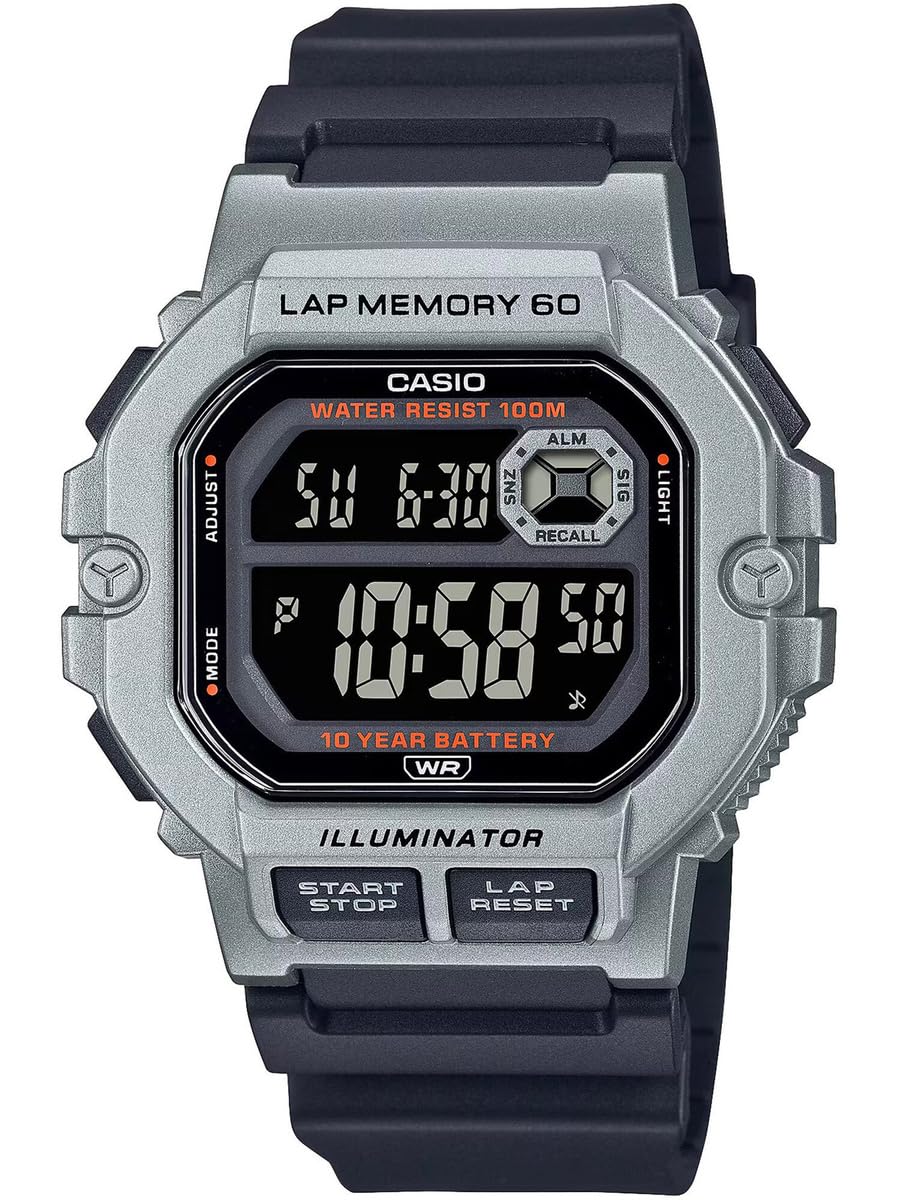
Figura 1: Frente view of the Casio WS-1400H-1BVDF Digital Watch. This image displays the watch face with its digital display, buttons on the sides, and the black resin band.
Configurar
Before using your watch, it is recommended to set the current time, date, and any desired alarms.
Funções dos botões
- A (ADJUST): Utilizado para entrar e sair dos modos de configuração e para confirmar as configurações.
- B (MODO): Cycles through the watch's modes (Timekeeping, Stopwatch, Lap Memory, Timer, Alarm, Dual Time).
- C (LIGHT): Illuminates the display.
- D (START/STOP): Used to start/stop stopwatch or timer operations, and to change settings during setup.
- E (LAP/RESET): Used to record laps in stopwatch mode, and to reset values during setup.
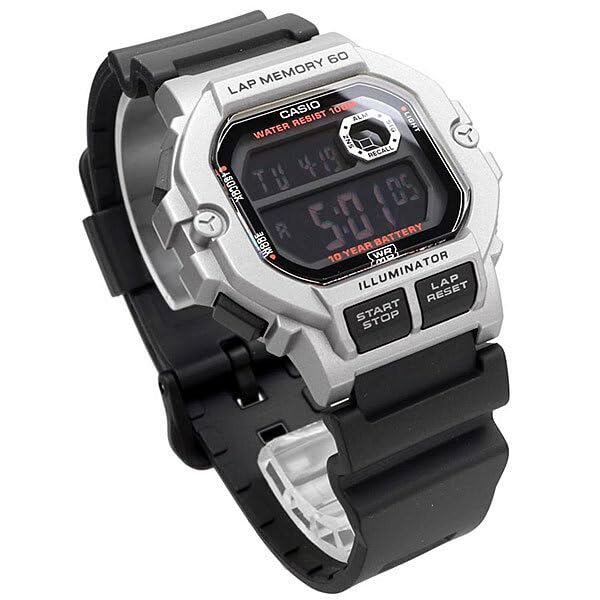
Figura 2: Angulado view of the watch, highlighting the placement of the control buttons on the side of the case. These buttons are used for navigating modes and adjusting settings.
Configuração de hora e data
- No modo de cronometragem, pressione e segure. A until the city code starts flashing. This indicates the setting mode.
- Imprensa B to cycle through the settings: City Code → DST (Daylight Saving Time) → 12/24-hour format → Seconds → Hour → Minute → Year → Month → Day.
- Usar D e E to change the flashing value. D typically increases the value, and E decreases or resets.
- Após definir todos os valores desejados, pressione A para sair do modo de configuração.
Configuração de alarme
- No modo de cronometragem, pressione B repeatedly until you reach the Alarm Mode (indicated by 'ALM' or a bell icon).
- Pressione e segure A until the alarm hour digits start flashing.
- Usar D para ajustar a hora e E para ajustar o minuto.
- Imprensa A to confirm and exit the alarm setting mode.
- Imprensa D in Alarm Mode to toggle the alarm ON/OFF.
Instruções de operação
Navegação em Modo
Pressione o B (MODE) button to cycle through the watch's various modes in the following order:
Timekeeping Mode → Stopwatch Mode → Lap Memory Mode → Timer Mode → Alarm Mode → Dual Time Mode
Usando o cronômetro
The stopwatch measures elapsed time, split times, and two finishes. It features a 60-lap memory.
- Enter Stopwatch Mode by pressing B. The display will show 'STW' or '00'00"00'.
- Imprensa D (START/STOP) para iniciar o cronômetro.
- Imprensa E (LAP/RESET) to record a lap time while the stopwatch is running. The lap time will be displayed briefly.
- Imprensa D novamente para parar o cronômetro.
- Imprensa E para zerar o cronômetro.
Lap Memory Recall
Para view recorded lap times:
- Enter Lap Memory Mode by pressing B.
- Usar D e E to scroll through the stored lap records.
Usando o temporizador
The timer can be set for a countdown from 1 minute up to 24 hours.
- Enter Timer Mode by pressing B. The display will show 'TMR'.
- Pressione e segure A until the timer hour digits start flashing.
- Usar D e E Para definir o tempo de contagem regressiva desejado.
- Imprensa A para confirmar a configuração.
- Imprensa D Para iniciar ou parar a contagem regressiva.
- Quando a contagem regressiva chegar a zero, um alarme soará. Pressione qualquer botão para parar o alarme.
Usando a luz de fundo LED
Pressione o C (LIGHT) button to illuminate the display for easy reading in low-light conditions.
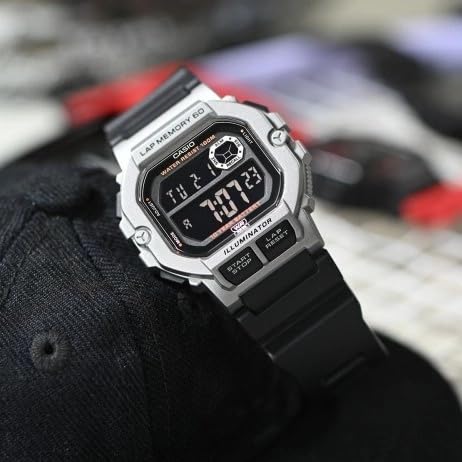
Figure 3: The watch display showing the time and date, with the LED backlight activated for visibility in dark environments.
Manutenção
Proper care will ensure the longevity and performance of your Casio WS-1400H-1BVDF watch.
Limpeza
- Limpe o relógio com um pano macio e seco para remover a sujeira e a umidade.
- For resin bands, wash with water and a mild detergent, then rinse thoroughly and dry.
- Evite usar produtos de limpeza químicos, pois eles podem danificar os materiais do relógio.
Resistência à água
This watch is 100-meter water resistant. This means it is suitable for swimming, showering, and snorkeling. However, please observe the following precautions:
- Do não operate buttons while the watch is wet or submerged in water.
- Evite expor o relógio à água quente ou vapor (por exemplo, banhos quentes, saunas), pois isso pode comprometer a vedação contra água.
- Após exposição à água salgada, enxágue o relógio com água doce e seque-o bem.
Substituição da bateria
The watch is equipped with a 10-year battery. When the display becomes dim or functions become erratic, it may be time for a battery replacement. It is highly recommended to have the battery replaced by an authorized Casio service center to ensure proper sealing and maintain water resistance.
Armazenar
When not in use for extended periods, store the watch in a dry, cool place away from direct sunlight and extreme temperatures.
Solução de problemas
Se você tiver problemas com seu relógio, consulte os problemas comuns e suas soluções a seguir:
| Problema | Possível causa | Solução |
|---|---|---|
| A tela está em branco ou com brilho reduzido. | Bateria fraca. | Substitua a bateria em um centro de serviço autorizado. |
| O horário está incorreto. | Hora não configurada corretamente ou ajuste acidental. | Refer to the "Time and Date Setting" section to reset the time. |
| Os botões não respondem. | O relógio pode estar bloqueado ou apresentar uma falha interna. | Try pressing all buttons firmly. If unresponsive, allow the watch to sit for a few minutes. If the problem persists, contact support. |
| Água dentro do visor. | Water resistance seals compromised. | Stop using the watch immediately and take it to an authorized service center. Do not attempt to dry it yourself. |
Especificações
Key technical specifications for the Casio WS-1400H-1BVDF Digital Watch:
- Número do modelo: WS-1400H-1BVDF
- Tipo de exibição: Digital
- Tipo de movimento: Quartzo
- Material da caixa: Resina
- Material da banda: Resina
- Diâmetro da caixa: 44.5 milímetros
- Espessura da caixa: 13.4 milímetros
- Peso do item: 43 gramas
- Profundidade de resistência à água: 100 Metres (10 ATM)
- Tipo de Bateria: 1 bateria de íon de lítio (incluída)
- Duração da bateria: Aproximadamente 10 anos
- Características especiais: 60-lap memory, Stopwatch, Timer, Alarm, Dual Time, LED Backlight

Figure 4: The Casio WS-1400H-1BVDF watch worn on a wrist, demonstrating its size and fit.
Garantia e Suporte
Informações de garantia
This Casio WS-1400H-1BVDF Digital Watch comes with an Garantia estendida. Please refer to the warranty card included with your purchase for specific terms, conditions, and duration of coverage.
Suporte ao cliente
For technical assistance, service, or warranty claims, please contact Casio customer support:
- Fabricante: Casio India Co Pvt Ltd
- Endereço: A-41, 1st Floor, MCIE, Mathura Road, New Delhi-110044, India
- Importador: Casio India Co Pvt Ltd
For the most up-to-date contact information and support resources, please visit the official Casio website da sua região.


