1. Introdução
Thank you for choosing the Reflex Active PRO TWS In-Ear Headphones. These true wireless stereo earbuds are designed to provide a superior audio experience with advanced features like Active Noise Cancellation (ANC) and Transparency Mode. Enjoy crystal-clear sound, comfortable fit, and seamless connectivity for music, calls, and more.
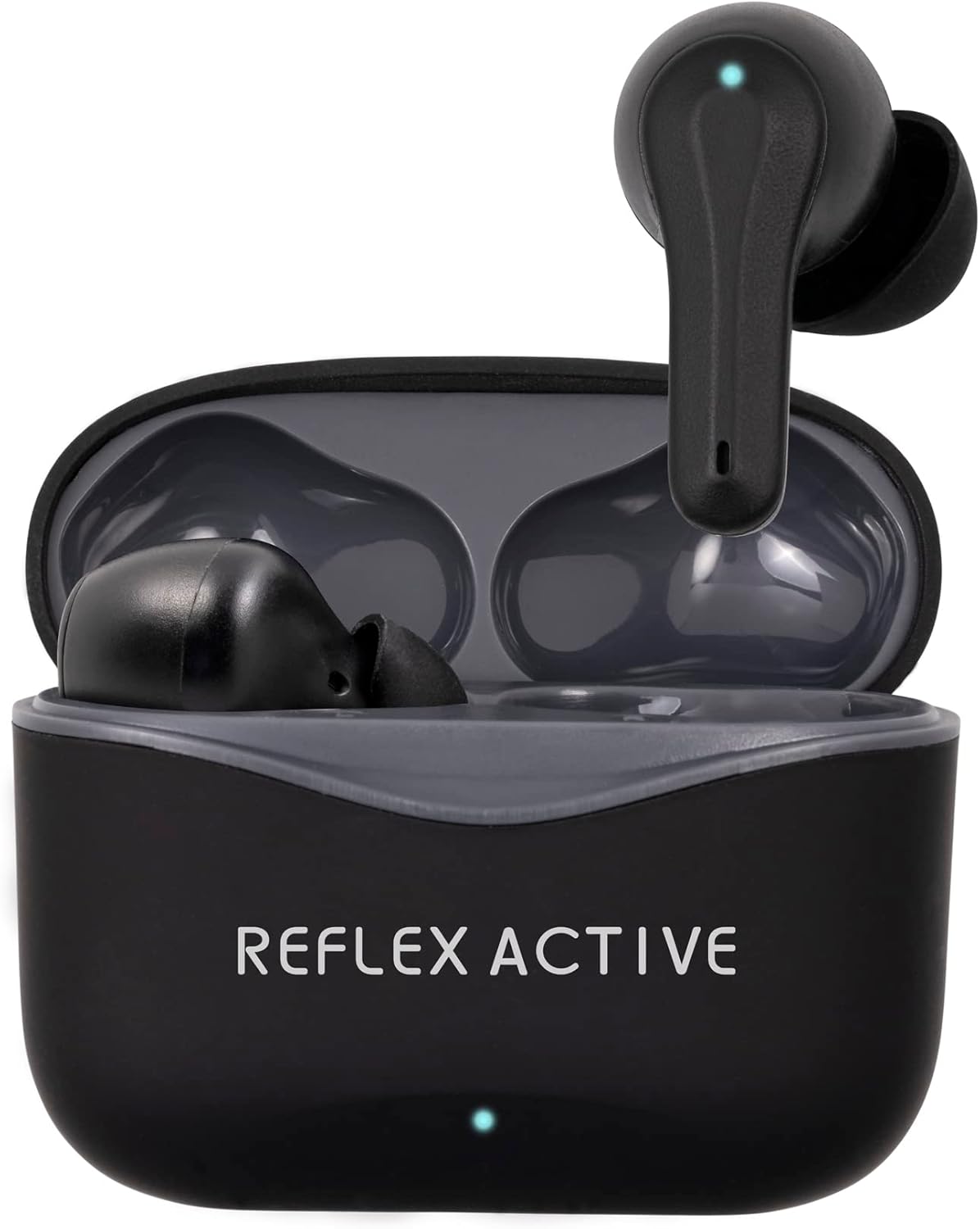
Image: The Reflex Active PRO TWS In-Ear Headphones, black, resting inside their open charging case. A small LED indicator is visible on the front of the case.
2. Informações de segurança
Leia atentamente este manual antes de usar o produto para garantir o funcionamento seguro e correto. Guarde este manual para futuras consultas.
- Proteção auditiva: Evite ouvir em níveis de volume altos por longos períodos para evitar danos auditivos.
- Segurança ao dirigir: Do not use the earbuds while driving or cycling, or in any situation where your inability to hear ambient sounds could pose a danger to yourself or others.
- Resistência à água: The earbuds are water-resistant, but not waterproof. Do not submerge them in water. Avoid exposure to excessive moisture.
- Carregamento: Use only the provided charging cable and a certified power adapter. Do not attempt to disassemble or modify the product.
- Crianças: Mantenha fora do alcance de crianças. Peças pequenas podem causar asfixia.
- Temperatura: Do not expose the product to extreme temperatures (hot or cold) or direct sunlight.
3. Conteúdo da embalagem
Verifique se todos os itens estão presentes em sua embalagem:
- Reflex Active PRO TWS In-Ear Headphones (Left and Right earbuds)
- Estojo de carregamento
- Cabo de carregamento USB
- Ear Tips (3 sizes: Small, Medium, Large)
- Manual do usuário
4. Produto acabadoview
Familiarize yourself with the components of your Reflex Active PRO TWS In-Ear Headphones.

Imagem: Close-up view of the left and right Reflex Active PRO TWS earbuds, showing their ergonomic design and the small LED indicator on each.
Características dos fones de ouvido:
- Área de controle de toque: Para reprodução, gerenciamento de chamadas e troca de modos.
- Indicador LED: Mostra o status de emparelhamento, o nível da bateria e o status de carregamento.
- Microfone: Para chamadas e assistente de voz.
- Ponta de ouvido: Replaceable silicone tips for comfortable fit and sound isolation.
Recursos do estojo de carregamento:
- Porta de carregamento (USB-C): Para carregar o estojo.
- Indicador LED da Caixa: Shows case battery level and charging status.
- Entradas para carregamento de fones de ouvido: Mantém os fones de ouvido seguros e os carrega.

Image: A graphic displaying key features of the earbuds, including True Wireless Stereo, Voice Control, Active Noise Cancelling, Touch Control, Audio Safe Mode, Wireless Connection, Studio Sound, and 250 Hours Standby.
5. Configuração
5.1 Carregando os fones de ouvido e o estojo
Antes da primeira utilização, carregue completamente os fones de ouvido e o estojo de carregamento.
- Cobrar o caso: Connect the USB-C charging cable to the charging port on the case and the other end to a USB power source (e.g., wall adapter, computer USB port). The case LED indicator will show charging progress. A full charge takes approximately 2 hours for the base charge.
- Carregue os fones de ouvido: Place the earbuds into their respective slots in the charging case. Ensure they are correctly seated. The earbud LEDs will indicate charging. A full charge for the earbuds takes approximately 1 hour.
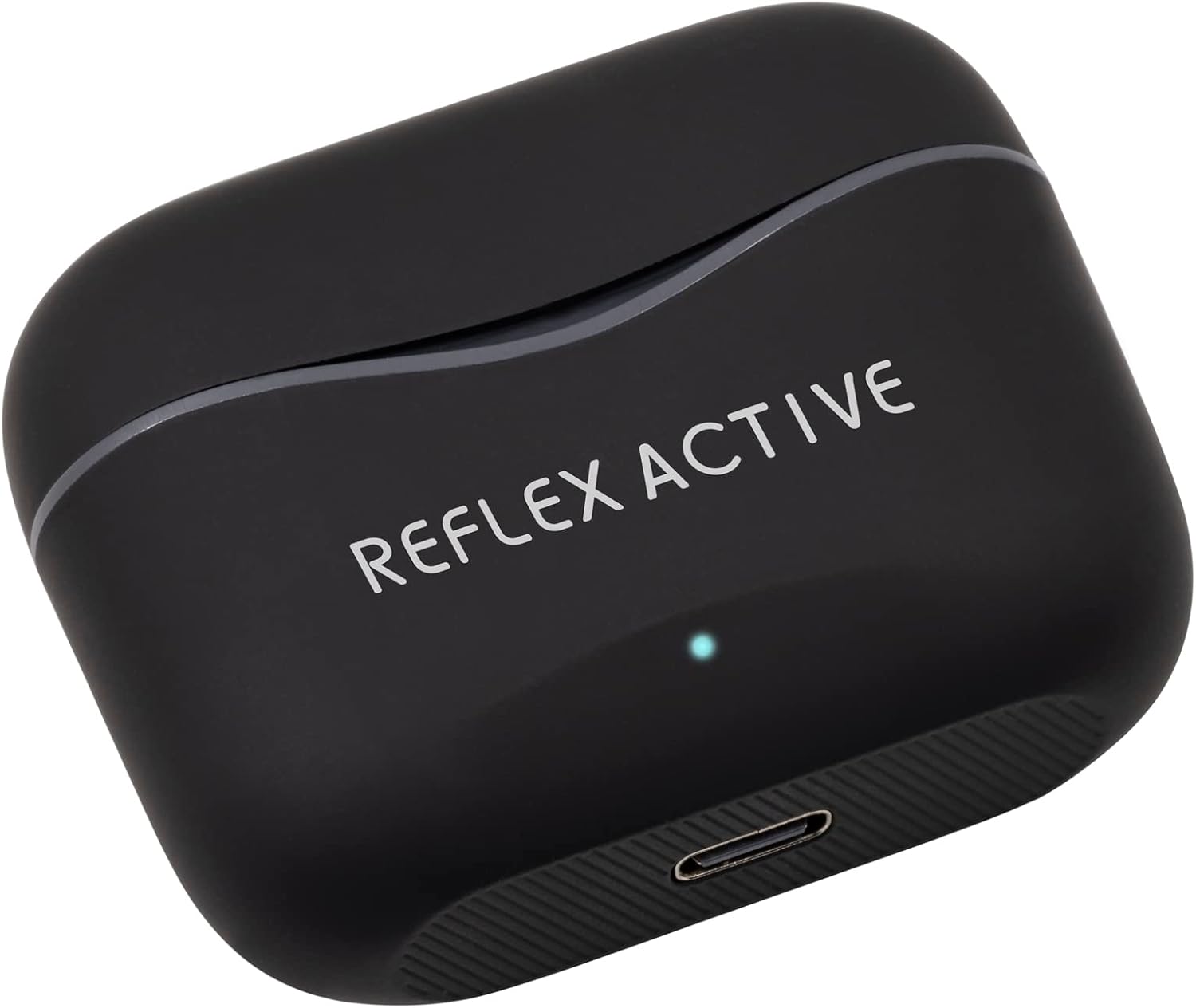
Image: The black Reflex Active PRO TWS charging case, showing the USB-C charging port at the bottom and the brand logo on the lid.
The earbuds provide approximately 5.5 hours of playtime on a single charge, with an additional 22 hours of combined playback time using the fully charged case.
5.2 Emparelhamento com o seu dispositivo (Bluetooth)
Os fones de ouvido entrarão automaticamente no modo de emparelhamento ao serem retirados do estojo de carregamento.
- Ativar Bluetooth: Turn on Bluetooth on your smartphone, tablet, or other compatible device.
- Remova os fones de ouvido: Abra o estojo de carregamento e retire os dois fones de ouvido. Eles ligarão automaticamente e tentarão se emparelhar entre si.
- Selecionar dispositivo: On your device's Bluetooth settings, look for "Reflex Active PRO TWS" in the list of available devices and select it to connect.
- Confirmação: Once successfully paired, you will hear an audible confirmation from the earbuds, and the earbud LEDs will stop flashing.
If pairing fails, place the earbuds back into the case, close the lid, and repeat the steps. The wireless range is 15-20 meters.
6. Instruções de operação
6.1 Controles básicos por toque
The earbuds feature intuitive touch controls on their outer surface.
| Ação | Fone de ouvido esquerdo | Fone de ouvido direito |
|---|---|---|
| Reproduzir/Pausar | Toque único | Toque único |
| Próxima faixa | Toque duplo | Toque duplo |
| Faixa anterior | Torneira tripla | Torneira tripla |
| Aumentar o volume | N / D | Pressão longa |
| Diminuir volume | Pressão longa | N / D |
| Atender/encerrar chamada | Toque único | Toque único |
| Rejeitar chamada | Pressão longa | Pressão longa |
6.2 Cancelamento Ativo de Ruído (ANC) e Modo de Transparência
The Reflex Active PRO TWS earbuds feature both Active Noise Cancellation and Transparency Mode to adapt to your environment.
- Modos de comutação: To cycle between ANC On, Transparency Mode, and ANC Off, perform a specific touch gesture (e.g., press and hold the touch area for 2 seconds on either earbud, or as specified in the quick start guide).
- Cancelamento ativo de ruído (ANC): Reduz o ruído ambiente, ideal para viagens ou ambientes ruidosos.
- Modo de transparência: Permite ouvir claramente o que acontece ao seu redor sem precisar tirar os fones de ouvido, o que é útil para conversas ou para ficar atento ao trânsito.

Image: A person sitting on a train, appearing relaxed with their eyes closed, demonstrating the use of Active Noise Cancellation to block out ambient sounds.
6.3 Controle de voz
Activate your device's voice assistant (Siri, Google Assistant, etc.) directly from your earbuds.
- Ativação: Typically, a specific touch gesture (e.g., a long press or triple tap on a specific earbud) will activate the voice assistant. Refer to the quick start guide for the exact gesture.
- Comandos: Once activated, speak your command clearly into the earbud's microphone.
7. Manutenção
Proper care will extend the life of your earbuds.
- Limpeza: Use a soft, dry, lint-free cloth to clean the earbuds and charging case. Do not use abrasive cleaners or solvents. For ear tips, remove them and clean with mild soap and water, then dry thoroughly before reattaching.
- Armazenar: When not in use, always store the earbuds in their charging case to protect them and keep them charged. Store in a cool, dry place.
- Evite condições extremas: Do not expose the earbuds or case to extreme temperatures, humidity, or dust.
8. Solução De Problemas
Caso encontre algum problema, tente as seguintes soluções:
| Problema | Solução |
|---|---|
| Os fones de ouvido não estão pareando com o dispositivo | Ensure Bluetooth is enabled on your device. Place earbuds back in case, close lid, then remove to re-enter pairing mode. Forget "Reflex Active PRO TWS" from your device's Bluetooth list and try pairing again. |
| Apenas um fone de ouvido funcionando | Ensure both earbuds are charged. Place both earbuds back in the case, close the lid, wait a few seconds, then remove them. They should automatically connect to each other. |
| Sem som ou volume baixo | Check volume levels on both your device and the earbuds. Ensure earbuds are properly seated in your ears. Try cleaning the ear tips and speaker mesh. |
| O estojo de carregamento não carrega | Verifique o cabo USB-C e o adaptador de energia. Certifique-se de que o cabo esteja firmemente conectado tanto ao gabinete quanto à fonte de alimentação. Tente usar um cabo ou fonte de alimentação diferente. |
| ANC/Transparency mode not working | Ensure earbuds are properly seated in your ears for optimal seal. Cycle through the modes using the touch controls. |
9. Especificações
| Recurso | Detalhe |
|---|---|
| Número do modelo | REF-200PRO-BK |
| Versão Bluetooth | 5.2 |
| Distância wireless | 15-20 metros |
| Tempo de reprodução do fone de ouvido | Até 5.5 horas |
| Tempo total de reprodução (com estojo) | Até 22 horas |
| Tempo de carregamento do fone de ouvido | Aproximadamente 1 hora |
| Case Charge Time | Aproximadamente 2 horas |
| Cancelamento de ruído | Cancelamento de ruído ativo (ANC) |
| Modo de Transparência | Sim |
| Tipo de controle | Controle por toque, controle por voz |
| Material | Rubber/silicone (and possibly plastic/soft-touch for case) |
| Peso | 19 gramas |
| Nível de resistência à água | Resistente à água |
| Composição da Bateria | Lítio |
| Componentes incluídos | Earbuds, Charging Case |
10. Garantia e Suporte
For warranty information and customer support, please refer to the warranty card included in your product packaging or visit the official Reflex Active webGuarde seu comprovante de compra para eventuais solicitações de garantia.
Fabricante: Peers Hardy
País de origem: China


