Introdução
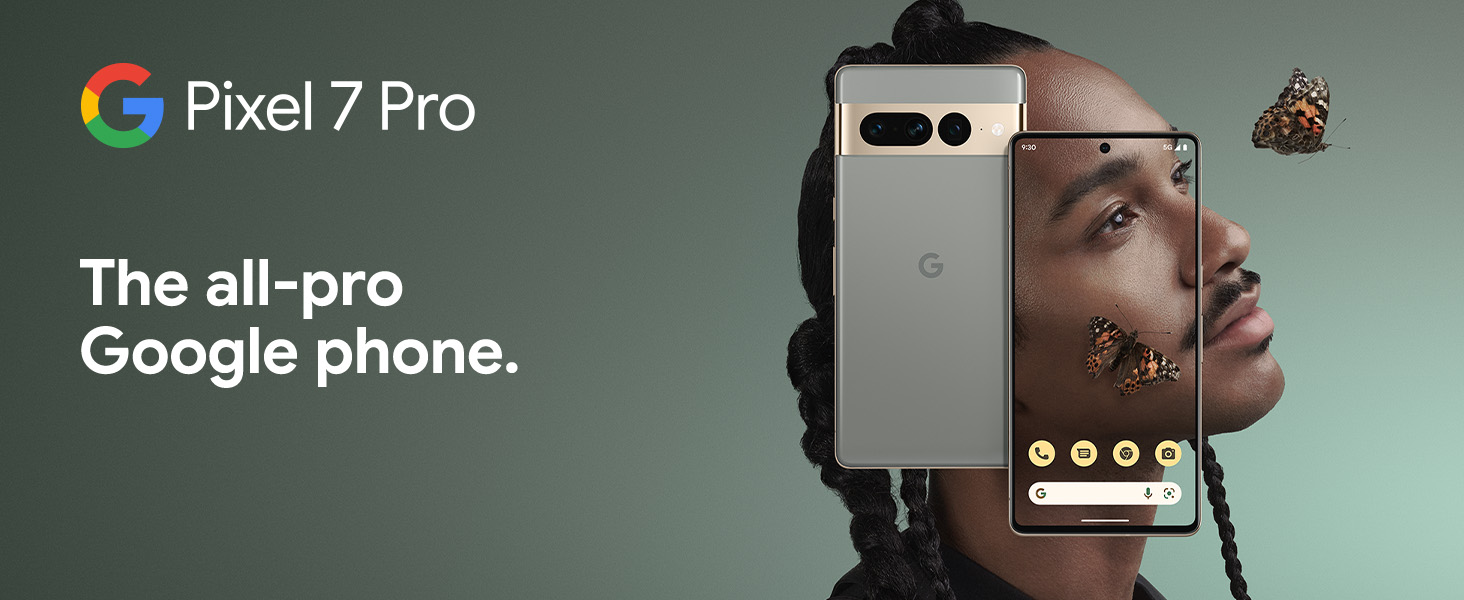
The Google Pixel 7 Pro is a powerful 5G Android smartphone designed for an exceptional user experience. Powered by the Google Tensor G2, it offers fast and secure performance, an immersive display, and extended battery life. This manual provides essential information for setting up, operating, maintaining, and troubleshooting your device.
O que está na caixa
Upon unboxing your Google Pixel 7 Pro, you should find the following items:
- Cell Phone (Google Pixel 7 Pro)
- Cabo USB (para carregamento e transferência de dados)
- SIM Tray Ejector (for accessing the SIM card slot)
- Quick Switch Adapter (for easy data transfer from your old phone)
- Quick Start Guide (a brief setup guide)

Configurar
Follow these steps to set up your new Google Pixel 7 Pro:
- Insira o cartão SIM: Use the provided SIM tray ejector tool to open the SIM card slot on the side of the phone. Insert your nano-SIM card into the tray and reinsert it into the phone.
- Ligar: Press and hold the power button on the side of the device until the Google logo appears.
- Configuração inicial: Siga as instruções na tela para selecionar seu idioma, conectar-se ao Wi-Fi e fazer login com sua conta do Google.
- Transferência de dados: If you are transferring data from an old device, use the Quick Switch Adapter and follow the instructions. Note that some third-party apps and data may not transfer automatically. For more information, visit g.co/pixel/copydatahelp.
- Desbloqueio de impressão digital: Set up the on-screen fingerprint sensor for secure and convenient unlocking.

Operando seu dispositivo
Principais características
- Google Tensor G2 Processor: Experience fast and efficient performance with improved AI capabilities for smarter features.
- Conectividade 5G: Enjoy high-speed internet access on major carrier networks (requires a 5G data plan, sold separately).
- Bateria adaptativa: Designed to last over 24 hours with typical usage, extending up to 72 hours with Extreme Battery Saver mode.
- Smooth 120Hz Display: The 6.7-inch display intelligently adjusts its refresh rate for smooth scrolling and responsive interactions.
- Titan M2 Security Chip: Multiple layers of hardware security protect your personal information and data.
- Google Assistant and Find My Device: Utilize hands-free voice commands and easily locate your device if lost.
- Design durável e resistente à água: Built to withstand daily use, with an IP68 rating for dust and water resistance.
Recursos da câmera
The Pixel 7 Pro features an advanced triple camera system, enabling you to capture stunning photos and videos in various conditions:
- 50MP Main Sensor: For high-resolution, detailed images.
- 12MP Ultrawide Lens: Capture broader scenes with a wider field of view.
- 48MP Telephoto Lens: Oferece zoom ótico de 4x para fotos nítidas e detalhadas à distância.
Advanced features include Macro Focus for extreme close-ups, Cinematic Blur for professional-looking videos, and improved low-light photography.

Resistência à água e poeira (IP68)
Your Pixel 7 Pro is designed to be water and dust resistant, with an IP68 rating under IEC standard 60529. This means it can withstand submersion in up to 1.5 meters of fresh water for up to 30 minutes. While durable, water and dust resistance are not permanent conditions and may diminish over time with normal wear and tear. Avoid intentional submersion or exposure to harsh chemicals.

Manutenção
Para garantir a longevidade e o desempenho ideal do seu Google Pixel 7 Pro, siga estas orientações de manutenção:
- Limpeza: Use um pano macio e sem fiapos para limpar a tela e a carcaça do telefone. Para manchas persistentes, esfregue levemente com um pano.ampen the cloth with water. Avoid abrasive materials or harsh cleaning agents.
- Proteção: Consider using a protective case and screen protector to guard against scratches and accidental drops.
- Temperatura: Avoid exposing your phone to extreme temperatures (very hot or very cold) as this can affect battery life and internal components.
- Carregamento: Use only Google-approved chargers and cables to prevent damage to the battery and charging port.
- Atualizações de software: Keep your device's software updated to the latest version to benefit from security patches, bug fixes, and new features.
Solução de problemas
If you encounter issues with your Pixel 7 Pro, try the following common troubleshooting steps:
- Reiniciar dispositivo: A simple restart can often resolve minor software glitches. Press and hold the power button, then tap "Restart."
- Verifique se há atualizações: Ensure your Android operating system is up to date. Go to Settings > System > System update.
- Limpar cache do aplicativo: If a specific app is causing issues, try clearing its cache. Go to Settings > Apps > See all apps, select the app, then Storage & cache > Clear cache.
- Modo de segurança: Booting into Safe Mode can help identify if a third-party app is causing problems. Press and hold the power button, then touch and hold "Power off." Tap "OK" when prompted to restart in Safe Mode.
- Restauração de fábrica: Como último recurso, você pode realizar uma restauração de fábrica. Aviso: Este procedimento apagará todos os dados do seu telefone. Faça backup dos seus dados importantes antes de prosseguir. Acesse Configurações > Sistema > Opções de redefinição > Apagar todos os dados (restauração de fábrica).
- Entre em contato com o suporte: If the issue persists, contact Google Support for further assistance.
Especificações
Detailed technical specifications for the Google Pixel 7 Pro (Obsidian, 256GB model):
| Recurso | Especificação |
|---|---|
| Dimensões do produto | 6.42 x 3.02 x 0.34 polegadas |
| Peso do item | 7.4 onças |
| ASIN | B0BCQVFQHD |
| Número do modelo do item | GE2AE |
| Baterias | 1 bateria de íon de lítio necessária. (incluída) |
| Sistema operacional | Androide 13.0 |
| BATER | 12 GB |
| Capacidade de armazenamento de memória | 256 GB |
| Tecnologias de comunicação sem fio | Bluetooth |
| Tecnologias de conectividade | Bluetooth, NFC, Wi-Fi |
| GPS | Verdadeiro |
| Entrada de Interface Humana | Tela sensível ao toque |
| Resolução do scanner | 2560 x 1440 |
| Outras funcionalidades da câmera | Frente, Traseira |
| Conector de áudio | Sem entrada para fones de ouvido |
| Fator de forma | Bar |
| Cor | Obsidiana |
| Classificação de potência da bateria | 4926 mAh |
| Tempo de conversação telefônica | 24 horas |
| Fabricante | |
| Data da primeira disponibilidade | 6 de outubro de 2022 |
| Tamanho de exibição da tela em pé | 6.7 polegadas |
| Velocidade da CPU | 2.85 GHz |
| Taxa de atualização | 120 Hz |
| Nome do modelo | Pixel 7 Pro |
| Operadora de telefonia móvel | Desbloqueado para todas as operadoras |
Garantia e Suporte
Your Google Pixel 7 Pro comes with a Garantia do fabricante de 1 anos, providing comprehensive coverage for peace of mind.
For additional support, frequently asked questions, or to contact customer service, please visit the official Google Support website or the Google Store:


