1. Introdução
This manual provides detailed instructions for the proper use and maintenance of your Obbug Bluetooth Headset, Model YYK-530. Please read this manual thoroughly before using the product to ensure optimal performance and longevity.
2. Conteúdo da embalagem
Verifique se todos os itens estão presentes no seu pacote:
- 1 x Obbug Bluetooth Headset
- 1 x estojo de carregamento
- Cabo de carregamento 1 x USB Type-C
- 1 x Ear Hat (replacement ear tip)
- 1 x Manual do Usuário
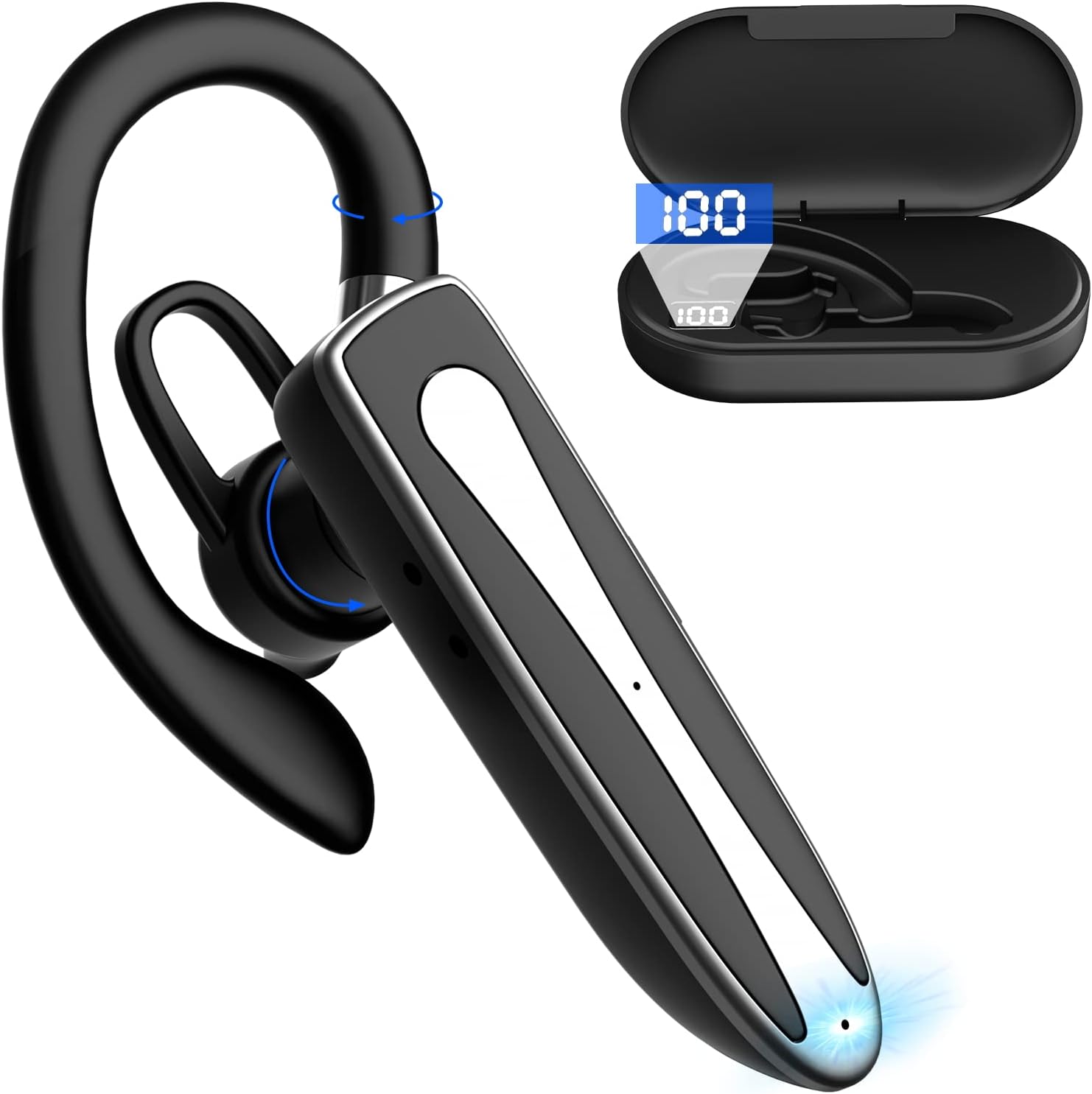
Image 2.1: Obbug Bluetooth Headset YYK-530 and its charging case.
3. Recursos do Produto
- Tecnologia Bluetooth 5.1: Provides stable connection and clear audio.
- Vida útil da bateria estendida: Up to 80 hours of continuous use with the charging case.
- Design confortável e ajustável: Flexible earhook and rotatable boom mic for left or right ear wear.
- CVC8.0 Noise Reduction: Melhora a clareza das chamadas, reduzindo o ruído de fundo.
- Ampla compatibilidade: Connects with most Bluetooth-enabled devices including smartphones, tablets, and computers.
- Chamadas com viva-voz: Integrated microphone for convenient communication.

Image 3.1: Illustration of CVC8.0 Noise Reduction for clear audio.
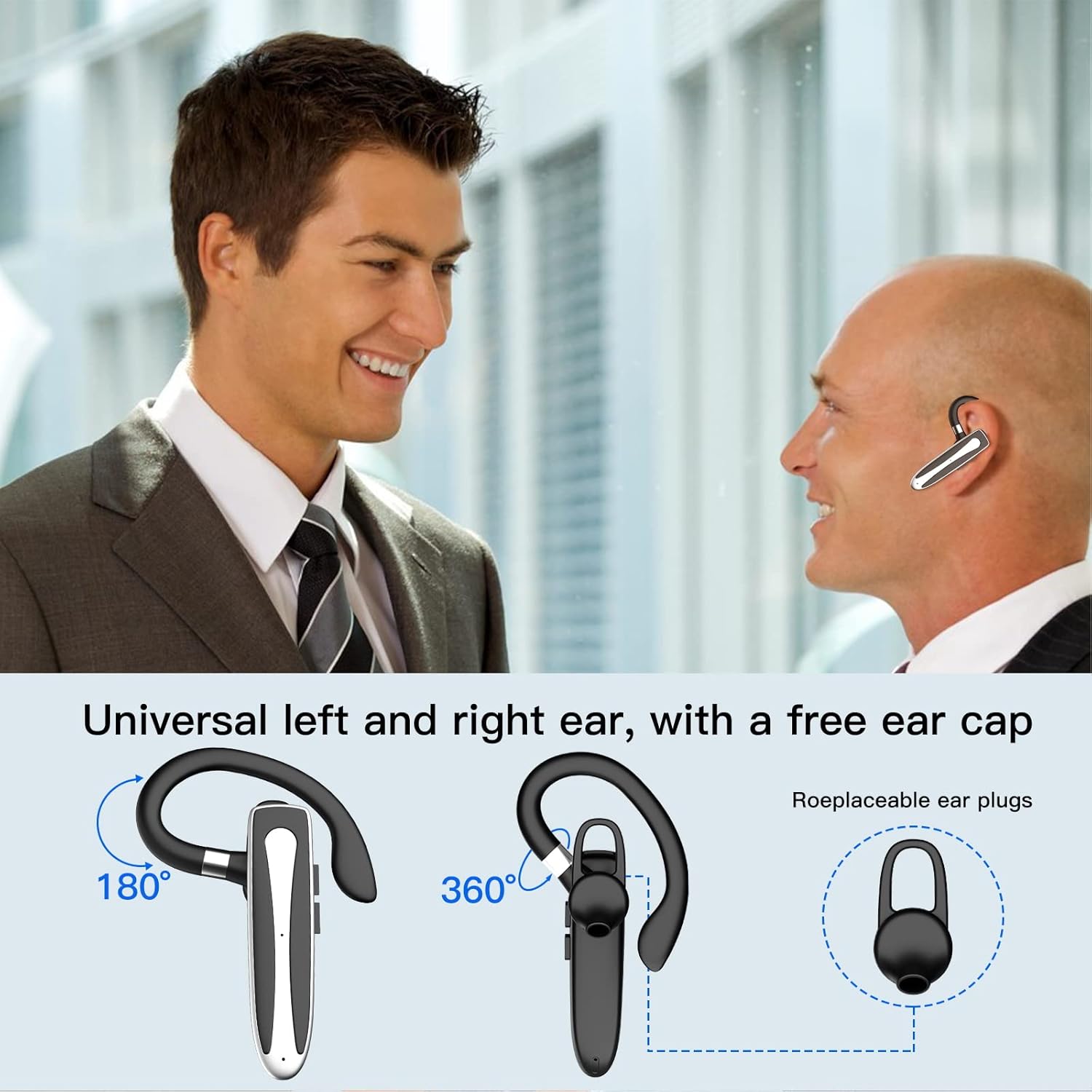
Image 3.2: Diagram illustrating the dual microphone noise reduction processing.
4. Configuração
4.1 Carregando os fones de ouvido e o estojo
Before first use, fully charge the headset and its charging case.
- Place the headset into the charging case.
- Conecte o cabo USB Type-C à porta de carregamento do estojo e a uma fonte de alimentação (por exemplo, adaptador de parede USB, porta USB do computador).
- The charging indicator on the case will show charging status. A full charge typically takes 1.5 hours.

Image 4.1: The Type-C charging port on the charging case.

Image 4.2: Battery life and charging time information for the headset and case.
4.2 Emparelhamento com um dispositivo
The headset uses Bluetooth 5.1 for wireless connection.
- Ligar: Take the headset out of the charging case, or press and hold the Multi-function Button until the indicator light flashes blue and red, indicating pairing mode.
- Ative o Bluetooth: No seu dispositivo (smartphone, tablet, etc.), acesse as configurações de Bluetooth e ative o Bluetooth.
- Selecionar dispositivo: In the list of available devices, select "YYK-530".
- Confirmar conexão: Once connected, the headset indicator light will flash blue slowly, and your device will show "Connected".

Image 4.3: Illustration of optimal Bluetooth connection distance (within 10 meters).
4.3 Connecting to Two Devices Simultaneously
The headset supports connecting to two Bluetooth devices at the same time.
- Connect the headset to the first device (e.g., Phone A) as described in Section 4.2.
- Turn off Bluetooth on the first device. The headset will re-enter pairing mode.
- Connect the headset to the second device (e.g., Phone B) as described in Section 4.2.
- Turn on Bluetooth on the first device. The headset should automatically reconnect to both devices.
You can now answer calls or play music from either connected device.

Image 4.4: Step-by-step guide for connecting the headset to two devices.
4.4 Utilizando o fone de ouvido
The headset is designed for comfortable wear on either the left or right ear.
- The earhook can rotate 360° vertically and 360° horizontally to fit your preferred angle.
- The retractable earhook can be adjusted to fit the shape of your ear.

Image 4.5: The headset's adjustable design for left or right ear wearing.
5. Instruções de operação
5.1 Ligar/Desligar
- Ligar: Take the headset out of the charging case, or press and hold the Multi-function Button for approximately 3 seconds until the indicator light flashes blue.
- Desligar: Place the headset back into the charging case, or press and hold the Multi-function Button for approximately 5 seconds until the indicator light flashes red and then turns off.
5.2 Gerenciamento de Chamadas
- Atender/encerrar chamada: Pressione o botão multifuncional uma vez.
- Rejeitar chamada: Pressione e mantenha pressionado o botão multifuncional por aproximadamente 2 segundos.
- Rediscar último número: Pressione duas vezes o botão multifuncional.
5.3 Reprodução de música
- Reproduzir/Pausar: Pressione o botão multifuncional uma vez.
- Próxima faixa: Pressione e mantenha pressionado o botão de aumentar o volume.
- Faixa anterior: Pressione e segure o botão Diminuir volume.
5.4 Controle de volume
- Aumentar o volume: Pressione o botão Aumentar volume.
- Diminuir o volume: Pressione o botão Diminuir volume.
5.5 Ativação do Assistente de Voz
Activate your device's voice assistant (Siri, Google Assistant) directly from the headset.
- Ative o Voice Assistant: Pressione o botão multifuncional três vezes.

Image 5.1: The headset supports activation of Siri and Google Assistant.
6. Manutenção
- Clean the headset and charging case regularly with a soft, dry cloth.
- Evite expor o dispositivo a temperaturas extremas, umidade ou substâncias corrosivas.
- Store the headset in its charging case when not in use to protect it and keep it charged.
- Não tente desmontar ou reparar o dispositivo sozinho. Entre em contato com o atendimento ao cliente para obter assistência.
7. Solução De Problemas
7.1 Fone de ouvido não liga
- Certifique-se de que o fone de ouvido esteja totalmente carregado. Coloque-o no estojo de carregamento e conecte o estojo a uma fonte de energia.
- Press and hold the Multi-function Button for 3-5 seconds to power on.
7.2 Não é possível emparelhar com o dispositivo
- Ensure the headset is in pairing mode (indicator flashes blue and red).
- Desative o Bluetooth no seu dispositivo e ative-o novamente.
- Ensure the headset is within 10 meters of your device and there are no significant obstacles.
- Limpe a lista de dispositivos Bluetooth emparelhados no seu aparelho e tente emparelhar novamente.
7.3 Sem som ou qualidade de som ruim
- Ajuste o volume tanto no fone de ouvido quanto no dispositivo conectado.
- Certifique-se de que o fone de ouvido esteja conectado corretamente ao seu dispositivo.
- Move closer to your device to ensure you are within Bluetooth range.
- Verifique se há interferência de outros dispositivos sem fio.
8. Especificações
| Recurso | Especificação |
|---|---|
| Nome do modelo | YYK-530 |
| Marca | Obbug |
| Tecnologia de Conectividade | Wireless (Bluetooth) |
| Versão Bluetooth | 5.1 |
| Alcance Bluetooth | Até 10 metros (33 pés) |
| Controle de Ruído | Sound Isolation (CVC8.0 Noise Reduction) |
| Formato do fone de ouvido | Gancho de orelha |
| Duração da bateria (fone de ouvido) | 5 horas (aprox.) |
| Duração da bateria (com estojo de carregamento) | Up to 80 Hours (approx.) |
| Tempo de carregamento | 1.5 horas |
| Porta de carregamento | USB Tipo C |
| Nível de resistência à água | Impermeável |
| Peso do item | 4.9 onças (0.14 quilogramas) |
| Faixa de frequência | 20Hz - 20,000Hz |
| Dispositivos compatíveis | Cellphones, Desktops, Laptops, Telephones |

Image 8.1: The headset is compatible with a wide range of Bluetooth-enabled devices.
9. Garantia e Suporte ao Cliente
The Obbug Bluetooth Headset comes with a 1-month replacement warranty.
For any questions, issues, or support needs, please contact our customer service. We offer 24-hour customer service to assist you.
Consulte a documentação da sua compra para obter informações de contato específicas.


