Introdução
The Arcade1Up Mortal Kombat Midway Legacy 30th Anniversary Edition arcade machine brings classic arcade gaming into your home. This unit features 14 iconic games, including various Mortal Kombat titles, and supports live online play. Designed for easy assembly, it offers an authentic arcade experience with a 17-inch LCD screen, real-feel joysticks, and buttons.

Figura 1: Frente view of the Arcade1Up Mortal Kombat Midway Legacy 30th Anniversary Edition arcade machine.
Vídeo 1: Um excessoview of the Arcade1Up Mortal Kombat Arcade Machine, highlighting its features and gameplay.
Configurar
Conjunto
The Arcade1Up machine is designed for easy assembly. Follow the detailed instructions provided in the separate assembly guide included with your product. Ensure all components are present before beginning assembly.
Conexão de energia
Once assembled, connect the power cord to the designated port on the back of the machine. Plug the other end into a standard wall outlet. The machine is ready for use once powered on.
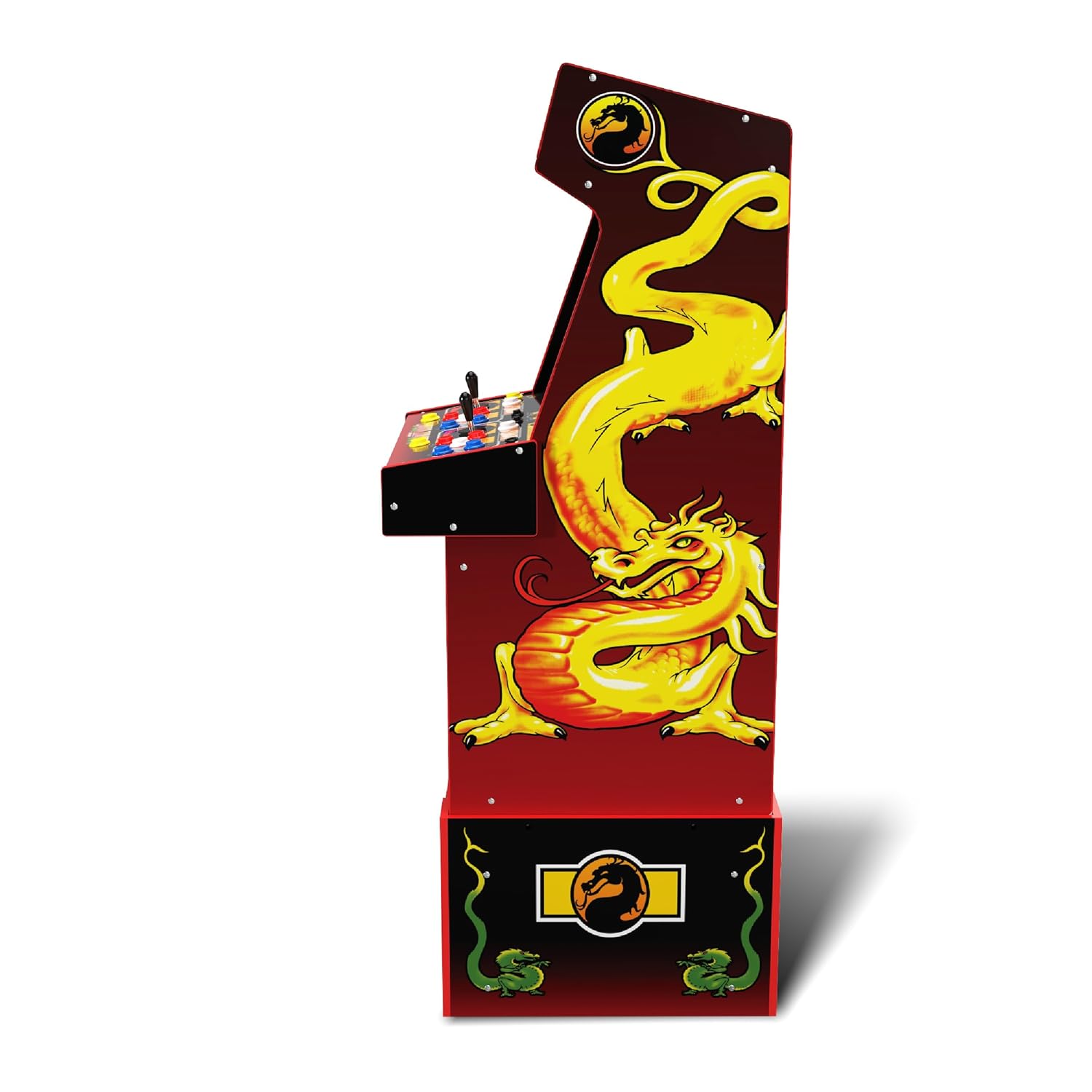
Figura 2: Traseira view of the arcade machine, illustrating the power connection point.
Instruções de operação
Ligar/desligar e controle de volume
Locate the ON/OFF switch and volume controls on the control panel. Flip the switch to the 'ON' position to power on the machine. Adjust the volume using the dedicated volume control knob.
Seleção de jogos
Upon startup, a menu displaying the 14 included games will appear on the 17-inch LCD screen. Use the joysticks and buttons to navigate through the game list and select your desired game. Press the 'Start' button to begin gameplay.
Controles
The machine features a two-player control panel with real-feel joysticks and multiple buttons for various actions such as high punch, low punch, high kick, low kick, and block. Refer to the on-screen game instructions for specific move sets and button configurations for each game.

Figura 3: Detalhado view of the two-player control panel.
Jogos online
The Arcade1Up Mortal Kombat Midway Legacy Edition supports Wi-Fi enabled online play. Connect the machine to your home Wi-Fi network to compete with other players, post scores to leaderboards, and access online features. A companion app may be available for enhanced online community interaction.
Video 2: Demonstration of the Arcade1Up Mortal Kombat Arcade Machine's operation, including game selection and controls.
Jogos incluídos
The Arcade1Up Mortal Kombat Midway Legacy 30th Anniversary Edition includes a library of 14 classic games:
- Mortal Kombat
- Mortal Kombat 2
- Mortal Kombat 3
- Ultimate Mortal Kombat 3
- Toobin'
- Rampidade
- Joust
- Rootbeer Tapper
- Defensor
- Manopla
- Paperboy
- Wizard of Wor
- Bolhas
- Klax
Manutenção
Limpeza
To clean the arcade machine, use a soft, dry cloth. For stubborn marks, a slightly damp cloth with mild soap can be used, followed by drying thoroughly. Avoid abrasive cleaners or solvents that may damage the finish or screen. Ensure the machine is powered off and unplugged before cleaning.
Armazenar
Store the machine in a dry, temperature-controlled environment. Avoid direct sunlight or extreme temperatures, which can affect electronic components and cabinet materials.
Solução de problemas
Sem energia
If the machine does not power on, ensure the power cord is securely plugged into both the machine and a working wall outlet. Check if the ON/OFF switch is in the 'ON' position. Test the outlet with another device to confirm it has power.
Problemas de exibição
If the screen is blank or flickering, ensure all internal connections are secure (if applicable and accessible per assembly instructions). Power cycle the machine by turning it off, unplugging it for 30 seconds, and then plugging it back in and turning it on.
Falhas de controle
If joysticks or buttons are unresponsive, ensure they are free from debris. For persistent issues, contact customer support.
Online Connectivity Problems
If experiencing issues with Wi-Fi or online play, ensure your home Wi-Fi network is active and the machine is within range. Check the machine's network settings to confirm it is connected to the correct network. Restart your router if necessary.
Especificações
- Dimensões do produto: 20.5"C x 19.75"L x 57.8"A
- Peso do item: 81.8 libras
- Tamanho da tela: 17 polegadas
- Tipo de exibição: LCD
- Tipo de Controlador: Button Control, Joystick
- Material: Plástico
- Número do modelo: 1220000276338
- Código UPC: 195570015131
- Fabricante: Arcade1Up
- Acessórios incluídos: Ascensor

Figure 4: Arcade machine dimensions relative to a person.
Garantia e Suporte
For warranty information, technical support, or replacement parts, please refer to the documentation included with your product or visit the official Arcade1Up website. Guarde o comprovante de compra para solicitações de garantia.


