Introdução
The Samsung M33 5G is a powerful smartphone designed for seamless connectivity and performance. Featuring a 6.6-inch Full HD+ 120Hz display, a versatile 50MP Quad Camera system, and a robust Octa-core processor, this device is built to handle demanding tasks, gaming, and multimedia consumption. This manual provides essential information for setting up, operating, maintaining, and troubleshooting your Samsung M33 5G.
O que está na caixa
Upon unboxing your Samsung M33 5G, please ensure all the following items are present:
- Samsung M33 5G Smartphone
- 25W carregador de parede
- Cabo USB
- Ejetor da bandeja do SIM
If any items are missing or damaged, please contact your retailer or Samsung customer support.
Configurar
1. Instalação do cartão SIM e do cartão microSD
Your Samsung M33 5G supports dual Nano SIM cards and a MicroSD card for expanded storage. The device features a hybrid SIM slot.
- Localize a bandeja do SIM na lateral do seu telefone.
- Insira a ferramenta de ejeção da bandeja SIM fornecida no pequeno orifício ao lado da bandeja e empurre suavemente até que a bandeja se solte.
- Insira seu(s) cartão(ões) Nano SIM e/ou cartão MicroSD nos slots designados na bandeja. Certifique-se de que os contatos dourados estejam voltados para baixo.
- Reinsira cuidadosamente a bandeja no telefone até que ela se encaixe no lugar.
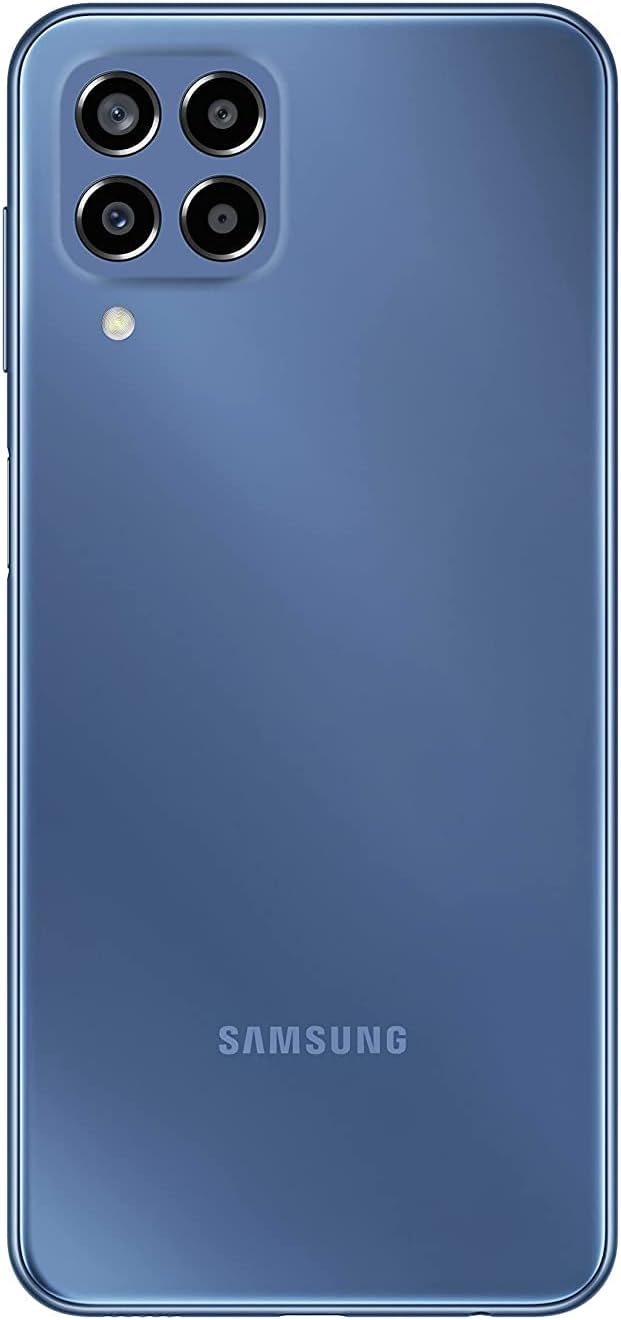
Imagem: Traseira view of the Samsung M33 5G smartphone, highlighting the camera module and the Samsung branding.
2. Carregamento inicial e inicialização
Antes da primeira utilização, recomenda-se carregar totalmente o dispositivo.
- Connect the USB cable to the 25W Wall Charger and then to the USB-C port on your phone.
- Conecte o carregador a uma tomada elétrica. O indicador de carregamento aparecerá na tela.
- Once sufficiently charged, press and hold the Power button (located on the side) until the Samsung logo appears.
- Siga as instruções na tela para concluir a configuração inicial, incluindo a seleção do idioma, a conexão Wi-Fi e a configuração da conta do Google.
Operando seu dispositivo
Exibição e navegação
The Samsung M33 5G features a 6.6-inch PLS LCD display with Full HD+ resolution (1080 x 2408) and a 120Hz refresh rate for smooth scrolling and responsiveness.
- Gestos na tela sensível ao toque: Navigate using taps, swipes, pinches, and long presses.
- Sensor de impressão digital: The power button integrates a fingerprint sensor for secure unlocking.
Recursos da câmera
Your device is equipped with a versatile Quad Camera system:
- Câmera principal: 50.0 MP (F1.8) para fotos de alta resolução.
- Câmera ultra grande angular: 5.0 MP (F2.2) with a 123-degree angle of view for expansive shots.
- Câmera Macro: 2.0 MP (F2.4) to capture fine details up close.
- Câmera de profundidade: 2.0 MP (F2.4) for adjustable background blur in portrait photos.
- Câmera frontal: 8.0 MP (F2.2) for selfies and video calls.
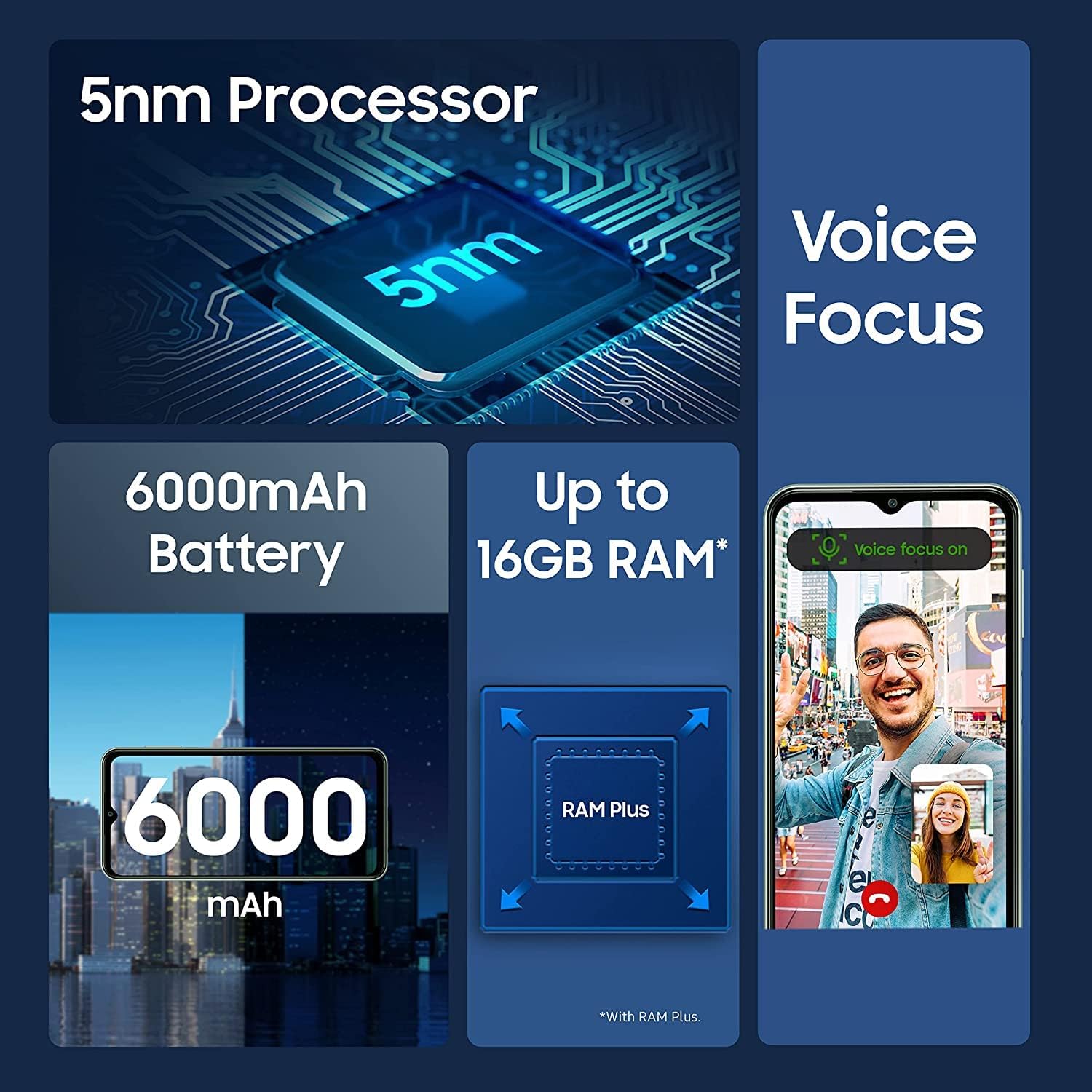
Image: Infographic detailing key features of the Samsung M33 5G, including its 5nm processor, Voice Focus technology, 6000mAh battery, and expandable RAM up to 16GB with RAM Plus.
Desempenho e armazenamento
The M33 5G is powered by an Octa-core processor (2x2.4 GHz Cortex-A78 & 6x2.0 GHz Cortex-A55) with a Mali-G68 GPU, ensuring smooth performance. It comes with 8GB of RAM, expandable with RAM Plus technology, and 128GB of internal storage. Storage can be further expanded up to 1TB using a MicroSD card.
Conectividade
The device supports 5G and 4G LTE cellular networks (unlocked for worldwide use, but not compatible with Verizon, AT&T, Boost, Cricket, or CDMA carriers). It also features Wi-Fi 802.11 a/b/g/n/ac (2.4G+5GHz), Bluetooth (version not specified but standard for smartphones), GPS, Glonass, Beidou, Galileo, and QZSS for location services. A 3.5mm stereo earjack is included.
Manutenção
Cuidados com o dispositivo
- Keep your phone clean using a soft, dry cloth. Avoid harsh chemicals.
- Proteja a tela com uma película protetora e use uma capa protetora para evitar danos físicos.
- Evite expor o dispositivo a temperaturas extremas, luz solar direta ou líquidos.
Atualizações de software
Regularly check for and install software updates to ensure your device has the latest features, security patches, and performance improvements. You can usually find this option in your phone's Settings menu under 'Software update'. The device runs on Android 12.0 out of the box.
Solução de problemas
If you encounter issues with your Samsung M33 5G, try the following common solutions:
- Dispositivo não liga: Certifique-se de que a bateria esteja carregada. Conecte o carregador e aguarde alguns minutos antes de tentar ligá-lo novamente.
- Aplicativos congelando ou apresentando falhas: Feche o aplicativo problemático e abra-o novamente. Se o problema persistir, reinicie o telefone.
- Sinal de rede fraco: Verifique se o seu cartão SIM está inserido corretamente. Mova-se para uma área com melhor cobertura de rede.
- Bateria descarregando rapidamente: Reduce screen brightness, close unused apps, and disable unnecessary features like GPS or Wi-Fi when not in use.
- Tela sensível ao toque não responde: Restart the device. If the issue continues, contact support.
Para questões mais complexas, consulte o suporte da Samsung. website ou entre em contato com o atendimento ao cliente.
Especificações
| Recurso | Detalhe |
|---|---|
| Nome do modelo | M33 5G |
| Número do modelo do item | SM-M336B/DSN (sm-m336b/ds) |
| Sistema operacional | Androide 12.0 |
| Processador | Octa-core (2x2.4 GHz Cortex-A78 e 6x2.0 GHz Cortex-A55) |
| Tamanho da tela | 6.6 polegadas |
| Tecnologia de exibição | PLS LCD, 120Hz |
| Resolução de exibição | 1080 x 2408 (FHD+) |
| BATER | 8 GB (with RAM Plus support) |
| Armazenamento interno | 128 GB |
| Armazenamento expansível | MicroSD até 1 TB |
| Câmera Traseira (Principal) | 50.0 MP (F1.8) |
| Rear Camera (Ultra Wide) | 5.0 MP (F2.2) |
| Câmera Traseira (Macro) | 2.0 MP (F2.4) |
| Rear Camera (Depth) | 2.0 MP (F2.4) |
| Câmera Frontal | 8.0 MP (F2.2) |
| Capacidade da bateria | 5000 Miliamp Horas (mAh) |
| Carregando | Carregamento rápido de 25 W |
| Tecnologia Celular | 5G + 4G LTE (Unlocked) |
| Conectividade sem fio | Wi-Fi 802.11 a/b/g/n/ac (2.4G+5GHz), Bluetooth |
| Tecnologia de localização | GPS, Glonass, Beidou, Galileo, QZSS |
| Conector de áudio | Estéreo de 3.5 mm |
| Sensores | Accelerometer, Fingerprint Sensor, Gyro Sensor, Geomagnetic Sensor, Virtual Light Sensing, Virtual Proximity Sensing |
| Peso do item | 11 onças |
| Dimensões da embalagem | 7 x 3 x 1 polegadas |
Garantia e Suporte
Your Samsung M33 5G is covered by a manufacturer's warranty. Please refer to the warranty card included with your purchase or visit the official Samsung webConsulte o site para obter os termos e condições detalhados da garantia específicos para a sua região.
For technical support, software updates, or service inquiries, please visit the official Samsung support website or contact their customer service hotline. You can find contact information and FAQs on www.samsung.com/support/.


