Introdução
This manual provides detailed instructions for the setup, operation, maintenance, and troubleshooting of your STEELPLAY Wireless Controller, model LA-0HNY-U4YG. Please read this manual carefully before using the product to ensure proper functionality and to prevent damage.
Configurar
Conteúdo da embalagem
Verifique se todos os itens estão presentes na embalagem:
- STEELPLAY Wireless Controller (LA-0HNY-U4YG)
- Cabo de carregamento USB
- Manual do usuário (este documento)
Carregando o controlador
Before first use, fully charge the controller. Connect the USB charging cable to the controller's charging port and the other end to a powered USB port (e.g., gaming console, PC, USB wall adapter).
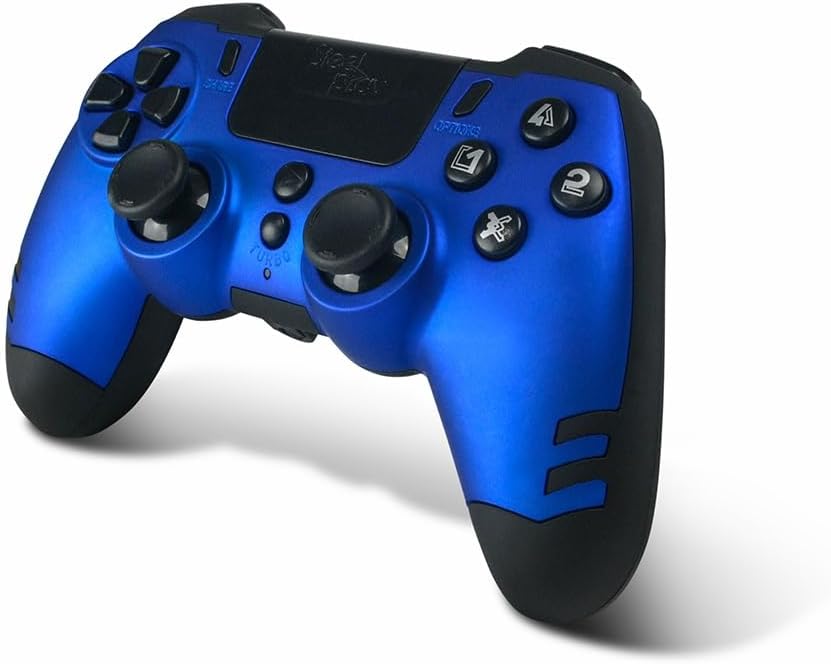
Image: The STEELPLAY Wireless Controller with a charging cable connected. This image illustrates the controller's design and potential charging port location.
Emparelhar com um dispositivo
Follow these steps to pair your wireless controller with your gaming console or PC:
- Certifique-se de que o controlador esteja carregado.
- Turn on your gaming console or PC.
- No controlador, pressione e segure o COMPARTILHAR botão e o PS button simultaneously until the light bar begins to flash.
- On your device, navigate to Bluetooth settings and select the "STEELPLAY Wireless Controller" from the list of available devices.
- Once paired, the light bar will stop flashing and remain lit, indicating a successful connection.
Instruções de operação
Controles básicos
The STEELPLAY Wireless Controller features standard gamepad controls. Familiarize yourself with the button layout:
- Pad direcional (D-Pad): Para entrada direcional precisa.
- Controles analógicos esquerdo/direito: Para controle de movimento e câmera.
- Botões de ação (Triângulo, Círculo, Cruz, Quadrado): Para ações dentro do jogo.
- Botões de ombro (L1, R1) e gatilhos (L2, R2): Para diversas funções dentro do jogo.
- Botão COMPARTILHAR: To share gameplay content.
- Botão OPÇÕES: To access in-game menus or pause.
- Botão PS: To access the console's home menu or power on/off the controller.
- Painel de toque: For additional input, often used for navigation or specific game mechanics.
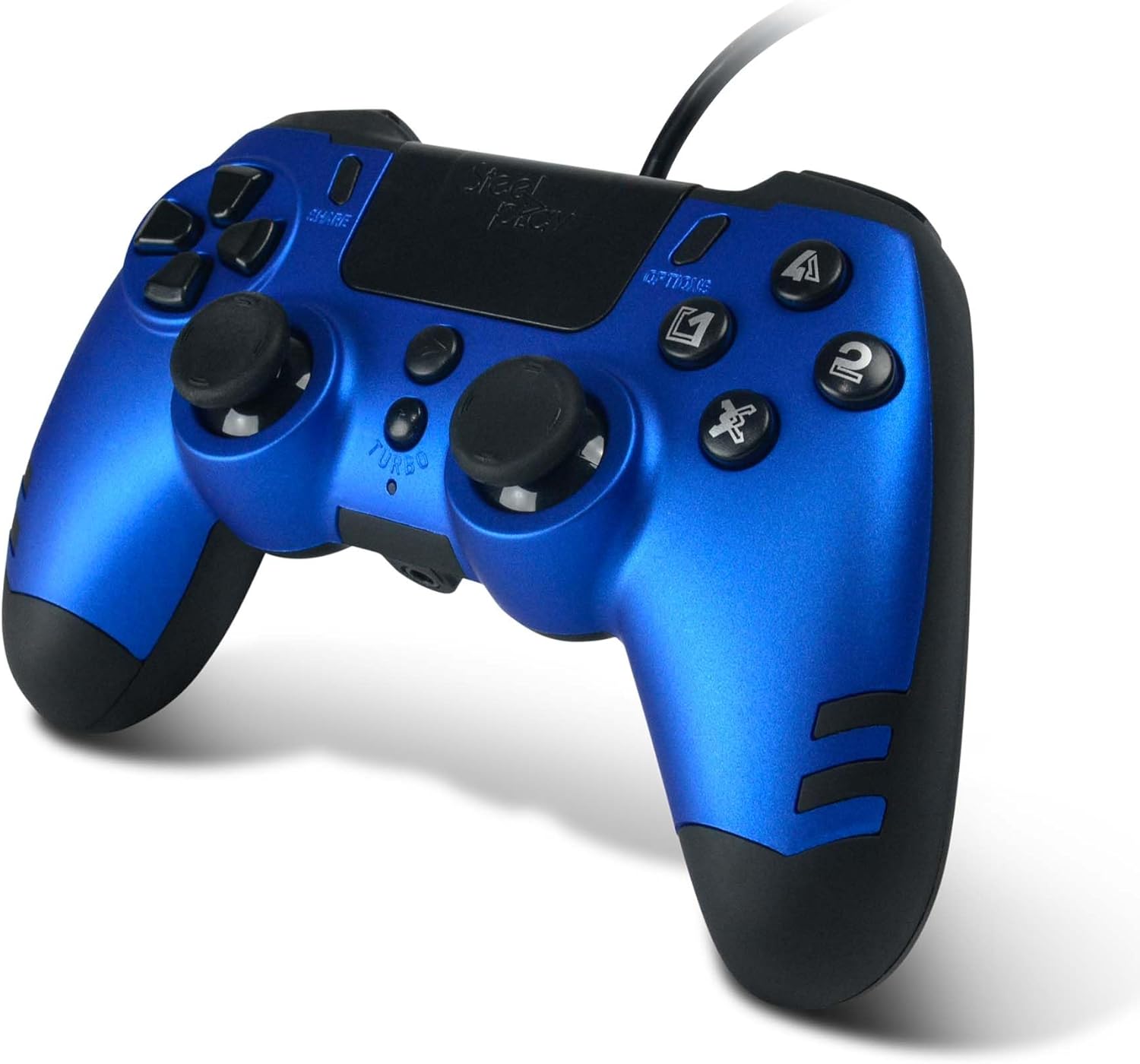
Imagem: Uma imagem detalhada view of the STEELPLAY Wireless Controller, highlighting the layout of its 14 buttons, D-pad, and analog sticks.
Ligar/desligar
- Para ligar: Pressione o PS botão.
- Para desligar: Pressione e segure o PS button for approximately 10 seconds until the controller powers down.
Reconectando
Once paired, the controller should automatically reconnect to the last paired device when powered on. If it does not, press the PS button to initiate reconnection.
Manutenção
Limpeza
Para limpar o controlador, use um pano macio e seco. Para sujeira mais resistente, umedeça levemente o controlador.ampUmedeça o pano com água. Não utilize produtos químicos agressivos, solventes ou produtos de limpeza abrasivos, pois estes podem danificar o acabamento e os componentes internos do controlador.
Armazenar
Store the controller in a cool, dry place away from direct sunlight and extreme temperatures. Avoid placing heavy objects on the controller.
Cuidados com a bateria
The controller contains a rechargeable battery. To prolong battery life:
- Evite descarregar completamente a bateria com frequência.
- Charge the controller regularly, even if not in use for extended periods.
- Do not expose the controller to temperatures above 60°C (140°F).
Solução de problemas
- O controlador não liga:
- Ensure the controller is fully charged. Connect it to a power source using the USB cable and allow it to charge for at least 30 minutes before attempting to power it on again.
- Controller does not connect or pair:
- Ensure the controller is in pairing mode (light bar flashing).
- Verify that the device you are trying to connect to has Bluetooth enabled.
- Remova qualquer emparelhamento anterior do controle nas configurações de Bluetooth do seu dispositivo e tente emparelhar novamente.
- Move the controller closer to the device to ensure a strong signal.
- Reinicie o controlador e o dispositivo.
- Input lag or unresponsive buttons:
- Certifique-se de que o controle esteja totalmente carregado. Bateria fraca pode afetar o desempenho.
- Reduza a interferência afastando-se de outros dispositivos sem fio (roteadores Wi-Fi, outros dispositivos Bluetooth).
- If possible, try connecting the controller via a USB cable to see if the issue persists (if wired mode is supported).
Especificações
| Recurso | Detalhe |
|---|---|
| Nome do modelo | LA-0HNY-U4YG |
| Brand (Manufacturer) | STEELPLAY |
| Brand (Retail) | Léxico |
| Conectividade | Sem fio |
| Número de botões | 14 |
| Dimensões | 17.5 x 13 x 8.3 cm |
| Peso | 350 g |
| Pilhas incluídas | No (Features an internal rechargeable battery) |
Garantia e Suporte
Specific warranty information is not provided in this manual. Please refer to the retailer's purchase terms or the manufacturer's official website for detailed warranty policies and support contact information.
For further assistance, please contact STEELPLAY customer support through their official channels.


