Introdução
Thank you for choosing the Varmilo Minilo VXB67 65% Bluetooth Mechanical Keyboard. This manual provides detailed instructions for setting up, operating, and maintaining your new keyboard. The VXB67 offers a compact 65% layout, dual-mode connectivity (wired USB-C and Bluetooth), and a comfortable typing experience with Varmilo EC Daisy V2 switches and durable ABS double-shot keycaps. It also features a Type-Cool sound dampening structure for a clear typing sound.

Image: The Varmilo Minilo VXB67 keyboard, showcasing its compact design and color scheme.
Conteúdo da embalagem
Por favor, verifique o conteúdo da embalagem para garantir que todos os itens estejam presentes:
- Teclado Mecânico Varmilo Minilo VXB67
- Cabo USB-C
- Extrator de Keycap
- Extrator de interruptor
- Capa de proteção contra poeira
- Manual do usuário (este documento)

Image: The Varmilo Minilo VXB67 keyboard alongside its USB-C cable, keycap puller, switch puller, and a clear dust cover.
Configurar
1. Conexão com fio
- Localize a porta USB-C no teclado.
- Conecte uma extremidade do cabo USB-C fornecido ao teclado.
- Conecte a outra extremidade do cabo USB-C a uma porta USB disponível no seu computador.
- O teclado será reconhecido automaticamente pelo seu sistema operacional.
2. Conexão Bluetooth
The VXB67 keyboard can connect to up to 3 devices via Bluetooth.
- Certifique-se de que o teclado esteja carregado ou conectado via USB-C.
- Turn on Bluetooth on your device (computer, tablet, or smartphone).
- No teclado, pressione e mantenha pressionada a Fn key and one of the Bluetooth keys (Q, W, ou E) for 3-5 seconds to enter pairing mode. The indicator light will flash.
- On your device, search for Bluetooth devices and select "Varmilo VXB67" (or similar) from the list.
- Após o emparelhamento, a luz indicadora no teclado deixará de piscar e permanecerá acesa.
- Repeat for up to two additional devices using the other Bluetooth keys.
3. Ajustando o ângulo do teclado
The keyboard features 3-level adjustable kickstands on the bottom to customize your typing angle for comfort.

Image: The underside of the keyboard, highlighting the foldable kickstands for ergonomic adjustment.
Video: Demonstrates the features of the Varmilo Minilo Eucalyptus keyboard, including the adjustable kickstands and multi-device connectivity.
Instruções de operação
1. Substituição de teclas e interruptores
The VXB67 features hot-swappable switches, allowing you to change switches without soldering. Use the provided keycap and switch pullers for this process.
- Removendo as teclas: Use the keycap puller to gently grip the keycap and pull upwards.
- Removendo interruptores: Use the switch puller to carefully grip the top and bottom clips of the switch and pull upwards.
- Instalação de interruptores: Alinhe os pinos do novo interruptor com os orifícios na placa de circuito impresso. Pressione firmemente até que o interruptor se encaixe no lugar com um clique. Certifique-se de que os pinos não estejam tortos.
- Instalando as teclas: Place the keycap over the switch stem and press down gently until it is secure.
Video: Demonstrates the process of changing switches and keycaps on the Varmilo Minilo 67 keyboard.
2. Controle de luz de fundo
The keyboard features white LED backlighting. Use the following key combinations to control the backlight:
- Fn + \ |: Alternar entre os efeitos de luz de fundo.
- Fn + ↑Aumentar o brilho da luz de fundo.
- Fn + ↓Diminua o brilho da luz de fundo.
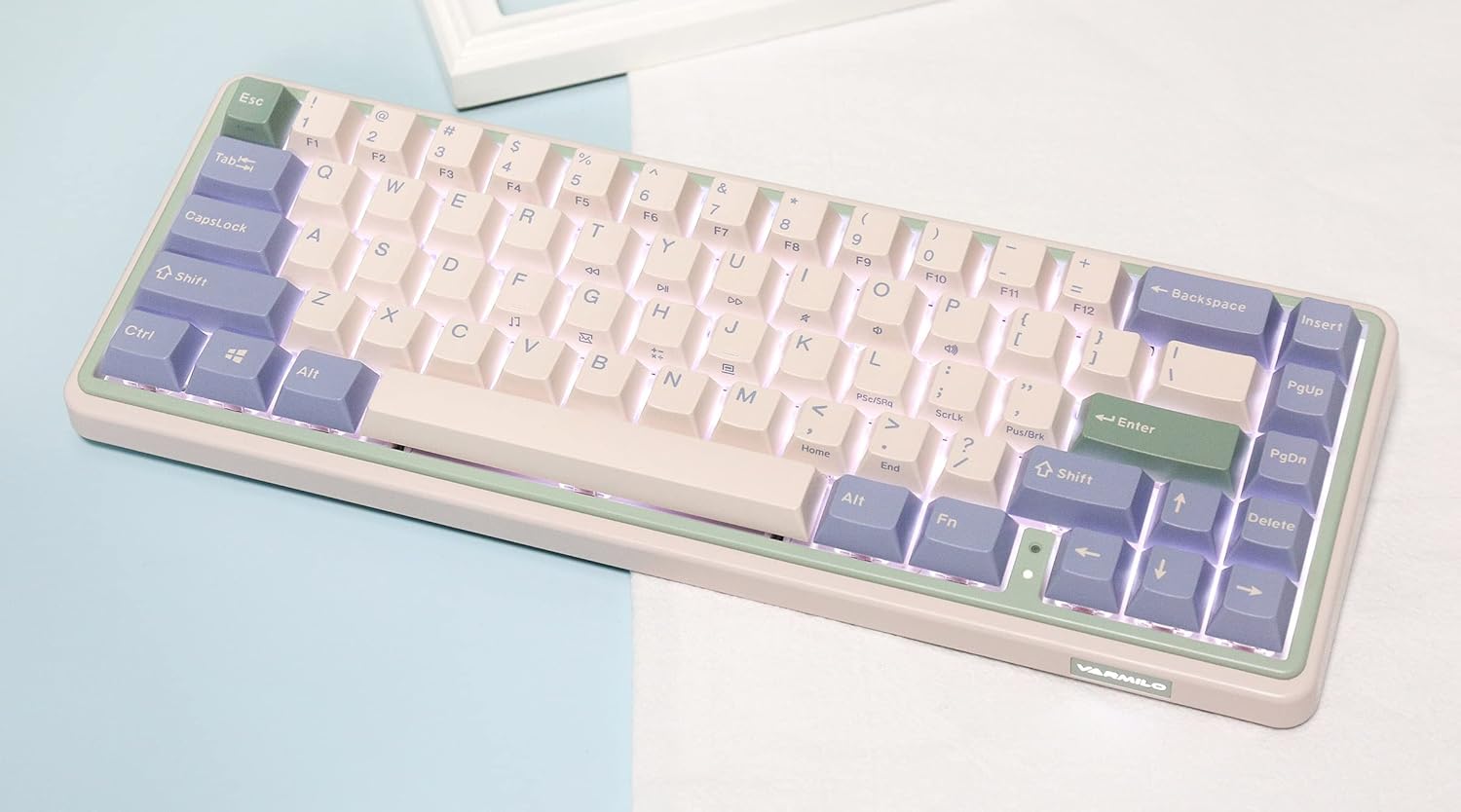
Image: The Varmilo Minilo VXB67 keyboard illuminated by its white LED backlighting.
3. Comutação de múltiplos dispositivos
To switch between paired Bluetooth devices:
- Imprensa Fn + Q to switch to Bluetooth Device 1.
- Imprensa Fn + W to switch to Bluetooth Device 2.
- Imprensa Fn + E to switch to Bluetooth Device 3.
The keyboard will quickly connect to the selected device.
Manutenção
- Limpeza: Use a soft, dry cloth to wipe the keyboard surface. For deeper cleaning, remove keycaps using the provided keycap puller and use compressed air to clear debris.
- Carregamento da bateria: Connect the keyboard via the USB-C cable to a power source (computer USB port or USB wall adapter). The Escape key will light up while charging and flash when the battery is low.
- Armazenar: When not in use, store the keyboard in a cool, dry place. Use the provided dust cover to protect it from dust and spills.
Solução de problemas
- Teclado não responde (com fio):
- Certifique-se de que o cabo USB-C esteja firmemente conectado tanto ao teclado quanto ao computador.
- Tente uma porta USB diferente em seu computador.
- Experimente um cabo USB-C diferente.
- Keyboard not responding (Bluetooth):
- Certifique-se de que o Bluetooth esteja habilitado no seu dispositivo.
- Certifique-se de que o teclado está carregado.
- Re-enter pairing mode (Fn + Q/W/E) and attempt to re-pair with your device.
- Forget the device on your computer/tablet/phone and try pairing again.
- As chaves não estão sendo registradas:
- Ensure the keycap and switch are properly seated. Remove and re-install if necessary.
- If using hot-swappable switches, ensure the switch pins are not bent.
- A luz de fundo não está funcionando:
- Check backlight brightness settings (Fn + ↑/↓).
- Ensure the keyboard is not in a low power state.
Especificações
| Modelo | VXB67 |
| Disposição | 65% (67 teclas) |
| Conectividade | Bluetooth 5.0, USB-C com fio |
| Interruptores | Varmilo EC Daisy V2 (Hot-swappable) |
| Keycaps | ABS de dupla injeção com 1.5 mm de espessura. |
| Luz de fundo | LED branco |
| Capacidade da bateria | 3400mAh |
| Dispositivos compatíveis | PC (and other Bluetooth-enabled devices) |
| Material | Acrilonitrila Butadieno Estireno (ABS) |
| Dimensões | Approx. 15 x 7 x 2.5 inches (based on package dimensions) |
| Peso | 3.21 libras |
Garantia e Suporte
For warranty information and technical support, please refer to the official Varmilo webNo site ou entre em contato com o revendedor. Guarde o comprovante de compra para eventuais solicitações de garantia.
Varmilo Oficial Website: www.varmilo.com


