1. Introdução
This manual provides essential information for setting up, operating, maintaining, and troubleshooting your HP 17 Laptop, Model 17t. Please read these instructions carefully to ensure proper use and longevity of your device.
2. O que está na caixa
- HP 17 Laptop (Model 17t)
- Adaptador de alimentação AC inteligente de 45 W
- HD integrado Webcam with integrated dual-array digital microphones (integrated into laptop)
3. Produto acabadoview
The HP 17 Laptop features a 17.3-inch HD+ touchscreen display, powered by a 12th Gen Intel Core i7-1255U processor. It includes 64GB DDR4 RAM and a 2TB PCIe NVMe M.2 Solid State Drive for high performance and ample storage. Key features include Wi-Fi 6 connectivity, a backlit keyboard, and a fingerprint reader for enhanced security.
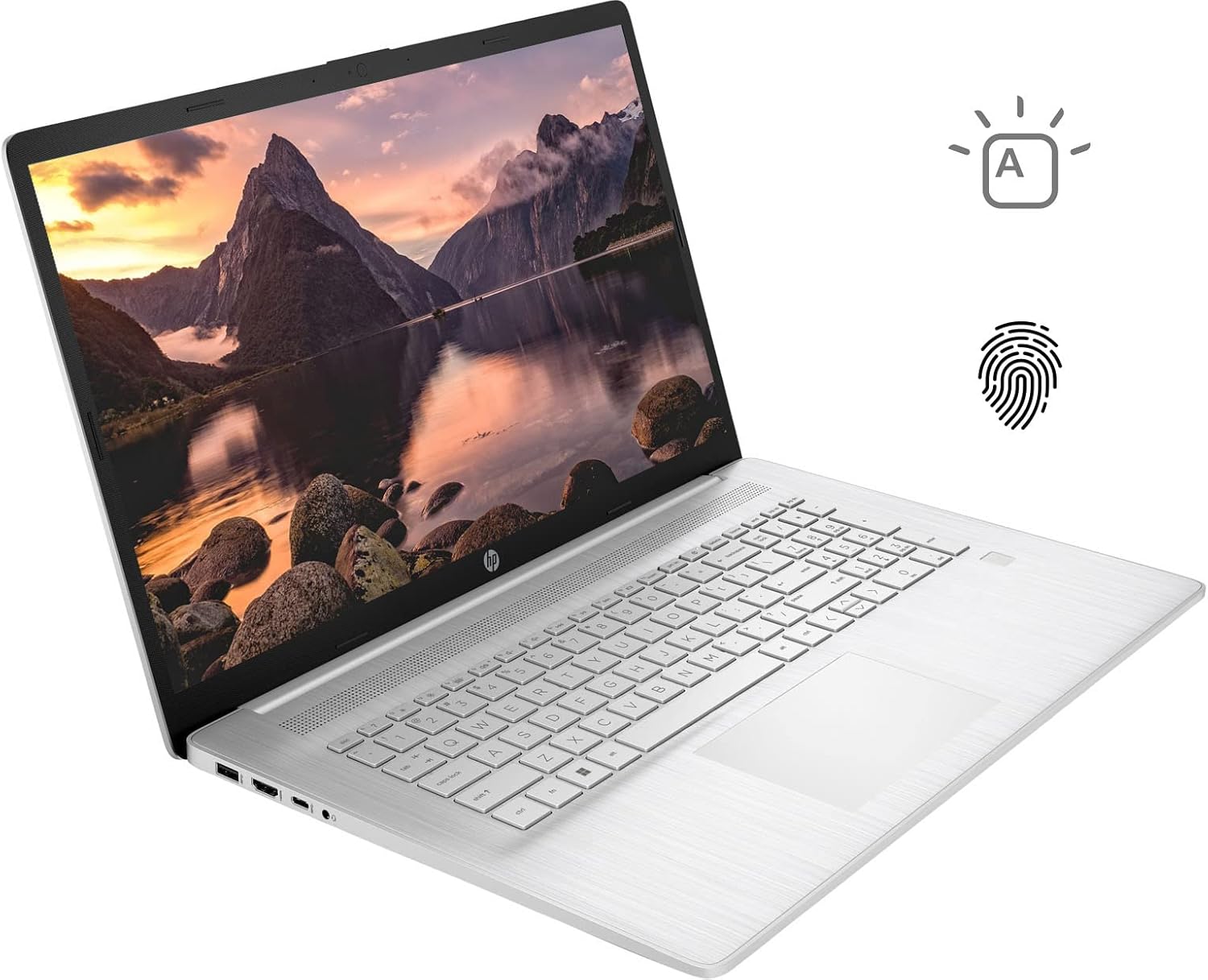
Figure 3.1: HP 17 Laptop with screen displaying a landscape image and keyboard visible.
3.1. Portas do lado esquerdo
The left side of the laptop provides essential connectivity options.
- Porta USB Tipo A: Para conectar dispositivos USB.
- Porta HDMI: Para conexão a monitores externos.
- Porta USB Tipo-C: Para transferência de dados e conexão de dispositivos compatíveis.
- Conector combinado para fone de ouvido/microfone: Para entrada e saída de áudio.

Figure 3.2: Left side of the HP 17 Laptop, detailing the USB Type-A, HDMI, USB Type-C, and headphone/microphone combo ports.
3.2. Portas do lado direito
The right side of the laptop includes additional ports and indicators.
- Conector de força: Para conectar o adaptador de energia CA.
- Luz indicadora de carregamento: Mostra o status do carregamento.
- Porta USB Tipo A: Para conectar dispositivos USB.

Figure 3.3: Right side of the HP 17 Laptop, showing the power connector, charging indicator, and USB Type-A port.
4. Configuração
4.1. Ligação inicial
- Connect the 45 W Smart AC power adapter to the power connector on the right side of the laptop and then to a power outlet.
- Abra a tampa do laptop.
- Press the power button, typically located on the top right of the keyboard deck.
- Siga as instruções na tela para concluir a configuração do Windows 11 Home, incluindo idioma, região, conexão de rede e criação de conta de usuário.
4.2. Conectando Periféricos
Use the available USB ports (Type-A and Type-C) to connect external devices such as a mouse, external keyboard, or USB storage devices. The HDMI port allows connection to an external monitor or TV.
5. Operating Your HP 17 Laptop
5.1. Funcionalidade de tela sensível ao toque
The 17.3-inch HD+ display supports touch input. You can interact with Windows 11 and applications directly using your fingers for navigation, scrolling, and selection.
5.2. Backlit Keyboard
The keyboard features backlighting for use in low-light conditions. To toggle the backlight, press the F4 key. Repeated presses may cycle through different brightness levels or turn the backlight off.
5.3. Leitor de impressões digitais
For enhanced security and quick login, configure the integrated fingerprint reader through Windows Hello settings. Access these settings via Configurações > Contas > Opções de entrada.
5.4. Conectividade sem fio
The laptop supports Wi-Fi 6 and Bluetooth 5.2. To connect to a Wi-Fi network, click the network icon in the taskbar, select your desired network, and enter the password if required. Bluetooth devices can be paired via Configurações > Bluetooth e dispositivos.
5.5. Webcam and Microphones
O HD integrado webcam and dual-array digital microphones are suitable for video conferencing and online communication. Ensure privacy settings are configured correctly in Windows to control application access to the camera and microphone.
6. Manutenção
6.1. Limpeza
- Tela: Use um pano macio e sem fiapos levemente dampLimpe com água ou um produto de limpeza para telas. Evite produtos químicos agressivos.
- Teclado e chassi: Use a soft, dry cloth. A can of compressed air can help remove dust from between keys.
- Certifique-se de que o laptop esteja desligado e desconectado da tomada antes de limpá-lo.
6.2. Cuidados com a bateria
- Evite temperaturas extremas.
- For optimal battery life, avoid constantly keeping the laptop at 100% charge or letting it fully discharge frequently.
- Guarde o laptop com uma carga parcial (em torno de 50%) se não for utilizá-lo por longos períodos.
6.3. Atualizações de software
Regularly check for and install Windows updates via Configurações > Windows Update. Also, ensure HP drivers and firmware are up to date using the HP Support Assistant application or HP's official website.
7. Solução De Problemas
7.1. O laptop não liga.
- Certifique-se de que o adaptador CA esteja conectado firmemente tanto ao laptop quanto a uma tomada elétrica em funcionamento.
- Check the charging indicator light on the right side of the laptop. If it's not lit, try a different outlet or adapter if available.
- Perform a hard reset: Disconnect the AC adapter, press and hold the power button for 15 seconds, then reconnect the adapter and try to power on.
7.2. Problemas de exibição
- Nenhuma exibição: If the laptop powers on but the screen remains black, try connecting an external monitor via HDMI to check if the issue is with the laptop's internal display.
- Tela sensível ao toque não responde: Restart the laptop. If the issue persists, check for updated display drivers or run Windows Troubleshooter for hardware and devices.
7.3. Problemas de conectividade Wi-Fi
- Verifique se o Wi-Fi está ativado nas configurações do Windows.
- Reinicie o roteador e o modem.
- Execute a ferramenta de solução de problemas de rede do Windows.
- Atualize os drivers do seu adaptador sem fio.
8. Especificações
| Nome do modelo | HP 17t Notebook |
| Mostrar | 17.3" HD+ (1600 x 900) BrightView Tela sensível ao toque |
| Processador | 12th Gen Intel Core i7-1255U (10 Cores, up to 4.70 GHz) |
| Gráficos | Gráficos Intel Iris Xe (Integrados) |
| BATER | 64 GB DDR4 |
| Armazenar | SSD PCIe NVMe M.2 de 2 TB |
| Sistema operacional | Windows 11 Início |
| Conectividade sem fio | Wi-Fi 6 (2x2), Bluetooth 5.2 |
| Portos | 1x USB Type-C (5Gbps), 2x USB Type-A (5Gbps), 1x HDMI 1.4b, 1x Headphone/Microphone Combo |
| Teclado | Backlit Keyboard, Numeric Keyboard |
| Segurança | Leitor de impressão digital |
| Câmera | HD integrado Webcam with dual-array digital microphones |
| Bateria | 3-cell, 41Wh Lithium-ion prismatic |
| Adaptador de energia | Adaptador de alimentação AC inteligente de 45 W |
| Peso | 5.25 libras (aproximadamente 2.38 kg) |
| Dimensões (CxLxA) | 15.78 x 10.15 x 0.78 polegadas (aproximadamente 40.08 x 25.78 x 1.98 cm) |
| Cor | Prata |
9. Garantia e Suporte
For warranty information, please refer to the documentation included with your product or visit the official HP support website. If you encounter issues not covered in this manual or require further assistance, please contact HP customer support.
You can find support resources, drivers, and contact information on the official HP website: www.hp.com/support