1. Introdução
Obrigado pela compra.asing the Sharp CP-SS30(BK) Active Bookshelf Speakers. These speakers are designed to provide superior sound reproduction with versatile connectivity options. Please read this manual carefully before using the product to ensure proper operation and to maximize your listening experience.
The CP-SS30(BK) features a robust plywood cabinet, 60W RMS (2 x 30W) two-way active sound, and multiple input options including Bluetooth v5.0, USB, Optical, Auxiliary, and RCA. It also includes an equalizer with preset and custom bass/treble adjustments, and a full-function remote control for convenience.
2. Informações de segurança
Please observe the following safety precautions to prevent damage to the product and to ensure your safety:
- Não exponha os alto-falantes à chuva ou umidade.
- Não bloqueie nenhuma abertura de ventilação.
- Não instale perto de fontes de calor, como radiadores, registros de calor, fogões ou outros aparelhos (incluindo amplificadores) que produzem calor.
- Proteja o cabo de alimentação para que não seja pisado ou comprimido, principalmente nos plugues, nas tomadas de conveniência e no ponto de saída do aparelho.
- Utilize somente acessórios/anexos especificados pelo fabricante.
- Desligue este aparelho durante tempestades com raios ou quando não for utilizado por longos períodos de tempo.
- Entregue todos os serviços de manutenção a pessoal de serviço qualificado. O serviço é necessário quando o aparelho foi danificado de alguma forma, como cabo de alimentação ou plugue danificado, líquido foi derramado ou objetos caíram no aparelho, o aparelho foi exposto à chuva ou umidade, não opera normalmente ou foi derrubado.
3. Conteúdo da embalagem
Por favor, verifique se todos os itens estão presentes e em boas condições:
- 2 x Sharp CP-SS30(BK) Bookshelf Speakers
- 1 x Controle Remoto (pilhas incluídas)
- 1 x RCA Audio Cable (3 meters)
- 1 x AUX Audio Cable (1.2 meters)
- 1 x Power Cable (1.2 meters)
- 1 x Speaker Connection Cable
- Documentação do usuário

Image: All components included in the Sharp CP-SS30(BK) package, including two speakers, remote control, and various cables.
4. Recursos do Produto
The Sharp CP-SS30(BK) speakers offer a range of features for an enhanced audio experience:
- Saída de áudio potente: 60W RMS (2 x 30W) two-way active speakers for clear and dynamic sound.
- Construção Premium: Plywood cabinet design ensures superior sound reproduction and durability.
- Conectividade sem fio: Seamless audio streaming with Bluetooth v5.0.
- Entradas múltiplas: Connect various devices via Bluetooth, USB, Optical, Auxiliary (AUX), and RCA inputs.
- Som personalizável: Built-in equalizer with five preset settings and independent bass and treble adjustment.
- Design moderno: Removable speaker grilles allow for a contemporary aesthetic.
- Controle conveniente: Full-function remote control for easy operation from a distance.

Imagem: Frente view of the Sharp CP-SS30(BK) speakers with the remote control, showcasing their design and compact size.

Imagem: Um close-up view of the front panel of one Sharp CP-SS30(BK) speaker with the grille removed, highlighting the tweeter, woofer, indicator light, and volume/input knob.
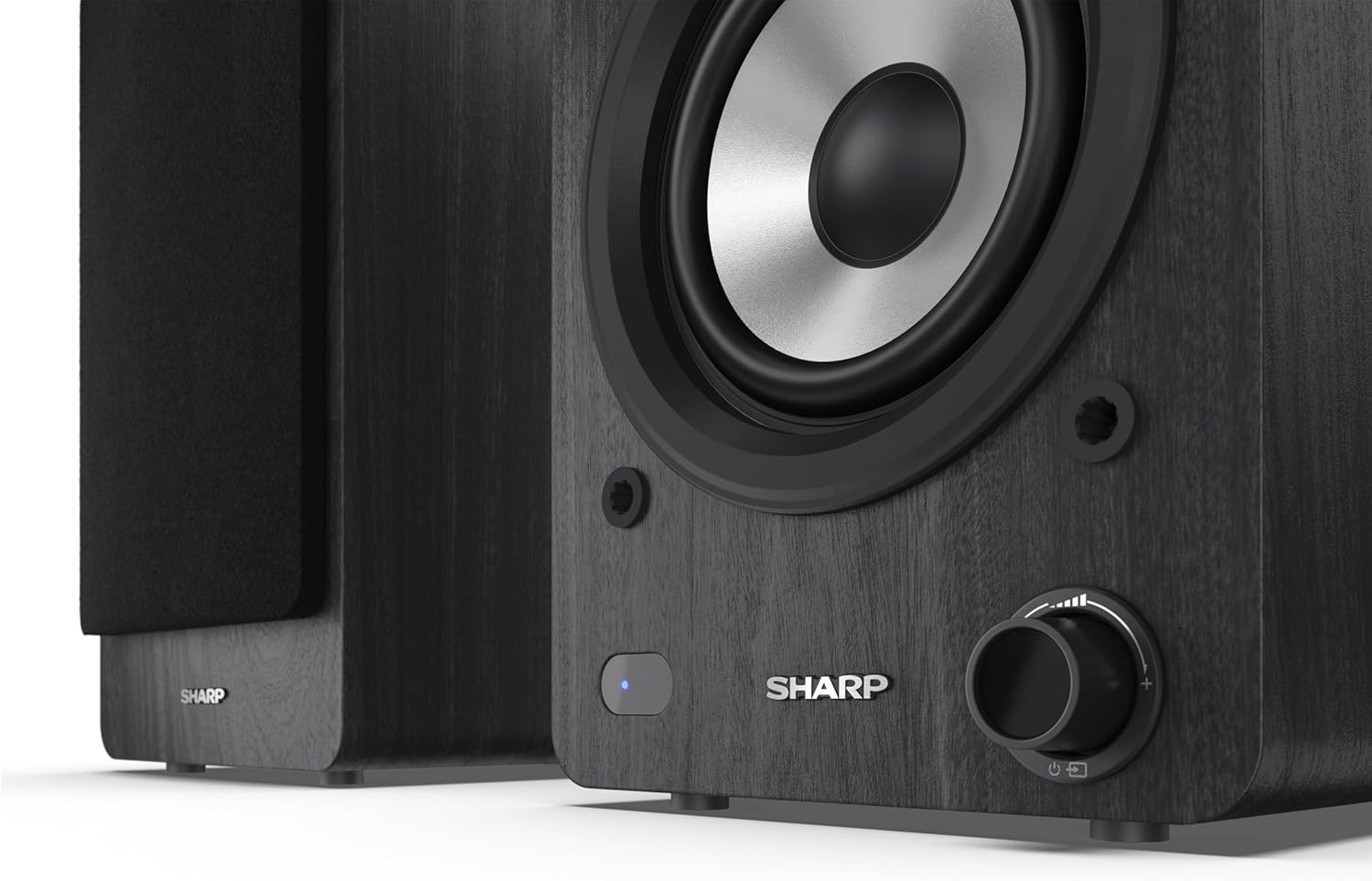
Image: A detailed shot of the control knob and the blue indicator light on the Sharp CP-SS30(BK) speaker, showing the subtle branding.
5. Configuração
5.1 Posicionamento do alto-falante
For optimal sound quality, place the speakers on a stable, flat surface. Position them at an equal distance from your listening position, forming an equilateral triangle for the best stereo imaging. Ensure there is adequate space behind the speakers for ventilation and cable connections.
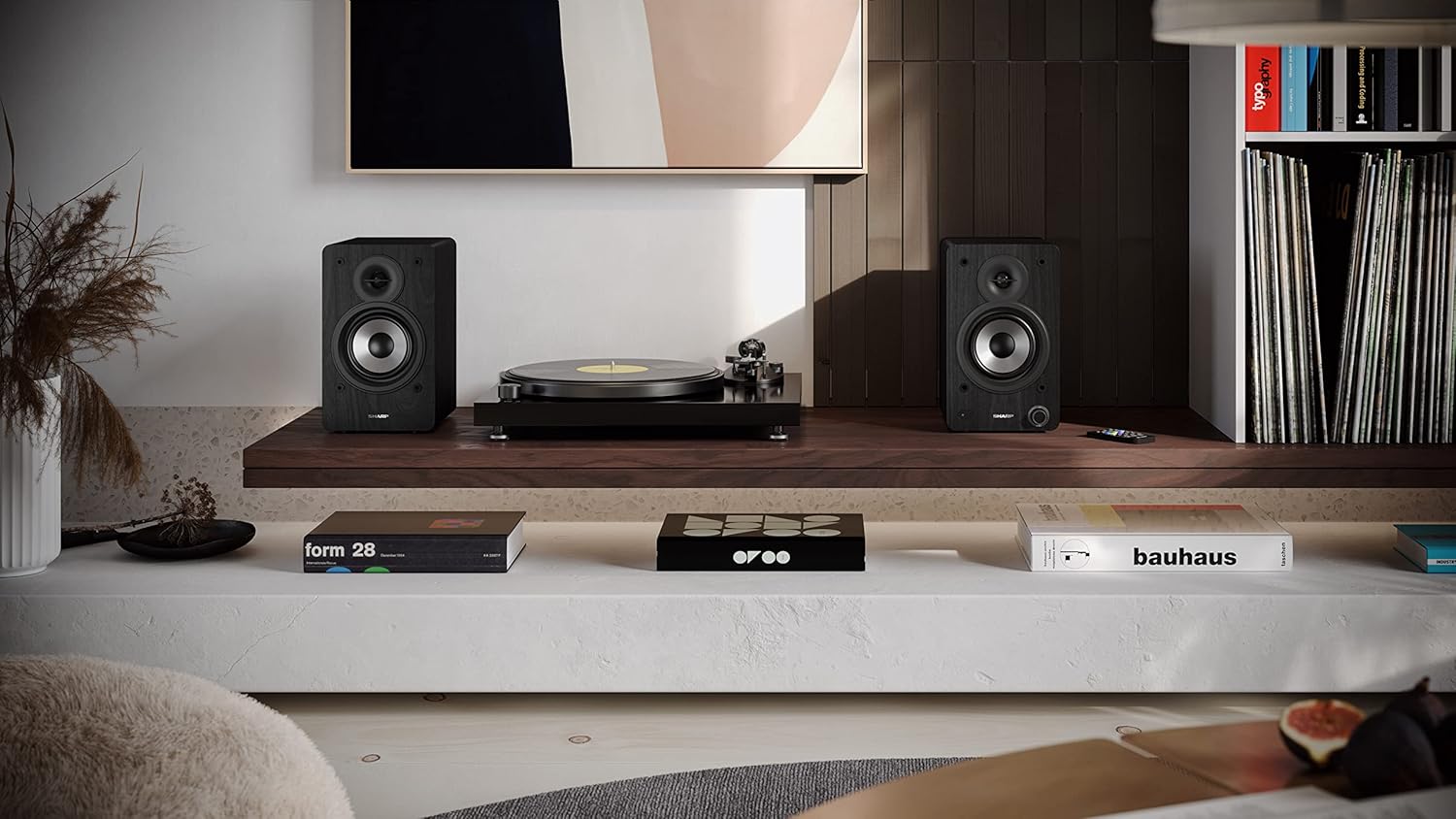
Image: The Sharp CP-SS30(BK) speakers positioned on a shelf in a living room setting, demonstrating a typical setup with a turntable.
5.2 Conectando as caixas de som
The CP-SS30(BK) consists of one active (main) speaker and one passive (secondary) speaker. Connect them using the provided speaker connection cable.
- Identify the active speaker (with controls and input ports) and the passive speaker.
- Connect one end of the speaker connection cable to the speaker terminals on the active speaker, ensuring correct polarity (+ to + and - to -).
- Connect the other end of the speaker connection cable to the speaker terminals on the passive speaker, maintaining correct polarity.

Image: The rear panel of the Sharp CP-SS30(BK) speakers, illustrating the various input ports (USB, Optical, RCA, AUX) and the speaker connection terminals.
5.3 Conexão de Energia
- Certifique-se de que o interruptor de alimentação da caixa de som ativa esteja na posição DESLIGADO.
- Connect the provided power cable to the AC input on the active speaker.
- Ligue a outra extremidade do cabo de alimentação a uma tomada de parede adequada.
6. Instruções de operação
6.1 Ligar/Desligar
To power on the speakers, flip the power switch on the active speaker to the ON position. The indicator light on the front will illuminate. To power off, flip the switch back to OFF.
6.2 Seleção de entrada
You can select the input source using the remote control or the knob on the front of the active speaker. Available inputs include Bluetooth, USB, Optical, Auxiliary (AUX), and RCA.
- Bluetooth: Select Bluetooth input. The indicator light will flash, indicating pairing mode. Procurar "SHARP CP-SS30(BK)" on your device and connect. The light will become solid once paired.
- USB: Insira uma unidade USB com áudio fileInsira o cabo na porta USB da caixa de som ativa.
- Óptico: Connect an optical cable from your audio source (e.g., TV, game console) to the Optical input.
- AUXILIAR: Connect an AUX cable from your audio source (e.g., smartphone, tablet) to the AUX input.
- RCA: Connect RCA cables from your audio source (e.g., turntable, CD player) to the RCA inputs.
6.3 Controle de volume
Adjust the volume using the remote control's volume buttons or by rotating the knob on the front of the active speaker.
6.4 Configurações do equalizador
The speakers feature an equalizer to tailor the sound to your preference. Use the remote control to:
- Select from five preset equalizer modes (e.g., Flat, Rock, Pop, Classical, Jazz).
- Adjust bass and treble levels independently for a customized sound profile.
7. Manutenção
To ensure the longevity and optimal performance of your Sharp CP-SS30(BK) speakers, follow these maintenance guidelines:
- Limpeza: Use a soft, dry cloth to clean the speaker cabinets. Do not use liquid cleaners or aerosol sprays, as they may damage the finish or internal components.
- Grelhas: The speaker grilles are removable for cleaning. Gently pull them off to clean any dust accumulation on the drivers. Reattach them carefully.
- Ventilação: Ensure that the ventilation openings on the back of the active speaker are not obstructed to prevent overheating.
- Armazenar: If storing the speakers for an extended period, disconnect them from power and store them in a cool, dry place away from direct sunlight and extreme temperatures.
8. Solução De Problemas
If you encounter any issues with your speakers, please refer to the following common problems and solutions:
| Problema | Possível causa | Solução |
|---|---|---|
| Sem energia | Power cable not connected; Power outlet not active; Power switch off. | Ensure power cable is securely connected. Check power outlet with another device. Flip power switch to ON. |
| Sem som | Incorrect input selected; Volume too low; Cables not connected properly; Source device issue. | Select the correct input source. Increase volume. Check all audio cables (RCA, AUX, Optical, USB) and speaker connection cable for secure fit and correct polarity. Test with a different audio source. |
| Falha no pareamento Bluetooth | Alto-falantes não estão em modo de emparelhamento; Dispositivo muito distante; Interferência. | Ensure Bluetooth input is selected and indicator light is flashing. Move device closer to speakers. Avoid strong electromagnetic interference. Try unpairing and re-pairing. |
| Som distorcido | Volume too high; Source audio quality is poor; Speaker placement. | Reduce volume. Check the audio source quality. Adjust speaker placement to avoid reflections or resonance. |
| Controle remoto não funciona | Batteries depleted; Obstruction between remote and speaker; Remote not pointed correctly. | Replace remote control batteries. Remove any obstructions. Point the remote directly at the active speaker's sensor. |
9. Especificações
| Recurso | Detalhe |
|---|---|
| Número do modelo | CP-SS30(BK) |
| Potência de saída | 60 Watts RMS (2 x 30W) |
| Tipo de alto-falante | Active Bookshelf, 2-Way |
| Material do Gabinete | Wood (Plywood) |
| Tecnologia de Conectividade | Bluetooth v5.0, USB, Optical, Auxiliary (AUX), RCA |
| Versão Bluetooth | v5.0 |
| Modo de saída de áudio | Estéreo (2.0 canais) |
| Resposta de frequência | 60 Hz |
| Tipo de controlador | Botão, controle remoto |
| Dimensões do produto (cada alto-falante) | 19D x 15.8W x 24.8H cm (7.5D x 6.2W x 9.8H inches) |
| Peso do item | 4.3 quilos (9.5 lbs) |
| Cor | Preto |
| Usos recomendados | Gaming console, Music player, Smartphone/Tablet, Ambient sound system, Television |
| Dispositivos compatíveis | Laptop, Smartphone, Tablet |

Image: Diagram showing the dimensions of one Sharp CP-SS30(BK) speaker (Height: 248mm, Width: 158mm, Depth: 190mm).
10. Garantia e Suporte
Garantia: This product comes with a 1-year warranty for spare parts availability from the date of purchase. Please retain your proof of purchase for warranty claims.
For technical support, troubleshooting assistance beyond this manual, or warranty inquiries, please contact Sharp customer service. Refer to the contact information provided in the user documentation included in your package or visit the official Sharp website.
Note: Software updates guaranteed until information is not available.


