Introdução
Thank you for choosing the BUFFBEE Sound Machine & Alarm Clock. This versatile 2-in-1 device combines a high-quality sound machine with a fully functional alarm clock, designed to help you achieve restful sleep and wake up refreshed. Its intuitive controls and customizable features make it an essential addition to any bedroom.

Image: The Buffbee Sound Machine and Alarm Clock highlighting its dual functionality as both a sound machine and an alarm clock.
Informações de segurança
- Não exponha o dispositivo à água ou umidade excessiva.
- Mantenha afastado de fontes de calor e luz solar direta.
- Utilize somente o adaptador de energia fornecido.
- Não tente desmontar ou reparar o dispositivo sozinho. Entre em contato com o suporte ao cliente para obter assistência.
- Certifique-se de que o dispositivo esteja colocado em uma superfície plana e estável.
Conteúdo da embalagem
- BUFFBEE Sound Machine & Alarm Clock (Model: BK11)
- Adaptador de energia
- Manual do usuário
Produto acimaview
Familiarize-se com os componentes e controles do dispositivo:

Image: A detailed diagram illustrating the top panel controls (Alarm, Volume Control, Sound Machine, Night Light) and the rear panel (Display Dimmer, Adapter port).
- Controles do painel superior: Alarm button, Timer button, Volume Up/Down, Previous/Next Sound, Sound Machine button, Night Light button.
- Visor frontal: Exibição de relógio digital.
- Luz Inferior: Integrated colored light.
- Painel traseiro: DC 5V Adapter port, 0-100% Display Dimmer knob.
Configurar
- Colocação: Place the device on a stable surface, such as a nightstand or desk.
- Conexão de energia: Insert the power adapter into the DC 5V port on the rear of the device, then plug it into a standard electrical outlet.
- Inicialização: O visor do relógio acenderá.
- Definir hora: Refer to the 'Operating Instructions' section for setting the current time.
Instruções de operação
Definir o tempo
- Pressione e segure o Tempo button (clock icon) on the top panel until the hour digits flash.
- Use o Anterior (◀︎) or Próximo (▶︎) buttons to adjust the hour.
- Pressione o Tempo Pressione novamente para confirmar a hora e passar para a configuração de minutos.
- Use o Anterior (◀︎) or Próximo (▶︎) buttons to adjust the minutes.
- Pressione o Tempo button one more time to confirm the minutes and exit time setting.
Configurando o alarme
- Pressione e segure o Alarme button (bell icon) on the top panel until the alarm hour digits flash.
- Use o Anterior (◀︎) or Próximo (▶︎) buttons to adjust the alarm hour.
- Pressione o Alarme button again to confirm the hour and move to alarm minute setting.
- Use o Anterior (◀︎) or Próximo (▶︎) buttons to adjust the alarm minutes.
- Pressione o Alarme button one more time to confirm the minutes. The alarm icon will appear on the display, indicating the alarm is set.
- Para desligar o alarme, pressione o botão Alarme Pressione o botão uma vez. O ícone do alarme desaparecerá.
Using the Sound Machine
The device offers 18 soothing sounds, including 5 white noises, 3 fan sounds, and 10 nature sounds (ocean, lullaby, waves, rain, thunderstorm, brook, croaking, bird chirping, summer night, and campincêndio).
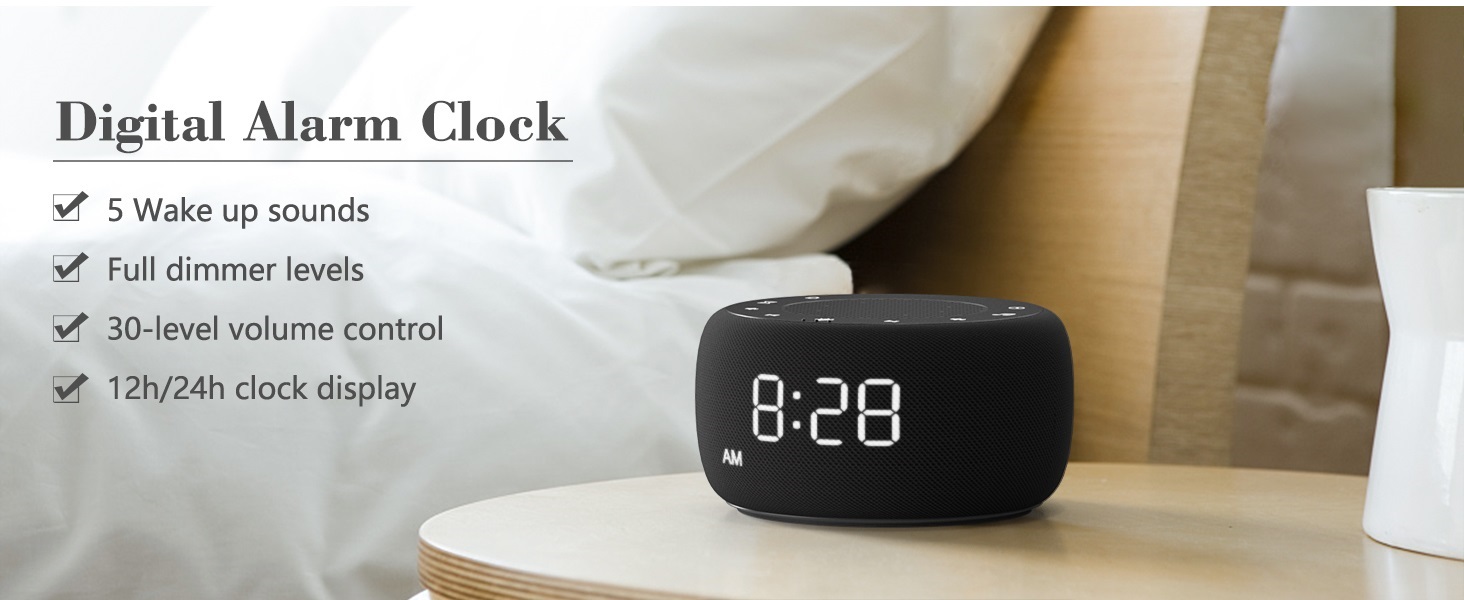
Image: An infographic displaying the 18 soothing sounds categorized into 3 fan sounds, 5 white noises, and 10 nature sounds, including ocean, lullaby, waves, rain, thunderstorm, brook, croaking, bird chirping, summer night, and campfogo.
- Pressione o Máquina de som button (music note icon) to cycle through the available sounds.
- Use o Aumentar o volume (▲) e Diminuir volume (▼) buttons to adjust the volume (30 levels).
- To turn off the sound, press the Máquina de som button until no sound is playing.
Temporizador de sono
Set a timer for the sound machine to automatically turn off.

Image: The top panel of the Buffbee Sound Machine, highlighting the Auto-Off Timer button and the Volume Control buttons.
- Pressione o Temporizador button (hourglass icon) to cycle through timer options: 15, 30, 60, 90, 120 minutes, or continuous play.
- The selected timer duration will be displayed on the screen.
Adjusting Clock Face Brightness
The clock display brightness can be adjusted from 0% (completely dark) to 100%.

Image: The Buffbee Sound Machine demonstrating its 0-100% display dimmer feature, showing the clock face at 0%, partial, and 100% brightness.
- Localize o Dimmer de exibição knob on the rear of the device.
- Rotate the knob to increase or decrease the brightness of the clock display to your preference.
Using the Bottom Colored Light
The device features a bottom light with 7 color options to create a relaxing ambiance.

Image: The Buffbee Sound Machine displaying its bottom colored light feature, showing various color options and the ability to turn it on or off.
- Pressione o Luz noturna button (light bulb icon) to cycle through the 7 color options.
- Continue pressing the button to turn the light off.
Manutenção
- Limpeza: Limpe o dispositivo com um pano macio e seco. Não utilize produtos de limpeza abrasivos ou solventes.
- Armazenar: Quando não estiver em uso por longos períodos, guarde o dispositivo em local fresco e seco.
Solução de problemas
| Problema | Possível causa | Solução |
|---|---|---|
| O dispositivo não liga. | Adaptador de energia não conectado corretamente ou problema na tomada. | Verifique se o adaptador de energia está firmemente conectado ao dispositivo e a uma tomada elétrica em funcionamento. Tente usar outra tomada. |
| O visor do relógio está muito brilhante/escuro. | Display dimmer setting needs adjustment. | Adjust the 0-100% Display Dimmer knob on the rear of the device. |
| O som não é alto o suficiente. | O volume está muito baixo. | Pressione o Aumentar o volume (▲) button to increase the volume. The device has 30 volume levels. |
| O alarme não dispara. | Alarm is not set or is turned off. | Ensure the alarm is set correctly and the alarm icon is visible on the display. |
Especificações
| Recurso | Detalhe |
|---|---|
| Número do modelo | BK11 |
| Dimensões | 5.63 x 4.57 x 3.03 polegadas |
| Peso | 11.64 onças |
| Fonte de energia | Battery Powered (for backup) / AC Adapter |
| Saída do alto-falante | 5W |
| Opções de som | 18 (5 white noises, 3 fan sounds, 10 nature sounds) |
| Níveis de volume | 30 |
| Temporizador de sono | 15, 30, 60, 90, 120 minutes, or continuous |
| Brilho do visor do relógio | 0-100% ajustável |
| Bottom Light Colors | 7 opções |
| Material | Plástico, Acrilonitrila Butadieno Estireno (ABS) |
Garantia e Suporte
For warranty information and customer support, please refer to the contact details provided on the product packaging or visit the official BUFFBEE website. Guarde o recibo de compra para reclamações de garantia.


