Introdução
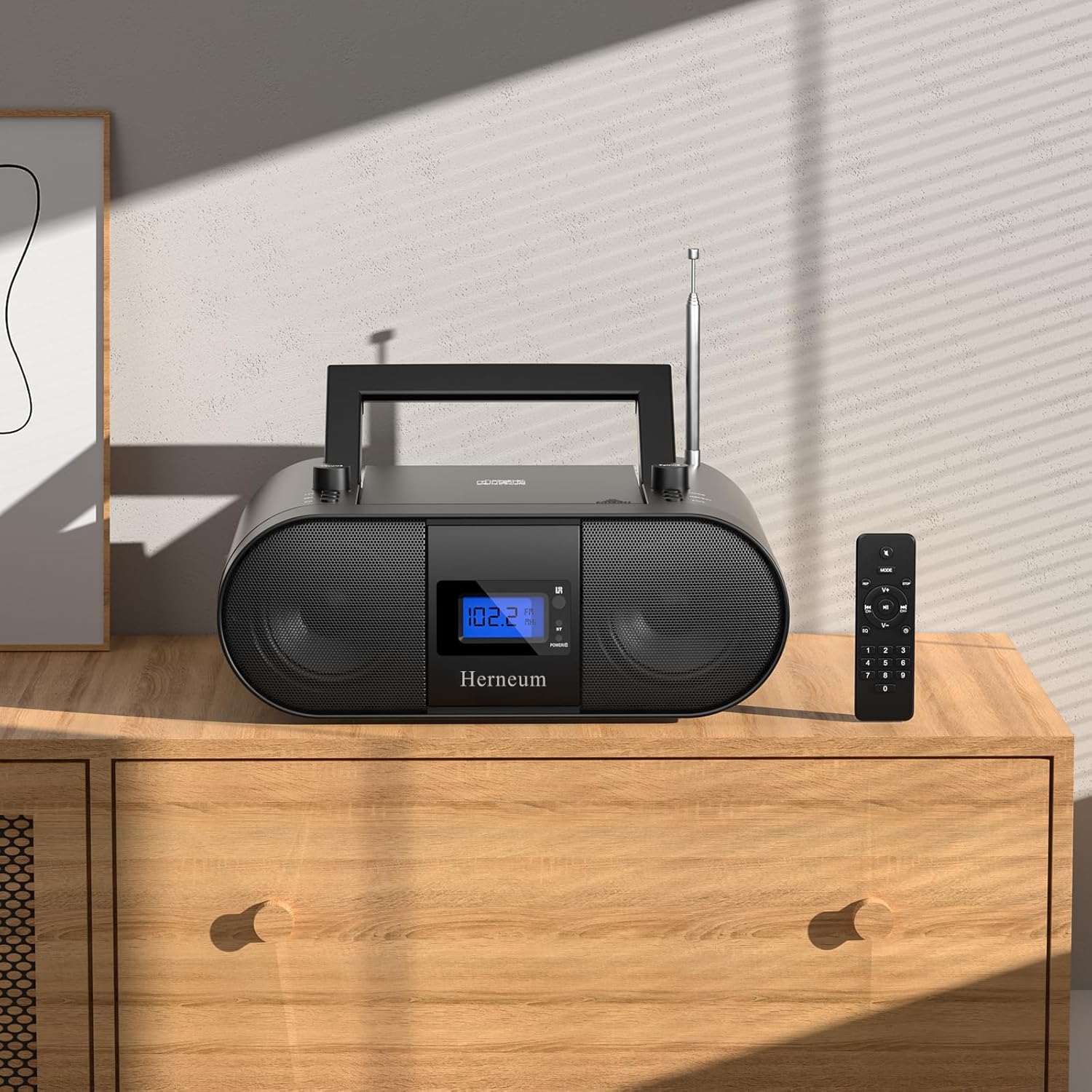
This manual provides essential instructions for the safe and efficient operation of your Herneum FC Portable CD Player Boombox. Please read this manual thoroughly before using the device and retain it for future reference.
Características do produto
- Portable CD Player: Top-loading CD player with play/pause, skip, and repeat functions.
- Rádio FM: Built-in FM radio with telescopic antenna for enhanced reception.
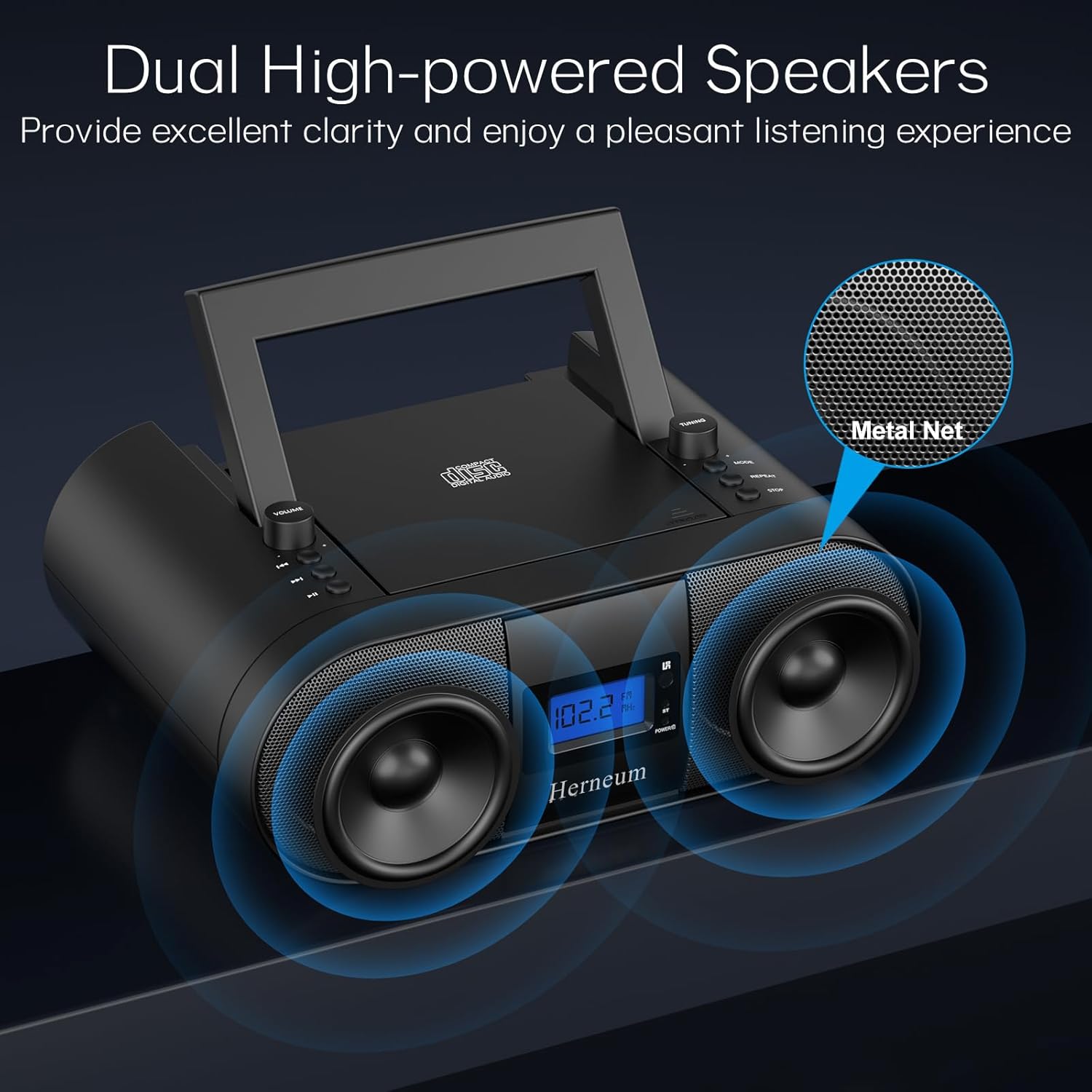
- Dual Stereo Sound System: High-performance speakers for clear audio.
- Bateria recarregável: Integrated 2000mAh battery providing 4-5 hours of playback.
- Conectividade Bluetooth: Transmissão de áudio sem fio a partir de dispositivos compatíveis.
- Entradas múltiplas: Supports USB and AUX-in for versatile audio sources.
- Saída de fone de ouvido: Para audição privada.
- Controle remoto: Convenient operation from a distance, including sleep timer function.
Conteúdo da embalagem
Ao abrir a caixa, verifique se todos os itens estão presentes:
- Herneum FC Portable CD Player Boombox
- Controle remoto
- Manual do usuário
- Cabo de energia
Informações de segurança
- Não exponha o aparelho à chuva ou umidade.
- Evite colocar o dispositivo perto de fontes de calor ou sob luz solar direta.
- Não abra o dispositivo casing; encaminhe a manutenção para pessoal qualificado.
- Mantenha fora do alcance de crianças.
- Utilize somente o adaptador de energia fornecido.
Configurar
1. Ligando o dispositivo
The Herneum FC can be powered by its internal rechargeable battery or by connecting it to an AC power outlet.
- Alimentação CA: Connect the provided power cable to the "Power socket" (19) on the back of the unit and then to a wall outlet.
- Bateria recarregável: The unit has a built-in 2000mAh rechargeable battery. It charges automatically when connected to AC power. A full charge provides approximately 4-5 hours of playback.
2. Ajuste da antena
For optimal FM radio reception, extend the telescopic antenna fully and adjust its position.

Instruções de operação
1. Controles Gerais
The device features various controls on its top panel and a remote control for convenient operation.

- Interruptor de alimentação (18): Localizado na parte de trás da unidade.
- Volume +/- (1): Ajusta o nível de saída de áudio.
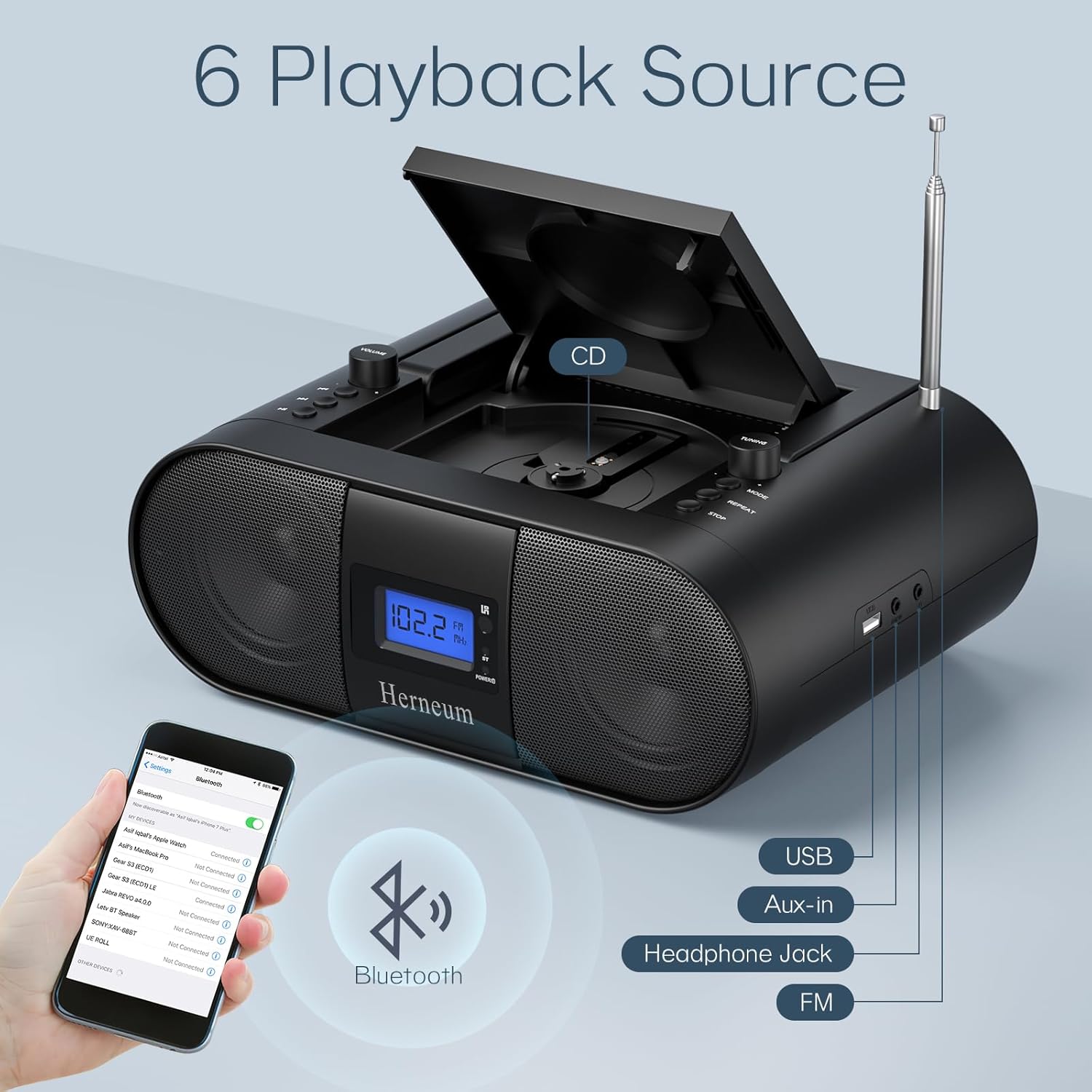
- Modo (7): Switches between CD, FM, Bluetooth, USB, and AUX modes.
- Exibição (14): Exibe o modo atual, o número da faixa e a frequência FM.
2. Reprodução de CD
- Open the CD compartment (10) by gently lifting the lid.
- Coloque o CD com a etiqueta voltada para cima.
- Feche o compartimento do CD.
- Pressione o Modo button (7) to select CD mode.
- Imprensa Reproduzir/Pausar (4) para iniciar a reprodução.
- Usar Faixa anterior (2) e Próxima faixa (3) to navigate tracks.
- Imprensa Repita (8) for single track or all track repeat.
- Imprensa Parar (9) to end playback.
3. Operação de rádio FM
- Estenda a antena telescópica.
- Pressione o Modo button (7) to select FM radio mode.
- Usar Ajuste +/- (6) to manually tune to a station.
- For automatic scanning, press and hold Ajuste +/- (6).
4. Conectividade Bluetooth
- Pressione o Modo button (7) to select Bluetooth mode. The display will show "BT" and flash, indicating it's ready for pairing.
- On your mobile device, enable Bluetooth and search for "Herneum FC" (or similar device name).
- Select the device to pair. Once connected, the "BT" indicator will stop flashing.
- Agora você pode transmitir áudio do seu dispositivo para o boombox.
5. Reprodução USB
- Insert a USB drive containing MP3/WMA files into the USB PORT (11).
- Pressione o Modo button (7) to select USB mode.
- Playback will start automatically. Use track navigation buttons to select songs.
6. Conexão AUX-in
- Connect an external audio device (e.g., smartphone, MP3 player) to the AUX-in jack (12) using a 3.5mm audio cable.
- Pressione o Modo button (7) to select AUX mode.
- Controle a reprodução e o volume a partir do seu dispositivo externo.
7. Uso de fones de ouvido
Plug headphones into the Headphone jack (13) for private listening. The speakers will automatically mute.
8. Controle remoto
The included remote control allows for convenient operation of all functions from a distance. Insert 2 x AAA batteries (not included) into the remote.
- Silenciar/Ativar som: Temporarily silences or restores audio.
- Pular faixa: Navega para a faixa seguinte ou anterior.
- Change Radio: Adjusts FM frequency.
- Volume de controle: Aumenta ou diminui o volume.
- Stop Playing: Halts current playback.
- Modo EQ: Adjusts sound equalization settings.
- Despertador: Set preferred running time (15, 30, 45, 60, or 90 minutes).

Manutenção
- Limpeza: Use um pano macio e seco para limpar a parte externa da unidade. Não use produtos de limpeza abrasivos ou solventes.
- Cuidados com o CD: Manuseie os CDs pelas bordas. Limpe os CDs sujos com um pano macio e sem fiapos, limpando do centro para as bordas.
- Armazenar: When not in use for extended periods, store the boombox in a cool, dry place.
Solução de problemas
| Problema | Possível causa | Solução |
|---|---|---|
| Sem energia | Power cable not connected; battery drained; power switch off. | Check power cable connection; charge battery; ensure power switch (18) is ON. |
| O CD não está tocando/está pulando faixas | CD dirty or scratched; CD inserted incorrectly; CD compartment not closed. | Clean or replace CD; ensure CD is label-side up; close compartment firmly. |
| Fraca recepção de FM | Antena não estendida/ajustada; sinal fraco. | Extend and adjust antenna; try moving the unit to a different location. |
| Bluetooth não está pareando | Device not in pairing mode; Bluetooth disabled on external device. | Ensure boombox is in Bluetooth mode; enable Bluetooth on your device and search again. |
| Controle remoto não funciona | Batteries drained or inserted incorrectly; obstruction between remote and unit. | Replace remote batteries; ensure correct polarity; remove obstructions. |
Especificações
- Modelo: FC
- Marca: Hérneo
- Dimensões do produto: 12.6 x 8.66 x 5.9 polegadas
- Peso do item: 4.36 libras
- Tecnologia de conectividade: Bluetooth, CD, USB, AUX-in, FM Radio
- Cor: Preto
- Tipo de alto-falante: Alto-falante duplo
- Bateria: Bateria recarregável de 2000mAh integrada
- Playback Time (Battery): 4-5 horas
Garantia e Suporte
The Herneum FC Portable CD Player Boombox comes with an 18-month warranty. For warranty claims, technical support, or any inquiries, please contact Herneum customer service.
Visit the official Herneum store for more information: Herneum Store


