1. Introdução
The IK Multimedia TONEX Pedal is a stereo multi-effects guitar and bass pedal designed to bring ultra-realistic amp and pedal tones to your live performance or studio setup. Utilizing breakthrough AI Machine Modeling technology, it offers a vast library of authentic tone models, along with a comprehensive suite of built-in effects. This manual provides essential information for setting up, operating, maintaining, and troubleshooting your TONEX Pedal.
2. Informações de segurança
- Fonte de energia: Use only the provided 9V DC power supply. Ensure the correct voltage polaridade para evitar danos.
- Água e Umidade: Do not expose the unit to water, rain, or excessive moisture. Avoid operating in damp ambientes.
- Fontes de calor: Mantenha o aparelho afastado de fontes de calor, como radiadores, aquecedores, fogões ou outros aparelhos que produzam calor.
- Ventilação: Garanta uma ventilação adequada. Não obstrua nenhuma abertura de ventilação.
- Limpeza: Limpe apenas com um pano seco. Não use limpadores líquidos ou em aerossol.
- Manutenção: Encaminhe todos os serviços de manutenção a pessoal qualificado. Não tente reparar este produto por conta própria.
3. Conteúdo da embalagem
- IK Multimedia TONEX Pedal
- Fonte de alimentação CC 9V
- Cabo USB
- Registration Card/Software Download Instructions
4. Produto acabadoview
The TONEX Pedal features a robust anodized aluminum chassis designed for durability. Its intuitive layout provides quick access to essential controls and versatile connectivity options.
4.1. Controles do painel frontal
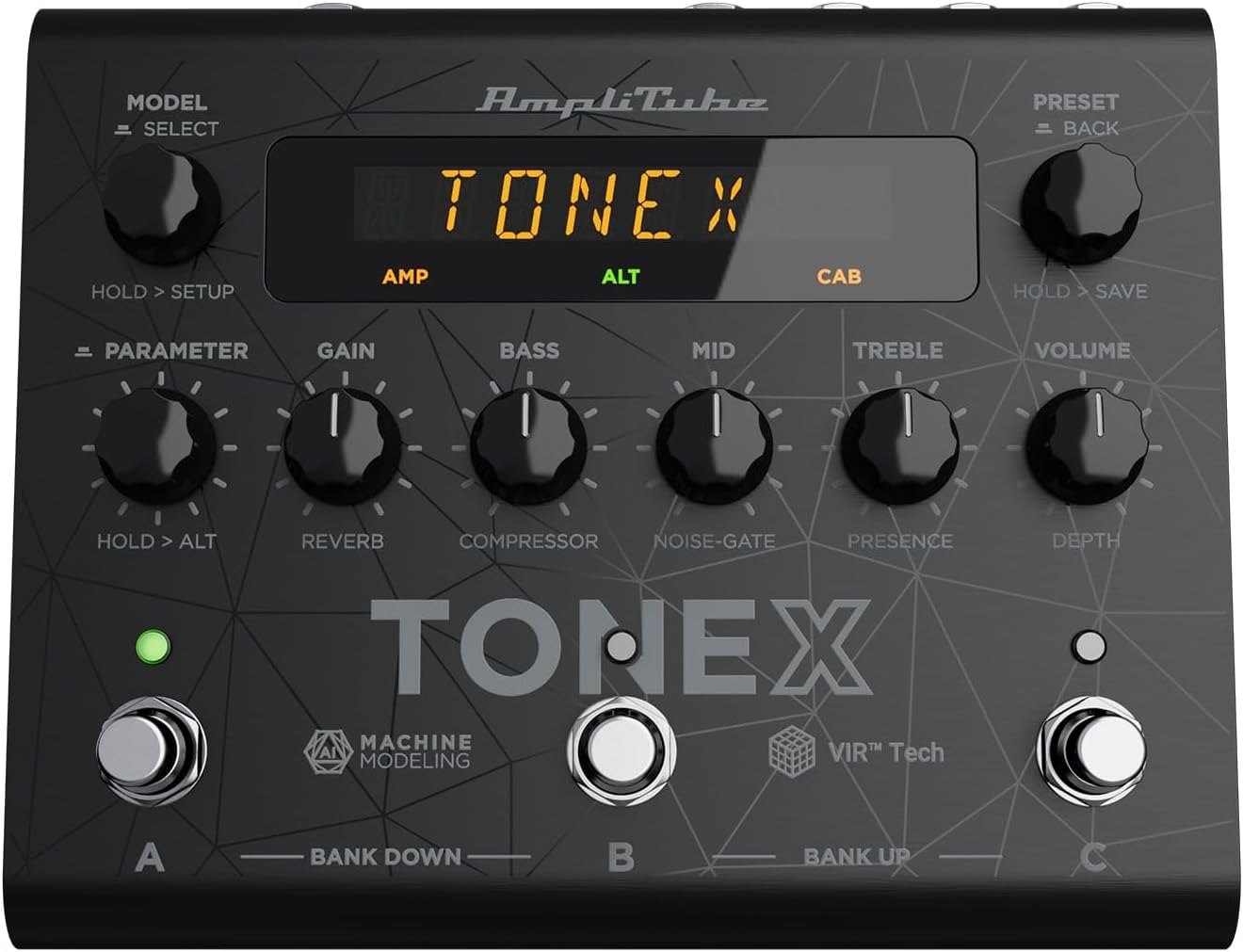
Figure 1: TONEX Pedal Front Panel
Esta imagem mostra a parte superior. view of the TONEX Pedal, highlighting its compact design and the arrangement of knobs, footswitches, and the digital display. Key controls such as 'Model/Select', 'Preset/Back', 'Parameter', 'Gain', 'Bass', 'Mid', 'Treble', and 'Volume' are visible, along with the three footswitches labeled A, B, and C.
- MODEL / SELECT Knob: Used to select tone models and navigate menus. Press and hold for Setup menu.
- PRESET / BACK Knob: Used to select presets and go back in menus. Press and hold to save presets.
- Botão de PARÂMETRO: Adjusts various parameters. Press and hold for alternative parameters.
- Botão de GANHO: Controls the input gain of the tone model.
- Botão BASS: Ajusta a resposta de baixa frequência.
- Botão MID: Ajusta a resposta de frequência média.
- Botão TREBLE: Ajusta a resposta de alta frequência.
- Botão VOLUME: Controla o volume geral de saída.
- Pedais A, B, C: Select presets within a bank. Also used for bank up/down (A+B, B+C) and bypass.
- Mostrar: Shows current preset, parameter values, and menu options.
4.2. Conexões do painel traseiro
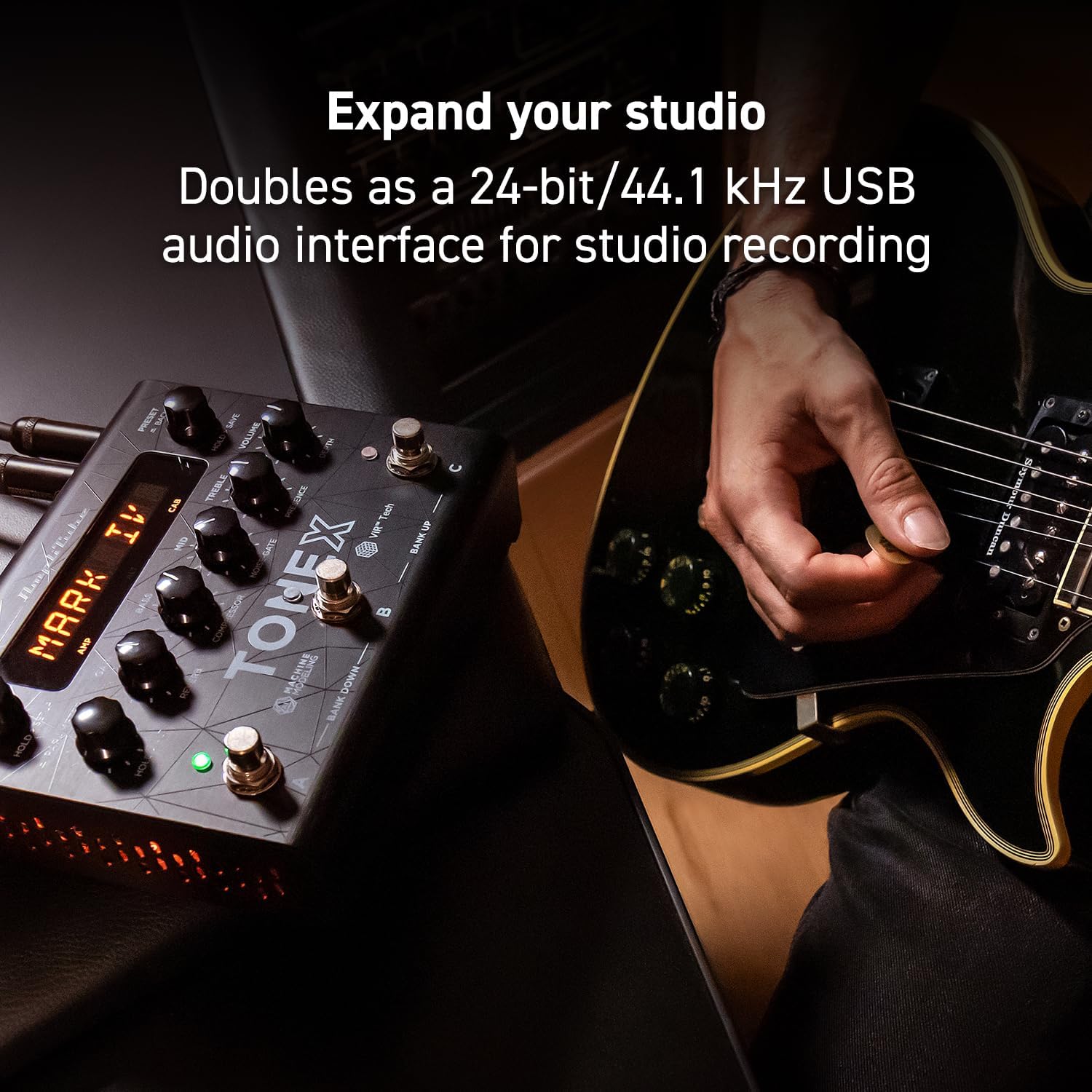
Figure 2: TONEX Pedal Rear Panel Connections
This image shows the rear panel of the TONEX Pedal, detailing its various input and output connections. Visible ports include the instrument input, left and right outputs (mono), headphone output, MIDI In/Out, external control input, USB port, and the 9V DC power input. This panel facilitates integration into various audio setups, from live rigs to studio environments.
- ENTRADA: 1/4" mono input for your guitar or bass.
- OUTPUT L/R (MONO): 1/4" stereo outputs for connecting to a PA system, power amp, or audio interface. Use the L output for mono operation.
- FONES DE OUVIDO: 1/4" stereo output for silent practice.
- Entrada/Saída MIDI: 5-pin DIN connectors for MIDI control and integration with other MIDI devices.
- EXT. CONTROL: 1/4" input for an external expression pedal or footswitch.
- USB: USB-B port for connecting to a computer (PC/Mac) for software control, preset management, and using the pedal as an audio interface.
- POWER 9V DC: Input for the included 9V DC power supply.
5. Configuração
5.1. Conexões Iniciais
- Conecte seu instrumento ao ENTRADA Conector no painel traseiro.
- Conecte o SAÍDA L (e R for stereo) to your amplifier, PA system, or audio interface.
- If desired, connect headphones to the FONES DE OUVIDO Jack.
- Connect the included 9V DC power supply to the ALIMENTAÇÃO 9V CC input and plug it into a power outlet. The pedal will power on automatically.
5.2. Instalação de software
To unlock the full potential of your TONEX Pedal, including access to ToneNET and advanced editing features, install the TONEX Editor software on your computer.
- Visit the IK Multimedia website and register your product using the provided registration card.
- Download and install the TONEX Editor software for your operating system (Windows 10 or later, macOS 10.15 or later).
- Connect the TONEX Pedal to your computer via the USB port. The pedal can function as a 24-bit/44.1 kHz USB audio interface for studio recording.
- Follow the on-screen instructions in the software to update firmware and manage your tone models and presets.
6. Instruções de operação
6.1. Navegando pelas predefinições
The TONEX Pedal comes preloaded with 150 gig-ready presets, organized into 50 banks of three presets each.
- Selecionando predefinições: Gire o PRESET / BACK knob to quickly scroll through and audition available presets.
- Utilizando pedais de controle: Tap footswitches A, B, ou C to load different presets within the current bank.
- Changing Banks: Simultaneously press footswitches A e B to move down a bank, or B e C to move up a bank.
- Bypass Tone Model: Once a preset is loaded, tapping its corresponding footswitch a second time will bypass the tone model, allowing for a clean signal.
6.2. Ajuste de Parâmetros
The TONEX Pedal offers five main and five alternative parameters on the front panel for tone shaping.
- Parâmetros principais: Directly adjust GANHO, BASS, MEIO, AGUDOS, e VOLUME using their respective knobs.
- Parâmetros alternativos: Mantenha pressionado o PARÂMETRO encoder to access alternative parameters: Reverb Level, Compressor Threshold, Noise Gate Threshold, Presence, and Depth. Rotate the corresponding knobs to adjust these.
- Parâmetros Adicionais: Pressione o PARÂMETRO encoder once to access further parameters for fine-tuning your sound.
6.3. Salvar predefinições
- Saving with Renaming/Relocation: Segure o PRESET / BACK encoder. You can then rotate the PREDEFINIDO knob to edit characters for renaming, and rotate the MODELO knob to move the cursor or change the bank location. Press the PREDEFINIDO knob again to confirm and save.
- Quick Save: To quickly save a preset with the same name in the same location, press the MODELO e PREDEFINIDO encoders simultaneously. The display will show "SAVED".
6.4. Cab Emulation
If connecting to a standard guitar or bass amp with its own speaker cabinet, you may wish to turn off the TONEX Pedal's internal cab emulation to avoid redundant processing. This can be done via the Setup menu (hold MODEL / SELECT botão).
6.5. Official Product Video: TONEX Pedal Main Features
Vídeo 1: Um excessoview of the IK Multimedia TONEX Pedal's main features, including its controls, connectivity, and basic operation. This video demonstrates how to navigate presets, adjust parameters, and utilize the pedal's various functions for live and studio use.
7. Manutenção
- Limpeza: Regularly wipe the pedal with a soft, dry cloth to remove dust and grime. Avoid abrasive cleaners.
- Armazenar: Store the pedal in a cool, dry place when not in use. Protect it from extreme temperatures and humidity.
- Gerenciamento de cabos: Ensure cables are not kinked or strained to prevent damage to the connectors and ports.
8. Solução De Problemas
- Sem energia: Ensure the 9V DC power supply is correctly connected to the pedal and a working power outlet.
- Sem som: Check all audio cable connections (instrument input, outputs to amp/PA, headphones). Verify volume levels on the pedal and connected devices. Ensure the tone model is not bypassed.
- Unexpected Behavior/Glitches: Try performing a factory reset (refer to the full online manual for specific steps). Ensure your firmware is up to date via the TONEX Editor software.
- Problemas de conectividade de software: Ensure the USB cable is securely connected. Try a different USB port or cable. Restart both the pedal and your computer.
9. Especificações
| Recurso | Especificação |
|---|---|
| Número do modelo | Pedal TONEX |
| Dimensões (C x L x A) | 6.93 x 5.59 x 2.17 polegadas (aproximadamente 17.6 x 14.2 x 5.5 cm) |
| Peso do item | 2.86 libras (aproximadamente 1.3 kg) |
| Cor | Preto |
| Fonte de energia | 9V CC (Elétrico com Fio) |
| interface de hardware | USB |
| Formato do sinal | Digital |
| Compatibilidade do sistema operacional | Windows® 10 or later, macOS® 10.15 or later (macOS® 11 Big Sur required for Modeler) |
| Resposta de frequência | 5 Hz - 24 kHz |
| Faixa dinâmica | 123 dB |
10. Garantia e Suporte
IK Multimedia products are covered by a limited warranty. For detailed warranty information, product registration, and technical support, please visit the official IK Multimedia webou entre em contato com o serviço de atendimento ao cliente. Guarde o comprovante de compra para eventuais solicitações de garantia.
Website: www.ikmultimedia.com


