1. Informações de segurança
Leia atentamente todas as instruções antes da montagem e utilização. Guarde este manual para futuras consultas.
- Não exceda a capacidade máxima de peso de 88 kg (40 lbs).
- Verifique se o padrão VESA da sua TV é compatível (100x100mm a 400x400mm).
- Verify that all screws are securely tightened before placing the TV on the stand.
- Não permita que crianças subam ou brinquem com o suporte da TV.
- Coloque o suporte em uma superfície estável e nivelada para evitar que tombe.
- Avoid placing heavy objects on the stand's base that could compromise stability.
2. Conteúdo da embalagem
Verifique se todos os componentes estão presentes e sem danos antes de iniciar a montagem. Caso alguma peça esteja faltando ou danificada, entre em contato com o suporte ao cliente.

Imagem: Explodida view of the TV stand components.
- Base de vidro temperado
- Coluna de suporte
- Placa de montagem de TV
- VESA Extension Brackets (if applicable for larger VESA patterns)
- Various Screws, Washers, and Spacers for TV attachment
- Assembly Hardware (bolts, nuts, Allen wrench)
- Pés de borracha antiderrapantes
3. Configuração e montagem
Follow these steps to assemble your XINLEI Universal TV Stand Base.
- Attach Non-Slip Feet to Base: Secure the non-slip rubber feet to the underside of the tempered glass base.
- Assemble Support Column: Attach the support column to the tempered glass base using the provided hardware. Ensure it is firmly secured.
- Attach TV Mounting Plate: Secure the TV mounting plate to the top of the support column.
- Prepare TV for Mounting:
- Identify your TV's VESA mounting holes on the back.
- Select the appropriate screws and spacers from the provided hardware kit that fit your TV's VESA pattern.
- Attach the VESA extension brackets to the TV mounting plate if your TV's VESA pattern requires them (e.g., 400x400mm).
- Importante: Before attaching the TV to the stand, ensure that the mounting plate and screws will not block any ports or cables on the back of your television.
- Instale a TV: Carefully lift your TV and align its VESA holes with the mounting plate/brackets. Secure the TV using the selected screws and spacers. Ensure the TV is level and stable.

Image: Detail of the tempered glass base with non-slip feet.
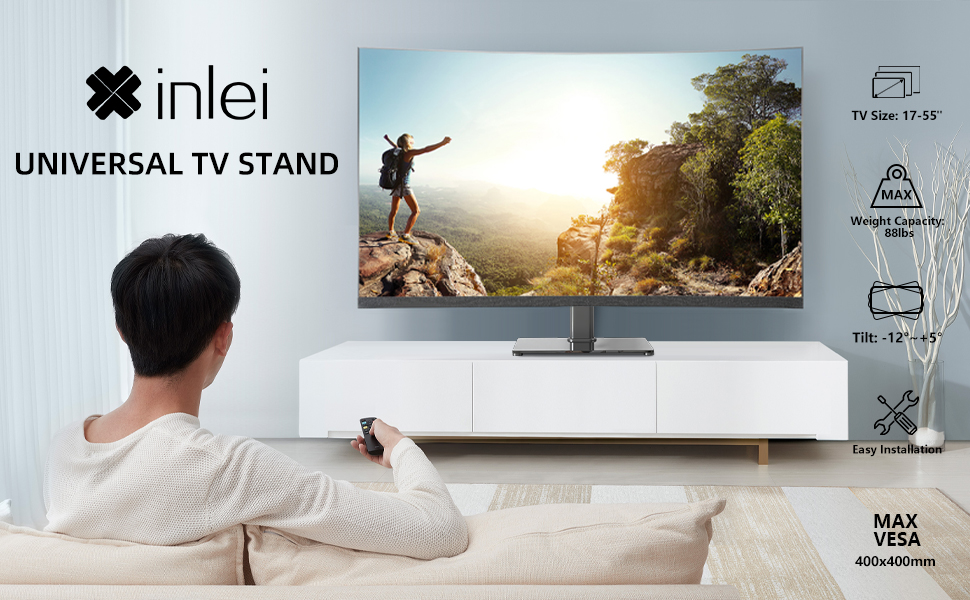
Image: Illustration emphasizing checking for port obstruction.

Image: Fully assembled TV stand with a television.
4. Instruções de operação
The XINLEI Universal TV Stand Base offers height adjustment and tilt functionality for optimal viewindo.
4.1 Ajuste de Altura
This stand provides 3 adjustable height levels. To adjust the height:
- Carefully remove the TV from the mounting plate.
- Adjust the mounting plate's position on the support column to one of the three available height settings (11.1", 13.03", or 14.96" from the base).
- Secure the mounting plate at the desired height using the provided fasteners.
- Re-mount the TV onto the adjusted plate.
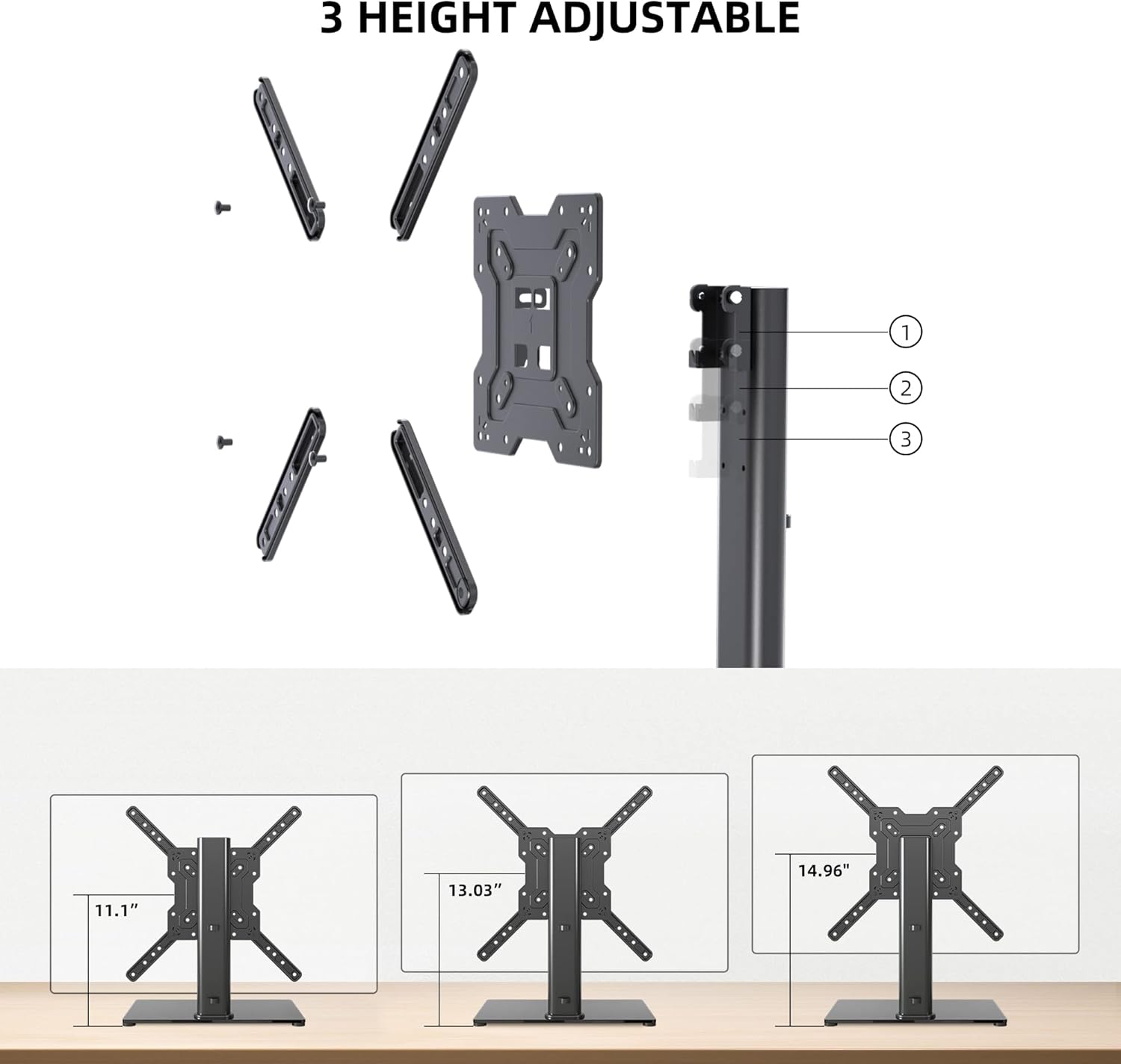
Image: Visual representation of the three height settings.
4.2 Ajuste de inclinação
The TV mounting plate allows for a tilt range of -12 to +5 degrees.
- Loosen the tilt adjustment screws on the side of the mounting plate.
- Gently tilt the TV to your preferred viewângulo de engate.
- Tighten the tilt adjustment screws to secure the TV in position.

Image: Diagram demonstrating the tilt functionality.
4.3 Gerenciamento de cabos
Utilize the integrated cable management system within the support column to keep cables organized and out of sight.

Imagem: Example of cable management through the stand's column.
5. Manutenção
A manutenção regular garante a longevidade e o funcionamento seguro do seu suporte de TV.
- Limpeza: Wipe the tempered glass base and metal components with a soft, damp pano. Evite produtos de limpeza abrasivos ou solventes que possam danificar o acabamento.
- Inspeção: Verifique periodicamente todos os parafusos e conexões para garantir que permaneçam firmes. Reaperte-os, se necessário.
- Estabilidade: Ensure the stand remains on a level surface and that the non-slip feet are intact.
6. Solução De Problemas
If you encounter issues during assembly or use, refer to the following common solutions.
- TV não está nivelada: Ensure the stand is on a flat surface. Check that the TV mounting plate is securely attached and that the VESA screws are tightened evenly.
- Screws Too Long/Short: The kit includes various screw lengths and spacers. Refer to your TV's manual for recommended screw sizes for VESA mounting. Use the appropriate spacers to ensure a secure fit without over-tightening or damaging the TV.
- Mount Blocks Ports: Before final mounting, always verify that the mounting plate does not obstruct any necessary ports on your TV. If it does, adjust the TV's position on the VESA plate or consider using longer spacers if safe and compatible.
- A posição em pé parece instável: Confirm that all assembly bolts are fully tightened. Ensure the tempered glass base is placed on a solid, flat surface and that the non-slip feet are properly installed.
7. Especificações
| Recurso | Especificação |
|---|---|
| Modelo | TS102 |
| Tamanhos de TV compatíveis | 17 a 55 polegadas |
| Capacidade de peso | 88 libras (40 kg) |
| Compatibilidade VESA | 100x100mm a 400x400mm |
| Ajuste de altura | 3 levels (11.1", 13.03", 14.96") |
| Ângulo de inclinação | -12° a +5° |
| Dimensões da base | 10.24" x 15.75" |
| Material | Vidro temperado, aço |
| Cor | Preto |
| Peso do item | 9.86 libras |

Image: Technical specifications and dimensions.
8. Garantia e Suporte
XINLEI products are designed for durability and performance. For warranty information or technical support, please refer to the product packaging or contact XINLEI customer service directly.
Please have your model number (TS102) and purchase information ready when contacting support.


