Introdução
Welcome to the VTech CS1500 DECT Cordless Phone user manual. This guide provides detailed instructions to help you set up, operate, and maintain your new phone. The VTech CS1500 offers features such as a call blocking function, an innovative dual-charge design, caller ID, and a hands-free speakerphone for enhanced communication convenience. Please read this manual thoroughly to ensure optimal performance and longevity of your device.

Image: The VTech CS1500 DECT Cordless Phone, showing the white handset docked in its black charging base.
Guia de configuração
Follow these steps to set up your VTech CS1500 DECT Cordless Phone.
- Desembalagem: Retire cuidadosamente todos os componentes da embalagem. Certifique-se de que possui o monofone, a unidade base, o adaptador de energia e o cabo da linha telefônica.
- Instalação da bateria:
- Abra a tampa do compartimento da bateria na parte traseira do aparelho.
- Insert the provided NiMH rechargeable battery, observing the polarity markings (+ and -).
- Feche bem a tampa do compartimento da bateria.
- Conectando a Unidade Base:
- Conecte uma extremidade do cabo da linha telefônica à entrada TEL LINE na unidade base.
- Conecte a outra extremidade do cabo da linha telefônica à tomada telefônica de parede.
- Plug the small end of the power adapter into the POWER jack on the base unit.
- Conecte a extremidade maior do adaptador de energia a uma tomada elétrica padrão.
- Carregamento inicial: Place the handset on the base unit to charge. The handset will display a charging indicator. For optimal battery performance, allow the handset to charge for at least 16 hours before its first use.
- Configuração de data e hora: After the initial charge, the phone may prompt you to set the date and time. Follow the on-screen instructions to configure these settings. Refer to the "Operating Instructions" section for detailed menu navigation.
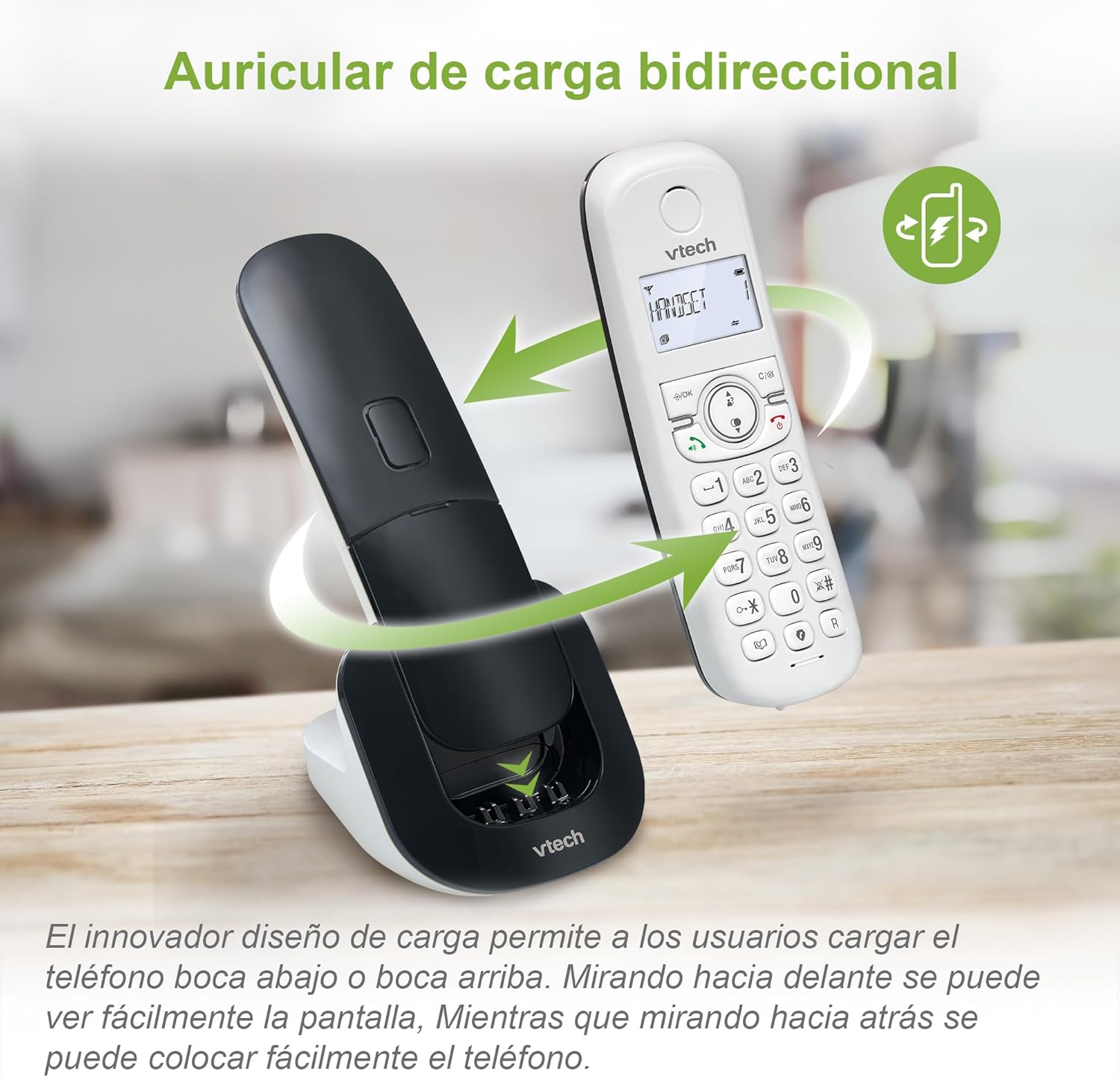
Image: The VTech CS1500 handset being placed on its charging base, illustrating the dual-charge design where it can be docked facing forward or backward.
Instruções de operação
This section covers the basic operations of your VTech CS1500 DECT Cordless Phone.
Fazendo e recebendo chamadas
- Fazer uma ligação:
- Imprensa FALAR (ícone de telefone verde).
- Disque o número de telefone.
- Alternatively, dial the number first, then press FALAR.
- Para atender uma chamada:
- Quando o telefone tocar, pressione FALAR (ícone de telefone verde).
- Para encerrar uma chamada:
- Imprensa FIM (ícone de telefone vermelho) ou coloque o aparelho de volta na base.
Usando o viva-voz
The VTech CS1500 features a hands-free speakerphone function.
- Para ativar o viva-voz: Durante uma chamada, pressione o Viva-voz botão (ícone de alto-falante).
- Para desativar o viva-voz: Pressione o Viva-voz button again to switch back to handset mode.

Image: A VTech CS1500 handset on its base, with an overlay highlighting the speakerphone button and indicating hands-free communication. A person is shown cooking in the background, demonstrating hands-free use.
Gerenciamento de agenda telefônica
Store up to 60 names and numbers in your phonebook for quick dialing.
- Para adicionar um contato:
- Imprensa MENU / OK.
- Acesse "Agenda telefônica" e selecione "Adicionar nova entrada".
- Digite o nome e o número usando o teclado.
- Imprensa SALVAR.
- Para discar a partir da agenda telefônica:
- Imprensa LISTA TELEFÔNICA botão (book icon).
- Scroll through the entries using the navigation keys.
- Imprensa FALAR Para discar o número do contato selecionado.
Identificação de chamadas e histórico de chamadas
The phone displays the name and number of incoming calls (if available from your service provider) and stores up to 20 recent calls.
- Para View Histórico de chamadas:
- Pressione o REGISTRO DE CHAMADAS botão (down arrow icon).
- Scroll through the list using the navigation keys.
- Imprensa FALAR to dial a number from the call history.

Image: The VTech CS1500 handset displaying an incoming call number on its screen, with a separate graphic showing a list of stored caller ID entries.
Bloqueio de Chamadas
Block unwanted calls from up to 60 numbers.
- To Block a Number from Call History:
- Access the Call History.
- Select the number you wish to block.
- Imprensa MENU / OK, then navigate to "Block Number" and confirm.
- To Manually Add a Number to Block List:
- Imprensa MENU / OK.
- Navigate to "Call Blocking" and select "Add New".
- Enter the number and confirm.
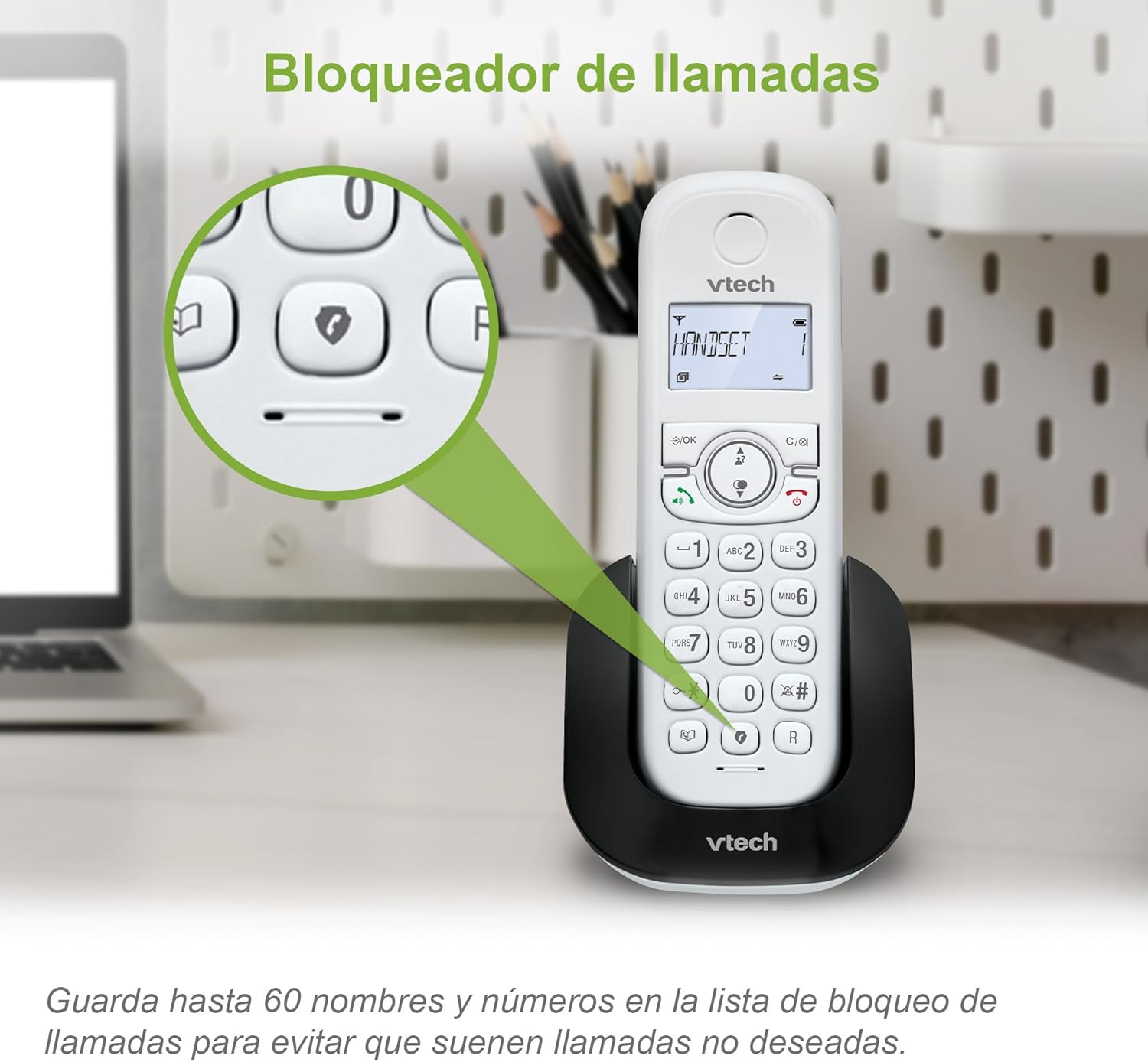
Image: The VTech CS1500 handset on its base, with a magnified view highlighting the call blocking button (shield icon) on the keypad.
Modo Eco
The phone automatically adjusts and reduces RF power based on the distance between the handset and the base unit, optimizing energy consumption. This mode is typically active by default.
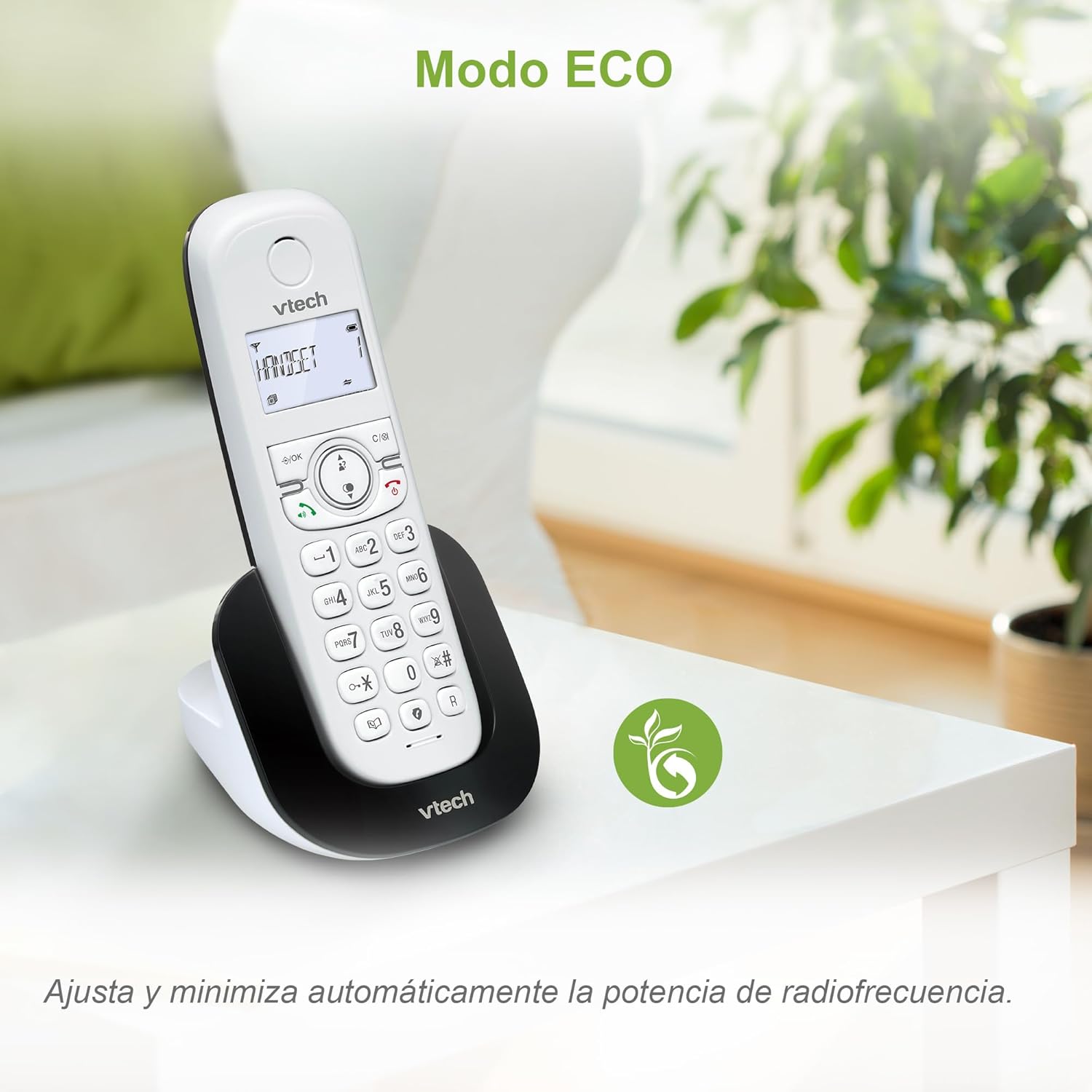
Image: The VTech CS1500 handset on a table in a living room setting, with an ECO mode leaf icon indicating its energy-saving feature.
Outras funções
- Remarcação: Pressione o REDISCAR botão (curved arrow icon) Rediscar o último número chamado.
- Função de alarme: Set alarms via the handset menu.
- Função Silenciar: Mute your microphone during a call by pressing the MUDO botão.
- Tela LCD retroiluminada: The screen is backlit for easy viewem condições de pouca luz.
Manutenção
Proper care and maintenance will ensure the longevity of your VTech CS1500 DECT Cordless Phone.
- Limpeza:
- Limpe o telefone e a unidade base com um pano macio e seco.amp pano.
- Não utilize sprays ou produtos de limpeza líquidos, pois podem danificar o acabamento ou os componentes elétricos.
- Cuidados com a bateria:
- Use only the specified NiMH rechargeable battery.
- Se o telefone não for usado por um longo período, remova a bateria para evitar vazamentos.
- Descarte as baterias de forma responsável, de acordo com as normas locais.
- Condições ambientais:
- Avoid placing the phone in direct sunlight or near heat sources.
- Protect the phone from moisture and extreme temperatures.
Solução de problemas
If you encounter issues with your VTech CS1500, refer to the following common problems and solutions.
| Problema | Solução |
|---|---|
| Não esta dando sinal. |
|
| O aparelho não carrega. |
|
| Qualidade de som ruim ou estática. |
|
| Não consigo fazer nem receber chamadas. |
|
Especificações
| Recurso | Detalhe |
|---|---|
| Marca | VTech |
| Número do modelo | CS1500 |
| Cor | Branco |
| Tipo de telefone | DECT sem fio |
| Características especiais | Call Blocking, Hands-free Speakerphone, Backlit LCD Screen, ECO Mode, Dual-Charge Handset Design |
| Dispositivos compatíveis | Standard Telephone Networks (PSTN, ISDN) |
| Tipo de Bateria | NiMH Rechargeable (1 included) |
| Tempo de conversação (aprox.) | Até 13 horas |
| Standby Time (approx.) | Até 200 horas |
| Capacidade da agenda telefônica | 60 nomes e números |
| Call History Capacity | 20 chamadas |
| Capacidade de bloqueio de chamadas | Até 60 números |
| Material | Plástico |
| Peso do item | 350 gramas |
| Fabricante | VTECH TELECOMMUNICATIONS LTD |
| País de origem | China |
Garantia e Suporte
For warranty information and technical support, please refer to the documentation included with your product at the time of purchase or visit the official VTech website.
- Fabricante: VTECH TELECOMMUNICATIONS LTD
- Suporte online: Visit the official VTech support page for your region for FAQs, product registration, and contact information.


