1. Introdução
Thank you for choosing the Perlegear PGTVMC15 Mobile TV Stand. This manual provides essential information for the safe and correct assembly, operation, and maintenance of your new TV stand. Please read these instructions carefully before installation and retain them for future reference.
The Perlegear PGTVMC15 is a versatile mobile TV stand designed to accommodate 37-75 inch televisions weighing up to 40kg. It features a reinforced glass base for stability and a sleek aesthetic, 360-degree rotating casters with locking mechanisms for easy movement and secure positioning, 6-level height adjustment, and a ±35-degree swivel function for optimal viewing angles. Its design is suitable for various environments, including homes, schools, hospitals, and business displays.
Informações de segurança
- Leia todas as instruções: Certifique-se de compreender todas as instruções de montagem e operação antes de usar o produto.
- Capacidade de peso: Do not exceed the maximum load capacity of 40kg (88 lbs). Overloading can result in serious injury or property damage.
- Tamanho da TV: Este suporte foi projetado para televisores entre 37 e 75 polegadas.
- Compatibilidade VESA: Ensure your TV's VESA mounting pattern is within the range of 200x100mm to 600x400mm.
- Conjunto: Assemble the product exactly as instructed. Improper assembly may lead to instability.
- Rodízios: Sempre trave as rodinhas quando o suporte estiver parado para evitar movimentos acidentais.
- Crianças: Keep children away from the TV stand during assembly and ensure the TV is securely mounted to prevent tipping.
2. Conteúdo da embalagem
Please verify that all components listed below are present and undamaged. If any parts are missing or damaged, please contact Perlegear customer support.
O pacote normalmente inclui:
- Main support column
- Reinforced glass base
- suportes de montagem de TV
- Adjustable media shelf
- Casters with locking mechanism
- Kit de ferragens (diversos parafusos, arruelas e espaçadores para montagem da TV e do suporte)
- Instruções de montagem
3. Especificações
| Recurso | Especificação |
|---|---|
| Número do modelo | PGTVMC15 |
| Tamanhos de TV compatíveis | 37 - 75 polegadas |
| Capacidade Máxima de Carga | 40 kg (88 libras) |
| Compatibilidade VESA (Horizontal) | 200 mm - 600 mm |
| Compatibilidade VESA (Vertical) | 100 mm - 400 mm |
| Ajuste de altura | 6 levels (104cm - 129cm from floor to TV plate center) |
| Ângulo de giro | ±35 degrees (left/right) |
| Material base | Reinforced Tempered Glass |
| Material da coluna | Aço |
| Dimensões do produto | 60 x 40 x 125 cm (aproximadamente, varia conforme a altura ajustada) |
| Peso do produto | 16 kg |

Figura 3.1: Detailed dimensions of the Perlegear PGTVMC15 TV Stand. This diagram provides precise measurements of the TV stand, including its overall height (up to 129cm), base dimensions (60cm x 40cm), and shelf size, aiding in planning your setup.
4. Configuração e montagem
Follow these steps to assemble your Perlegear PGTVMC15 Mobile TV Stand. It is recommended to have two people for assembly, especially when mounting the TV.
4.1 Verificação de pré-montagem
- Desembale todos os componentes e disponha-os sobre uma superfície macia e limpa para evitar arranhões.
- Verify all parts are present against the package contents list.
- Ensure your TV meets the size (37-75 inches), weight (max 40kg), and VESA compatibility (200x100mm to 600x400mm) requirements.

Figura 4.1: TV compatibility guidelines. This image illustrates the compatibility of the TV stand, supporting televisions from 37 to 75 inches, with a maximum weight of 40kg. It is compatible with VESA mounting patterns ranging from 200x100mm to 600x400mm.
4.2 Etapas de Montagem (Geral)view)
- Fixar rodízios à base: Secure the casters to the reinforced glass base using the provided hardware. Ensure locking casters are positioned correctly.
- Assemble Support Column: Connect the main support column sections as per the detailed instructions in your package.
- Attach Column to Base: Secure the assembled support column to the glass base.
- Instalar o Media Shelf: Attach the adjustable media shelf to the support column at your desired height.
- Fixe os suportes de TV à TV: Secure the TV mounting brackets to the back of your television using the appropriate screws, washers, and spacers from the hardware kit. Ensure the brackets are level and securely fastened.
- Fixar a TV ao suporte: With assistance, carefully lift the TV and hook the TV brackets onto the mounting plate of the stand. Secure the TV in place using the safety screws or locking mechanisms.
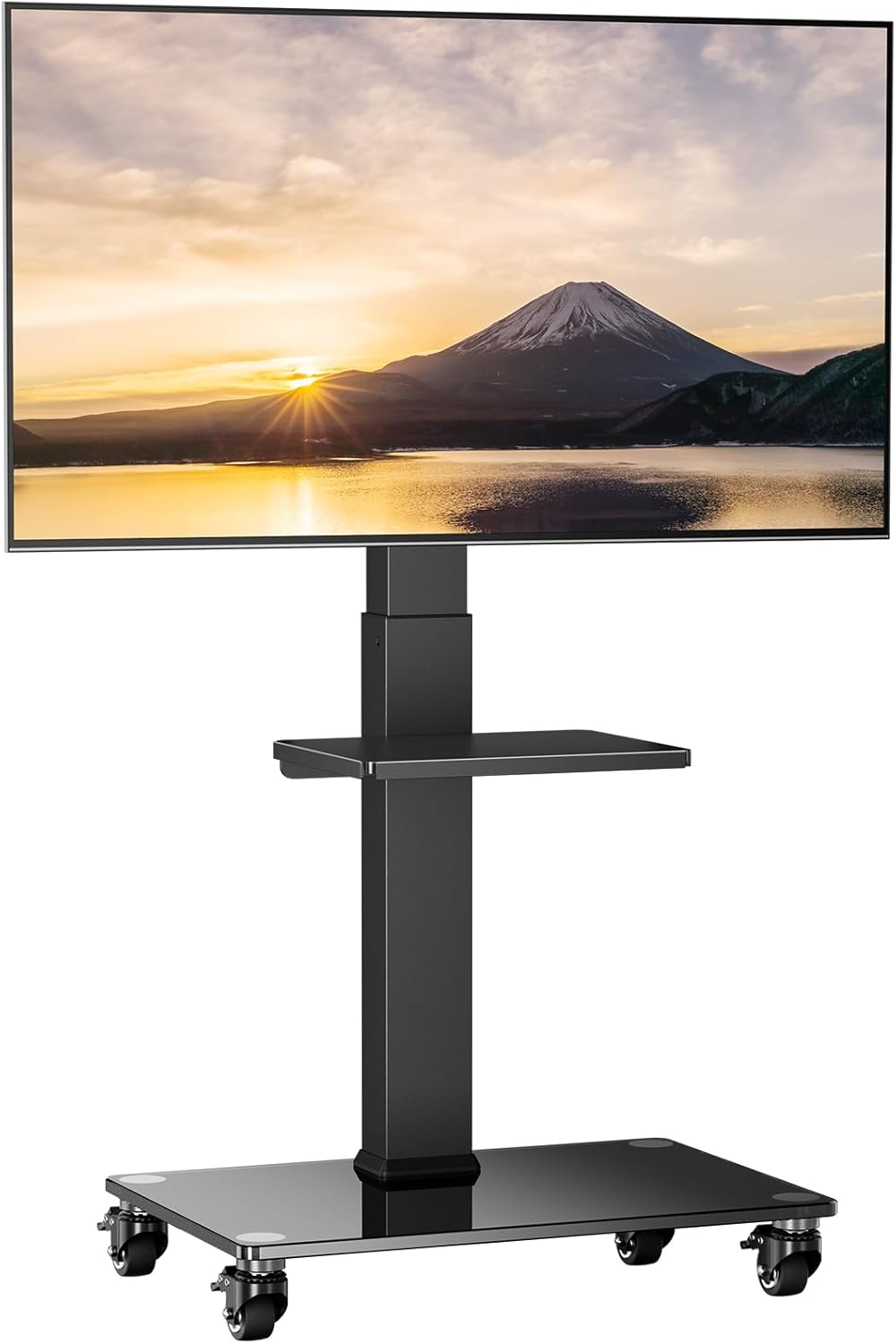
Figura 4.2: The Perlegear PGTVMC15 Mobile TV Stand fully assembled with a television mounted.
5. Instruções de operação
5.1 Ajuste de Altura
The TV stand allows for 6 levels of height adjustment to achieve your preferred viewaltura. Para ajustar a altura:
- Ensure the TV is securely mounted.
- Locate the pull-pin mechanism on the main support column.
- Pull the pin outwards to disengage the locking mechanism.
- Carefully slide the TV mounting plate up or down to the desired height.
- Release the pin, ensuring it fully engages into one of the adjustment holes to lock the height securely.

Figura 5.1: Height adjustment mechanism. The stand offers 6 levels of height adjustment, allowing the TV to be positioned between 104cm and 129cm (from the center of the mounting plate to the floor surface). Adjustment is made using a convenient pull-pin mechanism.
5.2 Função giratória
The TV stand allows for a ±35-degree swivel (left or right) to optimize your viewângulo de engate.
- Gently grasp the sides of your TV.
- Carefully rotate the TV to the desired left or right angle within the 35-degree range.
- No locking mechanism is required for swivel; the friction holds the TV in place.
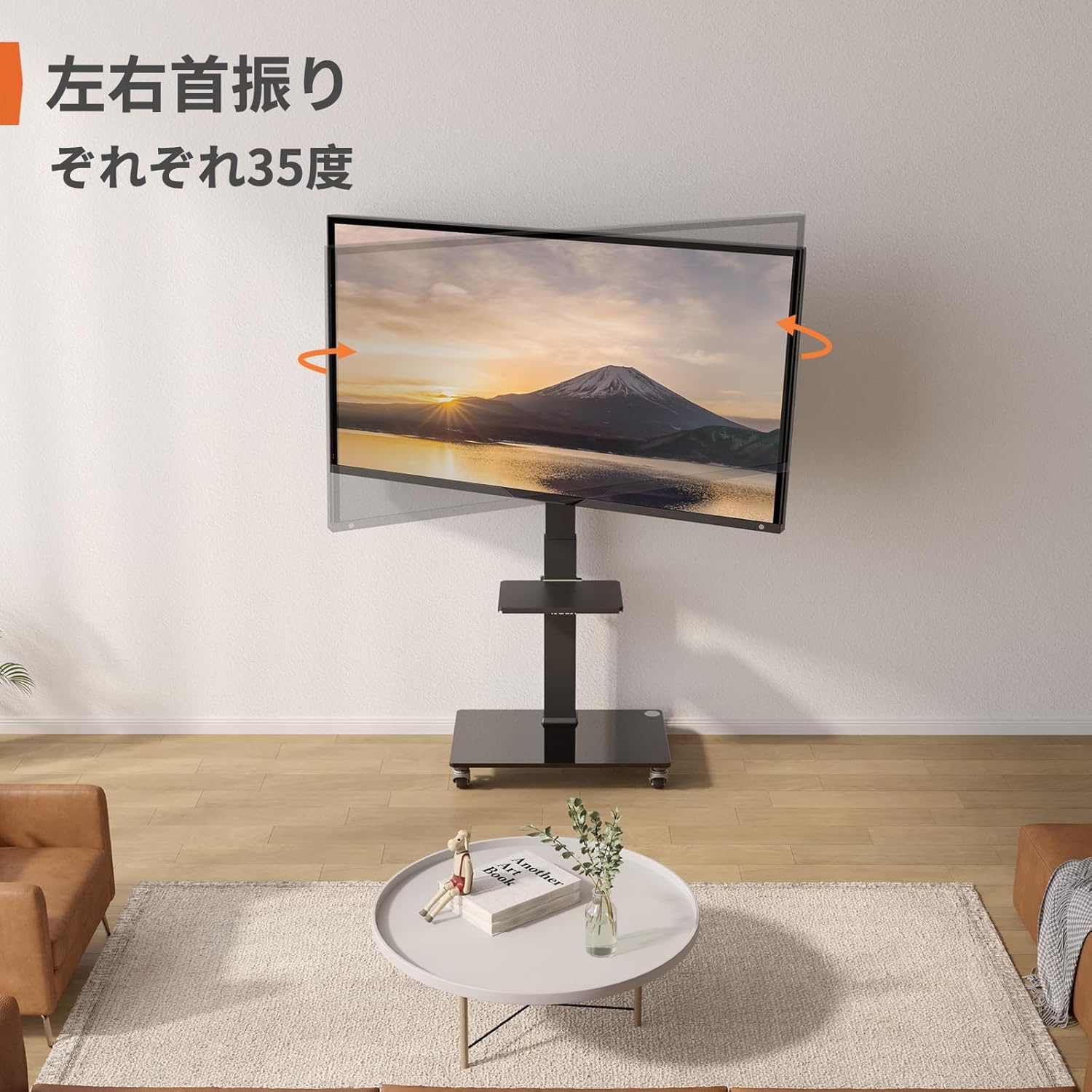
Figura 5.2: Swivel function. The TV stand features a ±35-degree swivel function, enabling you to adjust the viewângulo de inclinação para conforto viewpartindo de várias posições na sala.
5.3 Mobility and Caster Usage
The integrated casters allow for easy movement of the TV stand. Each caster is equipped with a locking mechanism.
- Mover: Unlock all casters by flipping their levers upwards. Gently push the stand to its new location.
- Para garantir a segurança: Once in the desired position, lock all casters by flipping their levers downwards to prevent accidental movement.

Figura 5.3: Casters with locking mechanism. Equipped with smooth-rolling casters, this stand is suitable for various floor types including wood, carpet, and tile. The casters are designed for quiet operation and include locking mechanisms for stability.
6. Manutenção
- Limpeza: Use um pano macio e macioamp cloth to clean the surfaces of the stand. Avoid abrasive cleaners or solvents that could damage the finish or glass.
- Verificações regulares: Verifique periodicamente todos os parafusos e conexões para garantir que permaneçam firmes e seguros. Reaperte-os, se necessário.
- Cuidados com a rodízio: Mantenha as rodinhas livres de detritos para garantir um movimento suave.
7. Solução De Problemas
7.1 O suporte é instável
- Verifique as conexões: Certifique-se de que todos os parafusos e porcas estejam bem apertados.
- Nível da superfície: Verifique se o suporte está colocado em uma superfície plana e nivelada.
- Limite de peso: Confirm your TV's weight does not exceed the 40kg (88 lbs) maximum load capacity.
7.2 Difficulty Moving the Stand
- Desbloquear Casters: Ensure all casters are in the unlocked position.
- Verifique se há detritos: Clear any hair, dust, or debris from the caster wheels.
7.3 TV Not Level
- Re-adjust Brackets: Loosen the TV mounting screws slightly, adjust the TV to be level, and then retighten the screws.
- Check Stand Assembly: Ensure the main column and mounting plate are assembled correctly and are level.
8. Garantia e Suporte
Perlegear products are manufactured with quality and durability in mind. For specific warranty information, please refer to the warranty card included in your package or visit the official Perlegear website.
If you encounter any issues or have questions regarding your Perlegear PGTVMC15 Mobile TV Stand, please contact our customer support team. Our representatives are available to assist you with troubleshooting, parts replacement, or any other product-related inquiries.
Informações de contato: Please refer to the contact details provided on the Perlegear official website or your product packaging for the most up-to-date support information.


