Introdução
Obrigado pela compra.asing the Hoco HC5 Cool Enjoy Sports Wireless Speaker. This manual provides important information regarding the setup, operation, and maintenance of your new speaker. Please read this manual thoroughly before using the product to ensure proper function and to extend its lifespan.
Informações de segurança
- Não exponha o alto-falante a temperaturas extremas, luz solar direta ou alta umidade.
- Evite deixar cair ou submeter o alto-falante a impactos fortes.
- Não desmonte, repare ou modifique o alto-falante por conta própria. Consulte um técnico qualificado.
- Mantenha o alto-falante longe de água e outros líquidos.
- Utilize apenas o cabo de carregamento e o adaptador especificados.
- Limpe o alto-falante com um pano macio e seco. Não use produtos químicos agressivos ou abrasivos.
Conteúdo da embalagem

Image: Hoco HC5 speaker in its retail packaging, showing the speaker and its accessories.
Verifique cuidadosamente o conteúdo da embalagem. Se algum item estiver faltando ou danificado, entre em contato com o vendedor.
- Hoco HC5 Wireless Speaker
- Cabo de carregamento USB
- Cabo AUX
- Alça de ombro
- Manual do usuário (este documento)
Produto acimaview
Familiarize yourself with the various parts and controls of your Hoco HC5 speaker.

Imagem: Frente view of the Hoco HC5 speaker, showcasing its cylindrical design, speaker grilles, and attached shoulder strap.

Imagem: Close-up view of one end of the Hoco HC5 speaker, highlighting the speaker driver and the robust casing.
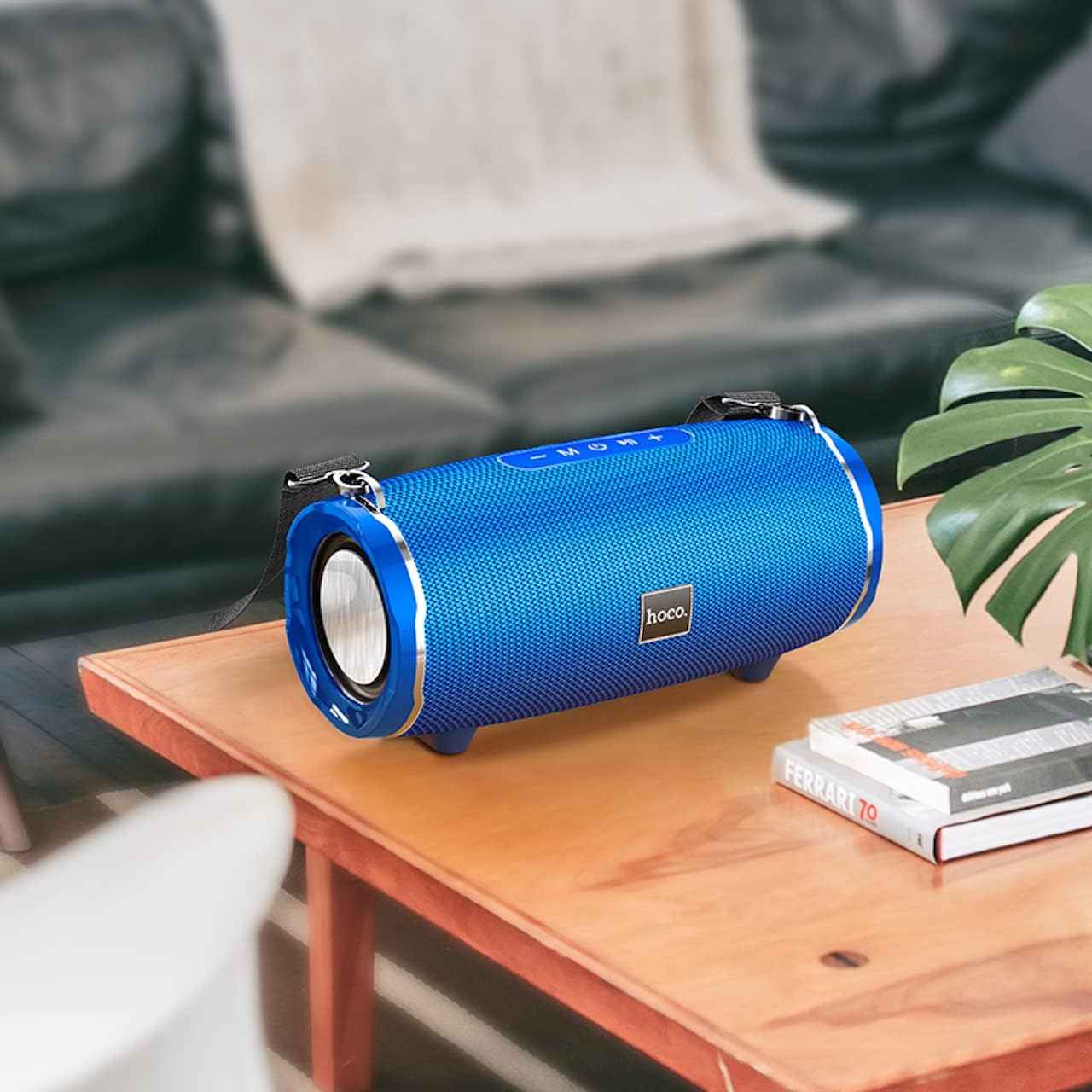
Image: The Hoco HC5 speaker placed on a wooden table, demonstrating its size and how it might appear in a home setting.
Painel de controle (superior/traseiro)
- Botão de energia: Pressione e segure para ligar/desligar.
- Botão de modo (M): Short press to switch between Bluetooth, TF Card, USB, AUX, and FM modes.
- Botão Reproduzir/Pausar (▶⏸): Short press to play or pause music. In FM mode, short press to auto-scan and save stations.
- Diminuir volume / Faixa anterior (-): Pressione rapidamente para a faixa anterior. Pressione e segure para diminuir o volume.
- Aumentar volume / Próxima faixa (+): Pressione rapidamente para a próxima faixa. Pressione e segure para aumentar o volume.
Ports (Rear/Side)
- Porta USB: Para reprodução a partir de pen drives USB.
- Slot para cartão TF: Para reprodução em cartão TF (MicroSD).
- Porta AUX: Para conectar dispositivos de áudio externos através de um cabo de áudio de 3.5 mm.
- Porta de carregamento: Para carregar a bateria interna da caixa de som.
Configurar
Carregando o alto-falante
- Conecte o cabo de carregamento USB à porta de carregamento da caixa de som.
- Conecte a outra extremidade do cabo USB a um adaptador de energia USB (5V/1A recomendado) ou a uma porta USB do computador.
- A luz indicadora de carregamento acenderá durante o carregamento e apagará quando a carga estiver completa.
- Uma carga completa leva aproximadamente 3.5 horas.
Ligar/Desligar
- Para ligar: Press and hold the Power button for a few seconds until you hear a power-on prompt.
- Para desligar: Press and hold the Power button again for a few seconds until you hear a power-off prompt.
Instruções de operação
Modo Bluetooth
- Ligue a caixa de som. Ela entrará automaticamente no modo de emparelhamento Bluetooth, indicado por uma luz LED piscando.
- Ative o Bluetooth no seu dispositivo (smartphone, tablet, etc.).
- Procurar "HC5" in the list of available Bluetooth devices and select it to connect.
- Once connected, the LED indicator will stop flashing, and you will hear a connection tone.
- Agora você pode reproduzir áudio do seu dispositivo através do alto-falante.
- Use the Play/Pause, Volume Up/Down, and Previous/Next Track buttons on the speaker or your device to control playback.
TF Card / USB Mode
- Insert a TF (MicroSD) card or USB flash drive into the corresponding slot on the speaker.
- The speaker will automatically switch to TF Card or USB mode and begin playing audio files. If not, short press the "M" (Mode) button to switch.
- Garanta seu áudio fileOs arquivos estão em um formato compatível (por exemplo, MP3).
- Use the Play/Pause, Volume Up/Down, and Previous/Next Track buttons to control playback.
Modo AUX
- Connect one end of the 3.5mm AUX cable to the speaker's AUX port.
- Conecte a outra extremidade à saída de áudio do seu dispositivo externo (por exemplo, reprodutor de MP3, computador).
- The speaker will automatically switch to AUX mode. If not, short press the "M" (Mode) button to switch.
- Audio will now play through the speaker. Control playback from your external device.
Modo de rádio FM
- Short press the "M" (Mode) button until you enter FM radio mode.
- Para sintonizar e salvar automaticamente as estações de FM disponíveis, pressione rapidamente o botão Reproduzir/Pausar. O alto-falante sintonizará e armazenará as estações automaticamente.
- Use the Previous/Next Track buttons to navigate between saved stations.
TWS (True Wireless Stereo) Function (If Supported)
The Hoco HC5 speaker supports TWS function, allowing you to pair two HC5 speakers together for a true stereo sound experience.
- Ensure both HC5 speakers are powered on and not connected to any Bluetooth device.
- On one of the speakers (this will be the primary speaker), long press the Play/Pause button until you hear a prompt indicating TWS pairing mode.
- Os dois alto-falantes se procurarão e se conectarão automaticamente. Assim que a conexão for estabelecida, você ouvirá um tom de confirmação.
- Now, connect your device to the primary speaker via Bluetooth as described in the "Bluetooth Mode" section.
- O áudio agora será reproduzido em estéreo através de ambas as caixas de som.
Manutenção
- Limpeza: Use a soft, dry, lint-free cloth to wipe the surface of the speaker. Do not use liquid cleaners, aerosols, or solvents.
- Armazenar: Quando não estiver em uso por longos períodos, guarde a caixa de som em local fresco e seco, longe da luz solar direta e de temperaturas extremas.
- Cuidados com a bateria: Para prolongar a vida útil da bateria, evite descarregá-la completamente com frequência. Carregue a caixa de som regularmente, mesmo quando não estiver em uso.
Solução de problemas
| Problema | Possível causa | Solução |
|---|---|---|
| Alto-falante não liga. | A bateria está fraca ou descarregada. | Carregue totalmente a caixa de som. |
| Não é possível emparelhar com o dispositivo Bluetooth. | O alto-falante não está em modo de emparelhamento; o Bluetooth do dispositivo está desligado; o alto-falante já está conectado a outro dispositivo. | Ensure speaker is in pairing mode (flashing LED). Turn off and on Bluetooth on your device. Disconnect from other devices. |
| Nenhum som sai do alto-falante. | O volume está muito baixo; o modo selecionado está incorreto; problema com a fonte de áudio. | Increase speaker and device volume. Press "M" button to select correct mode. Check audio source. |
| A recepção de rádio FM é ruim. | Sinal fraco; interferência ambiental. | Relocate the speaker. Re-scan for stations. |
Especificações
| Recurso | Detalhe |
|---|---|
| Modelo | HC5 |
| Versão Bluetooth | 5.0 (JL chip) |
| Tamanho do alto-falante | 76 mm * 2 |
| Saída de potência do alto-falante | 15W * 2 (Total 30W) |
| Capacidade da bateria | 3600mAh |
| Tempo de carregamento | Aproximadamente 3.5 horas |
| Música / tempo de conversa | Até 4 horas |
| Opções de conectividade | Bluetooth, TF card, USB, AUX, FM, TWS |
| Dimensões do produto | 292 x 139 x 132 mm |
| Peso do produto | 1.5 kg |
| Modo de saída de áudio | Cercar |
| Tipo de montagem | Mesa |
Garantia e Suporte
The Hoco HC5 speaker comes with a standard manufacturer's warranty. Please refer to the warranty card included in your package for specific terms and conditions. For technical support, troubleshooting assistance, or warranty claims, please contact the retailer where you purchased the product or visit the official HOCO website para informações de contato.
Fabricante: Hoco
País de origem: China


