1. Produto acabadoview
The GMBACK Wireless Switch 2 Pro Controller is a versatile gaming controller designed for a wide range of platforms, including Nintendo Switch 2/Switch/Lite/OLED, Apple devices (iPhone, iPad, Mac, TV, Apple Arcade MFi Games), Android devices (phone, tablet, Android TV, TV boxes), PC/Laptop (Windows 7/8/9/10/11), and Steam. It features advanced functionalities such as programmable buttons, 6-axis gyro motion control, adjustable vibration, turbo modes, and customizable RGB lighting to enhance your gaming experience.

Imagem: Frente view of the GMBACK Wireless Switch 2 Pro Controller, showcasing seu design ergonômico e joysticks iluminados.
2. Conteúdo da embalagem
Ao abrir a embalagem, verifique o conteúdo para garantir que todos os itens estejam presentes:
- GMBACK Wireless Switch 2 Pro Controller
- Cabo de carregamento USB
- Manual do usuário (este documento)
3. Configuração e conexão
3.1 Ampla Compatibilidade
The controller supports a broad range of devices. Ensure your device's Bluetooth is enabled before attempting to pair.
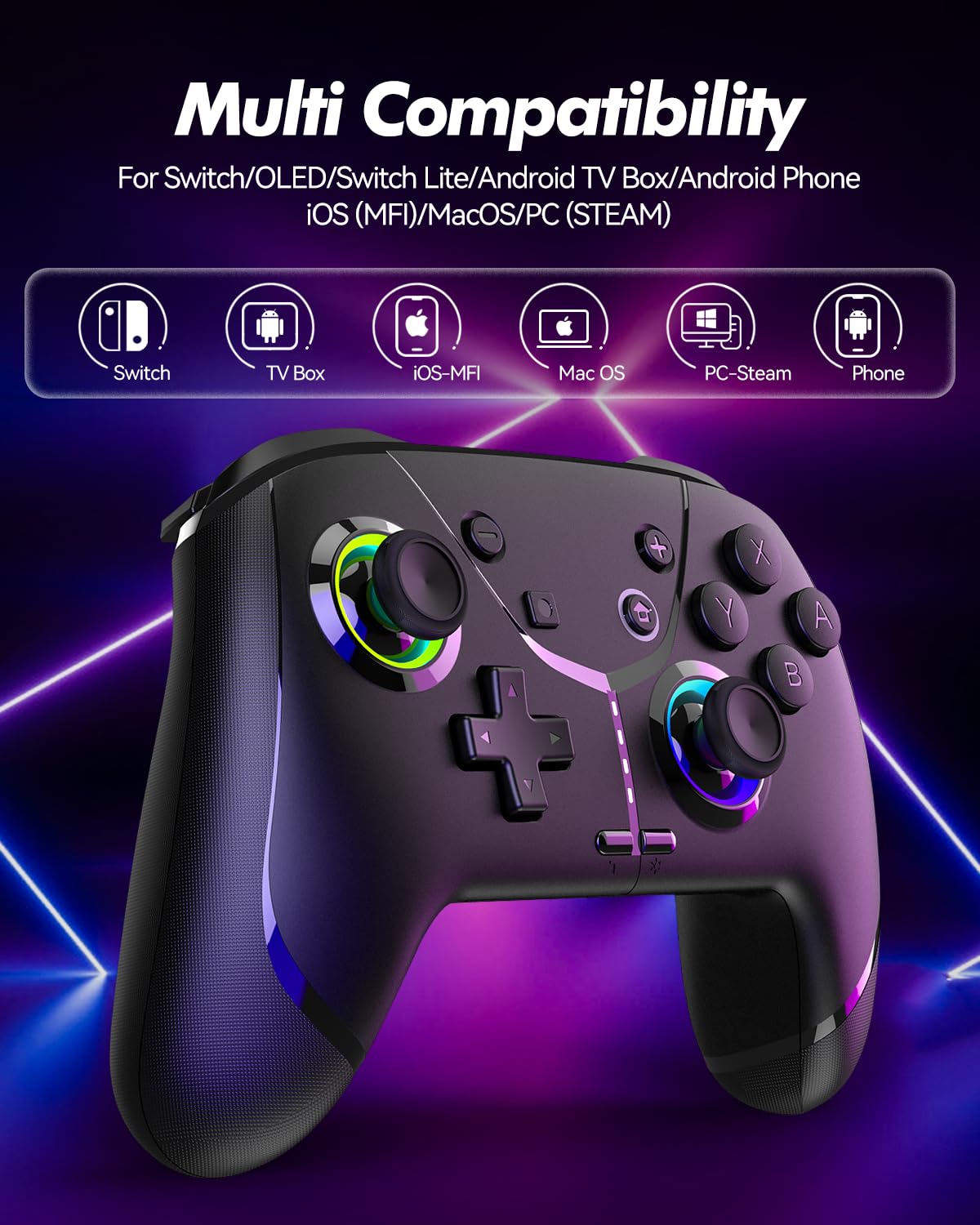
Image: Diagram illustrating the controller's compatibility with Nintendo Switch, TV Box, iOS-MFi, Mac OS, PC-Steam, and Phone devices.
3.2 Conexão Bluetooth
To pair the controller via Bluetooth:
- Certifique-se de que o controle remoto esteja suficientemente carregado.
- Ligue o controle pressionando o botão Home.
- Activate Bluetooth pairing mode on the controller (refer to specific device pairing instructions below).
- On your device (Switch, phone, PC), go to Bluetooth settings and search for new devices.
- Select "Pro Controller" or similar from the list to connect.
- Após a conexão, as luzes indicadoras do controlador se estabilizarão.
3.3 conexão com fio
For PC or other compatible devices, you can connect the controller directly using the provided USB cable. This will typically allow for plug-and-play functionality without requiring Bluetooth pairing.
4. Instruções de operação
4.1 Programmable Buttons (AR/AL)
The controller features two programmable buttons (AR and AL) on the back. These can be mapped to single buttons or record a sequence of up to 30 seconds of gaming operations.
- Mapping Single Buttons: Press the Program button, then the button you wish to map (e.g., A, B, X, Y, L, R, ZL, ZR, Left Joystick, Right Joystick, D-pad, +,-), then press AR or AL.
- Gravação de macros: Press the Program button, then perform the sequence of actions you wish to record. Press AR or AL again to save the macro.

Imagem: Close-up view of the controller's underside, highlighting the AR and AL programmable buttons and their mapping capabilities.
4.2 Motion Controls (6-Axis Gyro Sensor)
The built-in 6-axis gyro sensor allows for precise motion control in compatible games on Switch, mobile phones, PC, and TV. This feature enables intuitive aiming and movement based on the controller's orientation.

Image: Illustration of the 6-axis gyro sensor functionality, showing a user holding the controller with motion lines indicating active control in a racing game.
4.3 Adjustable Vibration
The asymmetric dual motors provide four adjustable vibration intensities (100%, 70%, 50%, 0%) for an immersive gaming experience. Adjust the vibration level to your preference through the controller's settings or specific button combinations (refer to the quick start guide for details).

Image: Visual representation of the dual vibration feature with intensity levels (None, Weak, Medium, Strong) and the auto/manual turbo function.
4.4 Turbo Modes
The controller offers both auto and manual turbo modes with three adjustable speeds (5, 10, or 15 shots per second). This feature allows for rapid, continuous input of a button press, useful in fast-paced games.
- ManualTurbo: Press the Turbo button and the desired action button simultaneously.
- Turbo automático: Press the Turbo button and the action button twice.
- Ajustando a velocidade: While in Turbo mode, press the Turbo button and move the right joystick up or down to cycle through speeds.
4.5 ABXY Function Switching
Easily switch between Nintendo Switch (A/B/X/Y) and Xbox (Y/X/B/A) button layouts without physically removing buttons. This ensures compatibility and comfort across different gaming platforms.

Image: Depiction of the ABXY button layout switching feature, showing the buttons rotating to indicate the change between Nintendo and Xbox configurations.
4.6 Wake-Up Function and RGB Light
The controller supports a wake-up function for connected devices (e.g., Nintendo Switch). It also features cool RGB lighting around the joysticks, which can be customized or turned off to suit your preference.

Image: The controller with illuminated RGB lights around the joysticks, indicating the "Wake Up & Cool LED Light" feature.
4.7 Função de captura de tela
A dedicated screenshot button allows you to capture in-game moments instantly on compatible platforms.
5. Carregamento e duração da bateria
The controller is equipped with a built-in 800 mAh rechargeable battery, providing approximately 15-20 hours of gameplay on a full charge. Charging time is typically around 3 hours.
- Connect the controller to a USB power source (e.g., console, PC, USB wall adapter) using the provided USB charging cable.
- The indicator lights will show charging status and turn off or change color when fully charged.

Image: Illustration highlighting the controller's ergonomic design and battery specifications: 800mAh Lithium Battery, 3H Charging Time, and 15-20H Playing Time.
6. Manutenção
To ensure the longevity and optimal performance of your GMBACK Wireless Switch 2 Pro Controller:
- Mantenha o controlador limpo, passando um pano macio e seco. Evite usar produtos químicos agressivos ou materiais abrasivos.
- Guarde o controlador em local fresco e seco, longe da luz solar direta e de temperaturas extremas.
- Evite deixar o controle cair ou submetê-lo a impactos fortes.
- Não tente desmontar ou modificar o controlador, pois isso anulará a garantia.
- Carregue o controle regularmente, mesmo que não o utilize com frequência, para manter a saúde da bateria.
7. Solução De Problemas
| Problema | Possível causa | Solução |
|---|---|---|
| O controle não liga. | Bateria fraca. | Carregue o controle remoto por pelo menos 3 horas. |
| Não foi possível emparelhar via Bluetooth. | O controle não está em modo de emparelhamento; interferência de Bluetooth; Bluetooth do dispositivo desligado. | Ensure controller is in pairing mode. Turn off and on device Bluetooth. Move closer to the device. Try wired connection. |
| Atraso na entrada ou desconexão. | Bateria fraca; dispositivo muito distante; interferência sem fio. | Charge controller. Move closer to device. Reduce other wireless device interference. |
| Botões/Joysticks não respondem. | Falha de software; dano físico. | Restart the controller and the connected device. If problem persists, contact customer support. |
| A vibração não está funcionando. | Intensidade da vibração definida em 0%; o jogo não suporta vibração. | Adjust vibration intensity. Check game settings. |
8. Especificações
- Modelo: Sensor giroscópico de 6 eixos
- Conectividade: Bluetooth
- Compatibilidade: Nintendo Switch 2/Switch/Lite/OLED, Apple (iPhone, iPad, Mac, TV, MFi Games), Android (phone, tablet, TV), PC (Windows 7/8/9/10/11), Steam
- Bateria: Bateria de lítio de 800 mAh
- Tempo de carregamento: Aproximadamente 3 horas
- Tempo de jogo: 15-20 horas
- Características: Programmable Buttons, 6-Axis Gyro, Adjustable Vibration, Turbo Modes, ABXY Function Switching, Wake-up, RGB Light, Screenshot
- Peso do item: 11.3 onças
- Dimensões da embalagem: 6.61 x 5.2 x 2.76 polegadas
- Fabricante: GMBACK
9. Garantia e Suporte
GMBACK is committed to providing high-quality products and excellent customer service. For any issues or inquiries regarding your controller, please refer to the following:
- Informações sobre garantia: Please retain your proof of purchase for warranty claims. Specific warranty terms may vary; refer to the product packaging or contact GMBACK customer support for details.
- Suporte ao cliente: For technical assistance, troubleshooting, or warranty service, please contact GMBACK customer support through the retailer where you purchased the product or visit the official GMBACK store on Amazon: GMBACK Store.
- Manual do usuário on-line: Uma versão em PDF do manual do usuário pode estar disponível para download em https://manuals.plus/m/56f01544f3b9d5425429644adc4053f7681b5d3717aa40f944cdb0f9bfccf36b.


