Produto acimaview
The edaiser Wireless Magic Keyboard Case is designed to enhance your Apple iPad experience, transforming it into a versatile workstation. It features a multi-touch trackpad, RGB backlit keys, and a durable magnetic design, offering both protection and functionality.
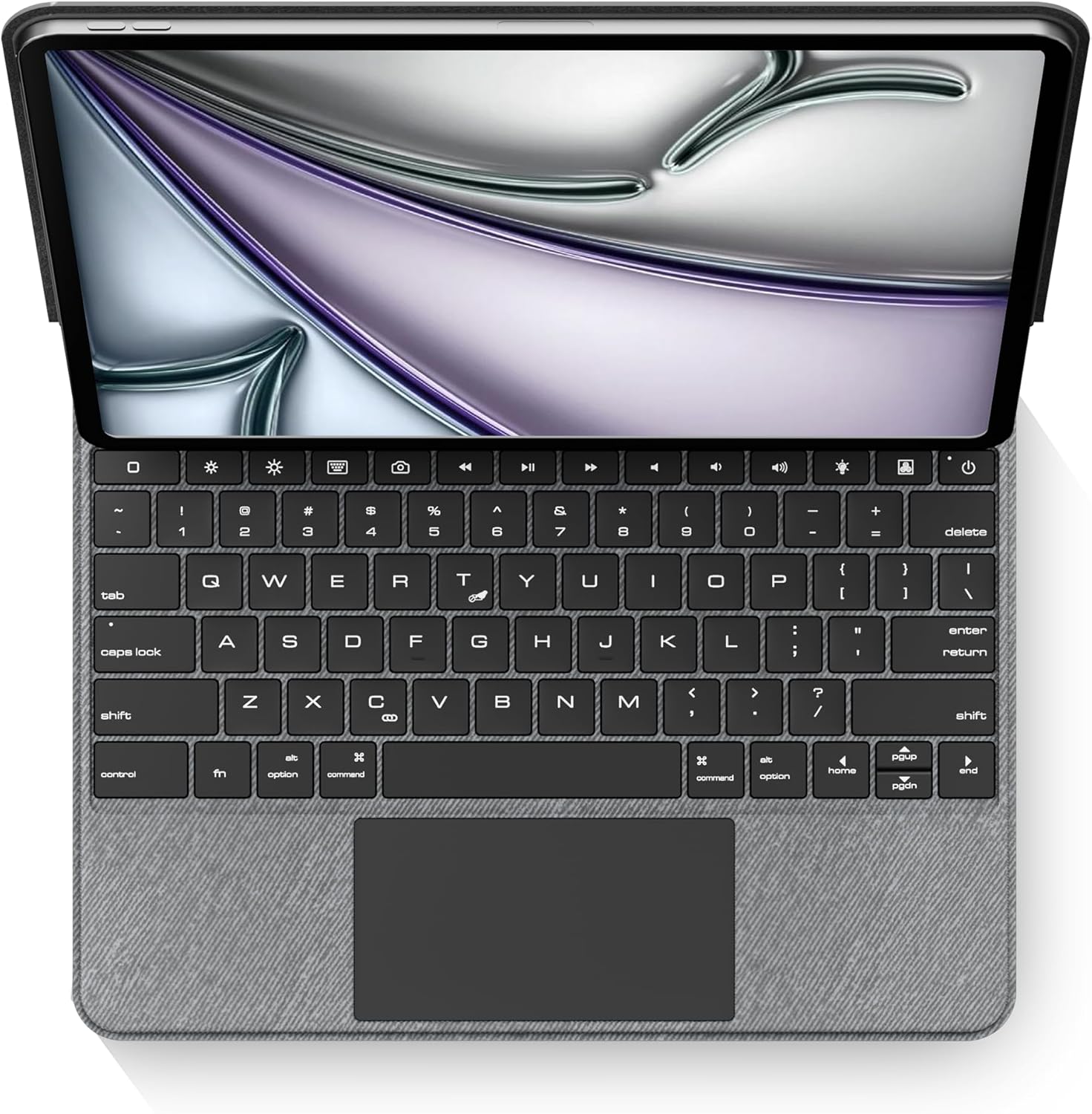
Imagem: Vista de cima para baixo view of the edaiser keyboard case with an iPad, showing the full keyboard and trackpad.
Compatibilidade
This keyboard case is compatible with the following Apple iPad models:

Image: A table detailing compatible iPad generations and their model numbers, ensuring correct device fit.
| Geração iPad | Número (s) do modelo |
|---|---|
| iPad Air de 13 polegadas (M2) 2024 | A2898, A2899, A2900 |
| iPad Pro 12.9-inch 6th Gen 2022 | A2436, A2764, A2437, A2766 |
| iPad Pro 12.9-inch 5th Gen 2021 | A2378, A2379, A2461, A2462 |
| iPad Pro 12.9-inch 4th Gen 2020 | A2229, A2069, A2232, A2233 |
| iPad Pro 12.9-inch 3rd Gen 2018 | A1876, A2014, A1895, A1983 |
Conteúdo da embalagem
Por favor, verifique se todos os itens estão presentes na embalagem:
- 1 x edaiser Wireless Magic P129 Oxford Gray Keyboard Case
- 1 x Cabo de carregamento tipo C para tipo C
- 1 x Manual do Usuário

Imagem: Representação visual dos itens incluídos na embalagem do produto.
Guia de configuração
Insert iPad:
Gently align your compatible iPad with the case and press it into place. Ensure the iPad is securely seated within the protective frame of the case.
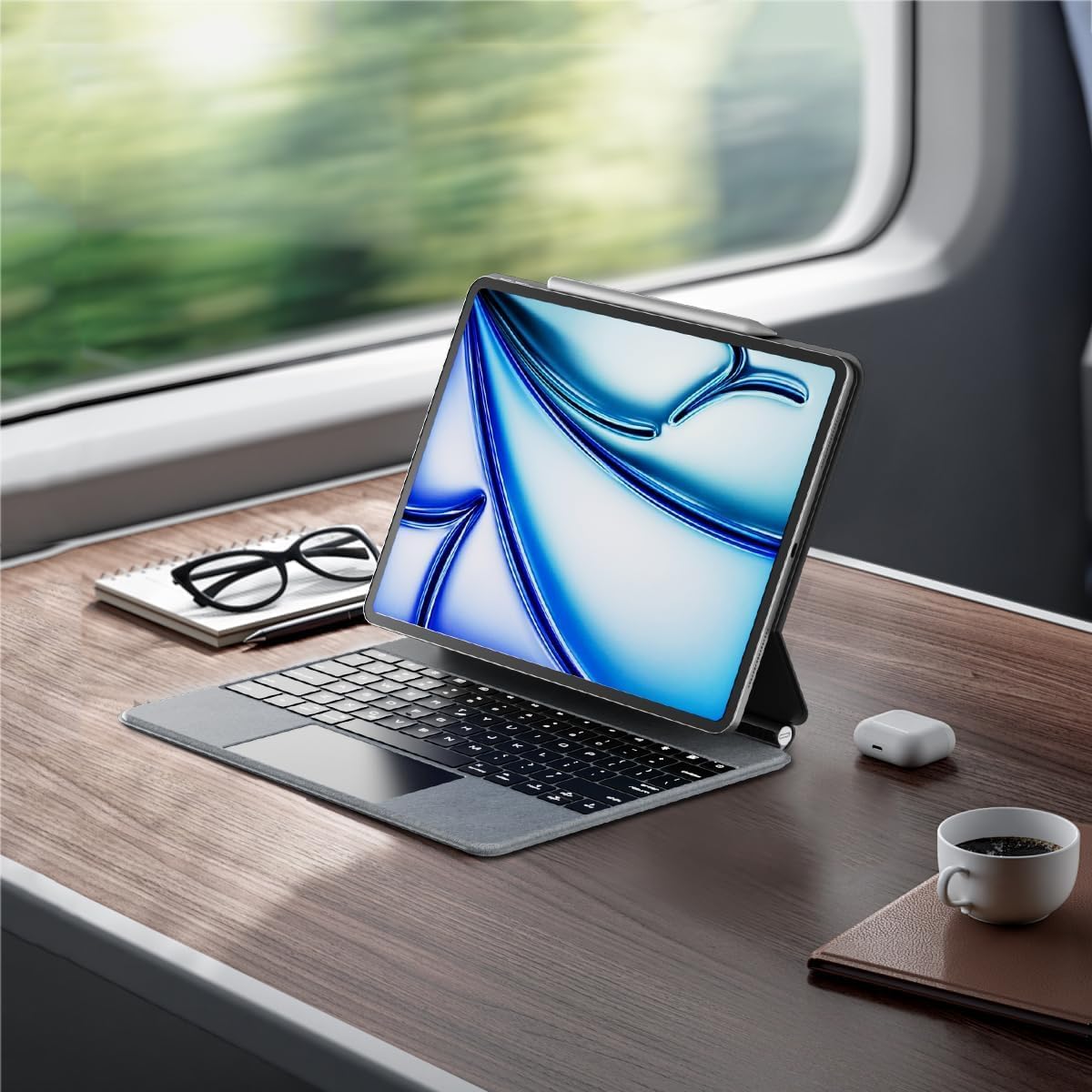
Image: An iPad inserted into the keyboard case, demonstrating the secure fit.
Carregue o teclado:
Before first use, fully charge the keyboard. Connect the provided Type-C to Type-C charging cable to the keyboard's charging port and a compatible power adapter (not included). The charging indicator light will show charging status.
Ligar:
Locate the power button on the keyboard. Press and hold the power button for 3-5 seconds to turn on the keyboard. The power indicator light will illuminate.

Image: A detailed diagram highlighting the keyboard's function keys, including the power button (labeled 9).
Emparelhamento Bluetooth:
- No seu iPad, acesse Configurações > Bluetooth.
- Certifique-se de que o Bluetooth esteja ativado. On.
- No teclado, pressione a tecla Chave de emparelhamento Bluetooth (often indicated by a Bluetooth symbol or a specific function key combination, refer to keyboard diagram if available). The Bluetooth indicator light will flash, indicating it's in pairing mode.
- On your iPad, select "edaiser Keyboard" or a similar name from the list of available devices.
- Siga as instruções na tela para concluir o processo de emparelhamento. A luz indicadora do teclado deixará de piscar assim que o emparelhamento for concluído com sucesso.
Instruções de operação
Ajustável Viewângulo de engate
The keyboard case features a 125°-130° adjustable angle, allowing you to find the optimal viewing position for typing, watching, or drawing. Simply adjust the iPad's position relative to the keyboard base.

Imagem: Side profile of the keyboard case demonstrating its adjustable viewângulo de engate.
Funções do teclado
The keyboard includes various function keys for quick access to iPad features:
- Tecla inicial (1): Retorna à tela inicial do iPad.
- Screen Brightness (2): Adjusts iPad screen brightness up or down.
- Onscreen Keyboard (3): Shows or hides the virtual onscreen keyboard.
- Screen Capture Key (4): Captures a screenshot of the iPad display.
- Multimedia Keys (5): Controls media playback (back, play/pause, forward).
- Volume Controls (6): Mutes, increases, or decreases iPad volume.
- Backlight Brightness (7): Adjusts the backlight brightness (3 levels).
- Backlight Color (8): Switches between 7 different backlight colors.
- Power Sources (9): Hold for 3-5 seconds to power on/off the keyboard.
Image: A visual guide to the keyboard's function keys and their respective operations.
Trackpad multitoque
The integrated multi-touch trackpad supports various iPadOS gestures for seamless navigation:
- Toque com um dedo: Click/select.
- Rolagem com dois dedos: Deslize para cima/baixo ou para a esquerda/direita.
- Deslize três dedos para cima: Go to home screen.
- Deslizar com três dedos para a esquerda/direita: Alternar entre aplicativos abertos.
- Belisque para aumentar o zoom: Aumente/diminua o zoom no conteúdo.
- Consulte a documentação do iPadOS para obter uma lista completa dos gestos compatíveis.

Image: A person using the multi-touch trackpad to navigate their iPad, illustrating its functionality.
Manutenção
- Limpeza: Use um pano macio e sem fiapos levementeampened with water to clean the exterior of the case and keys. Avoid harsh chemicals or abrasive materials.
- Armazenar: Quando não estiver em uso por longos períodos, guarde a capa do teclado em local fresco e seco.
- Cuidados com a bateria: To prolong battery life, avoid fully discharging the keyboard frequently. Charge it regularly, even if not in constant use. The battery is built-in and not user-replaceable.
Solução de problemas
Teclado não conecta via Bluetooth:
- Certifique-se de que o teclado esteja ligado e totalmente carregado.
- Check that Bluetooth is enabled on your iPad.
- Forget the device in iPad's Bluetooth settings and attempt to re-pair.
- Reinicie o iPad e o teclado.
A luz de fundo não funciona ou está fraca:
- Press the backlight brightness key (7) to cycle through brightness levels.
- Certifique-se de que o teclado tenha carga de bateria suficiente.
Trackpad unresponsive:
- Certifique-se de que o teclado esteja conectado via Bluetooth.
- Verifique as configurações do iPadOS para ativar o trackpad.
- Reinicie o teclado e o iPad.
Teclas não respondem:
- Verifique a conexão Bluetooth.
- Ensure the keyboard is not in sleep mode (press any key to wake).
- Verifique o nível da bateria.
Especificações
- Modelo: P129 magic keyboard - Oxford Gray
- Conectividade: Bluetooth
- Material: Premium PU Leather exterior, metal hinge
- Dimensões: 11.3 x 9.13 x 0.73 polegadas
- Peso do item: 2.83 libras
- Bateria: 1 Lithium Ion battery (built-in)
- Working Time (typing, backlight off): Até 180 horas
- Tempo de espera: Até 90 dias
- Luz de fundo: RGB, 7 colors, 3 brightness levels
- Painel de controle: Multi-touch compatible
- Ângulo ajustável: 125°-130°
Garantia e Suporte
The edaiser Wireless Magic Keyboard Case is designed for long-lasting use and performance. For any product inquiries, technical support, or warranty claims, please refer to the contact information provided on the product packaging or visit the official edaiser website.
Please note that the battery is installed in the product and cannot be disassembled or sold separately.


