Introdução
The Eyoyo EY-034V is a versatile 1D/2D QR code barcode scanner designed for efficient data capture. It offers flexible connectivity options including Bluetooth, 2.4GHz wireless, and USB wired modes, ensuring compatibility with a wide range of devices and operating systems. This manual will guide you through the setup, operation, and maintenance of your scanner.
Conteúdo da embalagem
Por favor, verifique se todos os itens estão presentes na embalagem:
- Eyoyo EY-034V Barcode Scanner
- Dongle USB 2.4G
- Cabo de carregamento USB
- Manual do usuário

Configurar
1. Carregando o scanner
Before initial use, fully charge the scanner. Connect the USB charging cable to the scanner's USB port and the other end to a power source (e.g., computer USB port, USB wall adapter). The 2500mAh battery provides approximately 8 hours of continuous scanning after a 4-hour full charge.
2. Connectivity Modes (3-in-1)
The scanner supports three connection modes: USB Wired, 2.4GHz Wireless, and Bluetooth. To switch between modes, scan the corresponding setup code provided in the detailed manual.

2.1. Conexão USB com fio
Connect the scanner directly to your computer using the provided USB cable. The scanner will be recognized as a keyboard device, and scanned data will appear wherever your cursor is placed.
2.2. Conexão sem fio de 2.4 GHz
Plug the 2.4G USB dongle into your computer's USB port. The scanner will automatically connect to the dongle. Scanned data will be transmitted wirelessly to your computer.
2.3. Conexão Bluetooth
To connect via Bluetooth, press and hold the scan button for 8-10 seconds to activate Bluetooth pairing mode (blue LED will flash). On your device (smartphone, tablet, etc.), enable Bluetooth, search for 'EY-034 HID_FA7F' (or similar), and pair. Once paired, the blue LED will remain solid.
Modos de operação
1. Modos de digitalização
O scanner suporta dois modos de digitalização principais:
- Modo de disparo manual: Pressione o botão de disparo para ler cada código de barras individualmente.
- Modo de digitalização automática: The scanner continuously scans barcodes without needing to press the trigger. This mode is ideal for hands-free operation with a stand (stand sold separately).

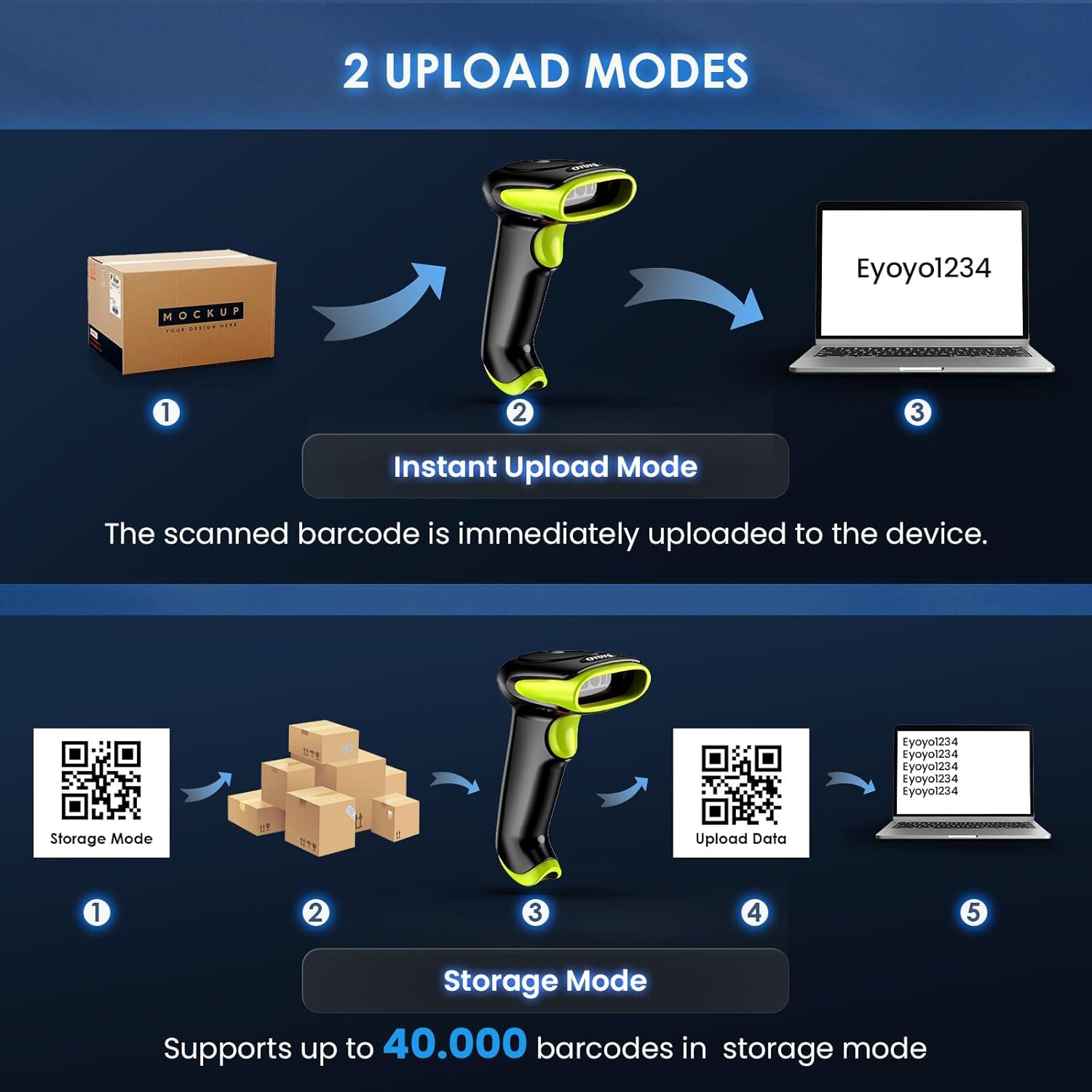
2. Modos de Upload
Choose how scanned data is transferred to your device:
- Modo de upload instantâneo: Barcodes are immediately transmitted to the connected device upon scanning.
- Modo de armazenamento: Scanned barcodes are stored in the scanner's internal memory (up to 40,000 barcodes) and can be uploaded later. This is useful when out of range of the connected device.

3. Capacidades de decodificação
The Eyoyo EY-034V is capable of decoding a wide range of 1D and 2D barcodes, including UPC-A, UPC-E, EAN-8, EAN-13, ISBN, ISSN, Code 128, QR Code, Micro PDF 417, Aztec, and more. It can scan barcodes from both paper and digital screens.

4. Configurações de som e vibração
You can customize the scanner's feedback by adjusting sound and vibration settings. Refer to the detailed manual for specific barcode configurations to enable/disable sound or vibration.

Manutenção
1. Limpeza do scanner
Regularly clean the scanner's scanning window and exterior with a soft, dry cloth. Avoid using abrasive cleaners or solvents that could damage the device.
2. Cuidados com a bateria
Para prolongar a vida útil da bateria, evite descarregá-la completamente com frequência. Guarde o scanner em local fresco e seco quando não estiver em uso por longos períodos.
Solução de problemas
- O scanner não está conectando: Ensure the scanner is charged and in the correct connection mode (USB, 2.4G, or Bluetooth). For Bluetooth, verify it's in pairing mode and visible on your device.
- Nenhum dado transmitido: Check the connection. For wireless modes, ensure the dongle is properly inserted or Bluetooth is paired. For wired mode, confirm the USB cable is securely connected.
- Não foi possível ler determinados códigos de barras: Ensure the barcode type is enabled in the scanner's settings (refer to the full manual for configuration barcodes). Clean the scanning window. Try scanning in different lighting conditions.
- Saída de dados incorreta: Verify the keyboard language settings on your connected device match the scanner's output.
Especificações
| Recurso | Especificação |
|---|---|
| Número do modelo | EY-034V |
| Tecnologia de Conectividade | Bluetooth, 2.4G sem fio, USB com fio |
| Dispositivos compatíveis | Computer, Laptop, POS, Smartphone, Tablet |
| Tipo de Bateria | Polímero de lítio (2500 mAh) |
| Vol de Trabalhotage | 5 Volts |
| Dimensões do produto | 6.5P x 9.3L x 15.5H cm |
| Conformidade | CE, FCC, RoHS |
Garantia e Suporte
The Eyoyo EY-034V Barcode Scanner comes with a 1-year manufacturer warranty. For technical support, troubleshooting assistance, or warranty claims, please refer to the contact information provided in your product packaging or visit the official Eyoyo website.


