1. Introdução
Thank you for choosing the SILENTWARE Air 1000 Black ATX Midi Tower PC Case. This manual provides essential information for the proper installation, operation, and maintenance of your new PC case. Please read this manual thoroughly before beginning the assembly process to ensure a smooth and successful build.
2. Informações de segurança
- Always disconnect the power supply from the wall outlet before installing or removing any components inside the PC case.
- Handle components with care to avoid damage from electrostatic discharge (ESD). Consider using an anti-static wrist strap.
- Be cautious of sharp edges inside the case.
- Não tente modificar o gabinete ou seus componentes, pois isso pode anular sua garantia e representar riscos à segurança.
- Mantenha a capa longe de água, umidade e temperaturas extremas.
3. Conteúdo da embalagem
Por favor, verifique se todos os itens estão presentes em sua embalagem:
- SILENTWARE Air 1000 Black ATX Midi Tower PC Case
- Pre-installed 4x 120mm ARGB Fans
- Accessory box (screws, cable ties, standoffs, etc.)
- Manual do usuário (este documento)
4. Produto acabadoview
The SILENTWARE Air 1000 is an ATX Midi Tower PC case designed for optimal airflow and component compatibility. It features a mesh front panel for maximum ventilation and a tempered glass side panel to showcase your build.


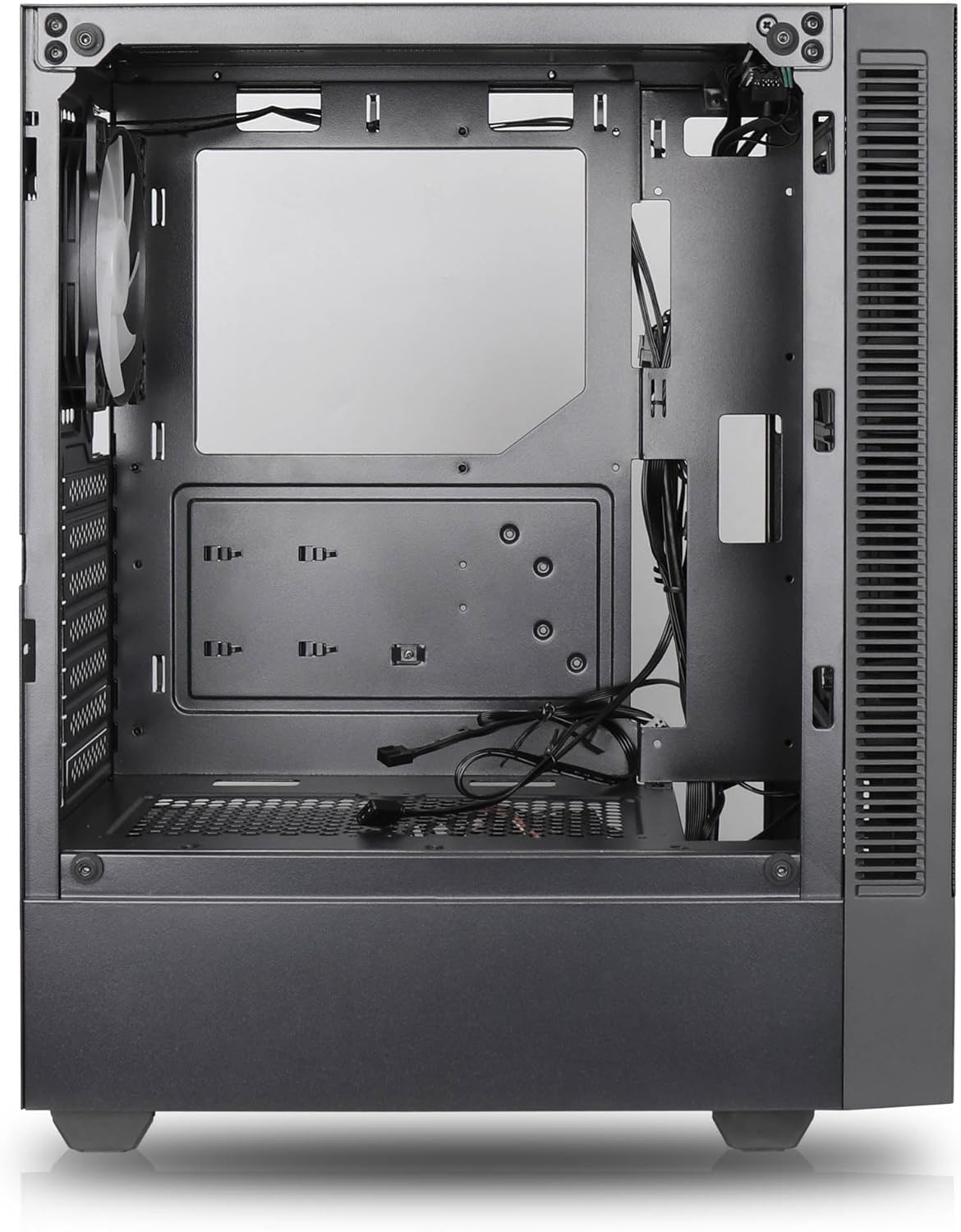

Principais características:
- Fluxo de ar máximo: Large mesh front panel and four pre-installed 140mm A-RGB fans with hydraulic bearings ensure excellent ventilation.
- Easy PC Building: Thoughtful design with daisy-chain connections simplifies installation, eliminating the need for additional adapters or controllers.
- Design de alta qualidade: Genuine tempered glass side panel showcases installed components and provides a minimalist, premium aesthetic.
- Flexible Lighting and Control: 3-pin A-RGB fans and 4-pin fan control allow for impressive lighting effects and easy adjustment of fan speed and curves directly from the motherboard.
- Powerful Component Compatibility: Supports GPUs up to 400mm long, radiators up to 360mm (front and top) and 140mm (rear), and space for up to 4 fans.
- Compact Case with Ampo Espaço: Midi tower format accommodates E-ATX, ATX, mATX, and ITX motherboards, up to two 2.5" SSDs, two 3.5" HDDs, and ATX power supplies.
5. Guia de instalação
Follow these steps for component installation. Refer to your individual component manuals for specific instructions.
5.1. Preparando o Caso
- Coloque a caixa sobre uma superfície plana e estável.
- Carefully remove the tempered glass side panel by unscrewing the thumb screws and gently pulling it away. Set it aside on a soft, non-abrasive surface.
- Remove the solid right side panel by unscrewing the thumb screws and sliding it backward.
5.2. Instalação da placa-mãe
- Instale o painel de E/S na abertura traseira do gabinete.
- Ensure the correct standoffs are installed for your motherboard form factor (E-ATX, ATX, mATX, ITX). Adjust or add standoffs as needed.
- Coloque cuidadosamente a placa-mãe sobre os espaçadores, alinhando os furos dos parafusos.
- Fixe a placa-mãe com os parafusos fornecidos. Não aperte demais.
5.3. Instalação da Unidade de Alimentação (PSU)
- Position the PSU in the dedicated compartment at the bottom rear of the case.
- Certifique-se de que a ventoinha da fonte de alimentação esteja voltada para baixo (se o gabinete tiver uma abertura de ventilação na parte inferior) ou para cima, dependendo da sua preferência de refrigeração.
- Fixe a fonte de alimentação ao gabinete com os parafusos fornecidos, pela parte traseira.
5.4. Instalação da unidade de armazenamento
SSDs de 2.5":
- Locate the 2.5" drive mounts (typically behind the motherboard tray).
- Secure the SSDs using the provided screws.
Discos rígidos de 3.5":
- Locate the 3.5" drive cages (usually near the PSU shroud).
- Slide the HDDs into the drive trays and secure them with screws or tool-less mechanisms if available.
5.5. Instalação da placa gráfica (GPU)
- Remova as tampas dos slots PCIe necessárias da parte traseira do gabinete.
- Align your GPU with the PCIe slot on the motherboard and press firmly until it clicks into place.
- Fixe a placa de vídeo ao gabinete com parafusos.
5.6. Gerenciamento de cabos
Utilize os recortes para passagem de cabos e os pontos de fixação atrás da bandeja da placa-mãe para organizar os cabos. Isso melhora o fluxo de ar e a estética.
6. Operação
6.1. Ligando
After all components are installed and cables are connected, reattach the side panels. Connect the power cable to the PSU and a wall outlet, then press the power button on the top I/O panel of the case.
6.2. Controle de ventoinha ARGB
The pre-installed ARGB fans feature 3-pin ARGB connectors for lighting control and 4-pin connectors for fan speed control. These can be connected directly to compatible headers on your motherboard. Use your motherboard's software or BIOS settings to customize lighting effects and fan curves.
7. Manutenção
7.1. Limpeza
- Regularly clean dust filters (if present) to maintain optimal airflow.
- Use a can of compressed air to remove dust from inside the case and components.
- Limpe as superfícies externas com um pano macio e seco.amp pano. Evite produtos químicos agressivos.
- For the tempered glass panel, use a glass cleaner and a microfiber cloth.
8. Solução De Problemas
- O computador não liga: Check all power connections, including the 24-pin motherboard power, 8-pin CPU power, and GPU power cables. Ensure the PSU switch is in the 'ON' position.
- Fans not spinning/RGB not working: Verify that fan and ARGB headers are correctly connected to the motherboard. Check motherboard software for fan speed and lighting control settings.
- Superaquecimento: Ensure proper airflow by checking fan orientation and cleaning dust filters. Verify CPU cooler and GPU cooler are properly seated.
- Nenhuma exibição: Confirm the monitor cable is connected to the graphics card (not the motherboard integrated graphics, unless you are using integrated graphics). Reseat the graphics card and RAM modules.
9. Especificações
| Recurso | Especificação |
|---|---|
| Marca | SILENTWARE |
| Nome do modelo | Silentware Flow 100 ARGB |
| Número do modelo do item | FLUXO100 |
| ASIN | B0CB8CZ5GF |
| Cor | Preto |
| Tipo de caso | Torre Média |
| Material | Vidro temperado |
| Compatibilidade da placa-mãe | ATX, Micro ATX, Mini ITX |
| Dispositivos compatíveis | ATX, mATX, ITX motherboards, GPUs up to 325mm, radiators up to 360mm, 2.5" and 3.5" storage drives |
| Usos recomendados | Jogos |
| Método de resfriamento | Ar |
| Ventiladores pré-instalados | 4x 120mm ARGB Fans |
| Tamanho do ventilador | 140 Millimeters (Note: Product description mentions 140mm fans, while pre-installed are 120mm. Please verify with product packaging.) |
| Tipo de montagem da fonte de alimentação | Montagem inferior |
| Comprimento máximo da GPU | 400 mm |
| Radiator Support (Front/Top) | Até 360 mm |
| Suporte do radiador (traseiro) | Até 140 mm |
| Baias de unidade de 2.5" | Até 2 |
| Baias de unidade de 3.5" | Até 2 |
10. Garantia e Suporte
For warranty information and technical support, please refer to the official SILENTWARE website or contact your retailer. Specific details regarding spare parts availability and software updates are not available in the provided product information.