1. Introdução
Thank you for choosing the Einhell Power X-Boostcharger 8A. This universal charger is designed to quickly and efficiently charge all batteries within the Einhell Power X-Change range. It features advanced 8A fast charging technology, intelligent charge management, a Boost mode for even faster charging, and a Refresh mode to reactivate deeply discharged batteries. The 7-level LED indicator provides clear status updates. Please read this manual thoroughly before initial operation to ensure safe and optimal use of your charger.

Figure 1: The Einhell Power X-Boostcharger 8A. This image shows the top view of the charger, highlighting its compact design and the integrated control panel with LED indicators.
2. Instruções de segurança
Ao utilizar o carregador, observe sempre as seguintes precauções de segurança:
- Leia todas as instruções antes de usar o carregador.
- Não exponha o carregador à chuva ou umidade.
- Use only Einhell Power X-Change batteries with this charger. Using other batteries may result in injury or damage.
- Não utilize o carregador se ele tiver sofrido um impacto forte, caído ou estiver danificado de alguma outra forma.
- Assegure ventilação adequada durante o carregamento. Não cubra o carregador.
- Mantenha o carregador longe de fontes de calor e da luz solar direta.
- Desconecte o carregador da tomada quando não estiver em uso ou antes de limpá-lo.
- Este aparelho pode ser usado por crianças a partir de 8 anos de idade e por pessoas com capacidades físicas, sensoriais ou mentais reduzidas ou com falta de experiência e conhecimento, desde que tenham recebido supervisão ou instruções sobre o uso seguro do aparelho e compreendam os perigos envolvidos.
3. Produto acabadoview
3.1 Componentes
The Einhell Power X-Boostcharger 8A consists of the main charging unit, a power cable, and the battery slot. The front panel includes the control buttons and LED indicators.
3.2 LED indicador de status
The charger features a 7-level LED indicator system to display the charging status and battery condition:
- LED de energia: Indicates power supply.
- Charging LEDs (multiple): Show the current charge level of the battery.
- Full Charge LED: Illuminates when the battery is fully charged.
- LED de erro: Indicates a fault or abnormal condition.
- LED de temperatura: Warns of extreme battery temperatures.
- Refresh Mode LED: Indicates when Refresh mode is active.
- Boost Mode LED: Indicates when Boost mode is active.

Figura 2: Detalhado view of the charger's control panel. This image shows the Boost function button and the various LED indicators that display the charging status and operational mode.
4. Configuração
4.1 Conexão inicial
- Place the charger on a stable, flat, and non-flammable surface.
- Connect the power cable to the charger and then plug it into a suitable power outlet (18V). The Power LED will illuminate.
4.2 Montagem na parede (opcional)
The charger housing includes integrated hanging eyelets for convenient wall mounting, helping to save space.
- Identify a suitable location on a wall, ensuring it is near a power outlet and allows for proper ventilation.
- Mark the positions for two screws using the hanging eyelets on the back of the charger as a template.
- Faça furos-guia e insira as buchas apropriadas, se necessário.
- Insert screws, leaving a small gap between the screw head and the wall.
- Align the charger's eyelets with the screws and slide it down to secure it in place.

Figure 3: The underside of the charger, illustrating the integrated hanging eyelets designed for wall mounting. This feature allows for space-saving storage.
5. Instruções de operação
5.1 Carregando uma bateria
- Certifique-se de que o carregador esteja conectado a uma tomada elétrica.
- Insert the Power X-Change battery into the charging slot. Ensure it clicks securely into place.
- The charging LEDs will begin to illuminate, indicating the charging process has started. The intelligent charge management system will continuously monitor the battery for optimal charging.
- Once fully charged, the Full Charge LED will illuminate, and the charging process will automatically stop.
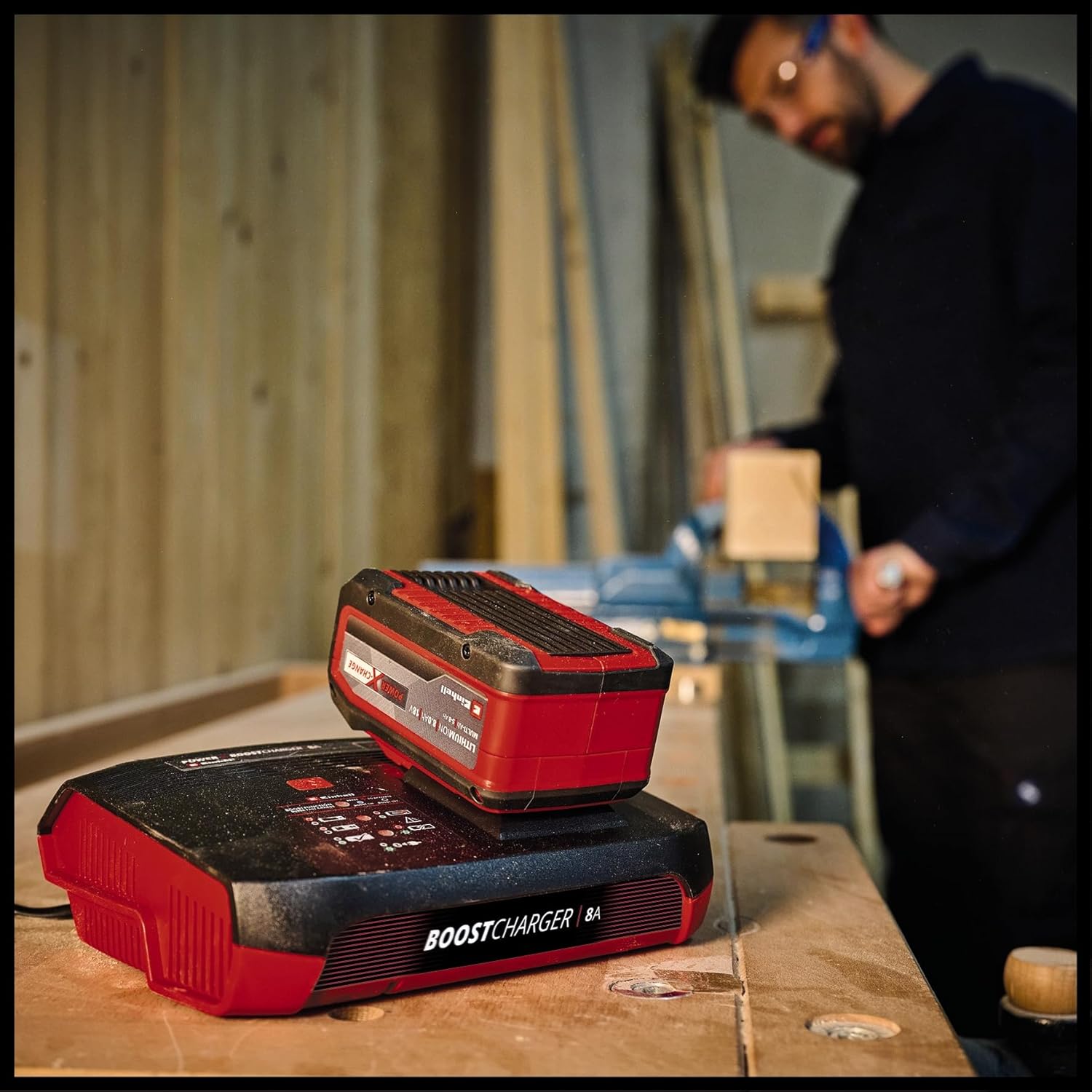
Figure 4: The charger with a Power X-Change battery inserted, positioned on a workbench. This demonstrates the charger in a typical operational environment.
5.2 Boost Mode Activation
For up to 62% faster charging, activate the Boost mode:
- Insira a bateria no slot de carregamento.
- Press the 'Boost' button located on the charger's control panel. The Boost Mode LED will illuminate.
- The charger will now operate in Boost mode, significantly reducing charging time. An 8 Ah battery can be fully charged in approximately 1 hour.
- If the Boost button is not pressed, the battery will charge in normal mode, which is gentler on the battery for long-term preservation.

Figure 5: The charger with a battery, shown in a workshop environment with a person working in the background. This illustrates the charger's integration into a professional or DIY setting.
5.3 Refresh Mode
The Refresh mode is designed to reactivate deeply discharged batteries:
- If a battery is deeply discharged, insert it into the charger. The Refresh Mode LED may illuminate automatically.
- The charger will attempt to reactivate the battery. Once reactivated, the battery will proceed with normal charging.
- Note: Not all deeply discharged batteries can be reactivated.
6. Manutenção e Cuidados
To ensure the longevity and optimal performance of your charger:
- Sempre desconecte o carregador da tomada antes de limpar.
- Limpe a parte externa do carregador com um pano macio e seco. Não utilize produtos de limpeza abrasivos ou solventes.
- Keep the charging slot free of dust and debris.
- Store the charger in a dry, well-ventilated area, away from direct sunlight and extreme temperatures.
7. Solução De Problemas
| Problema | Possível causa | Solução |
|---|---|---|
| Charger not powering on (Power LED off) | No power supply; faulty outlet/cable. | Check power connection; try a different outlet; inspect power cable for damage. |
| Battery not charging (Charging LEDs not active) | Battery not inserted correctly; battery faulty; charger faulty. | Re-insert battery firmly; try a different battery; contact support if issue persists. |
| LED de erro aceso | Battery fault; charger fault; incorrect battery type. | Remove and re-insert battery; ensure it's an Einhell Power X-Change battery; if error persists, battery or charger may be faulty. |
| Temperature LED illuminated | Bateria muito quente / fria. | Move battery and charger to a room temperature environment and allow to cool/warm up before attempting to charge again. |
8. Especificações
| Especificação | Valor |
|---|---|
| Número do modelo | 4512155 |
| Vol de entradatage | 18 Volts (compatible with Power X-Change system) |
| Corrente de saída | 8A |
| Dimensões do produto | 8.7 x 7.17 x 2.68 polegadas |
| Peso do item | 1.83 libras |
| Fabricante | Einhell |
9. Garantia e Suporte
Para informações sobre garantia, suporte técnico ou solicitações de serviço, consulte o site oficial da Einhell. webou entre em contato com o departamento de atendimento ao cliente. Guarde seu comprovante de compra para eventuais solicitações de garantia.


