1. Introdução
Thank you for choosing the HOCO EQ3 True Wireless Earbuds. These earbuds are designed to provide a high-quality audio experience with seamless Bluetooth 5.3 connectivity, intuitive touch controls, and a comfortable in-ear fit. This manual will guide you through the setup, operation, and maintenance of your new earbuds to ensure optimal performance and longevity.
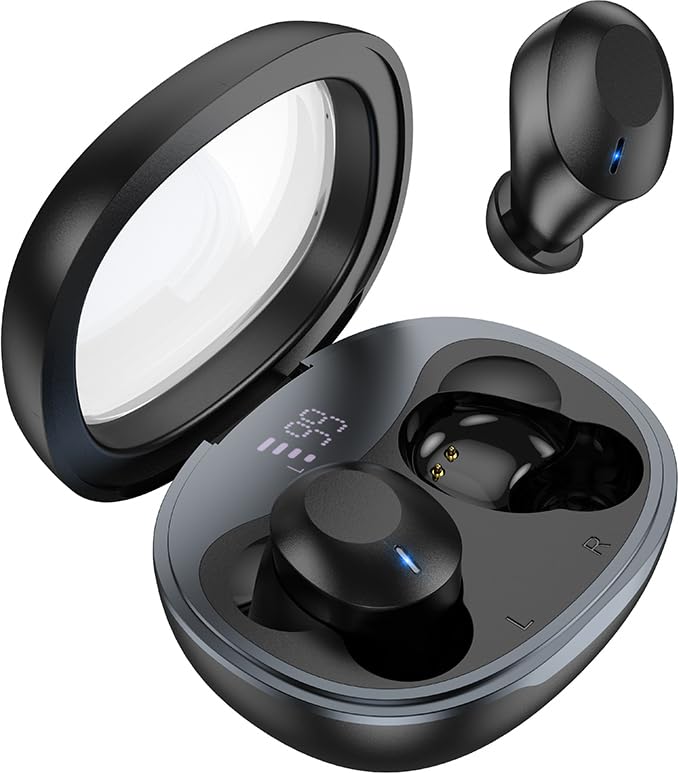
Image: The HOCO EQ3 earbuds, one in the transparent charging case displaying a digital battery percentage, and one earbud removed from the case.
2. Informações de segurança
- Não desmonte, repare ou modifique o produto. Isso pode causar incêndio, falha eletrônica ou danos irreparáveis ao produto.
- Keep the device away from liquids, moisture, or humidity.
- Evite expor o dispositivo a temperaturas extremas (abaixo de 0°C ou acima de 45°C).
- Não use o dispositivo durante uma tempestade.
- Clean the earbuds and charging case with a soft, dry cloth. Do not use harsh chemicals or abrasive materials.
- Descarte o produto de forma responsável, de acordo com as normas locais. Não o descarte junto com o lixo doméstico.
3. O que está na caixa
Por favor, verifique o conteúdo da embalagem para garantir que todos os itens estejam presentes:
- HOCO EQ3 True Wireless Earbuds (Left and Right)
- Estojo de carregamento sem fio
- Cabo de carregamento USB
- Ear Cushions (Multiple Sizes: XS/S/M/L)
- Protective Case (if included as an accessory)
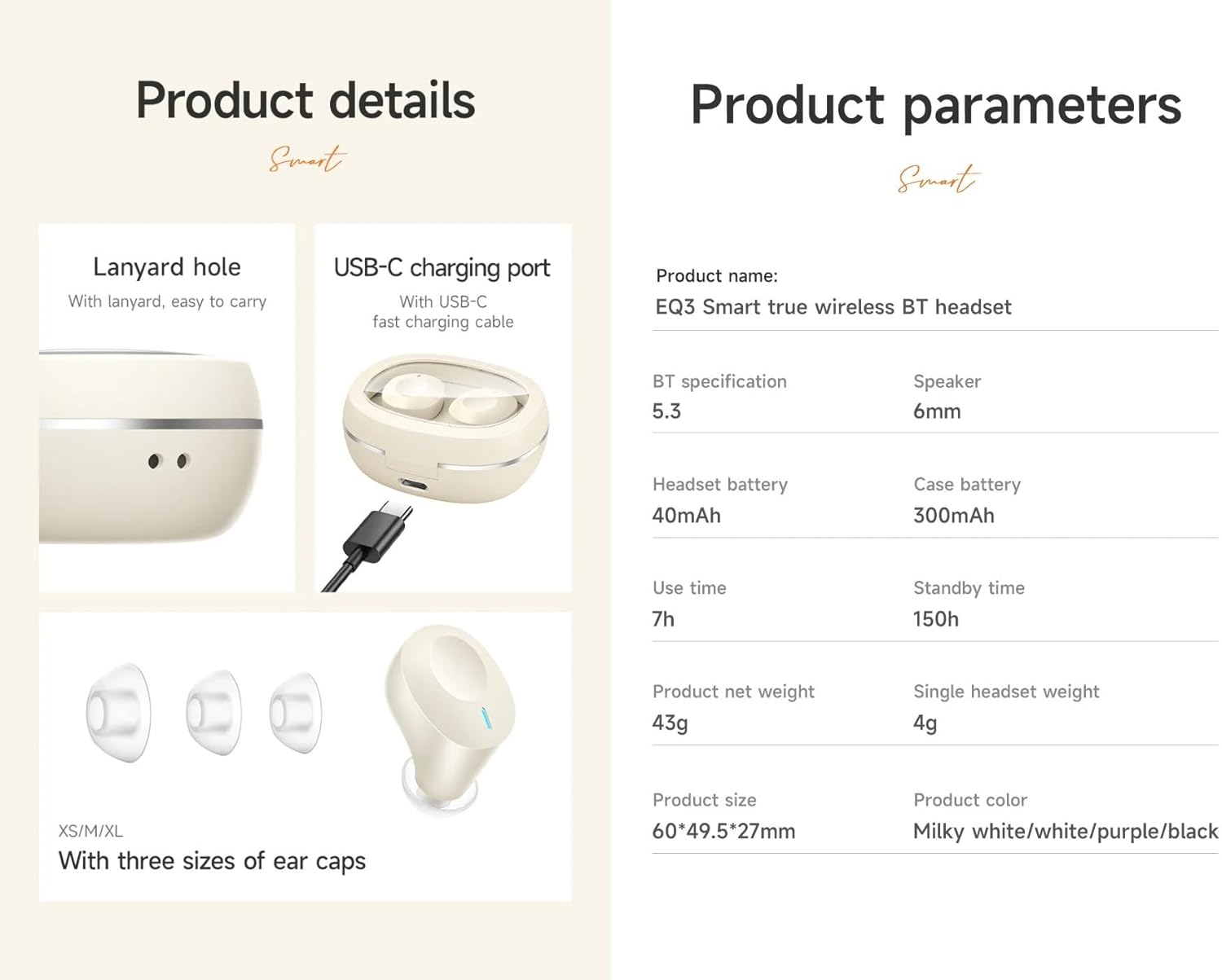
Image: An infographic detailing product features such as the USB-C charging port, lanyard hole, and different sizes of ear caps (XS/S/M/L).
4. Produto acabadoview
The HOCO EQ3 earbuds feature a compact design with a transparent charging case that includes a digital power display. Each earbud is equipped with touch control areas for easy operation.
Estojo de carregamento
- Tampa Transparente: Allows visibility of earbuds and digital display.
- Indicador de energia digital: Mostra a porcentagem restante da bateriatage do estojo de carregamento.
- Porta de carregamento USB-C: Para recarregar o estojo.
- Buraco de corda: Para facilitar o transporte.
Fones de ouvido
- Área de controle de toque: Localizado na superfície externa de cada fone de ouvido para diversas funções.
- Indicador LED: Displays pairing status and charging status.
- Microfone: Para chamadas nítidas.
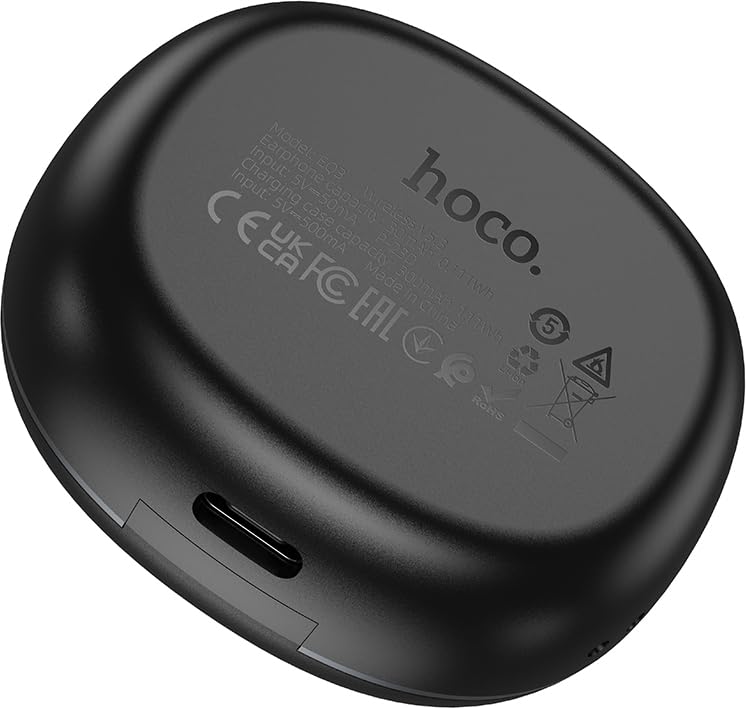
Image: The back of the HOCO EQ3 charging case, showing regulatory marks and basic electrical specifications.
5. Configuração
5.1 Carregando os fones de ouvido e o estojo
- Coloque os dois fones de ouvido no estojo de carregamento. Certifique-se de que estejam encaixados corretamente em seus respectivos compartimentos (L para esquerdo, R para direito).
- Connect the USB charging cable to the USB-C port on the charging case and the other end to a compatible USB power source (e.g., computer USB port, wall adapter).
- The digital display on the charging case will show the charging status. The earbuds' LED indicators will also show charging status.
- A full charge for the case takes approximately 1.5-2 hours. The earbuds charge automatically when placed in the case.
5.2 Emparelhamento com um dispositivo Bluetooth
- Certifique-se de que os fones de ouvido estejam carregados.
- Open the lid of the charging case. The earbuds will automatically power on and enter pairing mode. The LED indicators on the earbuds will flash, indicating they are ready to pair.
- No seu dispositivo (smartphone, tablet, etc.), ative o Bluetooth e procure por novos dispositivos.
- Select "HOCO EQ3" from the list of available devices.
- Once connected, the earbuds' LED indicators will stop flashing and remain solid or turn off, and you will hear a confirmation tone.
- The earbuds support master-slave switching, allowing either earbud to be used independently.

Image: An infographic illustrating the automatic connection feature when the charging case cover is opened, and highlighting the high-fidelity sound quality from the dynamic coil unit.
6. Instruções de operação
The HOCO EQ3 earbuds feature intuitive touch controls. The touch control area is located on the outer surface of each earbud.

Image: A diagram illustrating the touch control functions for the HOCO EQ3 earbuds, including single tap, double tap, triple tap, and long press.
6.1 Reprodução de música
- Reproduzir/Pausar: Tap the touch area on either the Left (L) or Right (R) earbud once.
- Próxima faixa: Double tap the touch area on either the Left (L) or Right (R) earbud.
- Faixa anterior: Triple tap the touch area on either the Left (L) or Right (R) earbud.
6.2 Gerenciamento de Chamadas
- Atender/encerrar chamada: Toque uma vez na área sensível ao toque de qualquer um dos fones de ouvido.
- Rejeitar chamada: Long press the touch area on either earbud for 2 seconds.
6.3 Assistente de Voz
- Ativar assistente de voz (Siri, Google Assistente, etc.): Long press the touch area on either earbud for 2 seconds.
7. Manutenção
7.1 Limpeza
- Regularly clean the earbuds and charging case to prevent dust and debris buildup.
- Use um pano macio, seco e sem fiapos para limpar as superfícies.
- For the ear tips, remove them from the earbuds and clean with a damp O tecido deve ser seco e, em seguida, bem compactado antes de ser recolocado.
- Do not use alcohol, benzene, or other volatile liquids for cleaning.
7.2 Armazenamento
- Quando não estiverem em uso, guarde os fones de ouvido no estojo de carregamento para protegê-los e mantê-los carregados.
- Guarde o dispositivo em local fresco e seco, longe da luz solar direta e de temperaturas extremas.
8. Solução De Problemas
If you encounter any issues with your HOCO EQ3 earbuds, please refer to the following common solutions:
| Problema | Possível causa | Solução |
|---|---|---|
| Fones de ouvido não ligam | Bateria fraca | Place earbuds in the charging case and charge the case fully. |
| Não foi possível emparelhar com o dispositivo. | Bluetooth off, earbuds not in pairing mode, or previously paired. | Ensure Bluetooth is on. Open case lid to enter pairing mode. Forget "HOCO EQ3" from your device's Bluetooth list and try pairing again. |
| Apenas um fone de ouvido funcionando | One earbud not connected or low battery. | Place both earbuds back into the charging case, close the lid for 5 seconds, then open again. Ensure both are charged. |
| Sem som ou volume baixo | Device volume too low, earbud volume too low, or poor connection. | Increase volume on your device. Ensure earbuds are properly connected. Clean ear tips if blocked. |
| O estojo de carregamento não carrega | Cabo ou fonte de alimentação com defeito. | Experimente com um cabo USB-C e um adaptador de energia diferentes. Certifique-se de que o cabo esteja firmemente conectado. |
9. Especificações
Detailed technical specifications for the HOCO EQ3 True Wireless Earbuds:
| Recurso | Especificação |
|---|---|
| Nome do modelo | EQ3 EARBUDS |
| Versão Bluetooth | 5.3 (Chip: JL AC6983D2) |
| Tecnologia de comunicação sem fio | Bluetooth |
| Capacidade da bateria do fone de ouvido | 40mAh (cada fone de ouvido) |
| Capacidade da bateria do estojo de carregamento | 300mAh |
| Use Time (Single Charge) | Até 15 horas |
| Tempo total de reprodução (com estojo de carregamento) | Até 28 horas |
| Tempo de espera | 150 horas |
| Método de controle | Controle de toque |
| Nível de resistência à água | Resistente à água |
| Controle de Ruído | Cancelamento de ruído ativo (ANC) |
| Componentes incluídos | Cable, Ear Cushions, Protective Case, Wireless Charging Case |
| Material | Plástico |
| Peso do item | 48 Grams (Total weight: 43g from feature bullets) |
| Dimensões do produto | 60 x 49.5 x 27 mm (Case); 25 x 15 x 7 cm (Package) |
| Cor | Preto |

Image: An infographic highlighting key features such as 28 hours total listening time, Hi-Fi sound quality, Bluetooth 5.3, LED digital display, magnetic switch, lightweight design, TWS stereo, and touch control.
10. Garantia e Suporte
For warranty information and customer support, please refer to the warranty card included in your product packaging or contact HOCO customer service through their official website ou distribuidores autorizados. Guarde seu comprovante de compra para eventuais solicitações de garantia.
Fabricante: HOCO
Packer: Pejy
Importador: Pejy


