Introdução
This manual provides comprehensive instructions for the Headwolf Fpad3 Mini Tablet. It covers essential information regarding product setup, operation, maintenance, and troubleshooting to ensure optimal performance and longevity of your device. Please read this manual thoroughly before using the tablet.

Imagem: Frente view of the Headwolf Fpad3 Mini Tablet, showcasing seu visor.
Configurar
1. Conteúdo da embalagem
Ao abrir a caixa, verifique se os seguintes itens estão incluídos:
- Headwolf Fpad3 Mini Tablet
- Cabo de carregamento USB Tipo-C
- PD10W Charger
- Ferramenta Ejetora SIM
- Manual do usuário (este documento)
2. Excesso Físicoview

Image: Diagram illustrating the location of the headphone jack, rear camera, volume button, reset button, power button, SIM/SD card slot, and Type-C port on the Headwolf Fpad3 Mini Tablet.
Familiarize-se com os componentes físicos do tablet:
- Botão de energia: Localizado na lateral, usado para ligar/desligar ou ativar/desativar o dispositivo.
- Botões de volume: Ajuste o volume do áudio.
- Porta USB Tipo-C: Para carregamento e transferência de dados.
- Tomada de fone de ouvido de 3.5 mm: Para conectar fones de ouvido com fio.
- Slot para cartão SIM/MicroSD: For inserting Nano SIM cards and a MicroSD card.
- Câmera frontal: Localizado acima da tela.
- Câmera traseira: Localizado na parte traseira do tablet.
3. Carregando o dispositivo
Before first use, fully charge the tablet. Connect the provided USB Type-C cable to the tablet's Type-C port and the other end to the PD10W charger. Plug the charger into a power outlet. The charging indicator will typically appear on the screen.
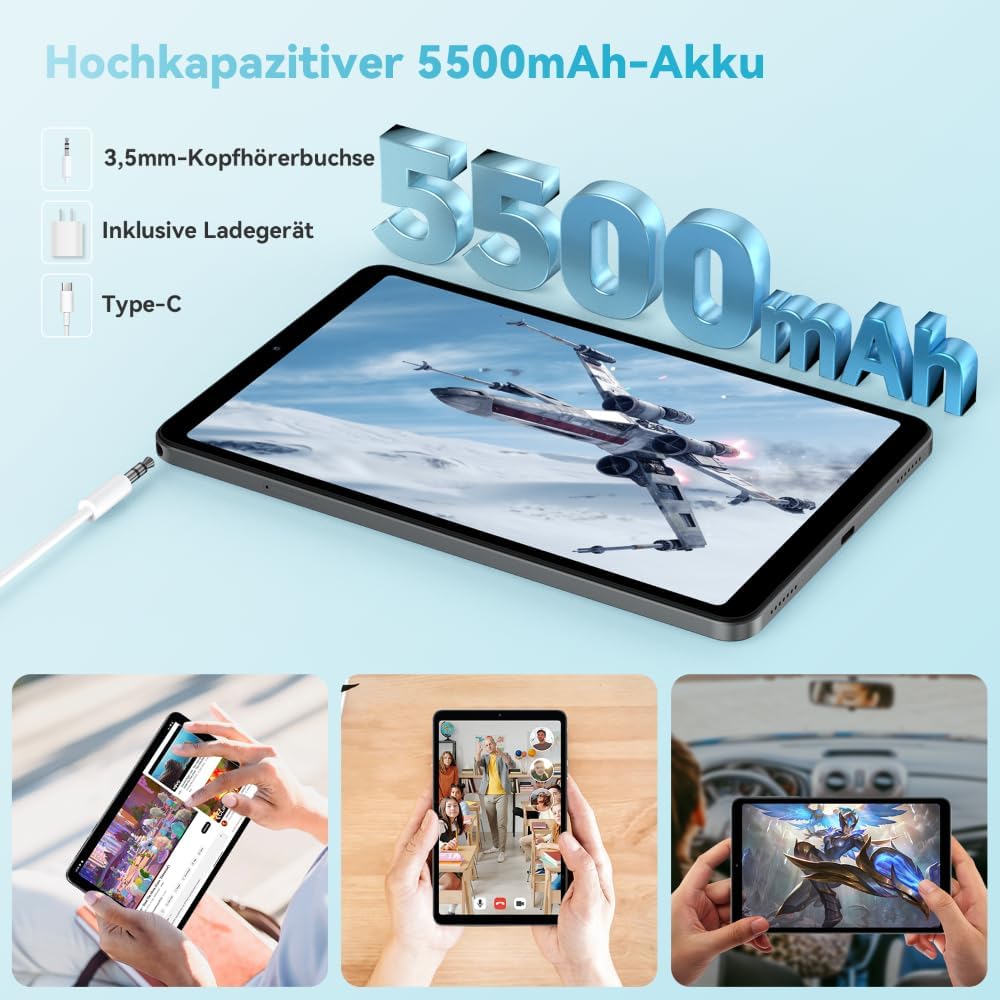
Image: The Headwolf Fpad3 Mini Tablet connected to a charger, highlighting its 5500mAh battery capacity and Type-C charging port.
4. Ligar / desligar
- Para ligar: Press and hold the Power button until the Headwolf logo appears.
- Para desligar: Mantenha pressionado o botão Liga/Desliga até que o menu de opções de energia apareça e, em seguida, selecione "Desligar".
- Reiniciar: Mantenha pressionado o botão Liga/Desliga até que o menu de opções de energia apareça e, em seguida, selecione "Reiniciar".
5. Configuração inicial
Upon first power-on, the tablet will guide you through the initial setup process. This includes selecting your language, connecting to a Wi-Fi network, setting up your Google account, and configuring security options. The tablet runs on Android 13 and is Google GMS certified, ensuring access to Google Play services.
6. Instalação do cartão SIM e do cartão microSD
The Headwolf Fpad3 supports dual Nano SIM cards for 4G LTE connectivity and a MicroSD card for expandable storage up to 2TB.
- Localize o slot para cartão SIM/MicroSD na lateral do tablet.
- Insira a ferramenta de ejeção do SIM no pequeno orifício ao lado da bandeja para abri-la.
- Retire a bandeja com cuidado.
- Place your Nano SIM card(s) and/or MicroSD card into the designated slots on the tray, ensuring correct orientation.
- Empurre a bandeja de volta para o tablet com cuidado até ouvir um clique.
Instruções de operação
1. Exibição e experiência visual
The tablet features an 8.4-inch FHD IPS In-Cell display with a resolution of 1920 x 1200 pixels, offering clear and vibrant visuals. It supports Widevine L1 for high-definition streaming from compatible services.

Image: The Headwolf Fpad3 Mini Tablet display showing high-definition content, emphasizing Widevine L1 support for streaming services like YouTube, Prime Video, Disney+, Hulu, and HBO Max.
2. Desempenho e Armazenamento
Powered by an Unisoc T616 Octa-Core processor (2x A75 at 2.0GHz + 6x A55 at 1.8GHz) and 8GB of RAM (4GB + 4GB virtual expansion), the Fpad3 ensures smooth multitasking and efficient operation. It comes with 128GB of UFS 2.2 internal storage, which can be expanded up to 2TB using a MicroSD card.

Image: An illustration detailing the Headwolf Fpad3 Mini Tablet's powerful Octa-Core Unisoc T616 processor, Mali-G57 GPU, and Android 13 operating system, with a benchmark comparison.

Image: A visual representation of the Headwolf Fpad3 Mini Tablet's 8GB RAM (with 4GB virtual expansion) and 128GB ROM, highlighting its expandability up to 2TB via an SD card.
3. Conectividade
The tablet offers versatile connectivity options:
- Wi-fi: Supports dual-band 2.4G/5G Wi-Fi for stable and fast internet access.
- 4G LTE: Dual Nano SIM support for cellular data and phone call functionality.
- Bluetooth 5.0: For connecting wireless peripherals like headphones, keyboards, and mice.
- GPS: Integrated GPS, Beidou, and Galileo for accurate navigation.
- OTG (On-The-Go): Allows connecting USB devices such as flash drives or external keyboards.
4. Câmeras
Capture moments with the tablet's dual cameras:
- Câmera traseira: 13MP
- Câmera frontal: 8MP
The tablet also supports Face Unlock for convenient and secure access.

Imagem: Uma explosão view of the Headwolf Fpad3 Mini Tablet's dual cameras (8MP front, 13MP rear) and the Face Unlock feature, with exampvários cenários de uso.
5. auditivo
Experience immersive audio with dual box speakers. A 3.5mm headphone jack is also available for private listening.
6. Google Kids Space
The tablet includes support for Google Kids Space, providing a safe and engaging environment for children with access to over 10,000 real-time resources.
Manutenção
1. Limpeza do dispositivo
Use um pano macio e sem fiapos para limpar a tela e a estrutura do tablet. Evite usar produtos químicos agressivos ou materiais abrasivos que possam danificar a superfície.
2. Atualizações de software
Verifique e instale regularmente as atualizações do sistema para garantir que seu tablet tenha os recursos, patches de segurança e melhorias de desempenho mais recentes. Navegue até Configurações > Sistema > Atualização do sistema para verificar atualizações.
3. Cuidados com a bateria
- Evite expor o tablet a temperaturas extremas.
- Não deixe a bateria descarregar completamente com frequência.
- Para um carregamento ideal, utilize o carregador e o cabo originais.
- Para armazenamento a longo prazo, carregue a bateria até cerca de 50-60%.
Solução de problemas
Problemas e soluções comuns
| Problema | Solução possível |
|---|---|
| O dispositivo não liga. | Ensure the battery is charged. Press and hold the Power button for at least 10-15 seconds. If unresponsive, connect to charger and try again. |
| Não é possível conectar ao Wi-Fi. | Check if Wi-Fi is enabled in settings. Restart the tablet and the Wi-Fi router. Ensure you are entering the correct password. |
| Os aplicativos estão travando ou congelando. | Clear the app's cache (Settings > Apps > [App Name] > Storage > Clear cache). Restart the tablet. Ensure the app is updated to its latest version. |
| O tablet está lento ou não responde. | Close unnecessary background apps. Clear cache of frequently used apps. Restart the tablet. Consider performing a factory reset as a last resort (backup data first). |
| Cartão SIM não detectado. | Ensure the SIM card is correctly inserted into the tray. Restart the tablet. Check if the SIM card is active with your carrier. |
Caso os problemas persistam, entre em contato com o suporte ao cliente.
Especificações
| Recurso | Detalhe |
|---|---|
| Marca | Cabeça de Lobo |
| Número do modelo | FPad3 Ulta |
| Sistema operacional | Androide 13 |
| Marca do processador | Unisoc |
| Modelo do processador | T616 Octa-Core |
| BATER | 8 GB (4 GB + 4 GB virtuais) |
| Armazenamento interno | 128 GB UFS 2.2 |
| Armazenamento expansível | Até 2 TB via MicroSD |
| Tamanho da tela | 8.4 polegadas |
| Resolução da tela | 1920 x 1200 Pixels (FHD IPS In-Cell) |
| Marca do chipset gráfico | Arm Mali G57 |
| Câmera Traseira | 13 MP |
| Câmera Frontal | 8 MP |
| Capacidade da bateria | Polímero de lítio 5500 mAh |
| Porta de carregamento | USB Type-C (PD10W Fast Charging) |
| Conectividade sem fio | 802.11a/b/g/n/ac (2.4G/5G WiFi), Bluetooth 5.0 |
| Conectividade celular | Dual 4G LTE (Nano SIM) |
| Navegação | GPS, Beidou, Galileo |
| Características especiais | Stereo Speakers, Expandable Storage, Phone Call Functionality, Fast Charging, Card Reader, Face ID, Widevine L1 |
| Dimensões (C x L x A) | 25.4 x 15.24 x 7.62 cm |
| Peso | 610 gramas |
Garantia e Suporte
The Headwolf Fpad3 Mini Tablet comes with a one-year warranty from the date of purchase. For any technical assistance, product inquiries, or warranty claims, please contact Headwolf customer service. We offer 24/7 customer support to assist you.
Please refer to your purchase documentation for specific warranty terms and contact information, or visit the official Headwolf website.


