Introdução
This manual provides essential instructions for the proper use, setup, and maintenance of your HOCO X89 Type-C to Lightning Charging Data Cable. Please read this manual thoroughly before using the product to ensure optimal performance and safety.
Produto acimaview
The HOCO X89 is a high-quality Type-C to Lightning cable designed for efficient charging and data transfer between compatible devices. It features a durable braided wire exterior and aluminum alloy joints for enhanced longevity.
Principais características:
- Comprimento: 1 metros (3.2 pés)
- Peso: 26 gramas
- Material externo: Braided wire for durability and tangle resistance.
- Joint Material: Aluminum alloy for robust connections.
- Suporte de carregamento: Supports Power Delivery (PD) 20W fast charging for compatible Apple devices.
- Conectividade: Type-C to Lightning connectors.
O que está na caixa:
- 1 x HOCO X89 Type-C to Lightning Charging Data Cable
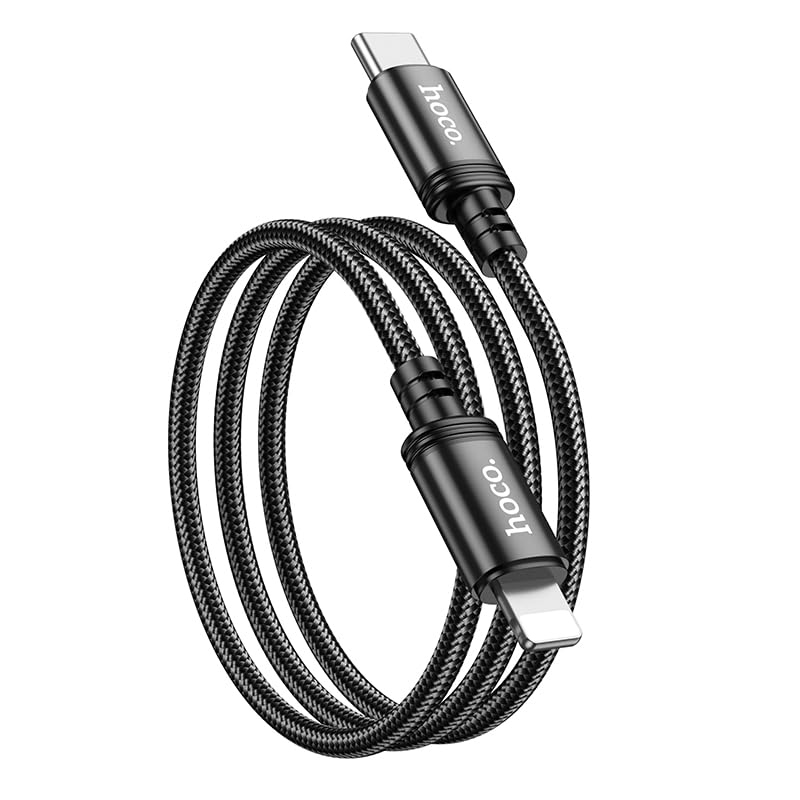
Image: The HOCO X89 cable, coiled, displaying both the Type-C connector and the Lightning connector.
Configurar
The HOCO X89 cable is designed for plug-and-play functionality. No software installation is required.
- Identificar conectores: The cable has two distinct ends: a USB Type-C connector and a Lightning connector.
- Connect to Power Source/Data Port: Insert the USB Type-C end of the cable into a compatible power adapter (e.g., a PD-enabled wall charger) or a device with a Type-C port (e.g., a laptop, power bank).
- Conectar ao dispositivo: Insert the Lightning end of the cable into the charging/data port of your compatible Apple device (e.g., iPhone, iPad).
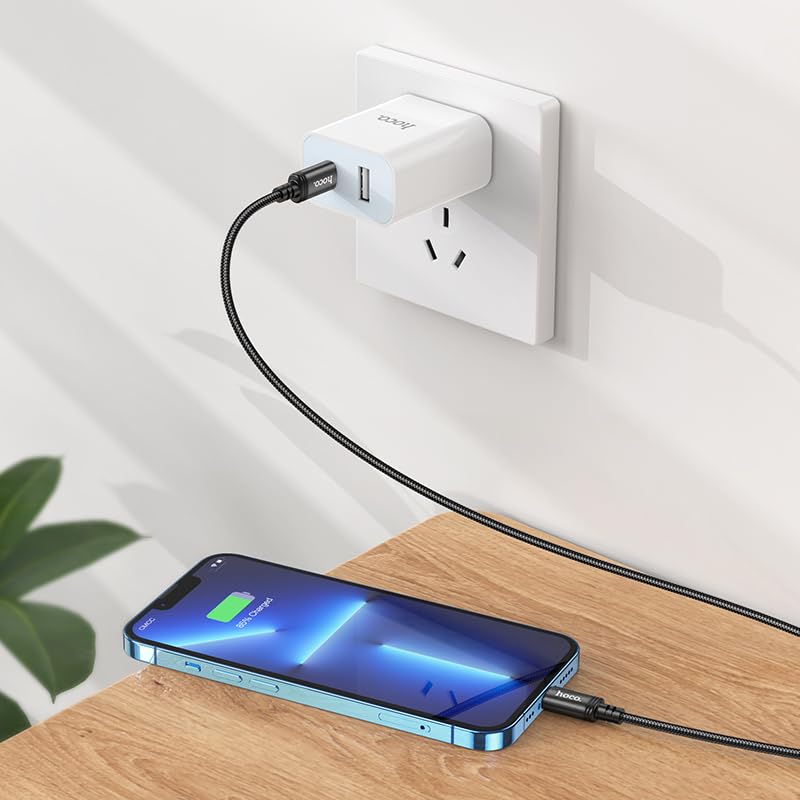
Image: The HOCO X89 cable in use, connecting an iPhone to a wall charger for charging.
Instruções de operação
Carregando seu dispositivo:
- Ensure the Type-C end is connected to a power source (wall adapter, power bank, computer). For fast charging, use a Power Delivery (PD) compatible adapter.
- Connect the Lightning end to your Apple device.
- The device should indicate that it is charging. The HOCO X89 supports up to 20W PD charging, allowing for faster charging times on compatible devices.
Transferência de dados:
- Connect the Type-C end to a computer or laptop.
- Connect the Lightning end to your Apple device.
- Seu computador deverá reconhecer o dispositivo conectado, permitindo a transferência de arquivos. files, sync data, or perform backups. Follow your device's operating system instructions for data management.
Manutenção e Cuidados
- Limpeza: Use a soft, dry cloth to wipe the cable and connectors. Avoid using liquids or abrasive cleaners.
- Armazenar: Store the cable in a cool, dry place away from direct sunlight and extreme temperatures. Avoid tightly coiling or bending the cable at sharp angles to prevent internal damage.
- Manuseio: Ao conectar ou desconectar o cabo, segure sempre a cabeça do conector, em vez de puxar o próprio cabo.
- Evite danos: Do not expose the cable to water, excessive force, or sharp objects.
Solução de problemas
- Dispositivo não carrega:
- Certifique-se de que ambas as extremidades do cabo estejam firmemente conectadas.
- Verifique se o adaptador de energia está funcionando corretamente e conectado a uma tomada elétrica.
- Experimente um adaptador de energia ou porta USB diferente.
- Verifique se a porta de carregamento do seu dispositivo está limpa e livre de detritos.
- Carregamento lento:
- Ensure you are using a Power Delivery (PD) compatible wall adapter for fast charging.
- Feche os aplicativos desnecessários no seu dispositivo.
- Evite usar o dispositivo intensamente enquanto ele estiver carregando.
- Problemas de transferência de dados:
- Ensure the Type-C end is connected to a data-enabled USB port on your computer.
- Restart both your computer and your Apple device.
- Check your device's settings for data transfer permissions.
- Tente uma porta USB diferente em seu computador.
Especificações
| Nome do modelo | X89_C To I |
| Marca | HOCO |
| Tipo de conector | USB Type-C to Lightning |
| Tipo de cabo | Cabo de carregamento e dados |
| Comprimento | 1 metros (3.2 pés) |
| Peso | 26g |
| Material externo | Fio trançado |
| Joint Material | Liga de alumínio |
| Protocolo de Carregamento | Supports Power Delivery (PD) 20W |
| Dispositivos compatíveis | iPhones (6/6S/7/7+/8/8+/10/11/12/13), iPads, and other Apple devices with Lightning port; Laptops and power adapters with Type-C port. |
| Cor | Preto |
Informações de segurança
- Não tente desmontar ou modificar o cabo.
- Mantenha fora do alcance de crianças.
- Evite temperaturas extremas, umidade e ambientes corrosivos.
- If the cable appears damaged, discontinue use immediately.
- Use only with compatible and certified power adapters.
Garantia e Suporte
For warranty information and customer support, please refer to the product packaging or contact your retailer. HOCO products are designed for reliability and performance.


