1. Introdução
Thank you for choosing the HOCO EW50 Bluetooth 5.3 TWS Earbuds. These earbuds are designed to provide a high-quality audio experience with features such as Active Noise Cancellation, deep bass, and touch controls. This manual will guide you through the setup, operation, and maintenance of your new earbuds.
2. Informações de segurança
- Não desmonte nem modifique o produto.
- Keep the earbuds and charging case away from extreme temperatures, humidity, and liquids.
- Evite ouvir música em volumes altos por muito tempo para evitar danos à audição.
- Limpe os fones de ouvido e o estojo de carregamento com um pano macio e seco. Não utilize produtos químicos agressivos.
- Elimine o produto de forma responsável de acordo com os regulamentos locais.
3. Produto acabadoview
The HOCO EW50 earbuds consist of two wireless earbuds and a portable charging case. The case not only protects the earbuds but also recharges them on the go.
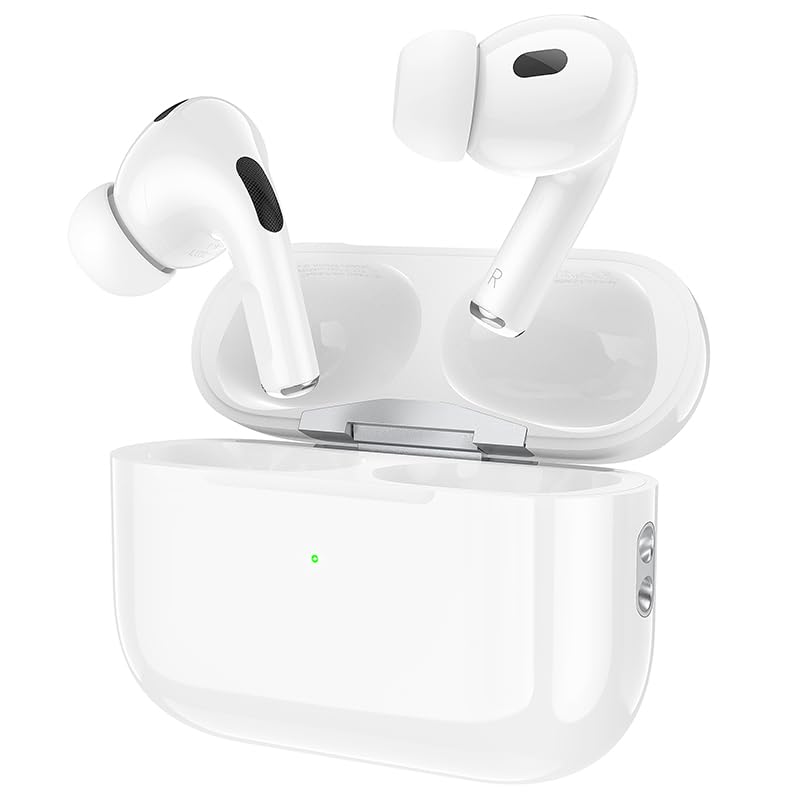
Image: HOCO EW50 Earbuds shown inside their open charging case.
O que está na caixa:
- HOCO EW50 Earbuds (Left and Right)
- Estojo de carregamento sem fio
- Cabo de carregamento USB
- Almofadas para orelhas (vários tamanhos)
- Estojo protetor
- Manual do usuário
4. Configuração
4.1 Carregando os fones de ouvido e o estojo
Before first use, fully charge the earbuds and the charging case. Place the earbuds into the charging case. Connect the charging case to a USB power source using the provided USB cable. The indicator light on the case will show the charging status.
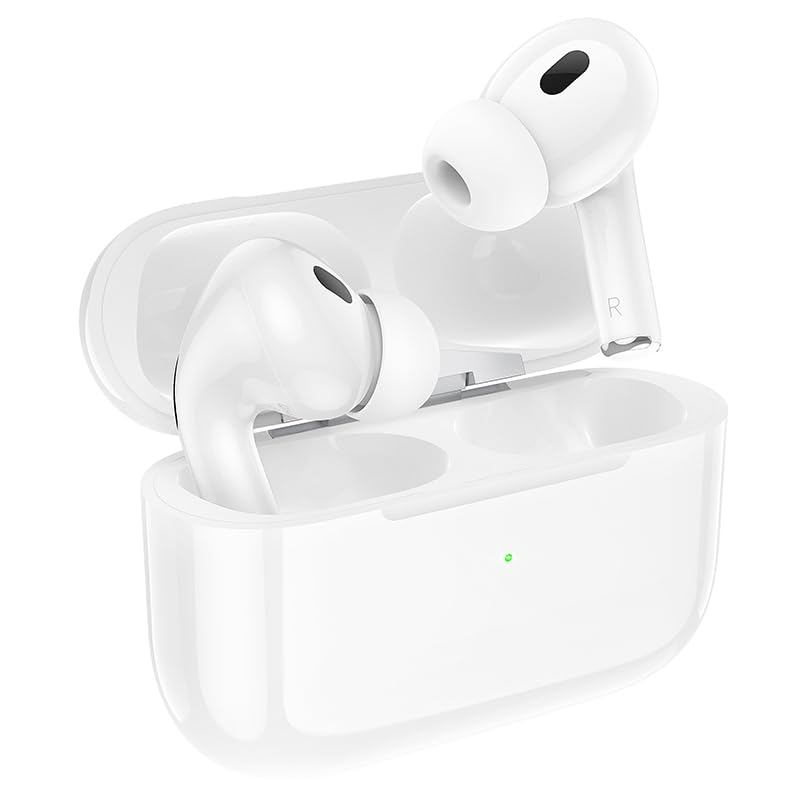
Image: HOCO EW50 Earbuds resting in their charging case, with a visible charging indicator light.
- Bateria do estojo de carregamento: 300mAh
- Tempo de reprodução dos fones de ouvido: Até 50 horas (com caixa de carregamento)
- Tempo de carregamento: Aproximadamente 1 hora para carga completa.
4.2 Emparelhamento com um dispositivo
- Certifique-se de que os fones de ouvido estejam carregados e colocados no estojo de carregamento.
- Open the charging case lid. The earbuds will automatically enter pairing mode, and an indicator light will flash.
- No seu dispositivo (smartphone, tablet, laptop), ative o Bluetooth.
- Procurar available Bluetooth devices and select "HOCO EW50" from the list.
- Após a conexão, um comando de voz confirmará o emparelhamento bem-sucedido.
- Os fones de ouvido se reconectarão automaticamente ao último dispositivo emparelhado quando forem retirados do estojo.
5. Instruções de operação
5.1 Ligar/Desligar
- Ligar: Abra o estojo de carregamento e os fones de ouvido ligarão automaticamente.
- Desligar: Coloque os fones de ouvido de volta no estojo de carregamento e feche a tampa. Eles desligarão automaticamente e começarão a carregar.
5.2 Controles de toque
The HOCO EW50 earbuds feature pressure-sensitive touch controls on each earbud for easy management of music and calls.
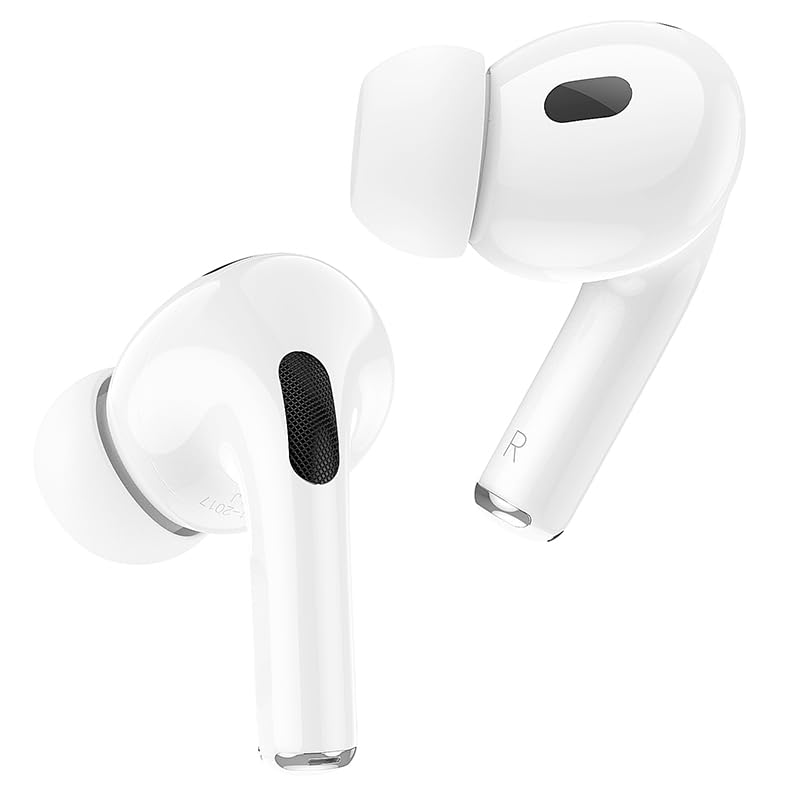
Image: Individual HOCO EW50 Earbuds displayed outside their charging case, highlighting their design.
| Ação | Função |
|---|---|
| Toque único (esquerda/direita) | Reproduzir/Pausar música, atender/encerrar chamada |
| Toque duplo (direita) | Próxima faixa |
| Toque duplo (esquerda) | Faixa anterior |
| Toque triplo (esquerda/direita) | Ative o Voice Assistant (Siri, Google Assistant) |
| Pressione e segure (esquerda/direita) | Toggle Active Noise Cancellation (ANC) / Transparency Mode |
| Pressione e segure (chamada recebida) | Rejeitar chamada |
5.3 Active Noise Cancellation (ANC) / Transparency Mode
The HOCO EW50 features Active Noise Cancellation to reduce ambient noise and Transparency Mode to allow you to hear your surroundings. Long press either earbud to cycle through ANC On, Transparency Mode, and ANC Off.
5.4 Modo de Jogo
For an enhanced gaming experience with reduced audio latency, activate Gaming Mode. Refer to the specific instructions for activating Gaming Mode, usually a specific touch gesture or setting within a companion app if available.
5.5 Fazendo/recebendo chamadas
- Atender chamada: Dê um toque único em qualquer um dos fones de ouvido.
- Encerrar chamada: Um único toque em qualquer um dos fones de ouvido durante uma chamada.
- Rejeitar chamada: Long press either earbud during an incoming call.
- The built-in microphone ensures clear communication during calls.
6. Manutenção
6.1 Limpeza
- Regularly clean the earbuds and charging case to maintain optimal performance.
- Use um pano macio, seco e sem fiapos para limpar as superfícies.
- Gently remove any earwax or debris from the earbud mesh and charging contacts using a clean, dry cotton swab or a small, soft brush.
- Não utilize líquidos, sprays ou produtos de limpeza químicos.
6.2 Armazenamento
- Quando não estiverem em uso, guarde os fones de ouvido no estojo de carregamento para protegê-los e mantê-los carregados.
- Armazene o produto em local fresco e seco, longe da luz solar direta e de temperaturas extremas.
6.3 Resistência à água
The HOCO EW50 earbuds are sweatproof and water-resistant, making them suitable for workouts and outdoor activities. However, they are not waterproof and should not be submerged in water. Avoid exposure to heavy rain or showering with the earbuds.
7. Solução De Problemas
If you encounter any issues with your HOCO EW50 earbuds, please refer to the following common solutions:
| Problema | Solução |
|---|---|
| Fones de ouvido não emparelham | Ensure earbuds are charged. Place them in the case, close, then open the lid to re-enter pairing mode. Turn off and on Bluetooth on your device. Forget "HOCO EW50" from your device's Bluetooth list and try pairing again. |
| Sem som de um fone de ouvido | Check battery level of both earbuds. Place both earbuds back in the case, close the lid, then take them out again. Re-pair with your device. |
| Fones de ouvido não carregam | Ensure the charging cable is securely connected to both the case and the power source. Check if the charging contacts on the earbuds and in the case are clean and free of debris. Try a different charging cable or power adapter. |
| Volume baixo ou má qualidade de som | Adjust volume on both your device and the earbuds. Ensure earbud tips are clean and properly seated in your ears for a good seal. Try different sized ear cushions. |
| Os controles de toque não respondem | Certifique-se de que seus dedos estejam limpos e secos. Tente reiniciar os fones de ouvido colocando-os no estojo e retirando-os novamente. |
8. Especificações
| Recurso | Detalhe |
|---|---|
| Nome do modelo | EW50 |
| Tecnologia de Conectividade | Sem fio (Bluetooth 5.3) |
| Controle de Ruído | Cancelamento de ruído ativo |
| Método de controle | Tocar |
| Tempo de reprodução | Até 50 horas (com estojo de carregamento) |
| Caixa de carregamento Bateria | 300mAh |
| Nível de resistência à água | Resistente à água (à prova de suor) |
| Componentes incluídos | Cable, Ear Cushions, Protective Case, Wireless Charging Case |
| Peso do item | 57 gramas |
| Dimensões do produto | 4.5 x 6 x 2 cm |
| Material | Plástico |
| Colocação da orelha | No ouvido |
9. Garantia e Suporte
The HOCO EW50 Earbuds come with a Garantia de 1 anos a partir da data da compra. Esta garantia cobre defeitos de fabricação e assegura que seu produto está livre de falhas de material e mão de obra sob uso normal.
For warranty claims, technical support, or any inquiries, please contact your retailer or the HOCO customer service department. Please retain your proof of purchase for warranty validation.


