Introdução
Thank you for choosing the HOCO W40 Bluetooth Headphones. These wireless headphones are designed to provide a high-quality audio experience with deep bass, clear calls, and comfortable wear. This manual will guide you through the setup, operation, and maintenance of your new headphones.
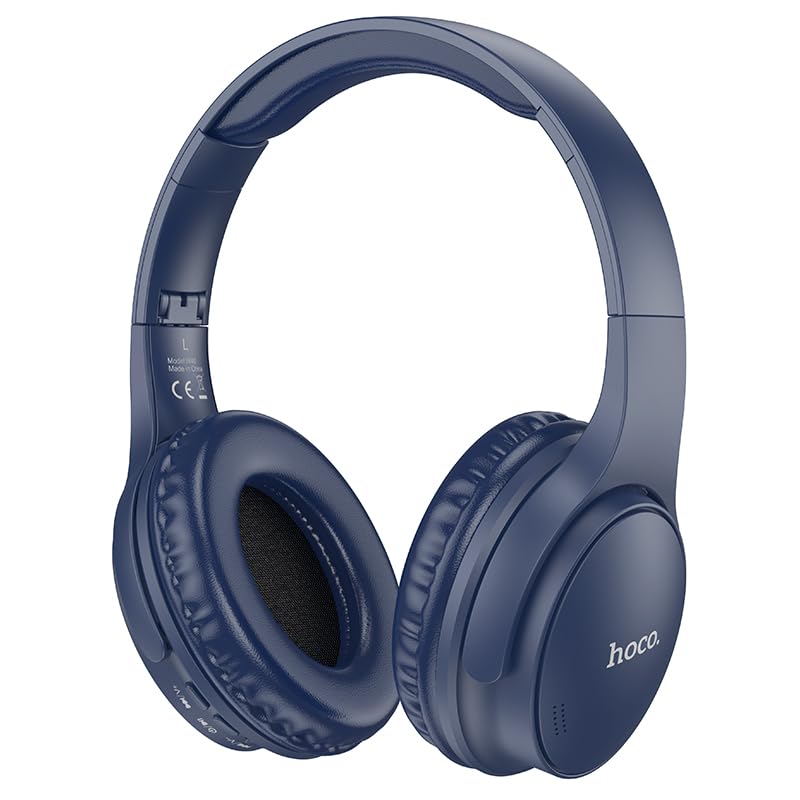
Image: HOCO W40 Bluetooth Headphones in a folded position, showcasing the earcups and headband. The headphones are blue.
O que está na caixa
Por favor, verifique o conteúdo da sua encomenda para garantir que todos os itens estão presentes:
- HOCO W40 Bluetooth Headphones
- Almofadas de ouvido
- Headband (integrated with headphones)
The package includes the HOCO W40 Bluetooth Headphones, along with ear cushions and the integrated headband for comfortable use.
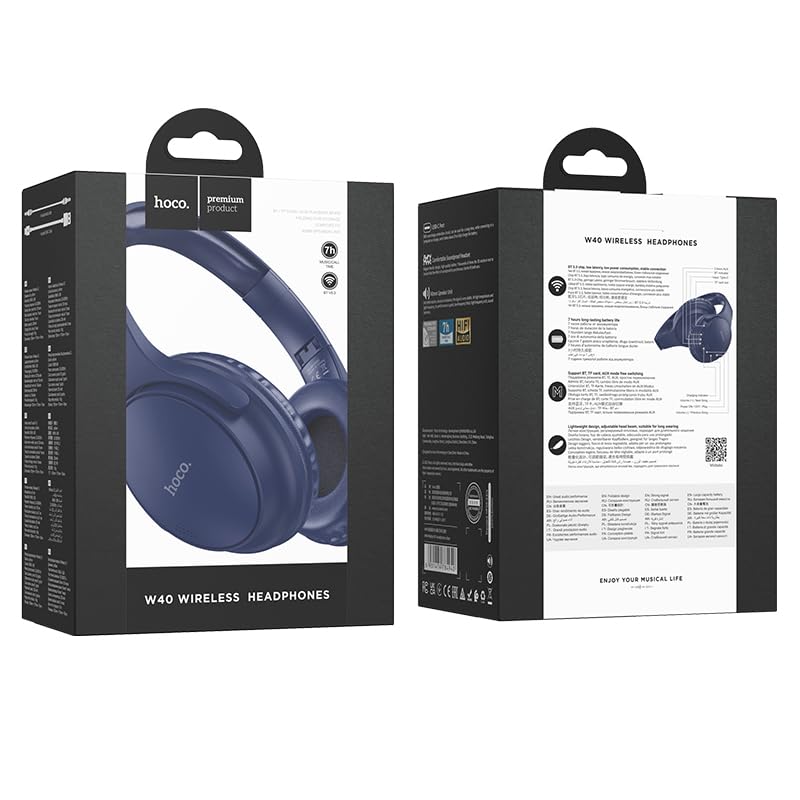
Image: Retail packaging for the HOCO W40 Wireless Headphones, showing the product image and some features on the box.
Produto acimaview
Familiarize yourself with the various parts and controls of your HOCO W40 headphones.
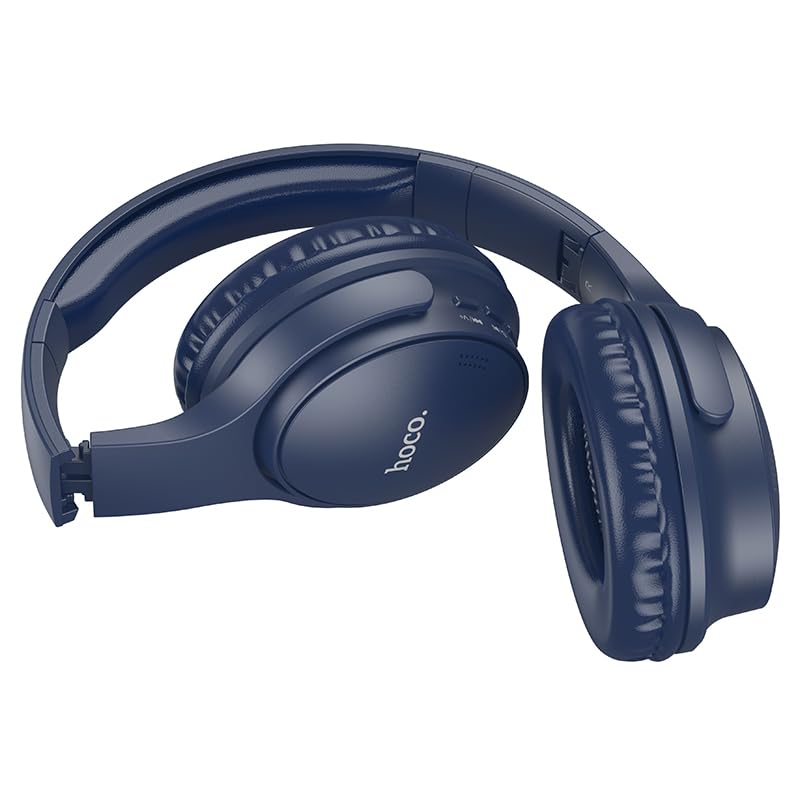
Imagem: Lado view of the HOCO W40 Bluetooth Headphones, highlighting the earcup and headband design. The controls are visible on the right earcup.
Controles e Indicadores:
- Botão de energia: Used to power the headphones on/off and initiate pairing.
- Controle de volume: Adjusts the listening volume using touch controls.
- Botão multifuncional (MFB): For play/pause, answer/end calls.
- Microfone: Integrado para chamadas em modo mãos-livres.
- Porta de carregamento: Para conectar o cabo de carregamento.
- Indicador LED: Exibe o status de energia, o modo de emparelhamento e o status de carregamento.
The headphones feature touch controls for volume adjustment and other functions, along with a built-in microphone for clear communication.
Configurar
1. Carregando os fones de ouvido
Before first use, fully charge your headphones. A full charge takes approximately 1 horas.
- Connect the charging cable (not included in the JSON's 'whats_in_the_box' but typically provided) to the charging port on the headphones.
- Conecte a outra extremidade do cabo a uma fonte de alimentação USB (por exemplo, computador, adaptador de parede).
- The LED indicator will show the charging status (e.g., red while charging, blue/off when fully charged).
Once fully charged, the headphones provide up to 12 horas of continuous playtime.
2. Emparelhamento com um dispositivo Bluetooth
The HOCO W40 headphones use Bluetooth 5.3 for stable and seamless connectivity. They are compatible with smartphones, tablets, laptops, and other Bluetooth-enabled devices (iOS, Android).
- Certifique-se de que os fones de ouvido estejam desligados.
- Press and hold the Power Button until the LED indicator flashes rapidly (usually blue and red alternately), indicating pairing mode.
- No seu dispositivo, ative o Bluetooth e procure por dispositivos disponíveis.
- Select "HOCO W40" from the list of found devices.
- Once paired, the LED indicator will stop flashing and may turn solid blue or off, depending on the model.
- The headphones have a wireless range of up to 10 metros.
If pairing is unsuccessful, turn off both devices, wait a few seconds, and repeat the steps.
Instruções de operação
Ligar/Desligar
- Ligar: Press and hold the Power Button for approximately 3 seconds until the LED indicator lights up.
- Desligar: Pressione e mantenha pressionado o botão liga/desliga por aproximadamente 5 segundos até que o indicador LED se apague.
Controle de música
- Reproduzir/Pausar: Pressione rapidamente o botão multifuncional (MFB).
- Aumentar o volume: Tap the designated touch control area for volume up.
- Volume baixo: Tap the designated touch control area for volume down.
- Próxima faixa: Double-tap the MFB or use the designated touch control.
- Faixa anterior: Triple-tap the MFB or use the designated touch control.
Note: Specific touch control gestures may vary slightly. Refer to the quick start guide included with your product for precise details.
Controle de Chamadas
- Atender/encerrar chamada: Pressione rapidamente o botão multifuncional (MFB).
- Rejeitar chamada: Pressione e segure o MFB por 2 segundos.
- Rediscar último número: Double-press the MFB when not on a call.
Manutenção
Proper care will extend the life of your HOCO W40 headphones.
- Limpeza: Use um pano macio e seco para limpar os fones de ouvido. Não use produtos de limpeza abrasivos ou solventes.
- Armazenar: Guarde os fones de ouvido em local fresco e seco, longe da luz solar direta e de temperaturas extremas.
- Resistência à água: The headphones are water resistant, making them suitable for workouts and outdoor activities. However, they are not designed for submersion in water. Avoid prolonged exposure to heavy rain or direct water jets.
- Cuidados com a bateria: To preserve battery life, charge the headphones regularly, even if not in frequent use. Avoid fully discharging the battery for extended periods.
Solução de problemas
| Problema | Solução possível |
|---|---|
| Os fones de ouvido não ligam. | Ensure the headphones are charged. Connect them to a power source and try again after a few minutes. |
| Não foi possível emparelhar com o dispositivo. |
|
| Sem som ou volume muito baixo. |
|
| A qualidade da chamada é ruim. |
|
Especificações
| Modelo | W40 |
| Marca | HOCO |
| Tecnologia de Conectividade | Sem fio (Bluetooth 5.3) |
| Alcance Bluetooth | 10 metros |
| Duração da bateria | Até 12 horas |
| Tempo de carregamento | Aproximadamente 1 hora |
| Tipo de driver de áudio | Driver Dinâmico |
| Controle de Ruído | Isolamento Acústico |
| Nível de resistência à água | Resistente à água |
| Tipo de controle | Volume Control (Touch) |
| Microfone embutido | Yes, for Hands-Free Calls |
| Dispositivos compatíveis | Smartphones, Tablets, Laptops (Universal Compatibility) |
| Material | Plástico |
| Peso do item | 180 g |
Vídeo oficial do produto
Assista ao vídeo oficial do produto para uma visão geral.view of the HOCO W40 Bluetooth Headphones and their key features.
Vídeo: Produto oficial acimaview of the HOCO W40 Bluetooth Headphones, demonstrating its features, battery life, design, and device compatibility.
Garantia e Suporte
For warranty information and customer support, please refer to the documentation included with your purchase or visit the official HOCO webGuarde seu comprovante de compra para eventuais solicitações de garantia.
Para obter mais assistência, você também pode entrar em contato com o revendedor onde o produto foi adquirido.


