Introdução
Thank you for choosing the ProtoArc Ergonomic Foldable Keyboard XK03. This ultra-slim, portable, and rechargeable keyboard is designed for comfort and convenience, allowing you to type efficiently across multiple devices. Its unique split ergonomic design promotes a natural typing position, reducing strain during extended use. This manual provides detailed instructions for setup, operation, and maintenance to ensure optimal performance.

Image: The ProtoArc XK03 keyboard being used in different environments, highlighting its versatility for business, education, and travel.
Características do produto
- Design ergonômico dividido: Features a unique U-shape with a 166-degree angle for a natural typing position, minimizing hand and wrist pressure.
- Conectividade multidispositivo: Pair up to 3 devices simultaneously via Bluetooth channels and switch between them easily.
- Ultra Slim & Elegant: Pocket-sized and foldable with a wear-resistant PU leather surface, ideal for portability.
- Bateria recarregável: Built-in 250mAh lithium battery offers up to 150 days of standby time on a single 2-hour charge via USB-C.
- Teclas de função multimídia: Includes 13 multimedia function keys for quick access to various controls.

Image: Visual representation of the keyboard's split ergonomic design, emphasizing the 166-degree angle for comfortable typing.

Image: The keyboard demonstrating multi-device connectivity with Bluetooth channels BT1, BT2, and BT3.
Conteúdo da embalagem
- ProtoArc Ergonomic Foldable Keyboard XK03
- Cabo de carregamento USB-C
- Manual do usuário
- Suporte para telefone/tablet

Image: All items included in the ProtoArc XK03 product package.
Configurar
1. Carregando o teclado
Before first use, fully charge the keyboard using the provided USB-C cable. Connect the USB-C end to the keyboard's charging port and the USB-A end to a power source (e.g., computer USB port, USB wall adapter).
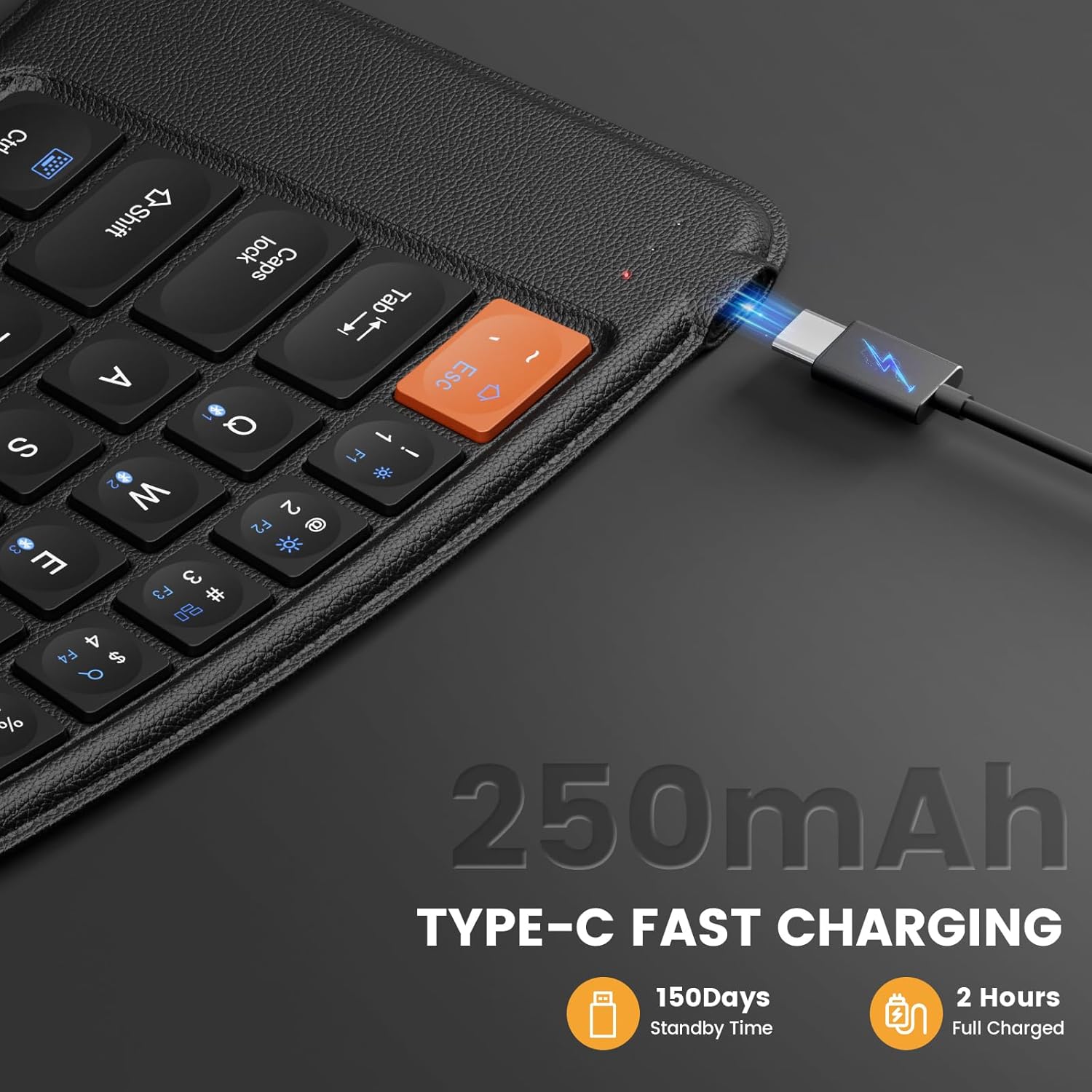
Image: The keyboard's USB-C charging port with the charging cable inserted.
2. Emparelhamento Bluetooth
- Unfold the keyboard to power it on. The indicator light for the current channel (1, 2, or 3) will blink.
- Pressione e segure o Fn tecla juntamente com uma das teclas do canal Bluetooth (Q para o canal 1, W para o canal 2, ou E for channel 3) for 3-5 seconds until the corresponding indicator light starts blinking rapidly. This indicates the keyboard is in pairing mode.
- On your device (mobile phone, tablet, or laptop), go to Bluetooth settings and enable Bluetooth.
- Procurar available devices. You should see "XK03" or "ProtoArc XK03" in the list.
- Select "XK03" to connect. Once connected, the indicator light on the keyboard will stop blinking and remain solid for a few seconds before turning off.
- To pair additional devices, repeat steps 2-5, selecting a different Bluetooth channel key (Q, W, or E).
Vídeo: Um excessoview of the ProtoArc XK03 Foldable Keyboard, demonstrating its features and multi-device pairing capabilities.
Vídeo: Uma análise detalhadaview of the ProtoArc XK03 Foldable Keyboard, including demonstrations of its ergonomic design and multi-device switching.
Instruções de operação
Ligar/desligar automaticamente
The keyboard features an automatic power on/off function. Simply unfold the keyboard to power it on, and fold it to power it off. This helps conserve battery life.

Image: The keyboard showing its auto power on/off functionality based on its folded or unfolded state.
Alternando entre dispositivos
Once paired with multiple devices, you can switch between them by simply pressing the Fn tecla juntamente com a tecla do canal Bluetooth correspondente (Q, W, ou E) for the desired device. The switch is instant.
Teclas de função multimídia
The keyboard includes dedicated multimedia function keys. To activate these functions, press the Fn key simultaneously with the desired F1-F12 key. Some common functions include:
- Pressione diretamente Esc to get "`".
- Pressione diretamente F1~F10 to get numbers 1~0.
- Imprensa Fn + Esc & F1 ~ F12 to achieve multimedia functions (e.g., access homepage, brightness, volume).
- Imprensa Shift + Esc & F1 ~ F12 corresponding keys to get symbols.
- Imprensa Fn + Shift + F1 ~ F12 corresponding keys to achieve FN function.
Note: This portable keyboard may not fully replicate all functions of a general office full-size keyboard. Some key combinations like "Ctrl + Alt + Delete" on Windows may not be achievable.
Especificações
| Modelo | XK03 |
| Tecnologia de Conectividade | Bluetooth (USB-C for charging) |
| Capacidade da bateria | Bateria de lítio de 250mAh |
| Tempo de espera | 150 dias |
| Tempo de carregamento | Aproximadamente 2 horas |
| Descrição do teclado | Foldable Ergonomic |
| Dispositivos compatíveis | Celulares, tablets, laptops |
| Peso do item | 14.9 onças |
| Dimensões da embalagem | 9.84 x 6.5 x 1.46 polegadas |
| Material | Metal (with PU leather surface) |

Image: The folded dimensions of the ProtoArc XK03 keyboard, illustrating its compact and portable nature.
Solução de problemas
- Teclado não conecta: Ensure the keyboard is fully charged and in pairing mode (indicator light blinking rapidly). Check your device's Bluetooth settings to ensure it's enabled and searching for devices. Try restarting both the keyboard and your device.
- Teclas não respondem: Verify the keyboard is connected to the correct Bluetooth channel. Ensure the keyboard is not in sleep mode (unfold and refold if necessary).
- Atraso ou entrada com atraso: Ensure your device is within the effective Bluetooth range. Minimize interference from other wireless devices.
- As teclas multimídia não funcionam: Certifique-se de estar pressionando o Fn pressione a tecla simultaneamente com a tecla de função desejada.
Manutenção
- Limpe o teclado regularmente com um pano macio e seco.
- Evite expor o teclado a temperaturas extremas, umidade ou luz solar direta.
- Não use produtos químicos fortes ou produtos de limpeza abrasivos.
- Store the keyboard in its folded state when not in use to protect the keys and conserve battery.
Garantia e Suporte
ProtoArc products come with a standard manufacturer's warranty. For specific warranty details, technical support, or any inquiries regarding your XK03 keyboard, please refer to the contact information provided in the original product packaging or visit the official ProtoArc website.


