1. Introdução
The beyerdynamic MC 930 is a versatile true condenser microphone designed for a wide range of audio recording applications. Manufactured in Heilbronn, Germany, it offers high sensitivity, superb transient response, and features switchable pre-attenuation and a low-cut filter for enhanced flexibility in both studio and live sound environments.
This manual provides essential information for the proper setup, operation, and maintenance of your MC 930 microphone to ensure optimal performance and longevity.
2. Instruções de segurança
- Read all instructions carefully before using the microphone.
- Não exponha o microfone à umidade, chuva ou temperaturas extremas.
- Evite deixar o microfone cair ou submetê-lo a impactos fortes.
- Only use the microphone with compatible audio equipment that provides 11-52 V phantom power.
- Do not attempt to open or modify the microphone. Refer all servicing to qualified personnel.
- Keep the microphone and its accessories out of reach of children.
3. Conteúdo da embalagem
Verifique se todos os itens estão presentes na embalagem:
- MC 930 Condenser Microphone
- Microfone Clamp (MA-CL 21)
- Estojo de transporte
- Pára-brisas
- Microphone Cable (XLR)
- Measurement Curve Document
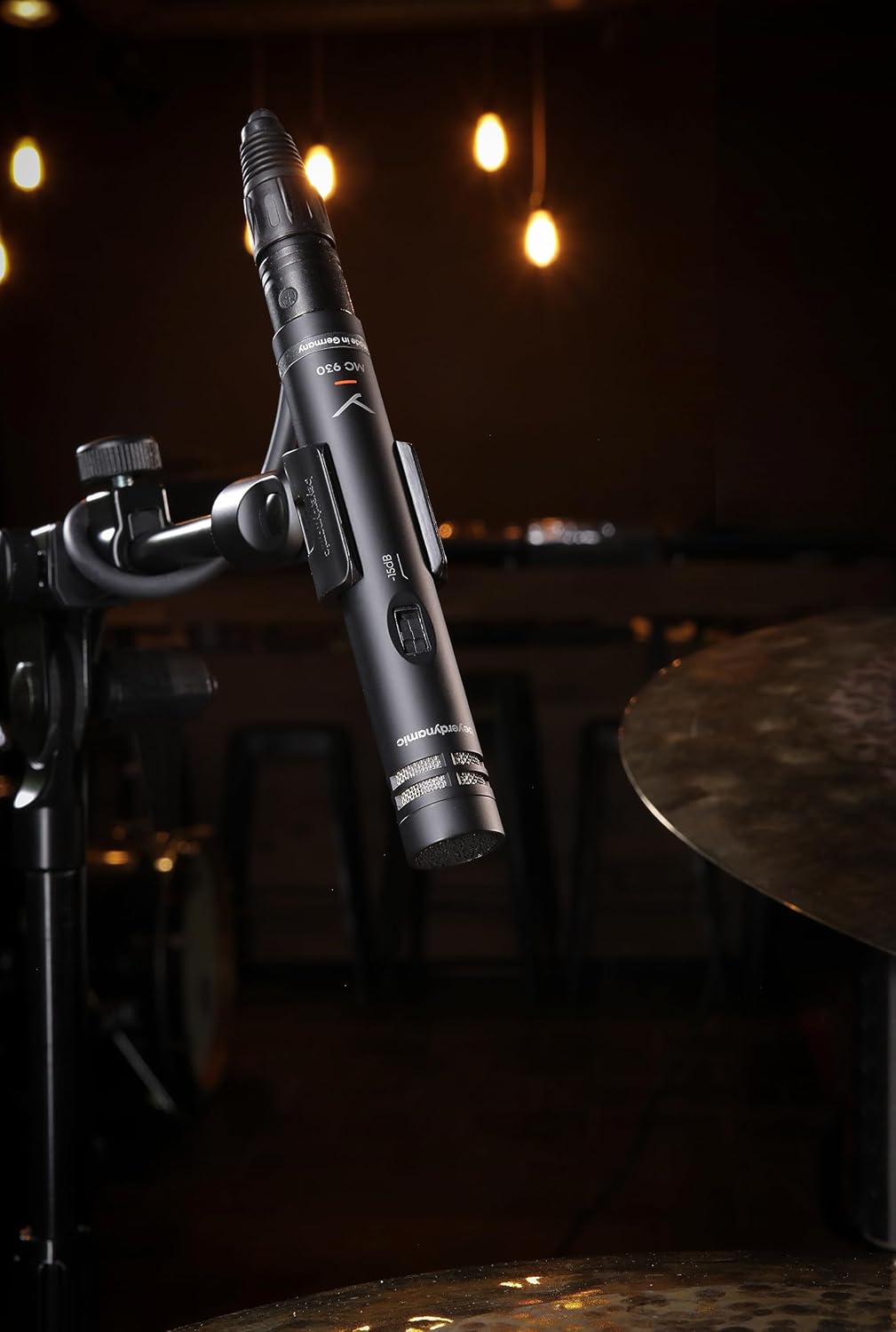
Image: The beyerdynamic MC 930 microphone mounted on a stand, ready for use.
4. Configuração
4.1 Montagem do Microfone
- Conecte o microfone fornecidoamp (MA-CL 21) to a standard microphone stand.
- Carefully screw the MC 930 microphone into the clamp. Ensure it is securely fastened but do not overtighten.
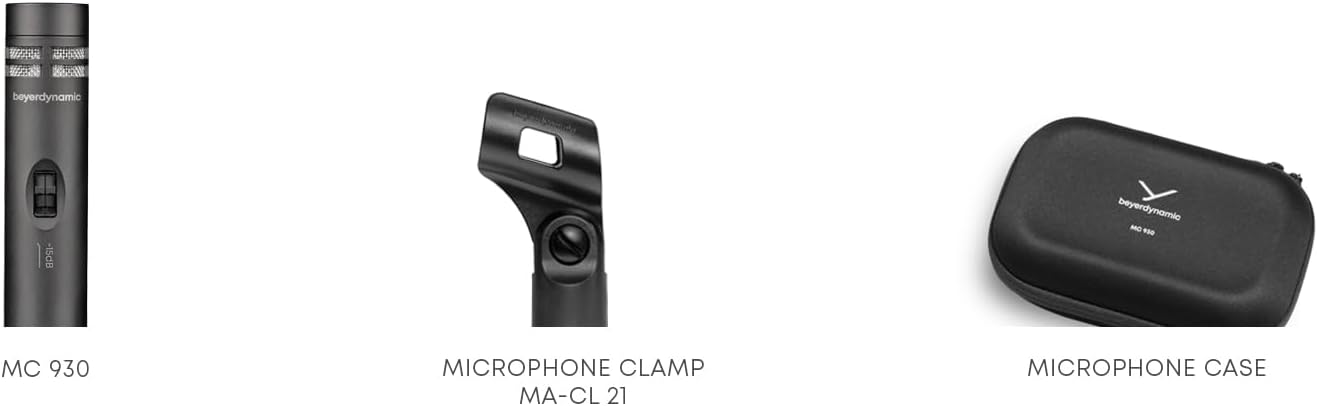
Imagem: Close-up view of the MA-CL 21 microphone clamp, used for securing the MC 930 to a stand.
4.2 Conectando ao equipamento de áudio
- Connect the supplied XLR microphone cable to the XLR output at the base of the MC 930.
- Connect the other end of the XLR cable to an input on your audio mixer, audio interface, or preampmais vivo.
- Ensure your audio equipment provides Alimentação fantasma de 11-52 V. The MC 930 requires phantom power to operate. Activate phantom power on the connected input channel.
4.3 Pre-attenuation and Low-Cut Filter
The MC 930 features two small switches on its body:
- Pre-attenuation Switch (-15 dB): This switch reduces the microphone's output level by 15 dB. Use this setting when recording very loud sound sources (e.g., drums, loud guitar amplifiers) to prevent input clipping on your mixer or interface.
- Low-Cut Filter Switch (80 Hz): This switch activates a high-pass filter at 80 Hz. Use this to reduce unwanted low-frequency noise such as rumble from air conditioning, stage vibrations, or proximity effect when close-miking.
Adjust these switches according to your recording environment and sound source.
5. Operando o Microfone
5.1 Padrão Polar
The MC 930 features a unidirectional (cardioid) polar pattern. This means it is most sensitive to sounds coming from the front and rejects sounds from the sides and rear. This characteristic is ideal for isolating a sound source and minimizing background noise or feedback in live settings.
5.2 Usos recomendados
The MC 930 is suitable for a variety of applications, including:
- Instrument Miking: Acoustic guitars, overheads for drums, percussion, strings, woodwinds, and brass instruments.
- Gravação vocal: Speech and singing, especially in controlled studio environments.
- Gravação de vídeo: Capturing clear audio for video productions.
- Som ao vivo: Reinforcement of instruments and vocals on stage.
5.3 Posicionamento ideal
Experiment with microphone placement to achieve the desired sound. Generally, placing the microphone closer to the sound source will increase direct sound and reduce room ambience. Utilize the cardioid pattern by pointing the front of the microphone towards the desired sound and away from unwanted noise sources.
6. Manutenção
6.1 Limpeza
To clean the microphone, gently wipe the exterior with a soft, dry, lint-free cloth. Do not use liquid cleaners, solvents, or abrasive materials, as these can damage the finish or internal components. Avoid getting moisture into the microphone capsule or switches.
6.2 Armazenamento
When not in use, store the MC 930 in its supplied carrying case to protect it from dust, moisture, and physical damage. Store in a cool, dry place.
7. Solução De Problemas
If you encounter issues with your MC 930 microphone, refer to the following common problems and solutions:
- Sem saída de som:
- Ensure phantom power (11-52 V) is activated on the connected input channel.
- Check all XLR cable connections for proper seating. Try a different XLR cable.
- Verify the input gain on your mixer/interface is turned up.
- Test the microphone on a different input channel or with different audio equipment.
- Distorted or Clipped Sound:
- Activate the -15 dB pre-attenuation switch on the microphone.
- Reduza o ganho de entrada no seu mixer/interface.
- Aumente a distância entre o microfone e a fonte sonora.
- Excessive Low-Frequency Noise/Rumble:
- Activate the 80 Hz low-cut filter switch on the microphone.
- Ensure the microphone is isolated from vibrations (e.g., use a shock mount, if available, or place the stand on a stable surface).
- Zumbido ou ruído de vibração:
- Check for ground loops. Ensure all audio equipment is properly grounded.
- Ensure XLR cables are balanced and in good condition. Avoid running audio cables parallel to power cables.
- Test in a different electrical outlet or location to rule out external interference.
If problems persist after trying these steps, contact beyerdynamic customer support or an authorized service center.
8. Especificações técnicas
| Recurso | Especificação |
|---|---|
| Nome do modelo | MC930 |
| Marca | beyerdynamic |
| Fator de forma do microfone | Condensador de estúdio |
| Padrão polar | Unidirecional (Cardióide) |
| Fonte de energia | 11–52 V phantom power |
| Resposta de frequência | 20 Hz - 20 kHz |
| Sensibilidade Áudio | 15 decibéis |
| Sinal-Ruído | 76 dB |
| Tecnologia de Conectividade | Com fio |
| Tipo de conector | XLR |
| Peso do item | 1.14 libras (0.52 kg) |
| Dimensões do produto (C x L x A) | 9.3 x 6.55 x 3.45 polegadas (23.6 x 16.6 x 8.8 cm) |
| Material | Materiais duráveis |
| Componentes incluídos | Microphone, Carrying case, Windscreen, Microphone cable, Measurement curve |
9. Garantia e Suporte
For detailed information regarding the warranty period and terms for your beyerdynamic MC 930 microphone, please refer to the warranty card included with your product or visit the official beyerdynamic website. For technical support, service, or spare parts, please contact beyerdynamic customer service directly through their official channels.
Fabricante: beyerdynamic
Para obter mais ajuda, visite: www.beyerdynamic.com


