1. Introdução
Obrigado pela compra.asing the TOPTRO X2 Mini Portable Projector. This manual provides essential information for setting up, operating, and maintaining your projector. Please read it thoroughly before use to ensure optimal performance and safety.

Image 1.1: TOPTRO X2 Projector, carrying bag, and screen projection.

Image 1.2: Key features of the TOPTRO X2 Projector.
2. Instruções de segurança
- Não olhe diretamente para a lente do projetor quando a lente estiver ligada.amp está ligado.
- Garanta ventilação adequada ao redor do projetor para evitar superaquecimento.
- Mantenha o projetor longe de água, umidade e materiais inflamáveis.
- Utilize apenas o adaptador de energia fornecido com o projetor.
- Do not attempt to disassemble or repair the projector yourself. Contact professional support if needed.
- Mantenha fora do alcance de crianças.
3. Conteúdo da embalagem
Por favor, verifique se a embalagem contém os seguintes itens:
- TOPTRO X2 Mini Portable Projector
- Adaptador de energia
- Controle remoto
- Cabo HDMI
- Cabo AV
- Manual do usuário
- Bolsa de transporte
4. Produto acabadoview
Familiarize-se com os componentes e controles do projetor.

Image 4.1: Projector controls and ports.
4.1 frente View
- Lente de projeção: Emite a imagem.
- Anel de foco: Ajusta a nitidez da imagem.
4.2 Top View
- Painel de controle: Power button, navigation buttons, OK button.
4.3 Traseira/Lateral View
- Entrada de energia: Conecta-se ao adaptador de energia.
- Portas HDMI: Connect to HDMI-enabled devices (laptops, game consoles).
- Portas USB: Conecte dispositivos USB para reprodução de mídia.
- Porta AV: Connect to older devices using the AV cable.
- Saída de áudio (3.5 mm): Conecte alto-falantes externos ou fones de ouvido.
- Receptor IR: Para sinais de controle remoto.
5. Configuração
5.1 Posicionamento
Position the projector on a stable, flat surface or mount it. Ensure the projection path is clear.

Image 5.1: Multiple installation options.
5.2 Conexão de Energia
- Conecte o adaptador de energia à entrada de energia do projetor.
- Conecte o adaptador de energia a uma tomada elétrica.
5.3 Ajuste de Foco
Gire o anel de foco na lente do projetor até que a imagem projetada fique nítida e clara.
5.4 Correção Keystone
If the projected image appears trapezoidal, use the manual keystone correction feature to adjust the vertical angle. This projector supports ±15° vertical keystone correction.

Image 5.2: Manual keystone correction.
6. Operação
6.1 Ligar/Desligar
Press the power button on the projector or remote control to turn the unit on or off.
6.2 Seleção da fonte de entrada
Use the 'Source' button on the remote or projector to select your desired input (HDMI1, HDMI2, USB, AV, Screen Mirroring).

Image 6.1: Projector ports and compatible devices.
6.3 Conexão sem fio (espelhamento de tela via Wi-Fi)
The TOPTRO X2 supports wireless screen mirroring for iOS, Android, Windows 10, and Mac devices. No additional adapters or cables are needed.
- Selecione 'Espelhamento de tela' como fonte de entrada.
- Follow the on-screen instructions to connect your device via WiFi.

Image 6.2: Wireless WiFi connection in use.
6.4 Conexão Bluetooth
Conecte alto-falantes ou fones de ouvido Bluetooth externos para uma experiência de áudio aprimorada.
- Acesse as configurações de Bluetooth no menu do projetor.
- Ative o Bluetooth e pesquise os dispositivos disponíveis.
- Selecione o seu alto-falante ou fone de ouvido Bluetooth para emparelhar.

Imagem 6.3: Conectividade Bluetooth 5.0.
6.5 Adjusting Projection Size (Zoom)
The projector features a zoom function to adjust the screen size from 75% to 100% without moving the projector.

Image 6.4: Zoom function (75%-100%).
6.6 Conectando dispositivos externos
Connect various devices such as TV sticks, laptops, game consoles, or USB drives to the projector's HDMI or USB ports.
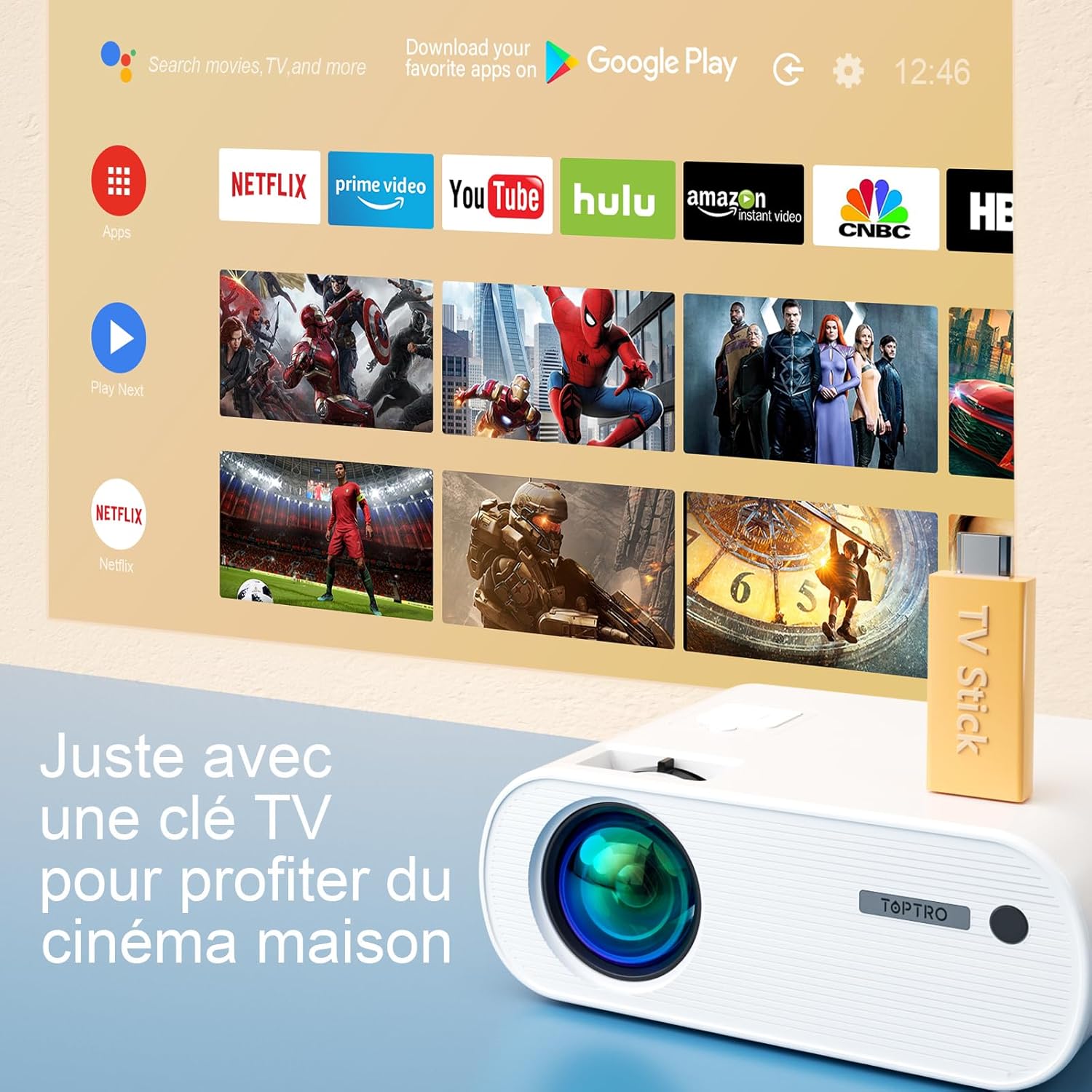
Image 6.5: Enjoying home cinema with a TV stick.
7. Manutenção
7.1 Limpeza
- Use um pano macio e seco para limpar a parte externa do projetor.
- For the lens, use a professional lens cleaning cloth and solution. Avoid harsh chemicals.
- Regularly clean the ventilation vents to prevent dust buildup.
7.2 Armazenamento
When not in use, store the projector in its carrying bag in a cool, dry place, away from direct sunlight and extreme temperatures.
7.3 euamp Cuidado
The projector features an LED lamp with an extended lifespan of up to 90,000 hours, ensuring long-term use without frequent lamp substituição.

Image 7.1: Projector features including 90,000 hours LED lamp vida.
8. Solução De Problemas
- Sem energia: Ensure the power adapter is securely connected to both the projector and the power outlet.
- Sem imagem: Check the input source selection. Ensure the connected device is powered on and sending a signal. Adjust focus.
- Imagem desfocada: Adjust the focus ring. Ensure the projection surface is flat.
- Sem som: Check the volume settings on both the projector and the connected device. Ensure external speakers are properly connected or paired via Bluetooth.
- Controle remoto não funciona: Substitua as pilhas. Certifique-se de que não haja obstruções entre o controle remoto e o receptor de infravermelho do projetor.
- Problemas de conexão WiFi: Ensure your device and projector are within range of the WiFi network. Restart both devices.
9. Especificações
Detailed technical specifications for the TOPTRO X2 Projector:

Image 9.1: Brightness and contrast comparison.
| Recurso | Especificação |
|---|---|
| Marca | TOPTRO |
| Série de Modelos | X2 |
| Tipo de exibição | LCD |
| Resolução Nativa | 1280 x 720 pixels |
| Resolução Suportada | Full HD 1080P |
| Brilho | 12000 Lúmens |
| Taxa de contraste | 20000:1 |
| Tecnologia de Conectividade | Wi-Fi, Bluetooth |
| interface de hardware | HDMI, USB, AV |
| Correção trapezóide | Manual ±15° (Vertical) |
| Função Zoom | 75% - 100% |
| Lamp Vida | Até 90,000 horas |
| Dimensões do produto (C x L x A) | 21.2 x 17.2 x 8 cm |
| Fator de forma | Portátil |
| Tipo de montagem | Mesa |
10. Garantia e Suporte
TOPTRO is committed to providing high-quality products and professional technical support. While specific warranty details may vary by region or retailer, TOPTRO ensures quality control before delivery.
If you encounter any issues or have questions regarding your TOPTRO X2 projector, please do not hesitate to contact TOPTRO customer support. Our team is available to assist you.
For support, please refer to the contact information provided with your purchase or visit the official TOPTRO website.


