Introdução
The WOOX R7246 is a compact smart infrared (IR) remote control integrated with a temperature and humidity sensor. This device is designed to consolidate multiple IR remote functions into one smart unit and monitor your indoor environment. It connects to your existing home Wi-Fi network, allowing for remote control and environmental data monitoring via the WOOX Home application. The R7246 supports integration with Amazon Alexa and Google Home for voice control capabilities.
Conteúdo da embalagem
- WOOX R7246 Unit
- USB-C Cable (150 cm)
- Redefinir pino
- Iron Plate with 3M Adhesive Tape
- USB-C to AC Power Supply
- manual do Multilingual
Configurar
1. Ligando o dispositivo
Connect the provided USB-C cable to the R7246 unit and plug the other end into the USB-C to AC power supply. Insert the power supply into a standard electrical outlet. The device will power on automatically.
2. Posicionamento do dispositivo
The R7246 can be placed on any flat surface using its integrated stand. For wall mounting or attachment to an appliance, use the provided iron plate with 3M adhesive tape. Ensure the device is placed in a central location within the room for optimal IR signal transmission and accurate temperature/humidity readings.
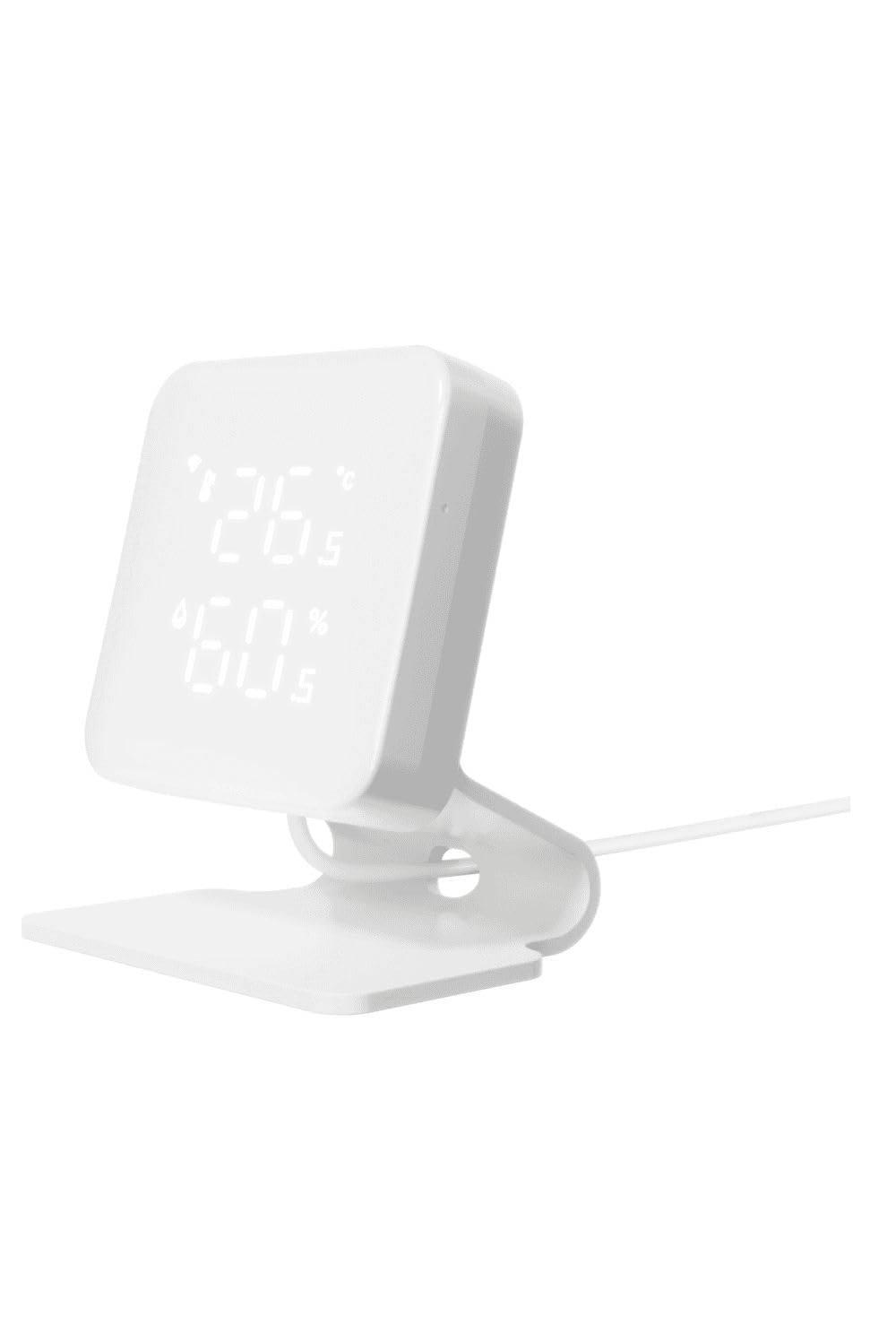
The WOOX R7246 device, a white square unit with a digital display showing temperature and humidity, is shown on a desk next to office supplies, connected by a white USB-C cable to a wall.
3. Conectando-se ao Wi-Fi
- Download the WOOX Home application from your device's app store.
- Cadastre-se ou faça login na sua conta WOOX Home.
- Follow the in-app instructions to add the R7246 device. This typically involves putting the device into pairing mode (refer to the multilingual manual for specific instructions on activating pairing mode) and connecting it to your 2.4GHz Wi-Fi network. No separate hub is required.
4. Integração de casa inteligente
The WOOX R7246 is compatible with Amazon Alexa and Google Home. To enable voice control, link your WOOX Home account within the Alexa or Google Home app by searching for the "WOOX Home" skill/service and following the provided instructions.
Instruções de operação
IR Remote Control Functionality
The R7246 can replace multiple traditional IR remote controls. Within the WOOX Home app, you can add and configure IR-controlled devices such as TVs, air conditioners, and set-top boxes. The device utilizes the Remotec IR database for broad compatibility. Follow the in-app instructions to learn or select the remote codes for your appliances.
Monitoramento de temperatura e umidade
The integrated sensors capture temperature and humidity data every 5 seconds. This data is uploaded to the WOOX Home app, allowing you to monitor your environment in real-time. You can view historical data and set up automations based on specific temperature or humidity thresholds. For example, you can configure the device to activate a smart plug connected to a dehumidifier when humidity exceeds a certain level.
Manutenção
To ensure optimal performance and longevity of your WOOX R7246, keep the device clean and free from dust. Use a soft, dry cloth for cleaning. Avoid using abrasive cleaners or solvents. Ensure the device is placed in a location with adequate ventilation and away from direct sunlight or extreme temperatures, which could affect sensor accuracy.
Solução de problemas
Device Not Connecting to Wi-Fi or Losing Connection
- Verifique o sinal Wi-Fi: Ensure the device is within range of your 2.4GHz Wi-Fi router.
- Ciclo de energia: Disconnect the power cable from the R7246 for 10 seconds, then reconnect it. This often resolves temporary connectivity issues.
- Configurações do roteador: Verify your router is broadcasting a 2.4GHz network. Some routers combine 2.4GHz and 5GHz bands; ensure your device is connecting to the correct one.
- Reinicie o dispositivo: If issues persist, use the provided reset pin to press and hold the reset button on the device until the indicator light changes (refer to the multilingual manual for specific reset indications). Then, attempt to re-add the device through the WOOX Home app.
- Atualização de Firmware: Check the WOOX Home app for any available firmware updates for the R7246. Keeping the firmware updated can resolve known issues.
IR Remote Functionality Issues
- Linha de visão: Ensure there is a clear line of sight between the R7246 and the appliance you are trying to control. IR signals require direct line of sight.
- Correct Codes: Verify that the correct IR codes have been learned or selected for your appliance within the WOOX Home app. Try re-learning the codes if necessary.
- Distância: Ensure the R7246 is not too far from the appliance.
Especificações
| Marca | WOOX |
| Número do modelo | R7246 |
| Cor | Preto |
| Conexões | USB-C |
| Fonte de energia | Cabo elétrico |
| Material | Plástico |
| Uso interno/externo | Interior |
| Tipo de montagem | Montagem de mesa |
| Tipo de exibição | Digital |
| Recurso especial | Universal IR Remote, Temperature Sensor, Humidity Sensor |
Garantia e Suporte
For warranty information or technical support, please refer to the documentation included in your product packaging or visit the official WOOX website. If you encounter persistent issues not covered in this manual, it is recommended to contact WOOX customer service for assistance.


