1. Introdução
The SHX SHXA700 Infrared Heating Panel is designed to provide efficient and comfortable heating for your living spaces. Featuring a modern, frameless design with a white carbon crystal surface, it seamlessly integrates into any room. This 700W panel offers WiFi connectivity, remote control operation, and a programmable thermostat for optimal energy saving and comfort. This manual provides essential information for the safe and effective use of your heating panel.

Figure 1: SHX SHXA700 700W WiFi Infrared Heating Panel, front view. A clean, white rectangular infrared heating panel, showcasingraças ao seu design minimalista.
2. Instruções de segurança
Leia atentamente todas as instruções de segurança antes da instalação e utilização. O não cumprimento destas instruções pode resultar em choque elétrico, incêndio ou ferimentos.
- Certifique-se de que a fonte de alimentação voltage corresponde à etiqueta de classificação do aparelho.
- Não utilize o aquecedor com um cabo ou ficha danificados. Se o cabo estiver danificado, deve ser substituído pelo fabricante, pelo seu agente de assistência técnica ou por pessoal qualificado para evitar riscos.
- Do not cover the heater. Covering the heater can cause overheating.
- Maintain a minimum distance of 100 cm from the front of the heater to any objects, and 20 cm from the sides and top to walls or other surfaces.
- This appliance is rated IP44, making it suitable for use in bathrooms. However, it must not be installed directly above a bath, shower, or swimming pool.
- Não insira nenhum objeto nas aberturas do aquecedor.
- The heater is equipped with overheating protection. If the heater overheats, it will automatically shut off. Unplug the heater and allow it to cool down before restarting.
- Mantenha crianças e animais de estimação afastados do aquecedor durante o funcionamento.
- Desligue sempre o aquecedor da tomada antes de limpá-lo ou realizar qualquer manutenção.
3. Conteúdo da embalagem
Desembale a caixa com cuidado e verifique se todos os itens estão presentes e sem danos. Se algum item estiver faltando ou danificado, entre em contato com o vendedor.
- Painel de aquecimento infravermelho
- Manual do usuário
- Controle remoto
- Screws and Dowels for wall mounting
- Optional Feet for freestanding placement
4. Recursos do Produto
The SHX SHXA700 Infrared Heating Panel offers a range of features designed for convenience and efficiency:
- Potente saída de 700 W: Provides effective heating for rooms up to 14 m².
- Integrated WiFi Functionality: Control your heater remotely via a smartphone app.
- Controle remoto: Convenient operation with the included remote.
- Temporizador de 24 horas: Program specific operating times for energy saving.
- Termostato ajustável: Maintain your desired room temperature.
- Proteção contra superaquecimento: Recurso de segurança aprimorado.
- Classificação IP44: Adequado para uso em damp ambientes como banheiros.
- Design moderno: Frameless white carbon crystal surface for aesthetic integration.
- Tela LCD: Clear display for settings and status.

Figure 2: SHX Infrared Heating Panel features. An infographic highlighting the main features of the SHX SHXA700 infrared heating panel, including WiFi connectivity, remote control, 24-hour timer, adjustable thermostat, and overheating protection. It also indicates suitability for up to 14m² rooms.
5. Configuração e instalação
The SHX SHXA700 heating panel can be installed either wall-mounted or freestanding using the optional feet.
5.1 Montagem na parede
- Choose a suitable location on a wall, ensuring sufficient clearance from other objects (refer to Safety Instructions).
- Marque os pontos de perfuração na parede usando o gabarito fornecido ou medindo os furos de montagem do painel.
- Faça os furos e insira os pinos fornecidos.
- Fixe os suportes de montagem na parede utilizando os parafusos fornecidos.
- Carefully hang the heating panel onto the mounting brackets, ensuring it is securely seated.
- Conecte o cabo de alimentação a uma tomada elétrica adequada.
5.2 Freestanding Placement
- Attach the optional feet to the bottom of the heating panel using the provided screws.
- Place the panel on a stable, level surface, ensuring it is not easily tipped over.
- Ensure sufficient clearance from other objects (refer to Safety Instructions).
- Conecte o cabo de alimentação a uma tomada elétrica adequada.

Figure 3: SHX Infrared Heating Panel in various room settings. A collage of four images demonstrating the SHX infrared heating panel's versatile placement options in different rooms: a living room, a bedroom, a bathroom, and an office, illustrating its modern design integration.

Figure 4: SHX SHXA700 Infrared Heating Panel dimensions. A diagram illustrating the physical dimensions of the SHX SHXA700 infrared heating panel, showing its width (1200mm), height (500mm), and depth (45mm), along with its weight (2.9 kg).
6. Instruções de operação
The heating panel can be operated using the integrated control panel on the back or the included remote control.
6.1 Painel de controle sobreview
The control panel is located on the back of the unit and includes buttons for power, WiFi, temperature adjustment, timer, and an LCD display.
6.2 Operação básica
- Ligar/desligar: Pressione o botão liga/desliga no painel de controle ou no controle remoto para ligar ou desligar o aquecedor.
- Ajuste de temperatura: Use the '+' and '-' buttons to set your desired temperature. The LCD display will show the current and target temperatures.
- Função do temporizador: Press the timer button to activate and set the 24-hour timer. Follow the on-screen prompts to program the desired operating duration.

Figure 5: SHX Infrared Heating Panel control panel and remote control. A close-up view of the heating panel's integrated control unit on the side, featuring power, WiFi, LCD display, 24-hour timer, and indicator light buttons, alongside the included remote control for easy operation.
7. WiFi Connectivity & App Control
The SHX SHXA700 heating panel features integrated WiFi, allowing for smart control via your smartphone.
- Baixe o aplicativo: Baixe o aplicativo "Tuya Smart" na loja de aplicativos do seu smartphone (disponível para iOS e Android).
- Cadastre-se/Faça login: Crie uma conta ou faça login na sua conta Tuya Smart existente.
- Adicionar dispositivo: Follow the in-app instructions to add your SHX heating panel. This typically involves putting the heater into pairing mode (refer to the app's guide for specific steps, usually by holding the WiFi button on the control panel).
- Conecte-se ao Wi-Fi: Selecione a sua rede Wi-Fi doméstica e digite a senha.
- Controlar: Once connected, you can control the heater's power, temperature, timer, and other settings directly from the app.
- Integração de casa inteligente: The Tuya Smart app supports integration with voice assistants like Amazon Alexa and Google Home, allowing for voice control of your heating panel.

Figure 6: SHX Infrared Heating Panel WiFi and integrated timer features. An image showing the heating panel's WiFi symbol and a smartphone displaying the "Tuya Smart" app interface, along with logos for Alexa and Google Home, indicating smart home compatibility and a 24-hour timer function.
8. Manutenção
Regular cleaning and maintenance will ensure the longevity and optimal performance of your heating panel.
- Limpeza: Always unplug the heater and allow it to cool completely before cleaning. Wipe the surface with a soft, damp pano. Não utilize produtos de limpeza abrasivos, solventes ou produtos químicos agressivos, pois estes podem danificar a superfície.
- Armazenar: Se for guardar o aquecedor por um período prolongado, certifique-se de que esteja limpo e seco. Guarde-o em local fresco e seco, de preferência na embalagem original.
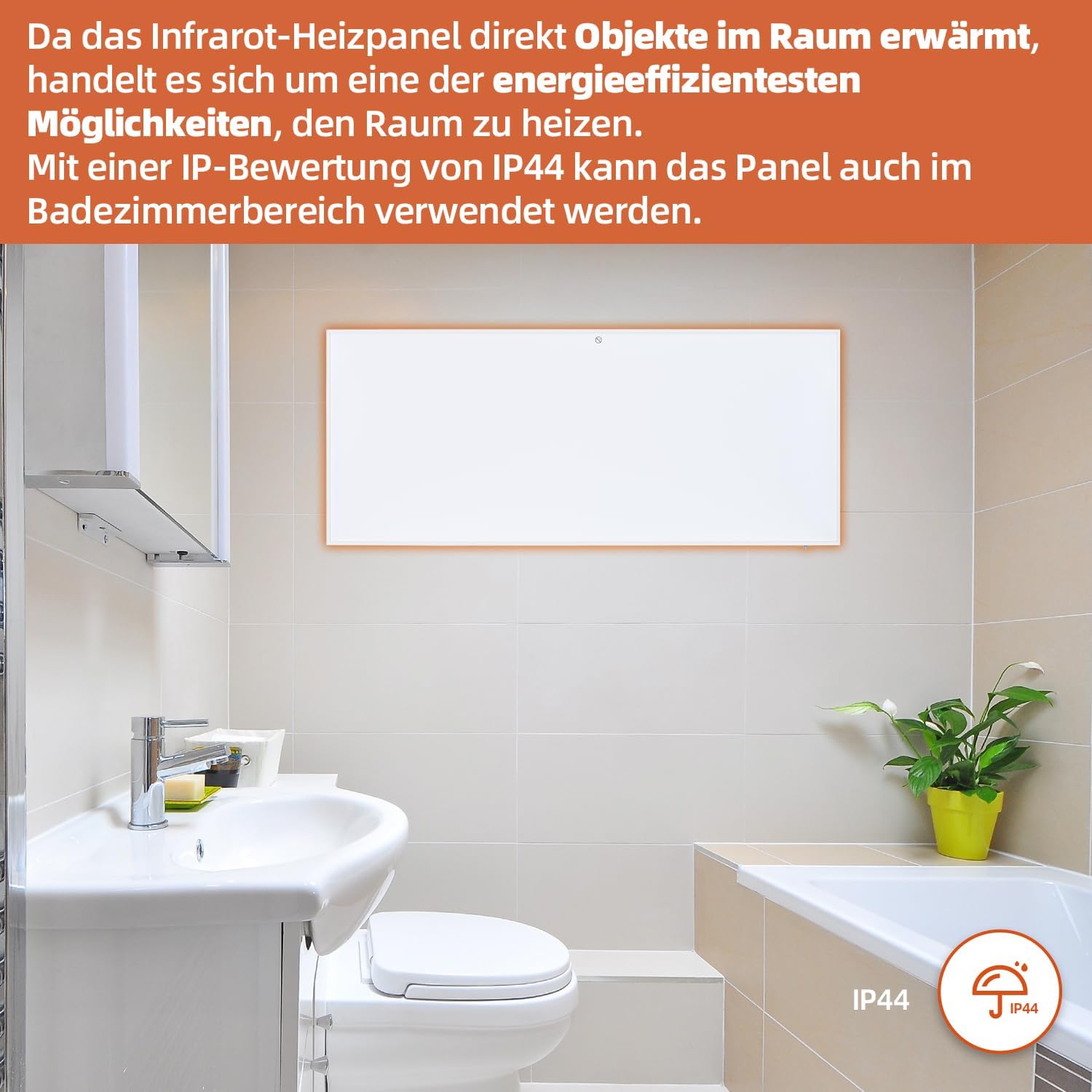
Figure 7: SHX Infrared Heating Panel with IP44 rating. The infrared heating panel mounted in a modern bathroom setting, emphasizing its IP44 water resistance rating, making it safe for use in damp ambientes.
9. Solução De Problemas
If you encounter any issues with your SHX heating panel, refer to the following common problems and solutions:
| Problema | Possível causa | Solução |
|---|---|---|
| Aquecedor não liga. | No power supply. Overheating protection activated. | Check if the power cord is securely plugged in and the outlet is functional. Unplug the heater, allow it to cool for 30 minutes, then plug it back in. |
| A conexão Wi-Fi falhou. | Incorrect WiFi password. Heater not in pairing mode. Router issues. | Ensure correct WiFi password. Put the heater into WiFi pairing mode (refer to app instructions). Restart your WiFi router. Ensure the heater is within WiFi range. |
| O controle remoto não funciona. | Batteries are dead or incorrectly inserted. Obstruction between remote and heater. | Replace the batteries in the remote control (requires 2 AAA batteries). Ensure there is a clear line of sight between the remote and the heater's receiver. |
| O aquecedor não está aquecendo de forma eficaz. | Temperature setting too low. Room size exceeds heater capacity. Drafts. | Increase the target temperature. Ensure the room size is within the recommended range (up to 14 m²). Seal any drafts in the room. |
10. Especificações
| Especificação | Valor |
|---|---|
| Marca | SHX |
| Número do modelo | SHXA700-WiFi |
| Cor | Branco |
| Dimensões do produto (C x L x A) | 120 x 50 x 4.5 cm |
| Peso | 2.9 quilos |
| Poder | 700 Watts |
| Volumetage | 220 Volts (CA) |
| Classe de Eficiência Energética | A a G |
| Nível de ruído | 1 decibéis |
| Características especiais | WiFi Compatible, Overheating Protection, Programmable Thermostat, Remote Control, Energy Efficient |
| Fonte de energia | Elétrico com fio |
| Método de aquecimento | Radiante |
| Uso recomendado | Interior, Casa |
| Tipo de montagem | Wall Mount, Floor Mount (with optional feet) |
| Baterias necessárias para controle remoto | 2 pilhas AAA |
| País de origem | China |
11. Garantia e Suporte
The SHX SHXA700 Infrared Heating Panel comes with a Garantia de 2 ano a partir da data da compra. Guarde o comprovante de compra para eventuais solicitações de garantia.
For technical support, warranty claims, or any questions regarding your product, please contact your retailer or the manufacturer's customer service. Contact information can typically be found on the product packaging or the manufacturer's official website.


