1. Introdução
This manual provides detailed instructions for the setup, operation, and maintenance of your boAt Aavante Bar 490 Bluetooth Soundbar. Please read this manual thoroughly before using the product to ensure proper functionality and to maximize your audio experience.

Image 1.1: The boAt Aavante Bar 490 Bluetooth Soundbar in Classic Black.
2. Conteúdo da embalagem
Verifique se todos os itens listados abaixo estão incluídos em seu pacote:
- boAt Aavante Bar 490 Soundbar
- Cabo de carregamento
- Manual do usuário (este documento)
- Cartão de garantia
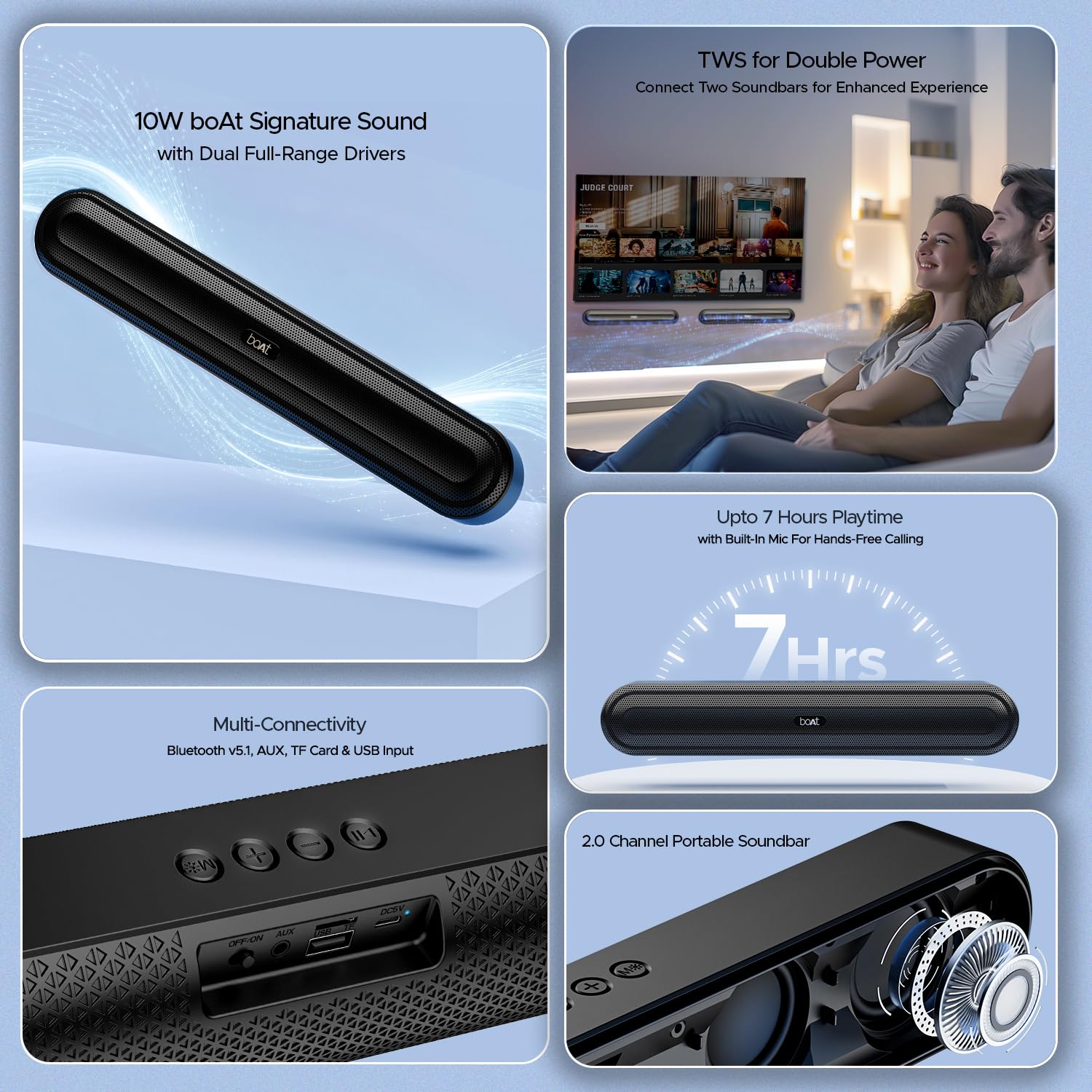
Imagem 2.1: Terminadoview of the boAt Aavante Bar 490 and its key features, including package contents.
3. Produto acabadoview
3.1. Controles e Portas
Familiarize yourself with the control buttons and connectivity ports on your Aavante Bar 490.

Imagem 3.1: Close-up view of the control buttons and multi-connectivity ports (Bluetooth v5.1, AUX, TF Card, USB Input) on the soundbar.
- Botão de energia: Pressione e segure para ligar/desligar. Pressione rapidamente para alternar entre os modos.
- Volume baixo (-): Diminuir volume.
- Aumentar volume (+): Aumentar o volume.
- Botão Reproduzir/Pausar: Reproduzir ou pausar música. Atender/encerrar chamadas.
- Botão de modo (M): Switch between input modes (Bluetooth, AUX, USB, TF Card).
- Interruptor DESLIGAR/LIGAR: Interruptor de alimentação principal.
- Porta AUX: Para conexão de áudio com fio.
- Porta USB: Para reprodução a partir de unidade USB.
- Slot para cartão TF: For TF card playback.
- Porta DC5V: Para carregar o dispositivo.
4. Configuração
4.1. Carregando a barra de som
Before first use, fully charge the soundbar. Connect the provided charging cable to the DC5V port on the soundbar and the other end to a compatible USB power adapter (not included). The LED indicator will show charging status and turn off when fully charged. A full charge provides up to 7 hours of playback.

Image 4.1: The boAt Aavante Bar 490 highlighting its up to 7 hours of playtime on a single charge.
4.2. Ligar/desligar
- Ensure the OFF/ON switch at the back is in the "ON" position.
- Press and hold the Power button on the top panel for 3 seconds to power on the soundbar.
- To power off, press and hold the Power button again for 3 seconds.
4.3. Emparelhamento Bluetooth
- Power on the soundbar. It will automatically enter Bluetooth pairing mode (indicated by a flashing LED).
- No seu dispositivo (smartphone, tablet, etc.), ative o Bluetooth e procure por dispositivos disponíveis.
- Select "Aavante Bar 490" from the list.
- Após o emparelhamento, o indicador LED ficará azul fixo e você ouvirá um sinal sonoro de confirmação.
The soundbar supports Bluetooth v5.1 for stable and efficient wireless connection up to 10 meters.
4.4. Emparelhamento TWS (True Wireless Stereo)
For an enhanced stereo experience, you can pair two Aavante Bar 490 soundbars together.
- Ensure both Aavante Bar 490 units are powered on and in Bluetooth pairing mode (not yet connected to any device).
- On one of the soundbars, double-press the Mode button (M). It will search for the other unit.
- Once successfully paired, you will hear a confirmation tone, and the LED indicators on both units will synchronize.
- Now, connect your device to one of the paired soundbars via Bluetooth as described in Section 4.3. Both soundbars will play audio in stereo.

Image 4.2: Illustration of two boAt Aavante Bar 490 soundbars connected via TWS for an enhanced audio experience.
4.5. Other Connectivity Modes
Press the Mode button (M) to cycle through the following input options:
- Modo AUX: Connect an audio device using a 3.5mm AUX cable to the AUX port.
- Modo USB: Insert a USB flash drive into the USB port. The soundbar will automatically play audio files.
- Modo de cartão TF: Insert a TF (microSD) card into the TF card slot. The soundbar will automatically play audio files.
5. Instruções de operação
5.1. Reprodução de música
- Reproduzir/Pausar: Pressione rapidamente o botão Reproduzir/Pausar.
- Ajuste de volume: Pressione rapidamente os botões de aumentar (+) ou diminuir (-) o volume.
- Próxima faixa: Pressione e segure o botão Aumentar Volume (+).
- Faixa anterior: Pressione e segure o botão Diminuir Volume (-).
5.2. Chamadas com viva-voz
Quando conectado via Bluetooth, o microfone embutido permite chamadas com as mãos livres.
- Atender chamada: Pressione rapidamente o botão Reproduzir/Pausar.
- Encerrar chamada: Pressione rapidamente o botão Reproduzir/Pausar durante uma chamada.
- Rejeitar chamada: Pressione longamente o botão Reproduzir/Pausar.
6. Manutenção
- Keep the soundbar away from water, moisture, and extreme temperatures.
- Limpe o dispositivo com um pano macio e seco. Não utilize produtos de limpeza abrasivos ou solventes.
- Avoid dropping or subjecting the soundbar to strong impacts.
- Guarde em local fresco e seco quando não for utilizado por longos períodos.
7. Solução De Problemas
| Problema | Possível causa | Solução |
|---|---|---|
| A barra de som não liga. | Low battery; OFF/ON switch is off. | Charge the soundbar; ensure OFF/ON switch is in the "ON" position. |
| Não foi possível emparelhar via Bluetooth. | Soundbar not in pairing mode; device Bluetooth is off; too far from device. | Ensure soundbar is in pairing mode; enable Bluetooth on your device; move closer to the soundbar (within 10m). |
| Nenhum som. | Volume too low; incorrect input mode; cable not connected properly. | Increase volume; switch to correct input mode (Bluetooth, AUX, USB, TF); check cable connections. |
| O emparelhamento TWS falha. | One or both units already connected to a device; units too far apart. | Disconnect both units from any Bluetooth devices; ensure they are close to each other during TWS pairing. |
8. Especificações
- Nome do modelo: Aavante Bar 490 See More
- Tipo de alto-falante: Barra de som
- Saída de áudio: 2.0 canais
- Potência de saída: 10 W RMS
- Motoristas: Dual Full-Range Drivers
- Versão Bluetooth: v5.1
- Faixa Bluetooth: Até 10 metros
- Conectividade: Bluetooth, AUX, USB, Cartão TF
- Duração da bateria: Até 7 horas
- Tipo de Bateria: Polímero de lítio (1 x 12 V incluído)
- Microfone embutido: Sim (para chamadas em modo mãos-livres)
- Método de controle: Botões de toque
- Dimensões do produto: 38.7 cm de profundidade x 6.5 cm de largura x 5.5 cm de altura
- Peso do item: 650 gramas

Image 8.1: Dimensions of the boAt Aavante Bar 490 soundbar.
9. Garantia e Suporte
The boAt Aavante Bar 490 comes with a standard Garantia limitada de 1 ano a partir da data da compra. Consulte o Cartão de Garantia incluso para obter os termos e condições detalhados.
For technical support, service, or warranty claims, please contact boAt customer service:
- E-mail: info@imaginemarketingindia.com
- Fabricante: Imagine Marketing Limited
- Endereço: Unit no. 204 & 205, 2nd floor, D-wing & E-wing, Corporate Avenue, Andheri Ghatkopar Link Road, Mumbai, Maharashtra-400093, India
You can also download the boAt Hearables App for additional features and user guides. Scan the QR code below:

Image 9.1: QR code to download the boAt Hearables App for additional features and support.
10. Vídeos de Produtos
Vídeo 10.1: Uma breve préviaview showcasing the boAt Aavante Bar 490 Bluetooth Soundbar's features, including 10W RMS sound, dual full-range drivers, 7 hours playback, multi-connectivity, and hands-free calling. This video is provided by the seller.
Vídeo 10.2: Uma breve revisãoview of the boAt Aavante Bar 490, highlighting its 10W RMS Signature Sound, dual drivers, and Bluetooth 5.1 connectivity. This video is provided by the seller.


