Introdução
This manual provides essential information for setting up, operating, and maintaining your HP Essential 17t Laptop TPN-I139. Please read these instructions carefully to ensure proper use and to maximize the lifespan of your device.
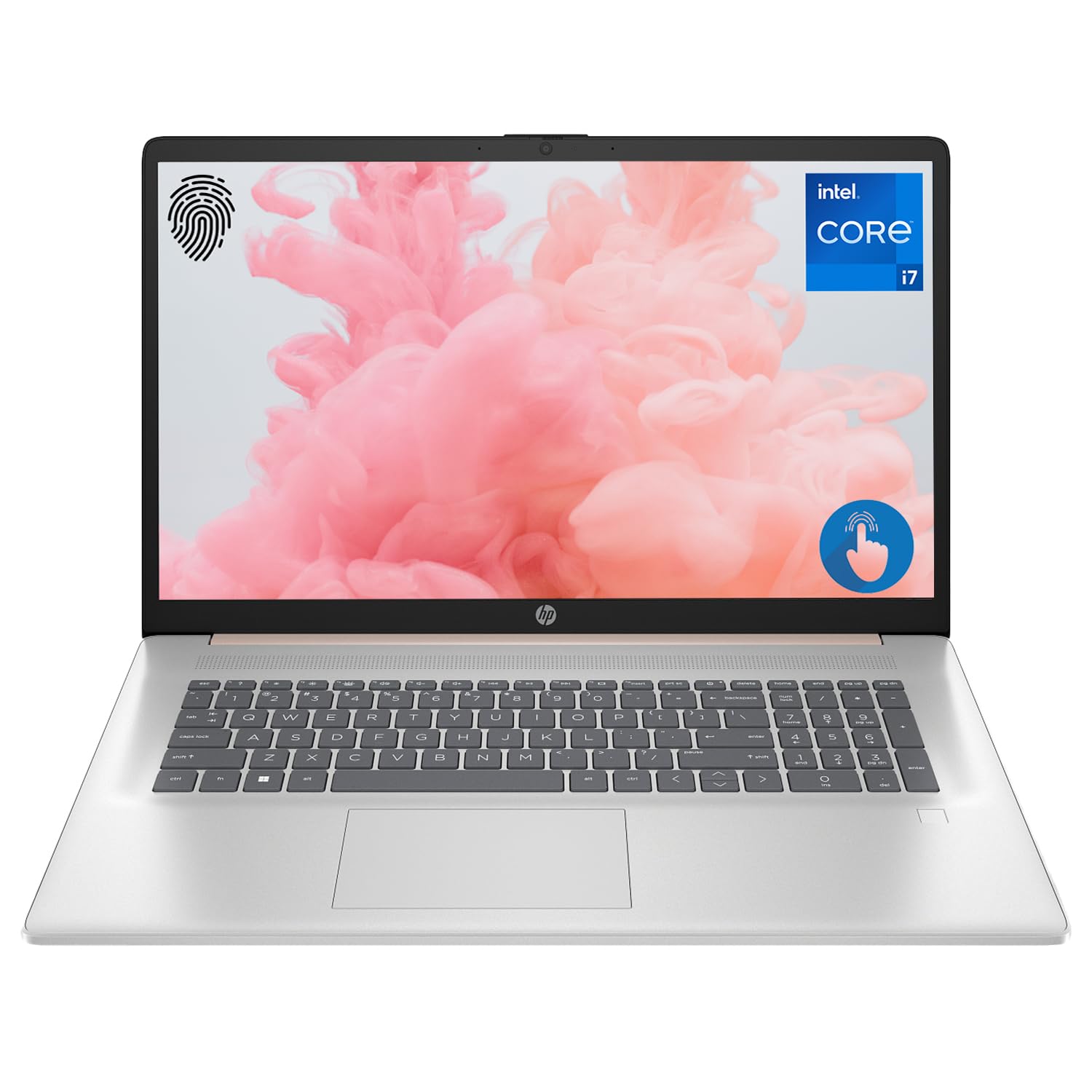
Figure 1: HP Essential 17t Laptop
The HP Essential 17t Laptop is designed for productivity and everyday use, featuring a 17.3-inch HD+ touchscreen, an Intel Core i7-1355U processor, 64GB of RAM, and a 2TB SSD. It comes pre-installed with Windows 11 Home.
Começando
1. O que está na caixa
- HP Essential Touchscreen Laptop
- Adaptador de energia CA
- Guia de Início Rápido (se incluído)
2. Inicialização e configuração
- Connect the AC power adapter to the laptop and a power outlet.
- Abra a tampa do laptop e pressione o botão liga/desliga, geralmente localizado no teclado.
- Follow the on-screen instructions to complete the Windows 11 Home setup. This includes selecting your region, connecting to a Wi-Fi network, creating a user account, and accepting the license agreement.

Figure 2: Windows 11 Home Interface
Hardware acabadoview
Portas e Conectores
Familiarize yourself with the various ports on your laptop for connecting external devices.

Figure 3: Laptop Ports and Connectors
- SuperSpeed USB Type-A (5Gbps signaling rate): Para conectar dispositivos USB como mouses, teclados ou discos rígidos externos.
- HDMI 1.4b: Para conexão a monitores ou projetores externos.
- SuperSpeed USB Type-C (5Gbps signaling rate): Uma porta versátil para transferência de dados e conexão de dispositivos compatíveis.
- Conector combinado para fone de ouvido/microfone (3.5 mm): Para conectar fones de ouvido, alto-falantes externos ou um headset com microfone.
Teclado e Touchpad
O laptop possui um teclado retroiluminado de tamanho normal para digitação confortável em diversas condições de iluminação e um touchpad responsivo para navegação.
Mostrar
Your HP Essential 17t Laptop is equipped with a 17.3-inch HD+ (1600 x 900) touchscreen display, offering intuitive interaction with Windows 11.

Figure 4: 17.3" HD+ Touchscreen Display
Operando seu laptop
Gerenciamento de energia
- Ligar/desligar: Press the power button to turn the laptop on. To shut down, click the Start button, then Power > Shut down.
- Modo dormir: Close the lid or click the Start button, then Power > Sleep to put the laptop into a low-power state.
- Cuidados com a bateria: The laptop supports battery fast charge, reaching approximately 50% charge in 45 minutes. For optimal battery health, avoid consistently draining the battery to 0% or keeping it at 100% for extended periods.
Usando a tela sensível ao toque
Interact with your laptop directly on the screen using touch gestures. Common gestures include tapping to select, pinching to zoom, and swiping to scroll.
Usando o leitor de impressão digital
The integrated fingerprint reader allows for secure and quick login. Set up your fingerprints through Windows Hello in the Windows Settings app (Accounts > Sign-in options).
Conectando ao Wi-Fi
To connect to a wireless network, click the Wi-Fi icon in the taskbar, select your desired network, and enter the password if prompted. The laptop supports Wi-Fi 6 for fast and reliable wireless connectivity.
Recursos de produtividade
This laptop integrates Copilot + AI capabilities to enhance productivity. These features can assist with scheduling, drafting emails, summarizing documents, and more, streamlining your workflow.

Figure 5: Copilot + AI for Enhanced Productivity
Manutenção e Cuidados
Como limpar seu laptop
- Use um pano macio e sem fiapos levementeampFinalize com água ou um produto de limpeza para telas para limpar o visor.
- Para o teclado e o chassi, use um pano macio e seco. Evite produtos químicos agressivos ou materiais abrasivos.
- Certifique-se de que o laptop esteja desligado e desconectado da tomada antes de limpá-lo.
Atualizações de software
Verifique e instale regularmente as atualizações do Windows para garantir que seu sistema tenha os patches de segurança e melhorias de desempenho mais recentes. Acesse Configurações > Windows Update.
Solução de problemas
If you encounter issues with your laptop, try the following basic troubleshooting steps:
- Sem energia: Verifique se o adaptador CA está firmemente conectado tanto ao laptop quanto a uma tomada elétrica em funcionamento. Tente usar outra tomada.
- Problemas de exibição: Se a tela estiver em branco, tente conectar um monitor externo para verificar se o problema está na tela do laptop.
- Conectividade Wi-Fi: Restart your router and modem. Ensure Wi-Fi is enabled on your laptop.
- Desempenho lento: Close unnecessary applications. Check for available Windows updates.
Para questões mais complexas, consulte o suporte da HP. webou entre em contato com o serviço de atendimento ao cliente da HP.
Especificações
Below are the key technical specifications for the HP Essential 17t Laptop TPN-I139:

Figure 6: Intel Core i7-1355U Processor
| Recurso | Especificação |
|---|---|
| Nome do modelo | TPN-I139 |
| Processador | 13th Gen Intel Core i7-1355U (10 Cores, 12 Threads, up to 5.0 GHz) |
| BATER | 64 GB de SDRAM DDR4 (3200 MHz) |
| Armazenar | SSD PCIe NVMe M.2 de 2 TB |
| Mostrar | 17.3" HD+ (1600 x 900) Touchscreen, BrightView, 250 nits |
| Gráficos | Gráficos Intel Iris Xe |
| Sistema operacional | Windows 11 Início |
| Conectividade sem fio | Wi-Fi 6 (802.11ax) |
| Portos | 1x SuperSpeed USB Type-C (5Gbps), 2x SuperSpeed USB Type-A (5Gbps), 1x HDMI 1.4b, 1x Headphone/Microphone Combo |
| Características especiais | Teclado retroiluminado, leitor de impressões digitais |
| Dimensões (CxLxA) | 15.78 x 10.15 x 0.78 polegadas |
| Peso | 5.25 libras |

Figure 7: Intel Iris Xe Graphics
Garantia e Suporte
Your HP Essential 17t Laptop comes with a standard manufacturer's warranty. For detailed warranty terms and conditions, please refer to the documentation included with your product or visit the official HP support website. For technical assistance, driver downloads, or service requests, please contact HP customer support directly.
Produto acimaview Vídeo
Assista a este vídeo para uma explicação visual.view of the HP Essential 17t Laptop's features and capabilities.
Video 1: HP Essential 17 Touchscreen 13th Gen i7 Laptop Overview by PCOnline US. This video highlights key features and design aspects of the laptop.