Introdução
Thank you for choosing the Volkano Remus Series 30,000mAh PD Power Bank. This high-capacity portable power bank is designed to keep your devices charged efficiently while on the go. Please read this manual carefully to ensure proper use and maintenance of your device.
Informações de segurança
Para evitar danos ao carregador portátil ou ferimentos, observe as seguintes precauções de segurança:
- Não exponha o carregador portátil a temperaturas extremas (quentes ou frias), luz solar direta ou alta umidade.
- Não desmonte, modifique ou tente reparar o dispositivo. Isso anulará a garantia.
- Mantenha o banco de potência longe de água e outros líquidos.
- Não deixe cair, perfure ou aplique força excessiva no carregador portátil.
- Utilize apenas cabos e adaptadores de carregamento certificados.
- Mantenha fora do alcance de crianças.
- Descarte o carregador portátil de forma responsável, de acordo com as normas locais. Não o descarte no lixo doméstico.
Conteúdo da embalagem
Certifique-se de que todos os itens estejam presentes em sua embalagem:
- Volkano Remus Series 30,000mAh PD Power Bank
- 2-in-1 Fast Charging Cable (Micro-USB and Type-C compatible)
- Manual do usuário
Produto acimaview
The Volkano Remus Series Power Bank features a robust design and high-capacity battery to provide reliable power for your mobile devices.
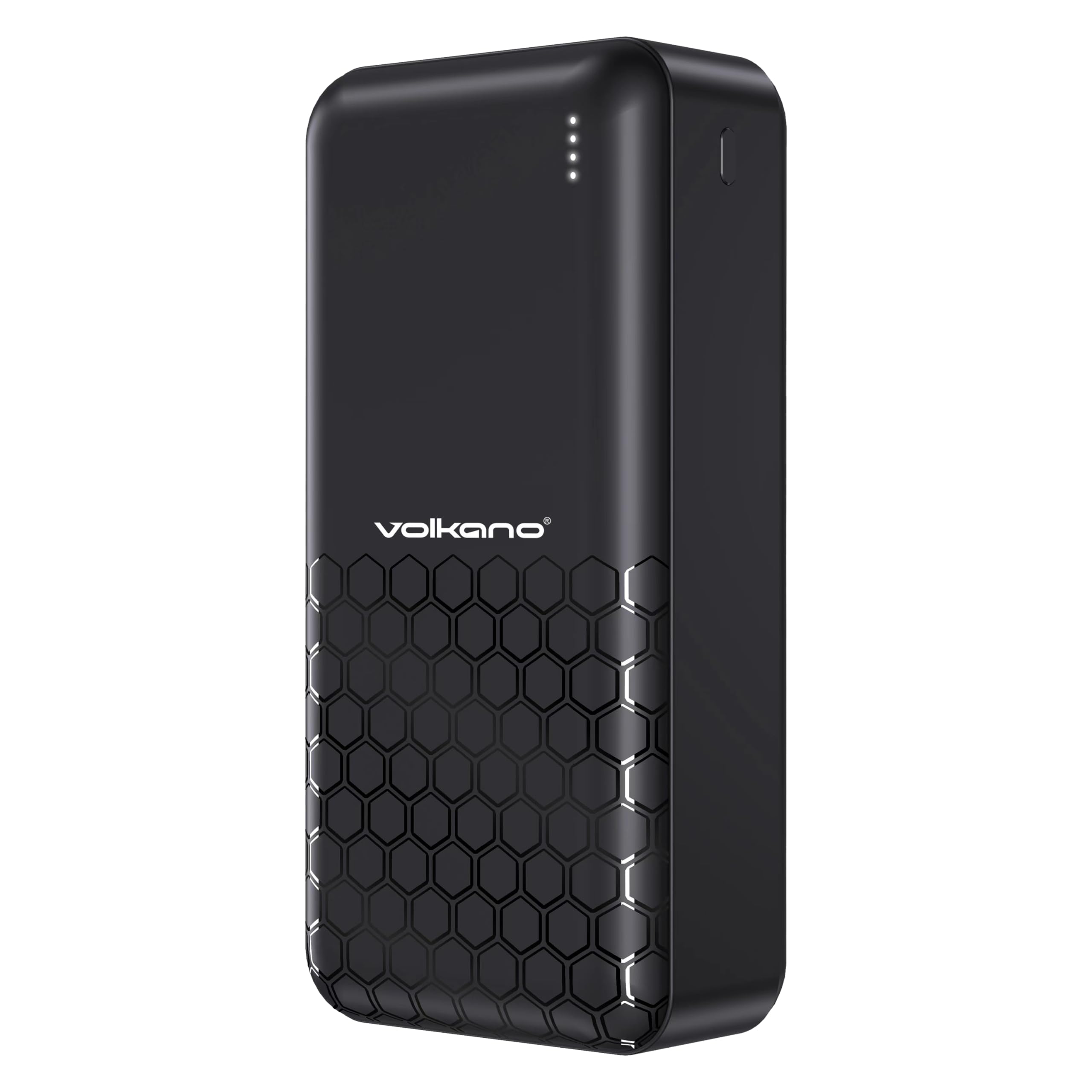
Frente view of the Volkano Remus power bank, displaying the Volkano logo and four LED indicator lights.

Angulado view of the Volkano Remus power bank, highlighting the various charging ports including USB-A and USB-C.

The Volkano Remus Series 30,000 mAh Power Bank, showcasinseu design elegante.
Principais características:
- Alta capacidade: Massive 30,000mAh battery capacity for multiple device charges.
- Tecnologia de entrega de energia (PD): Charges compatible devices at higher speeds, up to 50% in 30 minutes.
- 2-in-1 Fast Charging Cable: Includes a versatile cable compatible with both Micro-USB and Type-C devices.
- Várias portas de carregamento: Features 1x 20W PD Type-C Port and 2x USB-C Charging Ports, along with 22.5W USB-A Quick Charge.
- Indicador LED: Exibe o nível atual da bateria.

Detalhado view of the power bank's charging ports and the versatile 2-in-1 fast charging cable.

The power bank demonstrating its fast charging capabilities for various devices, including smartphones and tablets.
Configurar
Carregamento inicial do Power Bank
Before first use, it is recommended to fully charge your Volkano Remus Power Bank.
- Connect the included 2-in-1 charging cable (or a compatible USB-C cable) to the power bank's input port (Type-C).
- Conecte a outra extremidade do cabo a um adaptador de parede USB (não incluído) ou a uma porta USB energizada.
- As luzes indicadoras de LED acenderão para mostrar o progresso do carregamento. Todas as quatro luzes ficarão acesas continuamente quando a carga estiver completa.
Conectando dispositivos para carregamento
Para carregar seus dispositivos móveis:
- Use the included 2-in-1 cable or your device's original charging cable.
- Connect one end of the cable to an output port on the power bank (USB-A or Type-C).
- Connect the other end to your device's charging port.
- O carregador portátil começará a carregar seu dispositivo automaticamente.
Instruções de operação
Carregando seus dispositivos
Once your device is connected to the power bank, charging will typically start automatically. The power bank's intelligent charging system will detect your device and deliver the optimal charging speed.
Verificando o nível da bateria
The LED indicator lights on the power bank show the remaining battery capacity:
- 4 LEDs: 75% - 100% de carga
- 3 LEDs: 50% - 75% de carga
- 2 LEDs: 25% - 50% de carga
- 1 LEDs: 0% - 25% de carga (recarregue em breve)

The LED indicator lights provide a clear visual of the power bank's remaining battery charge.
Manutenção
Proper care will extend the life of your power bank:
- Limpeza: Limpe o carregador portátil com um pano macio e seco. Não utilize produtos de limpeza abrasivos ou solventes.
- Armazenar: Store the power bank in a cool, dry place away from direct sunlight and extreme temperatures. If storing for extended periods, charge it to about 50% every 3-6 months to maintain battery health.
- Manuseio: Evite deixar cair ou submeter o banco de potência a impactos fortes.
Solução de problemas
Se você tiver problemas com seu carregador portátil, consulte as seguintes soluções comuns:
- Bateria externa não está carregando: Certifique-se de que o cabo de carregamento esteja firmemente conectado tanto ao carregador portátil quanto à tomada. Tente usar um cabo diferente ou um adaptador de parede diferente.
- O dispositivo não está carregando com a bateria externa: Check if the power bank has sufficient charge. Ensure the cable connecting your device to the power bank is working correctly and securely connected. Try a different output port.
- Carregamento lento: Ensure you are using a fast-charging compatible cable and your device supports fast charging. Some cables or older devices may charge at standard speeds.
- Indicadores LED não funcionam: If the power bank is not responding, try fully discharging it and then recharging it. If the issue persists, contact support.
Especificações
| Recurso | Especificação |
|---|---|
| Marca | Vulcão |
| Número do modelo | VK-9017-BK |
| Capacidade da bateria | 30,000mAh |
| Tecnologia de carregamento | Power Delivery (PD), Quick Charge (QC) |
| Portas de entrada | Tipo C |
| Portas de saída | 1x 20W PD Type-C, 2x USB-C, 22.5W USB-A |
| Cor | Preto |
| Data da primeira disponibilidade | 19 de setembro de 2023 |
Garantia e Suporte
Your Volkano Remus Series Power Bank is covered by a Garantia limitada de 1 ano from the date of purchase, reflecting our commitment to quality and performance. You can register your product to get an additional 12-month extension, for a total of 24 months coverage by Volkano.
For any questions, technical support, or warranty claims, please contact Volkano customer service via the official Volkano Page. Your satisfaction is important to us.