1. Introdução
This manual provides essential information for the safe and efficient use of your Aiwa A65QUHDX3-GTV 65-inch QLED 4K Ultra HD Google Smart TV. Please read these instructions thoroughly before operating the television and retain them for future reference.
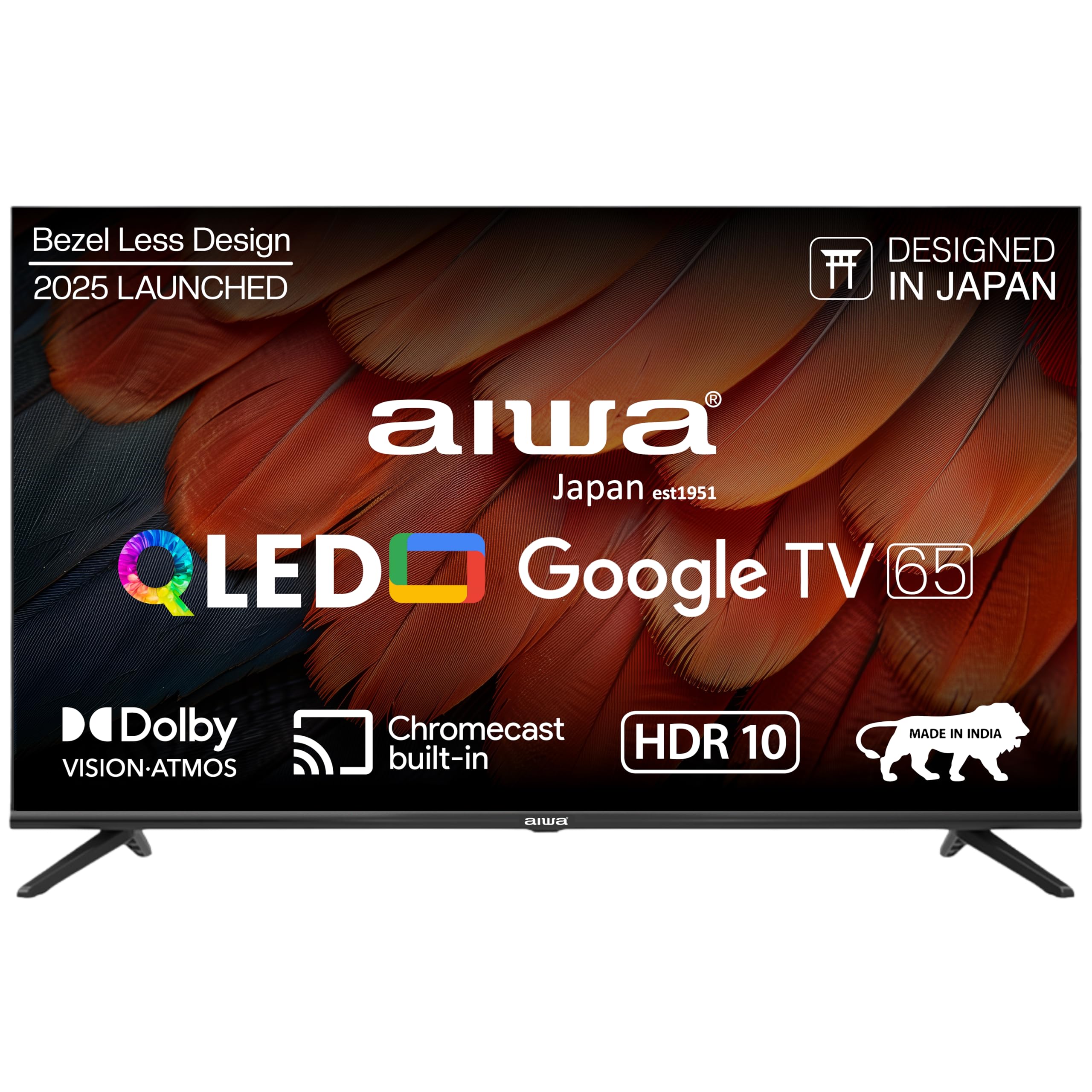
Figura 1.1: Frente view of the Aiwa A65QUHDX3-GTV 65-inch QLED Smart TV.

Figure 1.2: Aiwa A65QUHDX3-GTV showcasing its ultra sleek design.
2. Informações de segurança
Siga sempre as seguintes precauções de segurança para evitar choque elétrico, incêndio ou danos à televisão:
- Não exponha a televisão à chuva ou umidade.
- Não abra a televisão.asing. Encaminhe todos os serviços de manutenção para pessoal qualificado.
- Garanta uma ventilação adequada. Não obstrua as aberturas de ventilação.
- Avoid placing the television near heat sources or in direct sunlight.
- Use only the power cord supplied with the television.
- Mantenha as pilhas fora do alcance das crianças.
3. O que está na caixa
Verifique se todos os componentes estão presentes ao abrir a caixa:
- TV LED 1N
- 4N Screws for stand/wall mount
- 1N Controle Remoto
- 2 pilhas AAA (para o controle remoto)
- Manual do usuário 1N com cartão de garantia
- Suporte de mesa 1N
- 1N Wallmount bracket
4. Configuração
4.1 Instalação Física
Your Aiwa TV supports both table-top and wall-mount installations. Choose the method suitable for your environment.
Instalação de suporte de mesa
- Coloque a TV com cuidado, com a tela voltada para baixo, sobre uma superfície macia e plana para evitar danos.
- Attach the provided table stands to the designated slots at the bottom of the TV using the included screws.
- Ensure the stands are securely fastened.
- Com cuidado, levante a TV e coloque-a na posição vertical sobre uma superfície estável.
Instalação de montagem em parede
If using the wall mount, follow the instructions provided with the wall mount kit. Professional installation is recommended for wall mounting.

Figure 4.1: Dimensions of the Aiwa A65QUHDX3-GTV 65-inch QLED Smart TV.
4.2 Conectando Periféricos
The TV features an array of ports for various devices. Refer to the back panel image for port locations.

Figura 4.2: Traseira view of the TV displaying connectivity ports.

Figura 4.3: Detalhado view of the TV's connectivity ports including LAN, HDMI, USB, Antenna In, and AV In.
- Portas HDMI (x3): Conecte reprodutores de Blu-ray, consoles de jogos, decodificadores ou outros dispositivos com entrada HDMI.
- Portas USB (x2): Conecte dispositivos de armazenamento USB para reprodução de mídia ou atualizações de software.
- Porta LAN: Conecte um cabo Ethernet para obter uma conexão de internet com fio.
- Entrada de antena: Conecte uma antena ou sinal de TV a cabo.
- Entrada AV: Conecte dispositivos mais antigos usando cabos de vídeo composto e áudio estéreo.
- Bluetooth: Emparelhe fones de ouvido sem fio, soundbars ou outros dispositivos Bluetooth.
- Wi-fi: Conecte-se à sua rede sem fio doméstica para acessar a internet.
4.3 Assistente de Inicialização e Configuração
- Conecte o cabo de alimentação à TV e, em seguida, a uma tomada elétrica.
- Pressione o botão liga/desliga no controle remoto ou na própria TV.
- Follow the on-screen instructions to complete the initial setup, including language selection, network connection, and Google account sign-in.
5. Instruções de operação
5.1 Controle Remoto
The included smart remote control allows for easy navigation and voice commands.

Figure 5.1: Smart Remote Control with dedicated quick access buttons for streaming services and voice control functionality.
- Botão de energia: Liga ou desliga a TV.
- Painel de navegação: Use the directional buttons to move through menus and the center button to select.
- Botão Voltar: Retorna à tela anterior.
- Botão Home: Acessa a tela inicial do Google TV.
- Aumentar/diminuir volume: Ajusta o volume do áudio.
- Botão Mudo: Silencia ou ativa o som.
- Botão do Assistente de Voz: Ativa o Google Assistente para comandos de voz.
- Botões de acesso rápido: Dedicated buttons for Netflix, Prime Video, YouTube, and Disney+Hotstar.
5.2 Interface do Google TV
Your Aiwa Smart TV runs on Google TV, offering a personalized content experience.

Figure 5.2: Google TV home screen displaying a wide range of applications and content.

Figure 5.3: Google TV interface with personalized content suggestions.
- Recomendações de conteúdo: The TV provides personalized suggestions based on your viewing history and preferences.
- Lista de observação: Add movies and shows to your watchlist for later viewindo.
- Profissional Pessoalfile: Crie profissionais individuaisfiles for each user to receive tailored content.
- Crianças Profile: Set up a dedicated profile for children with age-appropriate content and parental controls.
- Assistente do Google: Use comandos de voz para pesquisar conteúdo, controlar dispositivos domésticos inteligentes e obter informações.
- Chromecast integrado: Transmita conteúdo diretamente do seu smartphone ou tablet para a TV.
5.3 Configurações de imagem e som
Ajuste as configurações de imagem e som para otimizar sua experiência. viewexperiência.
Modos de imagem
Access picture settings through the TV menu to select from various modes:
- Vívido: Enhances colors and brightness for a dynamic picture.
- Padrão: Default setting suitable for most content.
- Esporte: Optimizes motion and color for sports broadcasts.
- Filme: Provides a cinematic experience with accurate colors.
- Usuário: Allows custom adjustment of brightness, contrast, color, and sharpness.
- Economia de energia: Reduces power consumption by adjusting brightness.
The QLED display supports Dolby Vision and HDR10 for enhanced contrast and color depth.

Figure 5.4: Explanation of Quantum Dot nanocrystals technology for vibrant picture quality.

Figure 5.5: Crysta Tech Vision for enhanced detail and Black Reflect anti-glare technology.
Modos de som
Select sound modes to match your content:
- Padrão: General audio setting.
- Esporte: Enhances dialogue and crowd noise for sports.
- Filme: Provides a rich, immersive audio experience.
- Música: Otimiza o áudio para reprodução de música.
The TV features Aiwa Signature Sound and Dolby Atmos for high-fidelity audio.

Figure 5.6: Aiwa Signature Sound, crafted to perfection in Japan, for high fidelity audio.
6. Manutenção
6.1 Limpando a TV
- Desligue sempre a TV da tomada antes de limpá-la.
- Use um pano macio e seco para limpar a tela e o gabinete.
- Para manchas persistentes, aplique levementeampLimpe o pano com água ou um limpador de telas suave e não abrasivo.
- Não utilize álcool, benzeno, solventes ou outras substâncias voláteis.
6.2 Atualizações de Software
Your Google TV may receive automatic software updates. Ensure your TV is connected to the internet to receive the latest features and security patches. You can also manually check for updates in the TV's settings menu.
7. Solução De Problemas
Se você tiver problemas com sua TV, consulte as seguintes soluções comuns:
| Problema | Solução possível |
|---|---|
| Sem energia / A TV não liga | Ensure the power cord is securely connected to both the TV and the power outlet. Check if the power outlet is working. Try pressing the power button on the TV itself. |
| Sem imagem / Qualidade de imagem ruim | Check cable connections (HDMI, Antenna). Ensure the correct input source is selected. Adjust picture settings (brightness, contrast, mode). For antenna, rescan channels. |
| No sound / Low sound | Check volume level and ensure TV is not muted. Verify audio cable connections if using external speakers. Check sound settings and sound mode. |
| Controle remoto não funciona | Replace batteries in the remote control. Ensure there are no obstructions between the remote and the TV's IR sensor. Re-pair the Bluetooth remote if applicable. |
| Smart TV features not working / Slow performance | Check internet connection (Wi-Fi or LAN). Restart the TV by unplugging it for a few minutes. Clear app cache or reinstall problematic apps. Ensure software is up to date. |
| Casting issues (Chromecast) | Ensure your casting device and TV are on the same Wi-Fi network. Restart both the TV and the casting device. |
8. Especificações
Detailed technical specifications for the Aiwa A65QUHDX3-GTV:
| Recurso | Detalhe |
|---|---|
| Marca | Aiwa |
| Modelo | A65QUHDX3 |
| Tamanho da tela | 65 polegadas |
| Tecnologia de exibição | QLED |
| Resolução | 4K Ultra HD (3840 x 2160 pixels) |
| Taxa de atualização | 60 Hz |
| Viewângulo de engate | 178 graus |
| Sistema operacional | Google TV |
| Memória RAM | 2 GB |
| Capacidade de armazenamento | 16 GB |
| Coprocessador gráfico | GPU Mali-450 |
| Conectividade | Wi-Fi (Dual band), Bluetooth (2-way), HDMI 2.0 (x3), USB 2.0 (x2), LAN (x1) |
| Potência de saída de áudio | 24 Watts |
| Recursos de áudio | Aiwa Signature Sound, Dolby Atmos, Stereo Audio |
| Características especiais | 4K Ultra HD, Built-in Apps, Voice Control, HDR10, Google OS, Flat Screen, Miracast, Smart Features, Dolby Vision, Crysta Tech Vision, Black Reflect |
| Dimensões do produto (com suporte) | 10 x 9.8 x 83 cm (approx. 145.2 cm width, 89.6 cm height) |
| Peso do item | 18.6 kg |
| Fonte de energia | CA 220 Volts |
| O quetage | 150 Watts |
9. Garantia e Suporte
9.1 Informações de garantia
Your Aiwa A65QUHDX3-GTV television comes with a manufacturer's warranty. Please refer to the included Warranty Card for detailed terms, conditions, and duration of the warranty period.
9.2 Suporte ao cliente
For technical assistance, installation services, or any product-related inquiries, please contact Aiwa customer support:
- Linha de Apoio ao Cliente: 1800-120-5619
- Service is available across 19000+ pincodes in India.

Figure 9.1: Aiwa provides installation and service support across India.