1. Introdução
This manual provides comprehensive instructions for the installation, setup, operation, and maintenance of your VIGOPKA Smart Lock F007. This smart deadbolt offers multiple unlocking methods including fingerprint, mobile application, passcode, key fob, and traditional physical key. Please read this manual carefully before installation and use to ensure proper function and security.

Image 1.1: VIGOPKA Smart Lock F007, showcasing the keypad, fingerprint sensor, and included key fobs.
2. Conteúdo da embalagem
Verify that all components are present in your package before beginning installation. If any parts are missing or damaged, please contact customer support.
- Front Lock Panel (with keypad and handle)
- Rear Lock Panel (with battery compartment and handle)
- Mecanismo de trava
- Placa de impacto e caixa de impacto
- Parafusos e acessórios de montagem
- Physical Keys (2x)
- Key Fobs (2x)
- 4x pilhas alcalinas AA
- Modelo de Instalação

Image 2.1: All components included with the VIGOPKA Smart Lock F007, laid out for inspection.
3. Especificações do produto
| Número do modelo | F007 |
| Marca | VIGOPKA |
| Métodos de desbloqueio | Fingerprint, App Control, Passcode, Key Fob, Physical Key |
| Material | Liga de alumínio |
| Compatibilidade de espessura de porta | 1-3/8" a 2" (35 mm a 50 mm) |
| Standard Door Hole Diameter | 2-1/8" (54 mm) |
| Velocidade de reconhecimento de impressões digitais | 0.3 segundos |
| Taxa de reconhecimento de impressões digitais | 99.99% |
| Capacidade máxima de usuários | Até 251 usuários |
| Fonte de energia | 4x pilhas alcalinas AA |
| Duração da bateria | Up to 1 year (typical use) |
| Energia de emergência | Porta USB-C |
| Temperatura de operação | -13°F a 140°F |
| Dimensões (C x L x A) | 7 x 2.2 x 18.5 centímetros |
| Peso do item | 1.59 kg |
4. Instalação
The VIGOPKA Smart Lock F007 is designed for easy installation on most standard doors. A screwdriver is typically the only tool required. Refer to the detailed installation manual included in your package for step-by-step instructions and diagrams.
4.1 Compatibilidade com portas
Certifique-se de que sua porta atenda às seguintes especificações:
- Espessura da porta: 1-3/8 inches to 2 inches (35mm to 50mm)
- Standard Door Hole: 2-1/8 polegadas (54 mm)

Image 4.1: Dimensional diagram illustrating the lock's size and compatible door specifications.
4.2 Reversible Handle
The smart lock handle is reversible, allowing it to be installed on both left-handed and right-handed doors. To reverse the handle direction, simply remove the handle's fixing screw and rotate the handle to the desired orientation before re-securing the screw.
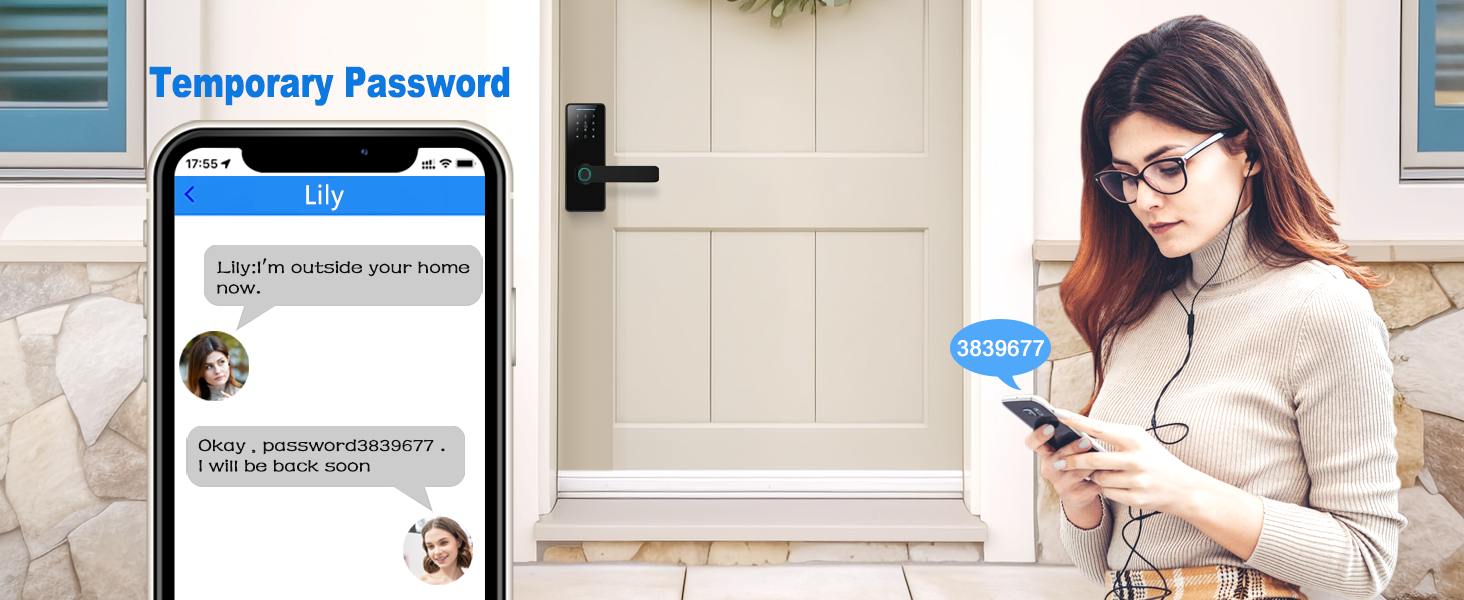
Image 4.2: Illustration of the reversible handle feature for left and right door configurations.
5. Configuração e Programação Iniciais
After physical installation, the lock requires initial setup to register users and configure unlocking methods.
5.1 Controle de aplicativo (aplicativo Tuya Smart)
The VIGOPKA Smart Lock F007 can be controlled and managed via a mobile application, such as the Tuya Smart App. Download the app from your device's app store and follow the in-app instructions to pair your lock. The app allows for member management, viewing unlocking records, and generating temporary passwords.
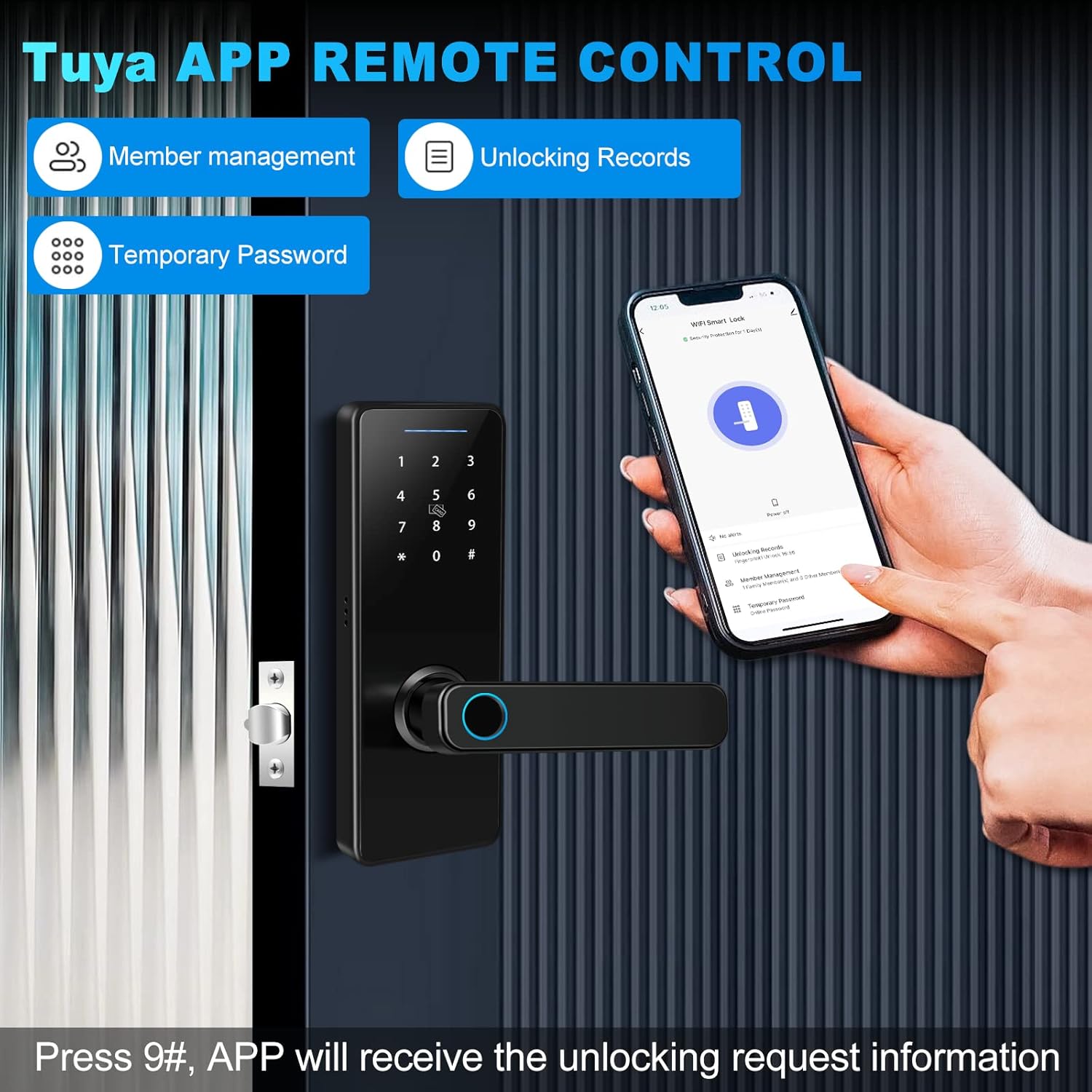
Image 5.1: The Tuya Smart App interface on a smartphone, demonstrating remote control capabilities for the smart lock.
5.2 Fingerprint Enrollment
The lock supports up to 100 unique fingerprints. Follow the instructions in the app or the lock's keypad interface to enroll new fingerprints. Ensure your finger covers the sensor completely during enrollment for optimal recognition.

Image 5.2: Visual representation of the fingerprint unlocking process, highlighting 360-degree recognition and fast unlock speed.
5.3 Configuração de senha
You can set multiple user passcodes. The lock features an anti-peeping function, allowing you to enter random digits before or after your actual passcode to prevent unauthorized viewindo.

Image 5.3: The anti-peeping password function in use, showing how random digits can be added to a passcode for enhanced security.
5.4 Key Fob Pairing
Pair the included key fobs with your lock according to the instructions provided in the full manual or via the app. Key fobs offer a convenient tap-to-unlock option.
6. Operação
The VIGOPKA Smart Lock F007 offers several ways to unlock your door.
6.1 Métodos de desbloqueio
- Impressão digital: Place your registered finger on the fingerprint sensor. The lock will unlock within 0.3 seconds upon successful recognition.
- Senha: Enter your registered passcode on the touchscreen keypad, optionally adding random digits before or after for privacy, then press '#' to confirm.
- Chaveiro: Present a paired key fob to the designated sensor area on the lock.
- Controle de aplicativo: Use the Tuya Smart App on your smartphone to remotely unlock the door.
- Chave física: In case of emergency or battery depletion, use the provided physical keys to manually unlock the deadbolt.

Imagem 6.1: Terminadoview of the multiple unlocking methods available with the VIGOPKA Smart Lock.
6.2 Recurso de travamento automático
The lock is equipped with an auto-lock function. After unlocking, the door will automatically re-lock after a set period (configurable via the app or lock settings), ensuring your home remains secure.

Image 6.2: Visual demonstration of the automatic locking feature of the smart lock.
6.3 Temporary Passwords
Generate temporary, time-sensitive passwords for guests or service providers directly from the mobile application. These passwords can be sent remotely and expire automatically.
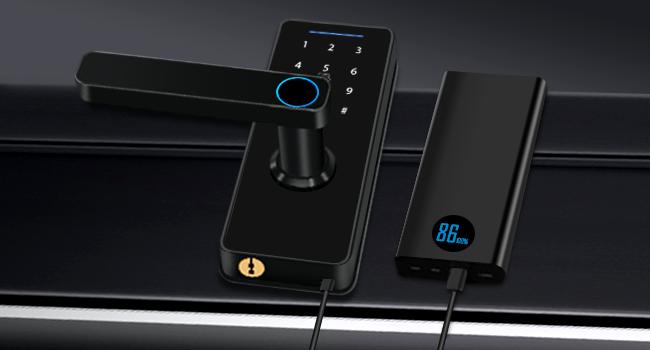
Image 6.3: A user receiving a temporary password on their smartphone for the smart lock.
7. Manutenção
7.1 Substituição da bateria
The VIGOPKA Smart Lock F007 is powered by 4 AA alkaline batteries, providing up to one year of battery life under normal usage. The lock will provide a low-battery alert when replacement is needed. To replace batteries, open the battery compartment on the rear lock panel and insert new AA batteries, ensuring correct polarity.

Image 7.1: The battery compartment of the smart lock, illustrating the use of 4 AA batteries for extended battery life.
7.2 Energia de Emergência
If the batteries completely deplete before replacement, the lock can be temporarily powered via its USB-C port using an external power bank. This allows you to unlock the door and replace the batteries.

Image 7.2: The smart lock being powered by an external power bank through its USB-C port for emergency access.
7.3 Limpeza
Limpe a parte externa da fechadura com um pano macio e seco.amp pano. Evite produtos de limpeza abrasivos ou solventes que possam danificar o acabamento ou os componentes eletrônicos.
8. Solução De Problemas
If you encounter issues with your VIGOPKA Smart Lock F007, refer to the following common problems and solutions:
- A fechadura não responde: Verifique o nível da bateria. Se estiver baixo, substitua as baterias ou use a alimentação de emergência USB-C.
- Impressão digital não reconhecida: Ensure your finger is clean and dry. Re-enroll your fingerprint if recognition issues persist.
- A senha não está funcionando: Verify the correct passcode is entered. Ensure the '#' key is pressed after the passcode.
- Lock does not engage/disengage properly: Check for any obstructions in the door frame or latch mechanism. Ensure the lock is correctly aligned and installed according to the manual.
- Problemas de conectividade do aplicativo: Ensure your smartphone's Bluetooth is enabled and the lock is within range. Check your home Wi-Fi connection if using Wi-Fi features.
For more complex issues or persistent problems, please contact VIGOPKA customer support.
9. Garantia e Suporte
Your VIGOPKA Smart Lock F007 comes with a garantia de um ano a partir da data da compra. Esta garantia cobre defeitos de fabricação e assegura que o produto funcione conforme o esperado em condições normais de uso.
Additionally, VIGOPKA offers suporte técnico vitalício for this product. If you have any questions regarding installation, setup, operation, or troubleshooting, please do not hesitate to contact our customer service team. Refer to the contact information provided in your product packaging or on the official VIGOPKA website.


