Introdução
Welcome to the user manual for your MONOKEI Standard Keyboard. This mechanical keyboard is designed for versatility and a superior typing experience, featuring hot-swappable MX switches and durable PBT keycaps. It supports both wired and wireless connectivity, making it suitable for various devices and environments. This manual provides essential information for setup, operation, maintenance, and troubleshooting to ensure optimal performance and longevity of your keyboard.
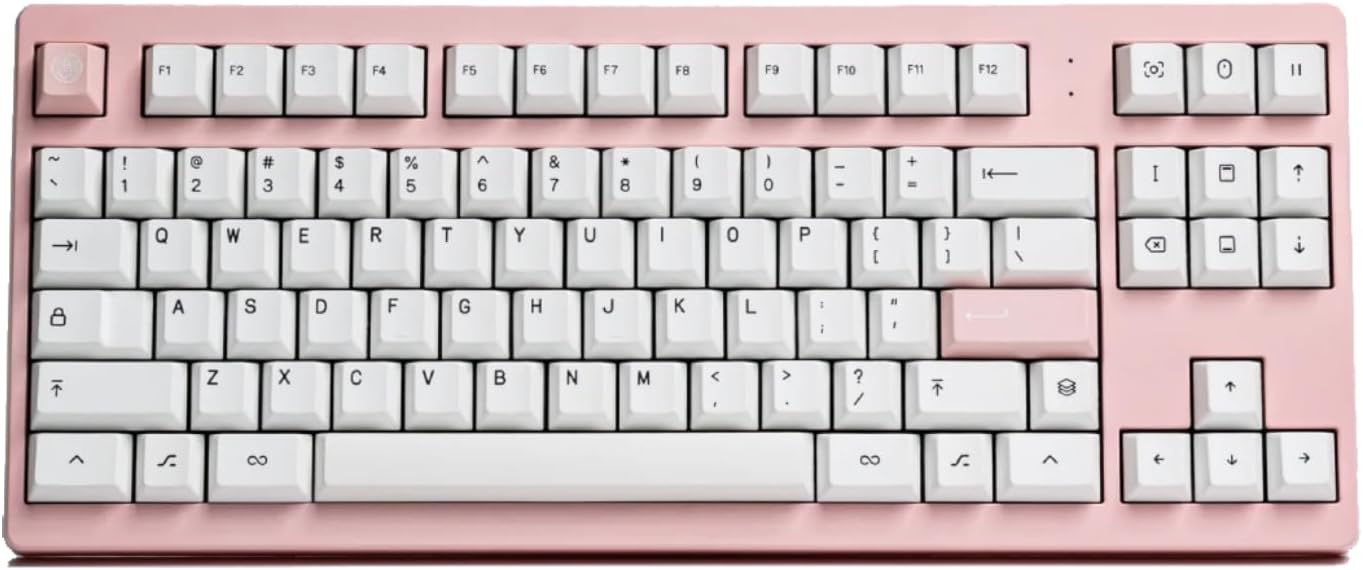
Imagem: Vista de cima para baixo view of the MONOKEI Standard Keyboard in Blush Pink with white keycaps.
O que está na caixa
Upon unboxing your MONOKEI Standard Keyboard, please verify that all the following components are present:
- MONOKEI Standard Keyboard
- Extrator de Keycap
- Cabo USB (USB-C para USB-A)

Image: The keyboard box open, showing the keyboard, keycap puller, and USB cable neatly arranged inside.
Configurar
Carregamento inicial
Before first use, it is recommended to fully charge your MONOKEI Standard Keyboard.
- Conecte o cabo USB-C fornecido à porta USB-C do teclado.
- Connect the other end of the USB cable to a powered USB port on your computer or a wall adapter.
- The keyboard's indicator light will show charging status (refer to LED indicator section for details).
Opções de conectividade
The MONOKEI Standard Keyboard offers both wireless (Bluetooth) and wired (USB-C) connectivity.
Conexão sem fio (Bluetooth)
- Certifique-se de que o teclado esteja carregado.
- Locate the connectivity switch on the keyboard (usually on the back or side) and set it to Bluetooth mode.
- On your device (Laptop, PC, Smartphone, Tablet), navigate to Bluetooth settings.
- Procurar available devices and select "MONOKEI Standard" from the list.
- Siga as instruções na tela para concluir o processo de pareamento.
- The keyboard can connect wirelessly to multiple devices, allowing quick switching.
Wired (USB-C) Connection
- Conecte o cabo USB-C fornecido à porta USB-C do teclado.
- Conecte a outra extremidade do cabo USB a uma porta USB do seu computador.
- O teclado será reconhecido automaticamente e estará pronto para uso.

Image: The MONOKEI Standard Keyboard positioned next to a laptop, illustrating its use in a typical setup.
Instruções de operação
Uso geral
The MONOKEI Standard Keyboard is designed for intuitive use. Simply connect it via your preferred method (Bluetooth or USB-C) and begin typing. The keyboard features a standard 87-key layout, providing a familiar and efficient typing experience.
Interruptores Hot-Swappable
One of the key features of your MONOKEI Standard Keyboard is its hot-swappable sockets, allowing you to change out mechanical switches without soldering. This enables customization of your typing feel.
- Removendo um interruptor: Use the provided switch puller tool. Gently grip the switch from the top and bottom (where the clips are located) and pull upwards with even pressure until the switch detaches from the PCB.
- Instalando um Switch: Align the pins of the new switch with the holes on the PCB. Ensure the pins are straight to avoid bending. Gently push the switch down until it clicks into place. Do not force the switch if it doesn't go in easily; check pin alignment.

Image: A hand demonstrating the use of a switch puller tool to remove a mechanical switch from the keyboard.
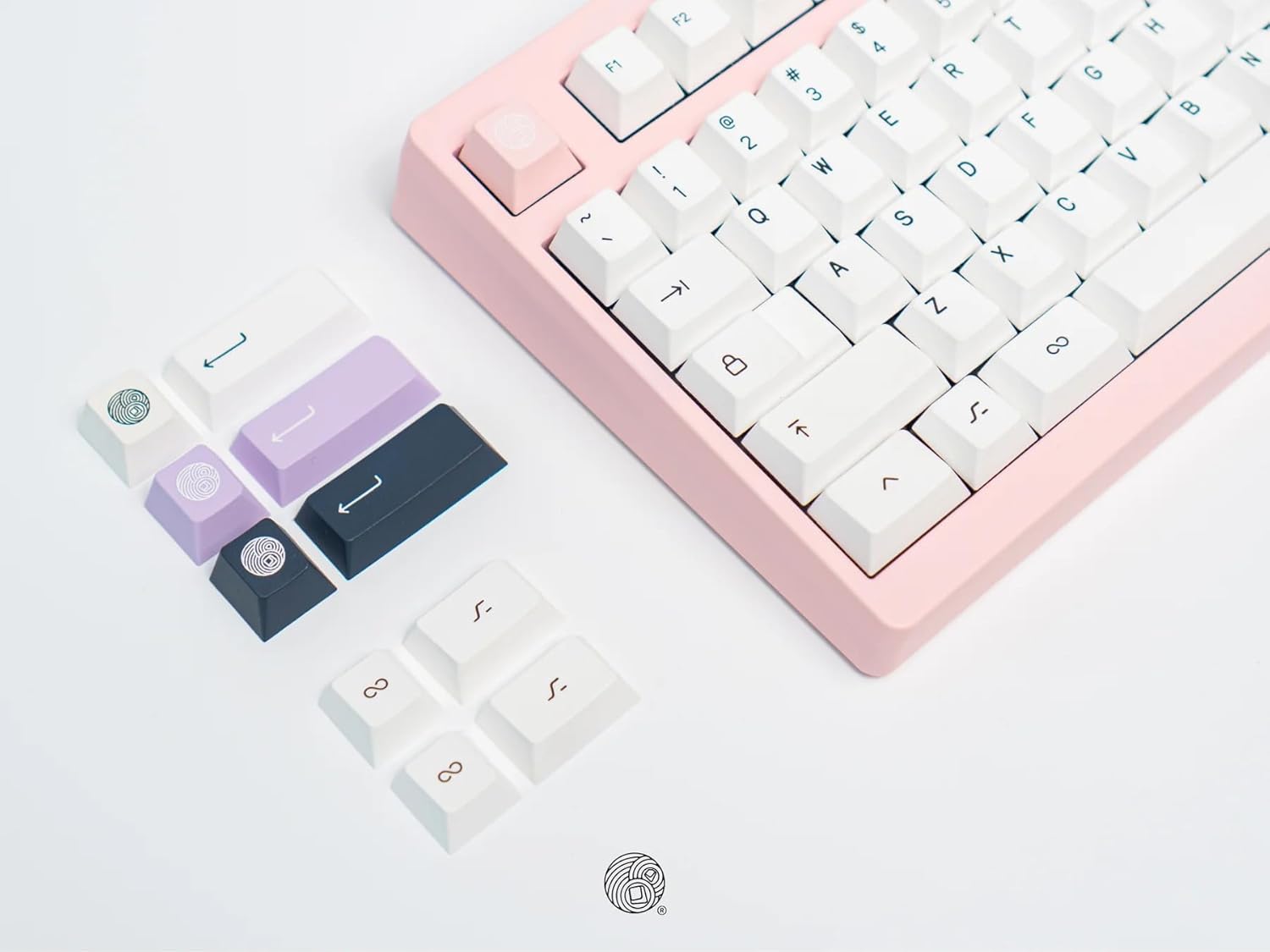
Image: A collection of different colored keycaps and a keycap puller tool, highlighting the customization options.
Substituição de teclas
The keyboard comes installed with Series 1 doubleshot PBT keycaps, known for their durability. You can replace them with other compatible keycaps.
- Remover uma tecla: Use the provided keycap puller. Place the puller over the keycap, ensuring the wires hook under opposite sides of the keycap. Pull straight up with gentle, even force.
- Instalando uma tecla: Align the cross-shaped stem on the underside of the keycap with the stem on the switch. Press down firmly until the keycap is seated securely.
Manutenção
Limpando seu teclado
A limpeza regular ajuda a manter a aparência e a funcionalidade do seu teclado.
- Teclas: For general cleaning, wipe keycaps with a soft, damp cloth. For deeper cleaning, keycaps can be removed (using the keycap puller) and washed with mild soap and water. Ensure they are completely dry before reattaching.
- Corpo do teclado: Use um pano macio e sem fiapos, levemente umedecido.ampened with water or a mild cleaning solution, to wipe down the keyboard body. Avoid excessive moisture.
- Entre Chaves: Use compressed air to blow out dust and debris from between the keycaps. A small brush can also be used to dislodge stubborn particles.
Cuidado: Do not immerse the keyboard in water or any liquid. Avoid using harsh chemicals or abrasive materials for cleaning.
Solução de problemas
| Problema | Possível causa | Solução |
|---|---|---|
| Teclado não responde (com fio) | Conexão USB solta, cabo defeituoso, problema com o driver. |
|
| Teclado não responde (Bluetooth) | Teclado não emparelhado, fora do alcance, bateria fraca, interferência Bluetooth. |
|
| Teclas não registram ou digitam duas vezes. | Loose or faulty switch, debris under keycap/switch. |
|
| Bateria não carrega | Faulty USB cable, power source issue, keyboard defect. |
|
Especificações
- Número do modelo: STND87
- Dimensões do produto: 14.3 x 5.9 x 1.5 polegadas (36.32 x 14.99 x 3.81 cm)
- Peso do item: 2.1 libras (0.95 kg)
- Fabricante: MONOKEI
- Tecnologia de conectividade: Bluetooth BLE 5.1, USB-C
- Descrição do teclado: Mecânico
- Número de chaves: 87
- Características especiais: Hot-Swappable, Long lasting PBT keycaps, Positive typing experience, Wired, Wireless, Bluetooth
- Dispositivos compatíveis: Laptop, PC, Smartphone, Tablet (macOS / iOS / Windows / Android)
- Duração da bateria: Up to 30 days (based on 8 hours/day usage)
- Ângulo de digitação: 5 graus

Image: A graphic displaying key specifications of the MONOKEI Standard Keyboard, including compatibility, connectivity, dimensions, weight, battery life, and typing angle.
Garantia e Suporte
For warranty information and customer support, please refer to the official MONOKEI webou entre em contato diretamente com o serviço de atendimento ao cliente. Guarde o comprovante de compra para eventuais solicitações de garantia.
Você pode visitar o MONOKEI Store on Amazon Para obter mais informações e atualizações sobre o produto.

