JioMotive OBD GPS Tracker & Wi-Fi Router
Manual do usuário
Your guide to setting up, operating, and maintaining your JioMotive device.
1. Produto acabadoview
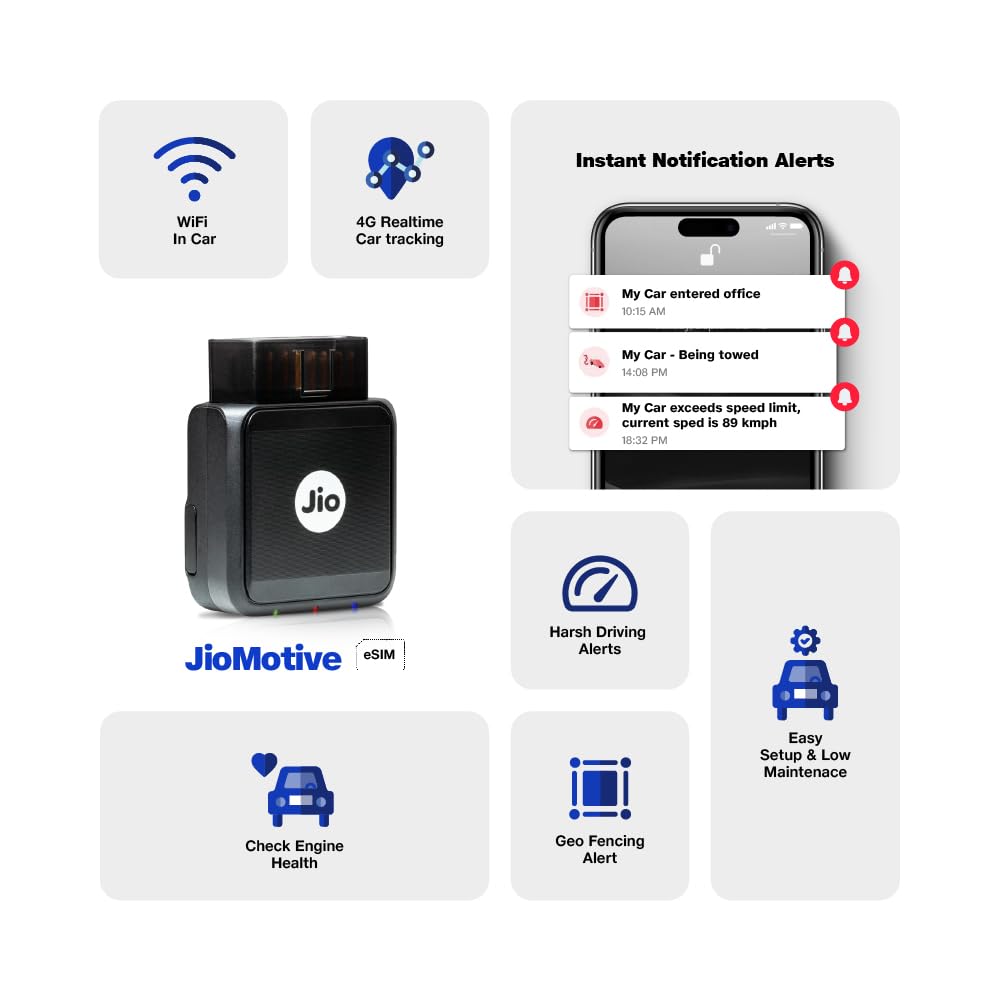
The JioMotive is an advanced On-Board Diagnostics (OBD) device that transforms your vehicle into a smart, connected car. It offers real-time GPS tracking, in-car Wi-Fi, vehicle health monitoring, and driving behavior analysis, all powered by Jio's 4G eSIM technology.

The JioMotive device and its accompanying smartphone application for comprehensive vehicle management.
Principais características:
- Rastreamento GPS em tempo real: Monitor your vehicle's location 24x7.
- Geo-Fencing and Time-Fencing: Set custom boundaries and time restrictions with instant alerts for entry or exit.
- In-Car Wi-Fi: Enjoy high-speed 4G Wi-Fi connectivity for up to 8 devices using your existing Jio SIM plan.
- Monitoramento da saúde do veículo: Receive updates on your car's health, including Diagnostic Trouble Codes (DTCs), battery voltage, coolant temperature, and air intake temperature.
- Análise do Comportamento de Condução: Gain insights into driving patterns to promote safer habits.
- Vehicle Security and Safety: Get automatic alerts for towing and device tamperrante.
- Instalação fácil "faça você mesmo": Simple plug-and-play setup process.

Sobreview of the JioMotive's comprehensive features.
2. Configuração e instalação
The JioMotive device is designed for easy Do-It-Yourself (DIY) installation. Follow these steps to get your device up and running.
DIY Setup Process in 9 Easy Steps:
- Download and Install the JioThings App from Google Play Store or Apple App Store.
- Login or Sign up to JioThings with your Jio Number. Click on "+" and select JioMotive.
- Enter the IMEI Number from the JioMotive Box or the Device and Click "Proceed".
- Enter your car details like Registration Number, Car Name (Set a Name for Your Car), Vehicle Make, Model, Fuel Type, Year of Make and Click "Save".
- Plug the JioMotive Device into your car's OBD Port. Turn Your Car On and follow the next steps. Ensure your Car is in an open space with good Jio Network.
- Agree to the terms and conditions of JioEverywhere Connect Number Sharing Plan and Click "Enable".
- Click on "JioJCR1440" and Click "Proceed" On the Next Screen.
- You will receive a confirmation message on Screen for Activation Request.
- Keep Your Car on for 10 mins/drive for 4-5 Kms in good Jio Network for the device to get activated. Your data will start flowing in JioThings app within 4 Hours (at max).

Detailed steps for self-installation and activation of your JioMotive device.
For visual guidance, refer to the official setup and features videos:
- Assistir ao vídeo de configuração
A step-by-step video guide for installing and activating your JioMotive.
- Watch Features Video
Um fimview of the various functionalities and benefits of the JioMotive.
3. Operating Your JioMotive
Real-time GPS Tracking
The JioMotive provides continuous 24x7 tracking of your vehicle. You can view its live location, historical routes, and speed data directly through the JioThings app.
Monitor your vehicle's location and trip summary in real-time.
Geo-Fencing and Time-Fencing
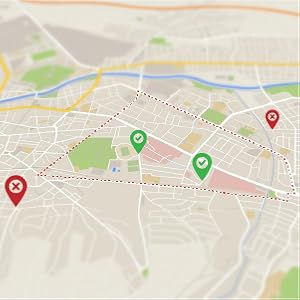
Create custom geofences of any shape on the map and receive instant alerts when your vehicle enters or exits these defined areas. Time-fencing allows you to set specific hours during which the vehicle should not be in motion, providing peace of mind.

Visualize and manage your geo-fenced zones for enhanced security.
In-Car Wi-Fi Hotspot
The JioMotive acts as a 4G Wi-Fi router, providing high-speed internet connectivity inside your car. It supports up to 8 connections simultaneously, utilizing your existing Jio Smartphone Data Plan without additional costs.

Enjoy seamless internet connectivity for entertainment and productivity on the go.
Vehicle Health Monitoring
Receive critical updates on your car's health. The JioMotive detects Diagnostic Trouble Codes (DTCs) and provides insights into various parameters, helping prevent unexpected breakdowns.
Engine Load Alert

Códigos de problemas de diagnóstico

Temperatura do líquido de arrefecimento

Saúde da bateria

Temperatura de entrada de ar
Monitor key vehicle health parameters directly from the app.
Análise do comportamento de direção
The device helps inculcate safe driving behavior by analyzing metrics such as harsh braking, rapid acceleration, overspeeding, and sharp turns. This data can be reviewed in the app to improve driving habits.

Promote safer driving habits with detailed behavior analysis.
Vehicle Security and Safety Alerts
Receive instant notifications for critical events such as vehicle towing and device tampering, ensuring the security of your car even when you're not around.

Ignition On/Off Alerts

Dispositivo Tampering Alerts
Stay informed about your vehicle's security status.
4. Manutenção
The JioMotive device is designed for minimal maintenance. Keep the device clean and ensure it is securely plugged into the OBD port. Avoid exposing it to extreme temperatures or moisture. Regular updates to the JioThings app will ensure optimal performance and access to the latest features.
5. Solução De Problemas
If you encounter any issues with your JioMotive device, please refer to the common solutions below. For further assistance, contact customer support.
- Device Not Activating/No Data Flow: Ensure your car is in an open area with good Jio network coverage during activation. Drive for 4-5 km after plugging in the device. Data flow may take up to 4 hours to begin. Verify the IMEI number entered during setup is correct.
- No Vehicle Health Data: The JioMotive supports most Petrol and Diesel cars manufactured from 2013 onwards with CAN-based engines. K-Line engine based cars are not compatible for vehicle health data. Electric Vehicles, Hybrids, Heavy Load Vehicles, Fiat Cars, Volvo S90 (2023 Make), and Bikes are not compatible with the device.
- Jio SIM Related Issues: The device works exclusively with a Jio SIM. Once paired, the Jio number cannot be changed. Ensure your primary Jio Smartphone plan is active and extended to your JioMotive.
- Inaccurate Location/Speed: Ensure the device is securely plugged in and has a clear GPS signal. In some cases, minor delays in speed updates are normal.
- O aplicativo não está respondendo: Try restarting the JioThings app or your smartphone. Ensure the app is updated to the latest version.
6. Especificações técnicas
| Recurso | Especificação |
|---|---|
| Marca | JIO |
| Nome do modelo | JioMotive |
| Número do modelo do item | JCR1440 |
| Dimensões do produto | 6.6 x 5.1 x 2.3 cm |
| Peso do item | 110 g |
| Material | Plástico |
| Cor | Preto |
| Tecnologia de Conectividade | Wi-Fi (4G eSIM) |
| Características especiais | Anti-Theft, Geo-Fence, Real Time Tracking |
| Aplicativo Suportado | GPS (JioThings App) |
| Usos específicos para o produto | Rastreamento de Veículos |
| País de origem | China |
| Primeira data disponível | 25 de outubro de 2023 |
7. Garantia e Suporte ao Cliente
Informações de garantia
The JioMotive device comes with a 1-year free subscription. Please note that this product is non-returnable. For any issues or support, please contact Jio customer care.
Suporte ao cliente
For any assistance needed, please contact Jio customer care:
- Número gratuito: 1800-889-7999 (Monday - Saturday, 8 AM - 8 PM)
- E-mail: care@jio.com
- Visita: Nearest Jio Service Centre
Importer/Packer Address: Reliance Retail Limited, Shed No. 77/80, Indian Oil Corporation Godown, Mankoli Naka, Vill- Dapode, Tal: Bhiwandi, Dist Thane, PIN:421302