1. Produto acabadoview
This FINTIE Keyboard Case is designed to enhance the functionality and protection of your Samsung Galaxy tablet. It features a detachable wireless Bluetooth keyboard, multiple viewing angles, and an integrated S Pen holder.
1.1. Compatibilidade
This case is compatible with the following Samsung Galaxy tablet models:
- Samsung Galaxy Tab S10 Lite 5G 10.9 inch (Model SM-X400/X406B) 2025 Release
- Samsung Galaxy Tab S10 FE 5G 10.9 inch (Model SM-X520/X526B/X528U) 2025 Release
- Samsung Galaxy Tab S9 FE 5G 10.9 inch (Model SM-X510/X516B/X518U) 2023 Release
- Samsung Galaxy Tab S9 11 inch (Model SM-X710/X716B/X718U) 2023 Release
Note: This case is NOT compatible with any other tablet models.

Image 1: Compatible tablet models and instructions on how to locate your tablet's model number via the settings menu (Settings > About tablet > Model name).
1.2. Materials and Design
The case features a durable PU leather cover and an anti-slip rubber-lined interior for comprehensive tablet protection. The premium polycarbonate shell securely holds your tablet and absorbs impacts. The keyboard is constructed from high-end ABS material.
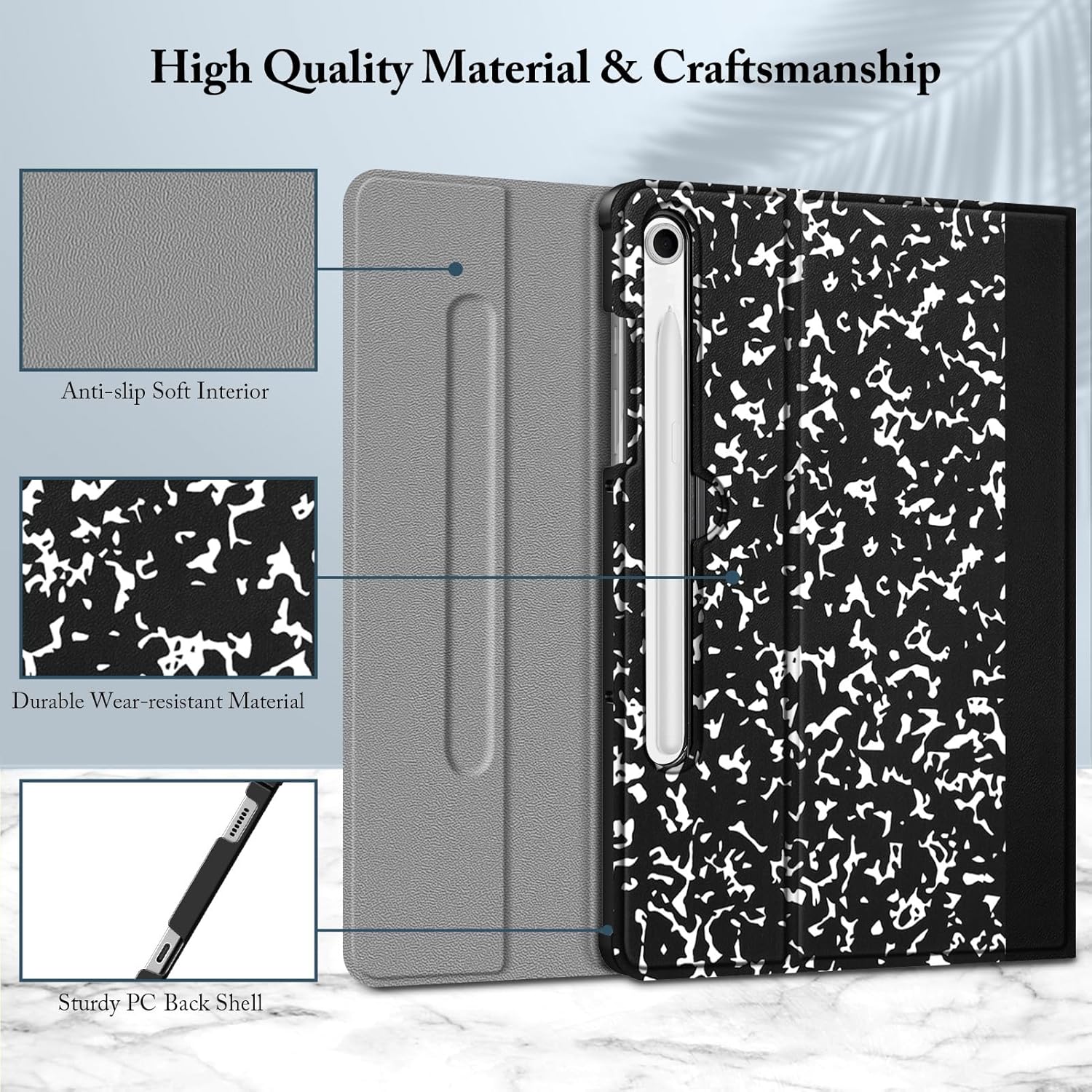
Imagem 2: Detalhada view of the case's construction, highlighting the anti-slip soft interior, durable wear-resistant material, and sturdy PC back shell.
2. Conteúdo da embalagem
O pacote inclui:
- One FINTIE Keyboard Case for Samsung Galaxy Tab S10 Lite/ S10 FE/ S9 FE 10.9''/ S9 11''
- One Detachable Wireless Bluetooth Keyboard
- Cabo de carregamento USB-C (para teclado)
- Manual do usuário (este documento)
3. Configuração e instalação
3.1. Instalando seu tablet
- Carefully align your Samsung Galaxy tablet with the protective shell of the case.
- Gently press the tablet into the shell until it is securely seated. Ensure all edges are properly covered by the case.
3.2. Carregando o teclado
Before initial use, fully charge the Bluetooth keyboard. Use the provided USB-C charging cable to connect the keyboard to a power source (e.g., computer USB port, USB wall adapter).
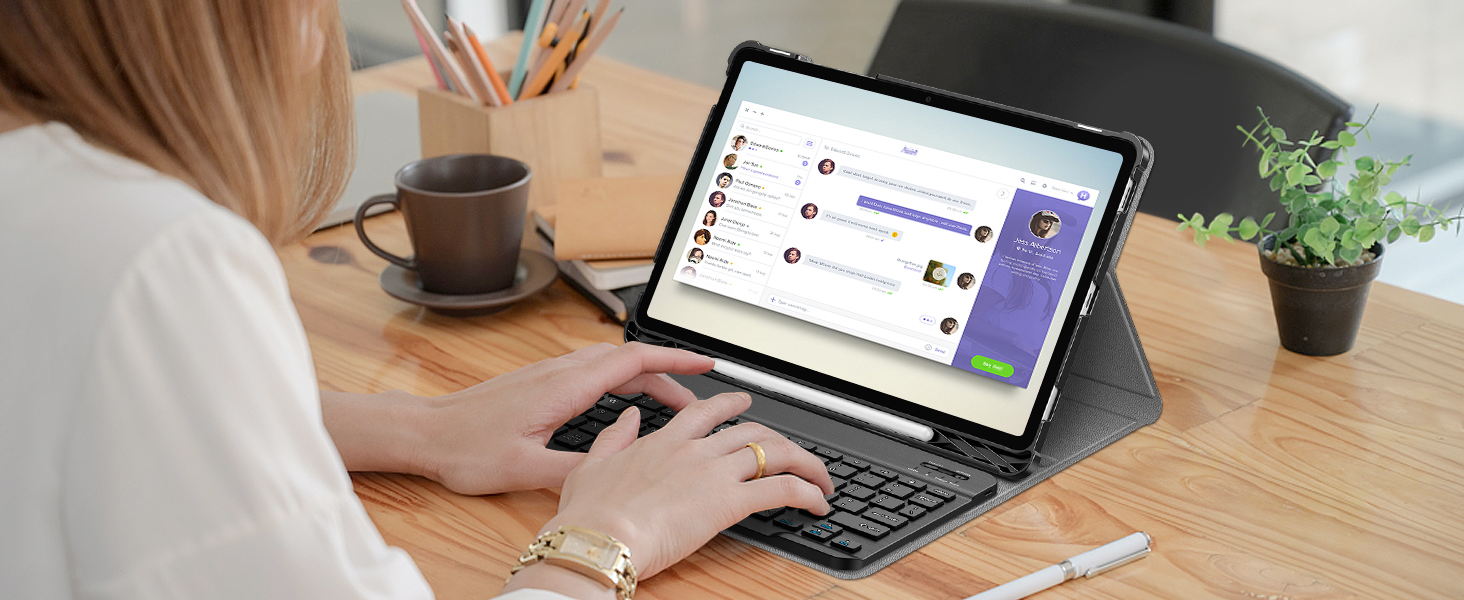
Image 3: The Bluetooth keyboard connected to a USB-C charging cable for charging.
3.3. Emparelhando o teclado Bluetooth
- Turn on the keyboard by sliding the power switch to the "ON" position. The indicator light will illuminate.
- Press the "Connect" button on the keyboard. The Bluetooth indicator light will start blinking, indicating it's in pairing mode.
- On your Samsung Galaxy tablet, go to Configurações > Dispositivos conectados > Bluetooth.
- Ative o Bluetooth e procure por dispositivos disponíveis.
- Select "FINTIE Keyboard" (or similar name) from the list of available devices.
- Follow any on-screen prompts to complete the pairing process. A successful connection will be indicated by the Bluetooth light on the keyboard turning off or staying solid.
The keyboard utilizes Bluetooth Low Energy 5.0 technology for a stable and fast connection.

Image 4: The FINTIE Bluetooth keyboard, showcasing its design and Bluetooth Low Energy 5.0 technology for extended battery life.
4. Instruções de operação
4.1. Using the Detachable Keyboard
The keyboard attaches magnetically to the case, allowing for flexible positioning. It supports both iOS and Android systems, eliminating the need for system switching.

Image 5: The keyboard magnetically attached to the case, ready for use with the tablet.
The ergonomic and mechanical scissor keys are designed to reduce noise and provide comfortable typing for extended periods.
4.2. Ajustando Viewângulos de engate
The case features anti-slip grooves that allow you to securely position your tablet at multiple viewing angles in landscape mode. This is ideal for typing, viewing media, or video calls.

Image 6: The case offering multiple viewing angles with anti-slip grooves for stability.
4.3. Suporte para caneta S
A built-in S Pen holder allows you to conveniently store and access your S Pen with your device. The S Pen is not included with this product.
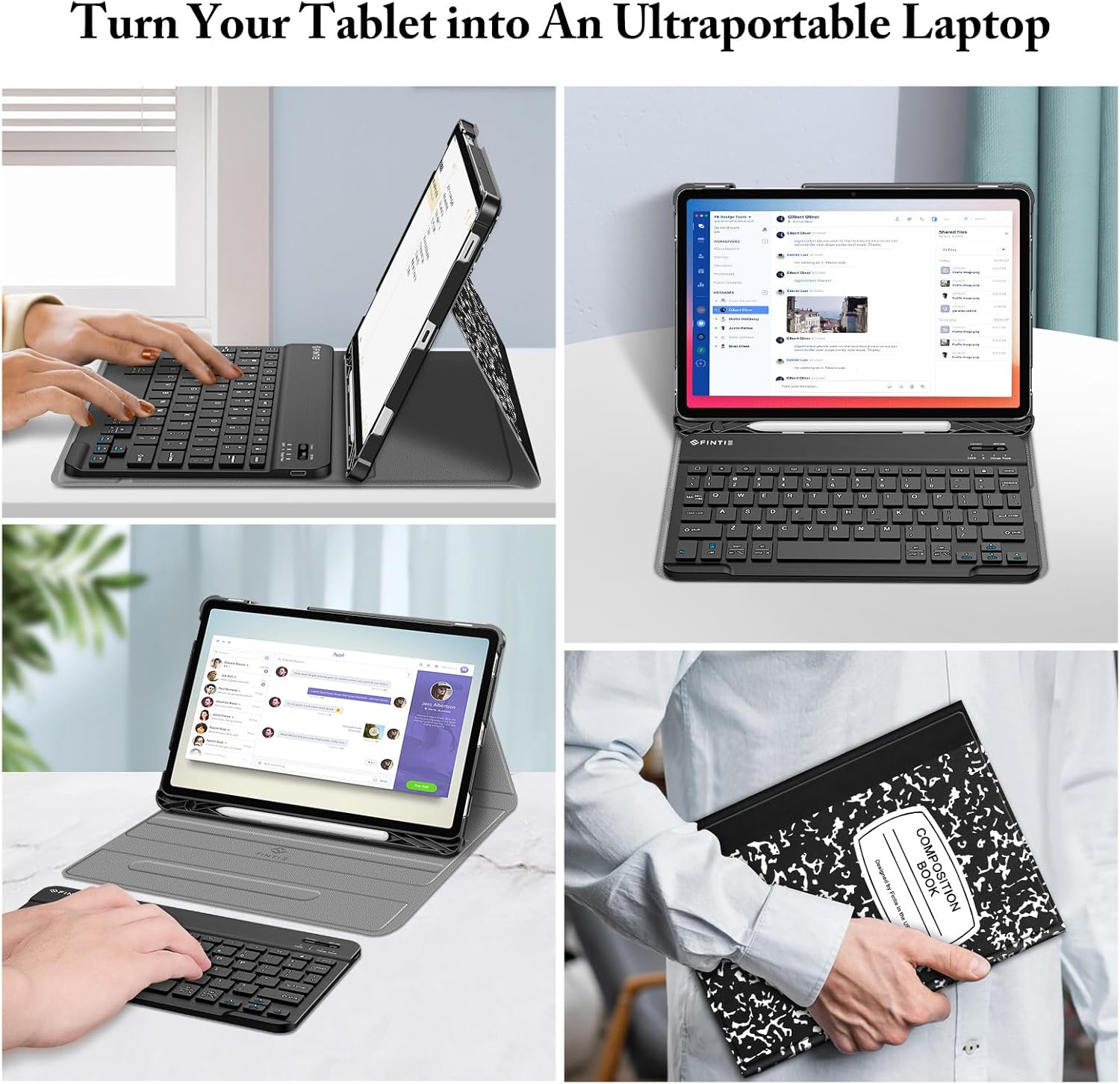
Image 7: The integrated S Pen holder, designed for easy storage and access.
4.4. Função de ativação/desativação automática
The case supports the auto sleep/wake function when the tablet is installed. Closing the case will put your tablet to sleep, and opening it will wake it up, conserving battery life.
5. Manutenção e Cuidados
- Limpeza do gabinete: Wipe the PU leather cover with a soft, damp pano. Evite produtos químicos agressivos ou produtos de limpeza abrasivos.
- Limpando o teclado: Use a soft, dry cloth to clean the keyboard. For stubborn dirt, a slightly damp cloth can be used, ensuring no moisture enters the keys.
- Armazenar: When not in use for extended periods, ensure the keyboard is turned off to conserve battery. Store the case and keyboard in a cool, dry place.
- Proteção: The premium polycarbonate shell provides protection against drops and bumps. However, avoid excessive force or impact to prevent damage to your tablet and case.
6. Solução De Problemas
6.1. Teclado não conecta
- Certifique-se de que o teclado esteja ligado e totalmente carregado.
- Verifique se o Bluetooth está ativado no seu tablet.
- Put the keyboard back into pairing mode by pressing the "Connect" button.
- Forget the device on your tablet's Bluetooth settings and attempt to re-pair.
- Restart both your tablet and the keyboard.
6.2. Keyboard Input Lag or Unresponsiveness
- Ensure the keyboard is within the 14-meter Bluetooth range of your tablet.
- Verifique se há interferência de outros dispositivos sem fio.
- Recarregue a bateria do teclado.
6.3. Auto Sleep/Wake Function Not Working
- Ensure your tablet is correctly seated in the case.
- Check your tablet's settings to ensure the smart cover function is enabled (if applicable).
7. Especificações
| Recurso | Detalhe |
|---|---|
| Dimensões do produto | 0.38 x 0.38 x 0.38 polegadas |
| Peso do item | 1.63 libras |
| Número do modelo | CSBH026-C |
| Baterias | 1 bateria de polímero de lítio (incluída) |
| Tecnologia de Conectividade | Bluetooth Low Energy 5.0 |
| Descrição do teclado | Multi Functional, Scissor Keys |
| Características especiais | Foldable, Multiple Viewing Angles, Detachable Keyboard, S Pen Holder |
| Material | Durable PU leather cover, anti-slip rubber-lined interior, premium polycarbonate shell, high-end ABS material keyboard |
8. Vídeo oficial do produto
Video 1: An official product video demonstrating the FINTIE Keyboard Case features, including tablet installation, S Pen holder, adjustable angles, and magnetic keyboard attachment.
9. Garantia e Suporte
Para informações sobre garantia ou suporte técnico, consulte o site oficial do fabricante. webou entre em contato diretamente com o serviço de atendimento ao cliente. Os detalhes geralmente são fornecidos com a documentação da compra ou na embalagem do produto.


