1. Introdução
This manual provides detailed instructions for the FREEWOLF RK-K8 Wireless Mechanical Gaming Keyboard. Please read this manual thoroughly before using the product to ensure proper operation and to maximize your user experience.
Principais características:
- Triple-Mode Connectivity: Supports Type-C wired, 2.4GHz wireless, and Bluetooth 5.0 connections.
- Hot-Swappable Switches: Compatible with most 3-pin mechanical switches for customization.
- Gasket Mounted Structure: Enhances typing feel and reduces hollow sound.
- Customizable Rainbow Backlight: Features 18 backlight effects.
- Long-Lasting Battery: Equipped with a 4000mAh battery.
- 96% Layout: 100-key design that saves space while retaining essential keys.
- Wide Compatibility: Supports Windows and Mac operating systems.
2. Conteúdo da embalagem
Por favor, verifique se todos os itens estão presentes em sua embalagem:
- 1 x FREEWOLF RK-K8 Mechanical Keyboard
- 1 x USB Receiver (2.4Ghz)
- 1 x Type-C to USB-A Braided Coiled Cable
- 1 x Extrator de Teclas
- 1 x Extrator de Interruptor
- 2 x Original Switches (spare)
- 1 x Manual do Usuário (este documento)

Image 2.1: Contents of the FREEWOLF RK-K8 package, showing the keyboard, coiled USB-C cable, USB 2.4G receiver, keycap puller, switch puller, and two spare switches.
3. Configuração e conexão
3.1 Carregando o teclado
Before first use, it is recommended to fully charge the keyboard. Connect the provided Type-C cable to the keyboard's Type-C port and the USB-A end to a power source (e.g., computer USB port, USB wall adapter). The keyboard features a 4000mAh battery.
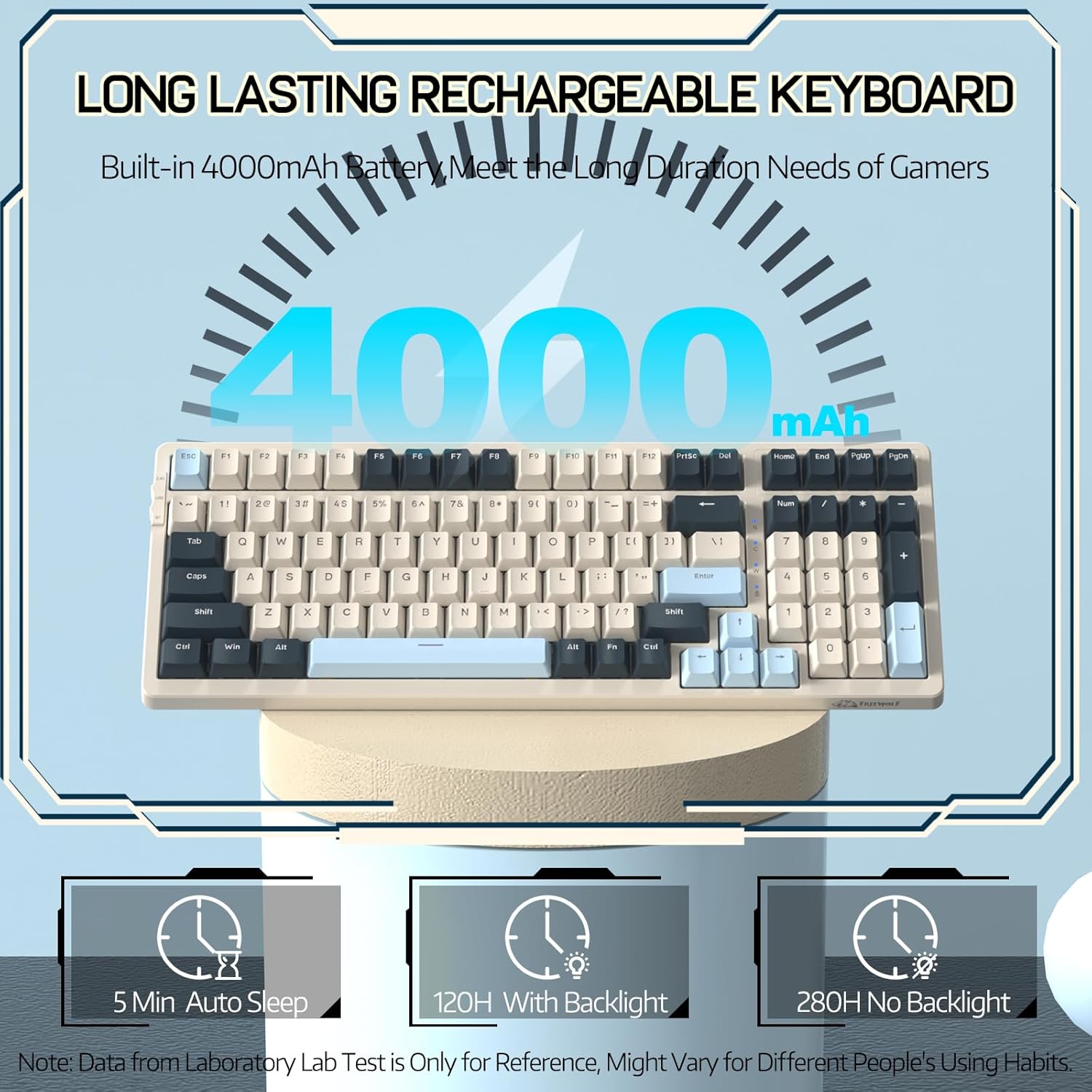
Image 3.1: The keyboard's 4000mAh battery capacity, indicating extended usage time.
3.2 Modos de conexão
The RK-K8 keyboard supports three connection modes: Wired, 2.4GHz Wireless, and Bluetooth 5.0.

Image 3.2: Visual guide for switching between 2.4G wireless, wired, and Bluetooth connection modes.
3.2.1 Modo com fio
- Connect the provided Type-C coiled cable to the keyboard's Type-C port.
- Conecte a extremidade USB-A do cabo à porta USB do seu computador.
- Ensure the mode switch on the keyboard is set to "USB" (or wired mode indicator).
- O teclado será reconhecido automaticamente pelo seu sistema.

Image 3.3: The Type-C to USB-A braided coiled cable, featuring a metal aviation connector for wired connection.
3.2.2 Modo sem fio de 2.4 GHz
- Locate the 2.4GHz USB receiver, typically stored in a slot on the keyboard.
- Conecte o receptor USB a uma porta USB disponível em seu computador.
- Toggle the mode switch on the keyboard to "2.4G".
- O teclado deve conectar-se automaticamente.
3.2.3 Modo Bluetooth 5.0
O teclado suporta a conexão de até três dispositivos Bluetooth.
- Toggle the mode switch on the keyboard to "BT".
- Para entrar no modo de emparelhamento, pressione e segure FN +Q, FN + W, ou FN + E for 3-5 seconds. The corresponding key's backlight will flash rapidly, indicating it's ready to pair.
- On your device (PC, Mac, tablet, phone), open Bluetooth settings and search for "RK-K8" or a similar device name.
- Select the keyboard to pair. Once connected, the backlight on the chosen key (Q, W, or E) will stop flashing and remain steadily lit.
- Para alternar entre dispositivos Bluetooth emparelhados, basta pressionar FN +Q, FN + W, ou FN + E.
3.3 Compatibilidade do sistema
The RK-K8 keyboard is compatible with both Windows and Mac operating systems. Use the appropriate FN key combinations for specific functions on each system.
Vídeo 3.1: Um excessoview of the FREEWOLF K8 mechanical keyboard, showcasing its features including customizable keycaps, lighting effects, hot-swappable design, compact layout, and multi-device compatibility across Windows, Mac, and mobile devices.
4. Operação
Controle de luz de fundo 4.1
The RK-K8 features 18 customizable rainbow backlight effects.
- FN + |: Switch between 18 backlight effects.
- FN + ↑ / ↓Ajuste o brilho da luz de fundo.
- FN + ← / →: Adjust the flowing speed of dynamic backlight effects.
- FN + X: Turn on/off backlight.
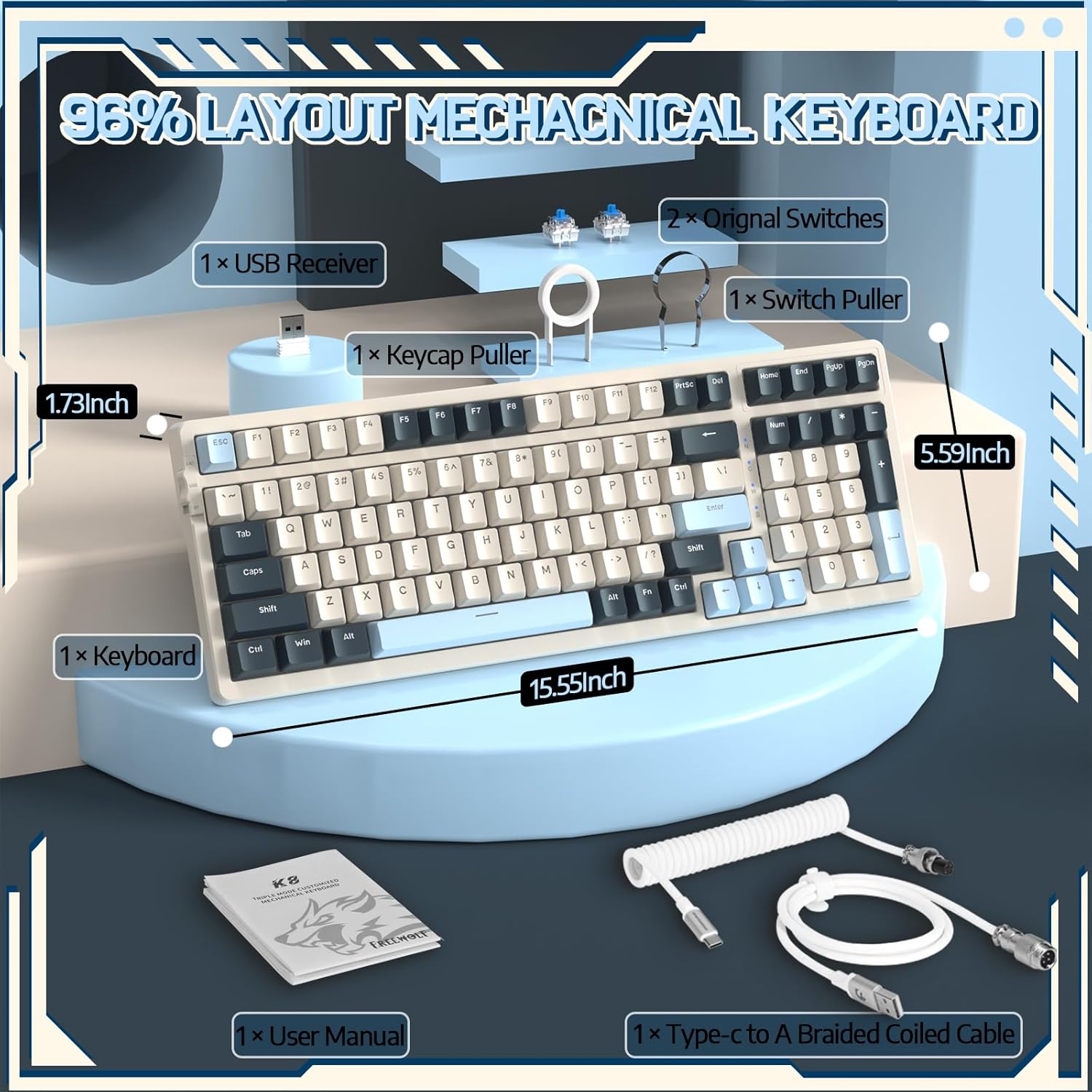
Image 4.1: The RK-K8 keyboard displaying various customizable rainbow backlight patterns.
4.2 Interruptores Hot-Swappable
The keyboard is equipped with a hot-swappable PCB, allowing you to change switches without soldering. It is compatible with most 3-pin mechanical switches (e.g., Cherry MX, Gateron, Kailh Box, AKKO, Epomaker, Glorious switches).
- Use the provided switch puller to carefully remove the existing switch. Grip the switch firmly and pull straight up.
- Alinhe os pinos do novo interruptor de 3 pinos com os orifícios na placa de circuito impresso.
- Gently press the new switch into place until it clicks. Ensure the switch is seated properly and the pins are not bent.
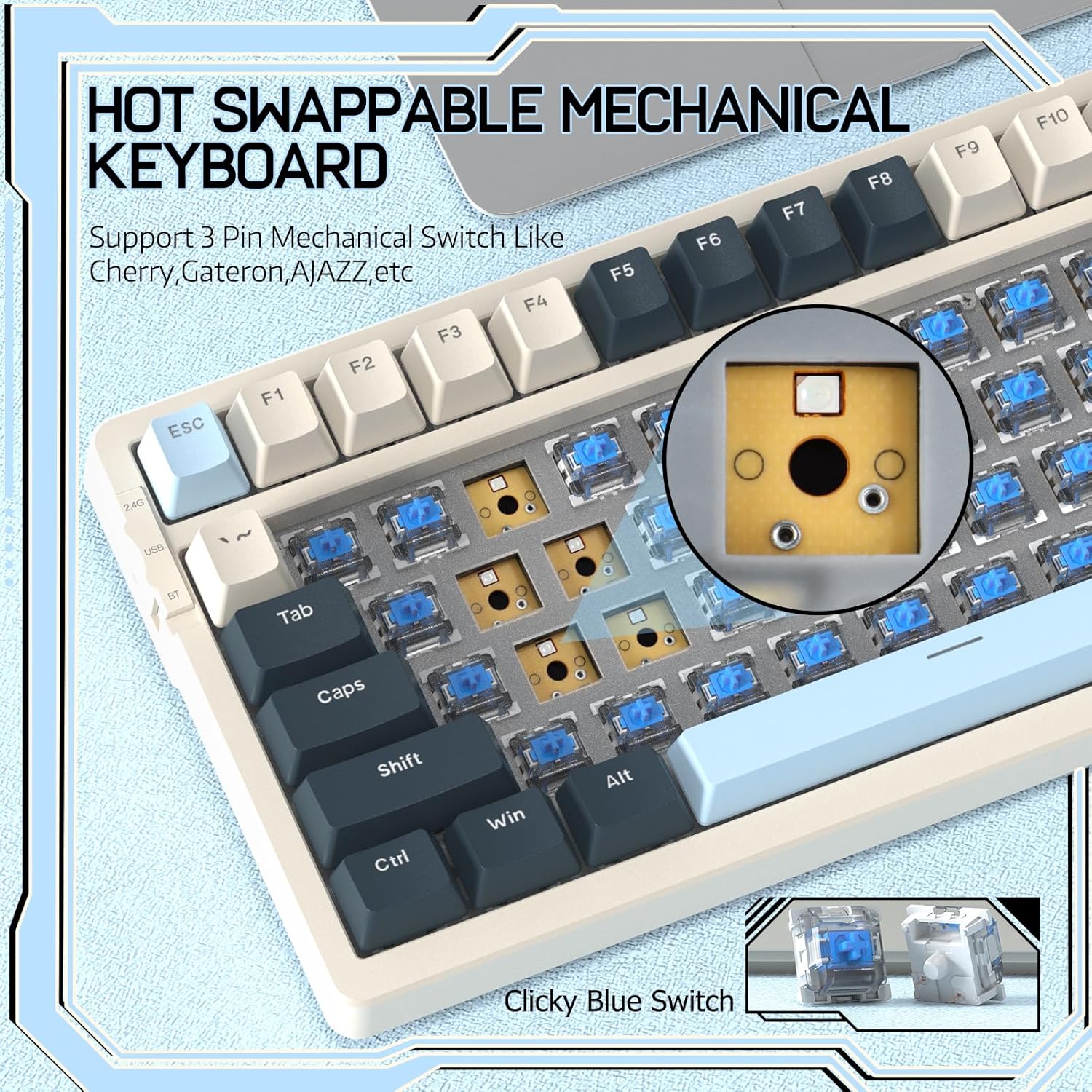
Image 4.2: Demonstrating the hot-swappable feature, showing a switch being removed from the keyboard.
4.3 Gasket Mounted Structure
The keyboard features a gasket-mounted design with sound-dampening materials between the plate and the housing. This construction reduces hollow sounds and provides a more consistent and comfortable typing experience.

Image 4.3: Diagram illustrating the internal layers of the gasket-mounted keyboard structure, designed for improved acoustics and feel.
4.4 Funções principais e layout
The RK-K8 utilizes a 96% layout with 100 keys, retaining essential modifiers, arrow keys, a separate numpad, and function row while maintaining a compact form factor.
Refer to the keyboard layout for specific key placements. Many keys have secondary functions accessible via the FN chave.
- FN + F1-F12: Multimedia and system control functions (e.g., volume, play/pause).
- FN + Vitória: Lock/unlock Windows key.
- FN + A: Alternar para o layout do Windows.
- FN + S: Alternar para o layout do Mac.
5. Manutenção
5.1 Limpeza
Para manter a aparência e a funcionalidade do teclado:
- Desconecte o teclado do computador antes de limpá-lo.
- Use um pano macio e sem fiapos levementeampFinalize com água ou uma solução de limpeza suave para limpar as teclas e o chassi.
- Para remover poeira e detritos entre as teclas, use ar comprimido ou o extrator de teclas fornecido para remover as teclas e limpar a parte de baixo.
- Evite usar produtos químicos agressivos, abrasivos ou solventes.
Substituição de teclas e interruptores 5.2
The provided keycap and switch pullers facilitate easy replacement of keycaps and switches. Refer to section 4.2 for switch replacement instructions.
6. Solução De Problemas
If you encounter issues with your FREEWOLF RK-K8 keyboard, please refer to the following common solutions:
- Teclado não responde:
- Certifique-se de que o teclado esteja carregado.
- Verifique se a chave seletora do modo de conexão (Com fio, 2.4G, BT) corresponde à conexão desejada.
- For wired mode, ensure the cable is securely connected to both the keyboard and the computer.
- For 2.4G wireless, ensure the USB receiver is plugged in and the keyboard is in 2.4G mode.
- For Bluetooth, re-pair the device if necessary (see section 3.2.3).
- Teclas repetidas ou não registradas:
- This can sometimes occur with wireless connections. Try switching to wired mode to see if the issue persists.
- Ensure the switches are properly seated. If a switch is loose, carefully remove and re-insert it.
- Limpe qualquer resíduo ao redor da tecla afetada.
- A luz de fundo não funciona ou está travada:
- Certifique-se de que a luz de fundo não esteja desligada (pressione FN + X).
- Ajuste o brilho usando FN + ↑ / ↓.
- Try cycling through backlight effects with FN + |.
- Problemas de conexão Bluetooth:
- Ensure the keyboard is in Bluetooth mode and sufficient battery.
- Forget the device on your computer/phone and re-pair it.
- Ensure your device's Bluetooth is enabled and working correctly.
7. Especificações
| Recurso | Detalhe |
|---|---|
| Marca | LOBO LIVRE |
| Modelo | RK-K8 |
| Tecnologia de Conectividade | Bluetooth 5.0 / 2.4GHz Wireless / Wired (Type-C) |
| Descrição do teclado | Mecânico |
| Tipo de interruptor | Tactile Blue Switch (Hot-Swappable 3-pin) |
| Capacidade da bateria | 4000mAh |
| Luz de fundo | Rainbow Backlit (18 effects) |
| Disposição | 96% (100 teclas) |
| Dispositivos compatíveis | PC, Mac, PS4 (via USB) |
| Material | Acrilonitrila Butadieno Estireno (ABS) |
| Peso do item | 2.25 libras (aproximadamente 1.02 kg) |
| Dimensões da embalagem | 16.14 x 6.69 x 2.01 polegadas |
8. Garantia e Suporte
For warranty information or technical support, please refer to the contact details provided with your purchase or visit the official FREEWOLF website. Guarde o recibo de compra para reclamações de garantia.


