1. Introdução
Obrigado pela compra.asing the MUSE M-15 Alarm Clock Radio. This manual provides essential information for the safe and efficient operation of your device. Please read it thoroughly before use and retain it for future reference.
2. Informações de segurança
- Fonte de energia: Use only the specified battery type (1 AA battery). Ensure correct polarity when inserting batteries.
- Água e Umidade: Do not expose the device to water, rain, or excessive moisture. Avoid placing it near liquids.
- Aquecer: Mantenha o dispositivo longe de fontes de calor, como radiadores, aquecedores, fogões ou outros aparelhos (incluindo amplificadores) que produzem calor.
- Limpeza: Limpe apenas com um pano seco. Não use limpadores líquidos ou em aerossol.
- Manutenção: Não tente consertar este produto sozinho. Encaminhe todos os serviços de manutenção para pessoal de serviço qualificado.
- Disposição: Dispose of batteries and the device according to local regulations. Do not dispose of batteries in fire.
3. Produto acabadoview
Familiarize yourself with the components of your MUSE M-15 Alarm Clock Radio.
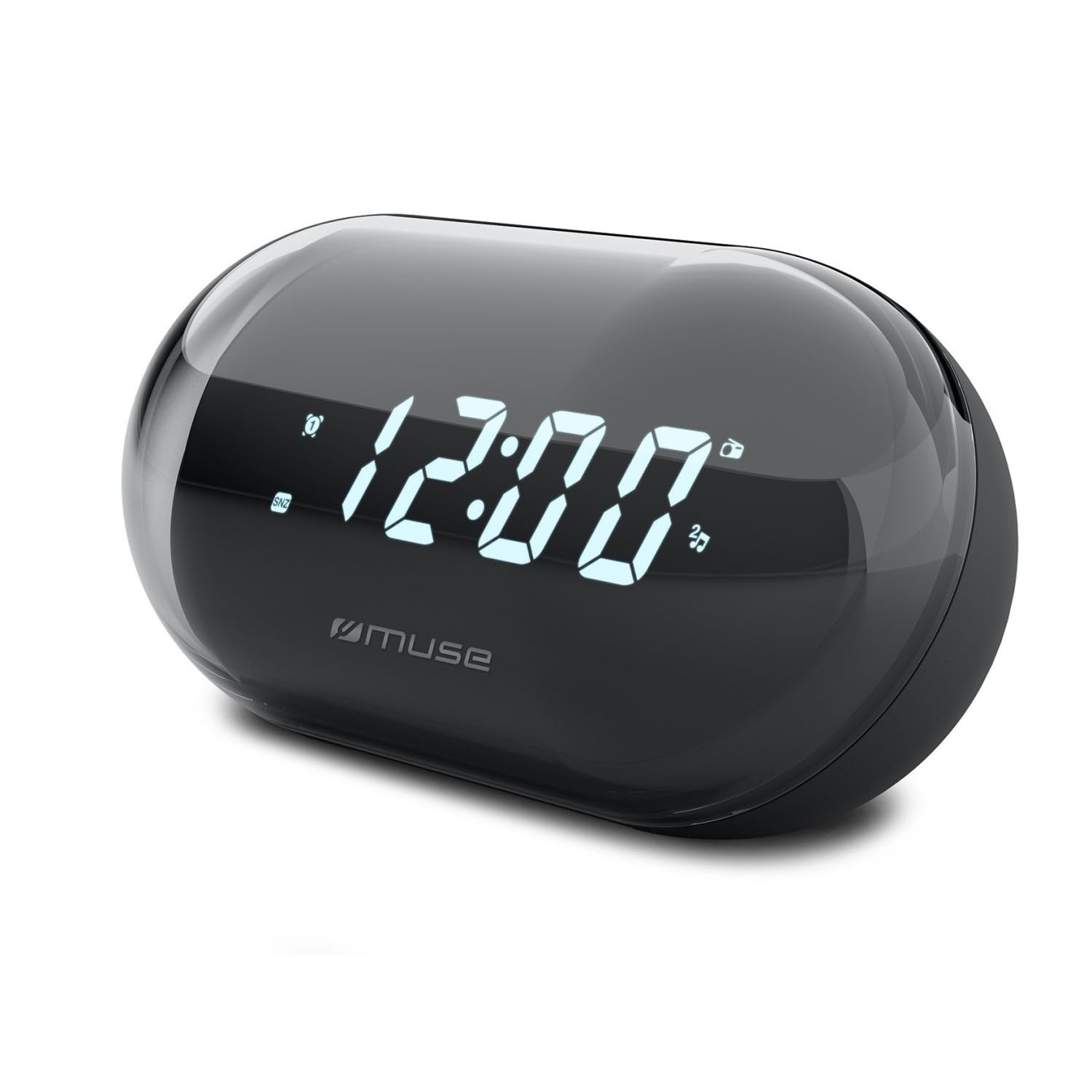
Imagem: Frente view of the MUSE M-15 Alarm Clock Radio, showing the digital display and control buttons.
Controles e recursos:
- Tela digital: Exibe a hora, o status do alarme e a frequência de rádio.
- Botão de ajuste de hora: Used to adjust the current time.
- Alarm Set Button: Used to set and activate/deactivate the alarm.
- Botões de ajuste (+/-): Used to adjust radio frequency.
- Controle de volume: Ajusta o nível de saída de áudio.
- Botão Liga / Desliga / Modo: Turns the device on/off and switches between radio and clock modes.
- Botão soneca: Silencia temporariamente o alarme.
- Compartimento da bateria: Located on the back, for 1 AA battery.
4. Configuração
4.1 Instalação da bateria
- Localize a tampa do compartimento da bateria na parte traseira da unidade.
- Deslize ou levante a tampa para abrir o compartimento.
- Insert one (1) AA battery, ensuring the correct polarity (+ and -) matches the diagram inside the compartment.
- Recoloque a tampa do compartimento da bateria com segurança.
Note: The MUSE M-15 is battery-powered and does not require an external power adapter.
5. Instruções de operação
5.1 Definição da hora
- No modo de relógio, pressione e segure o Botão de definição de tempo until the hour digits begin to flash.
- Use o Tuning Buttons (+/-) Para ajustar a hora, pressione o Botão de definição de tempo Novamente, para confirmar a hora e passar para os minutos.
- Use o Tuning Buttons (+/-) to adjust the minutes. Press the Botão de definição de tempo one more time to save the time and exit time setting mode.
5.2 Configurando o Alarme
- Pressione e segure o Botão de definição de alarme until the alarm hour digits begin to flash.
- Use o Tuning Buttons (+/-) to adjust the alarm hour. Press the Botão de definição de alarme Confirme novamente e passe para a ata.
- Use o Tuning Buttons (+/-) to adjust the alarm minutes. Press the Botão de definição de alarme one more time to save the alarm time.
- Para ativar ou desativar o alarme, pressione brevemente o botão. Botão de definição de alarme. An alarm icon will appear on the display when activated.
5.3 Using the Radio
- Pressione o Botão de energia/modo to switch to radio mode. The display will show the radio frequency.
- Use o Tuning Buttons (+/-) to manually tune to your desired radio station.
- Ajuste o volume usando o Controle de volume.
- Para desligar o rádio, pressione o botão Botão de energia/modo again to return to clock mode or turn off the device.
5.4 Função de soneca
Quando o alarme tocar, pressione o Botão Suspender to temporarily silence the alarm for a few minutes. The alarm will sound again after the snooze period ends.
6. Manutenção
6.1 Limpeza
Wipe the exterior of the device with a soft, dry cloth. Do not use abrasive cleaners, waxes, or solvents as they may damage the finish.
6.2 Substituição da bateria
When the display dims or the device functions become erratic, it is time to replace the battery. Follow the battery installation steps in Section 4.1.
7. Solução De Problemas
| Problema | Possível causa | Solução |
|---|---|---|
| O dispositivo não liga. | A bateria está descarregada ou inserida incorretamente. | Replace the AA battery or check its polarity. |
| O alarme não dispara. | O alarme não está ativado ou o volume está muito baixo. | Ensure the alarm icon is visible on the display. Increase the volume. |
| Má recepção de rádio. | Sinal fraco ou interferência. | Reposition the device or extend the antenna (if applicable). Try tuning to a stronger station. |
| Time/Alarm settings reset. | A energia da bateria está muito baixa. | Substitua a pilha AA. |
8. Especificações
- Modelo: MUSE M-15
- Dimensões do produto (C x L x A): 15 x 3.81 x 10 cm (5.9 x 1.5 x 3.9 polegadas)
- Peso: 300 gramas (0.66 libras)
- Fonte de energia: 1 pilhas AA (não incluídas)
- Tipo de exibição: Digital
- Características: Alarm, Radio, Digital Time Display
- Tipo de montagem: Montagem de mesa
9. Garantia e Suporte
This product is covered by a standard manufacturer's warranty. For detailed warranty information, please refer to the warranty card included with your purchase or visit the official MUSE website.
For technical support, troubleshooting assistance, or spare parts inquiries, please contact MUSE customer service through their official website ou as informações de contato fornecidas na embalagem do seu produto.
Please have your model number (M-15) and purchase date available when contacting support.


