Labelife Omega S Embossing Label Maker

Labelife Omega S Embossing Label Maker Instruction Manual

Model: Omega S

Introdução

This manual provides detailed instructions for the safe and effective use of your Labelife Omega S Embossing Label Maker. Please read this manual thoroughly before operating the device to ensure proper function and longevity. This label maker is designed for creating embossed labels for various organizational and crafting needs without the use of batteries or ink.

Conteúdo da embalagem

Verifique se todos os itens listados abaixo estão incluídos em seu pacote:

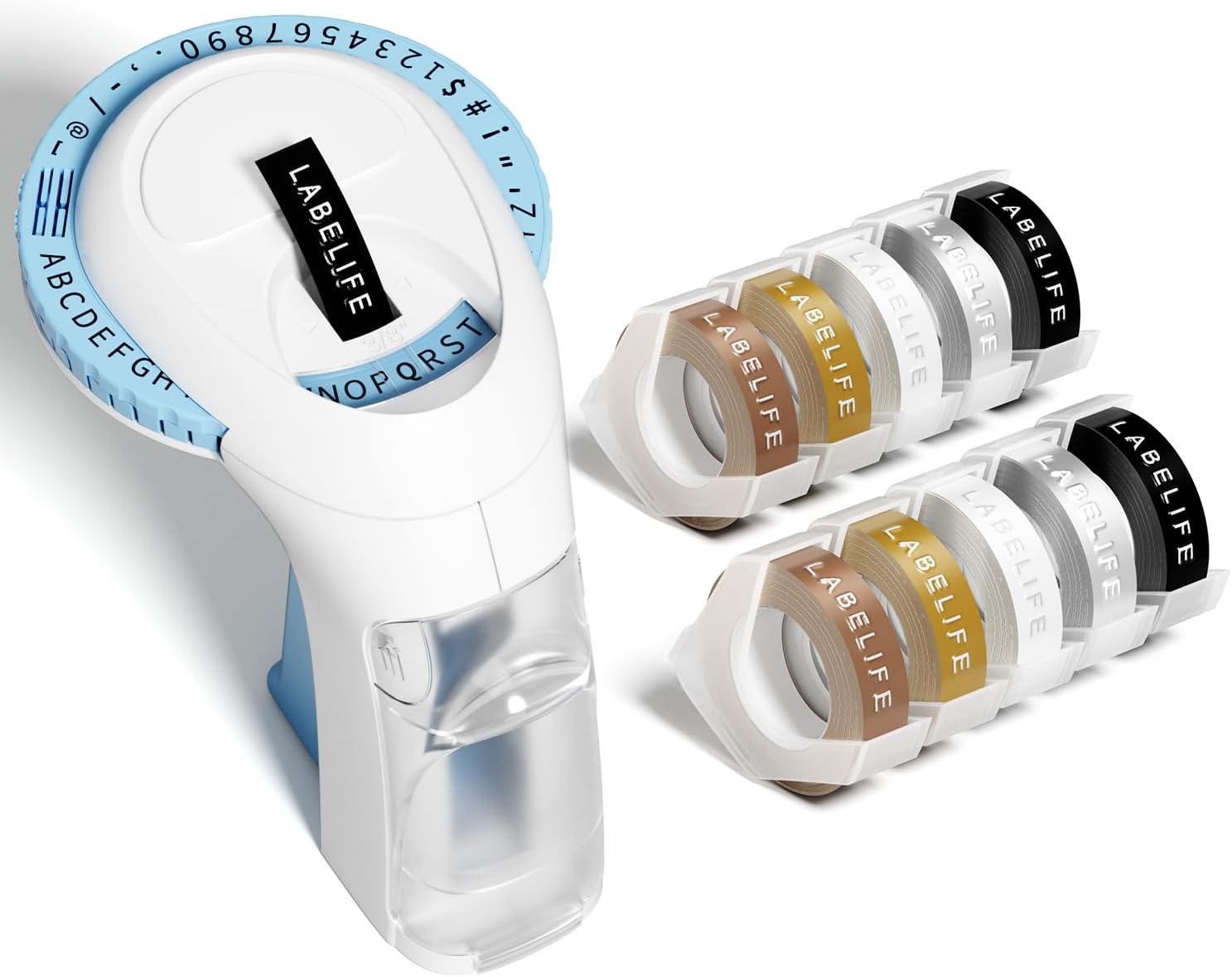
Contents of the Labelife Omega S Embossing Label Maker package

Image: The package contents, including the blue label maker, ten rolls of 9mm embossing tape in various colors, and a user manual.

Características do produto

Image showing the 48-character dial system of the Labelife Omega S label maker

Image: The label maker's character dial, highlighting the 48 available characters (A-Z, 0-9, and symbols) and the "Turn-and-Click" system.

Image illustrating the durability features of the Labelife embossing tapes

Image: Visual representation of the label tapes' properties, including easy peeling, 3D effect, water resistance, abrasion resistance, and strong adhesive.

Especificações

MarcaEtiquetalife
Nome do modeloOmega S Embossing Label Maker
Tecnologia de impressãoRelevo
Tecnologia de ConectividadeManual
Tamanho máximo da mídia9mm (3/8" Inches)
Tipo de tinta da impressoraNão requer tinta
Dimensões do produto4.96 x 3.62 x 4.64 polegadas (Profundidade x Largura x Altura)
Peso do item11.3 onças

Configurar

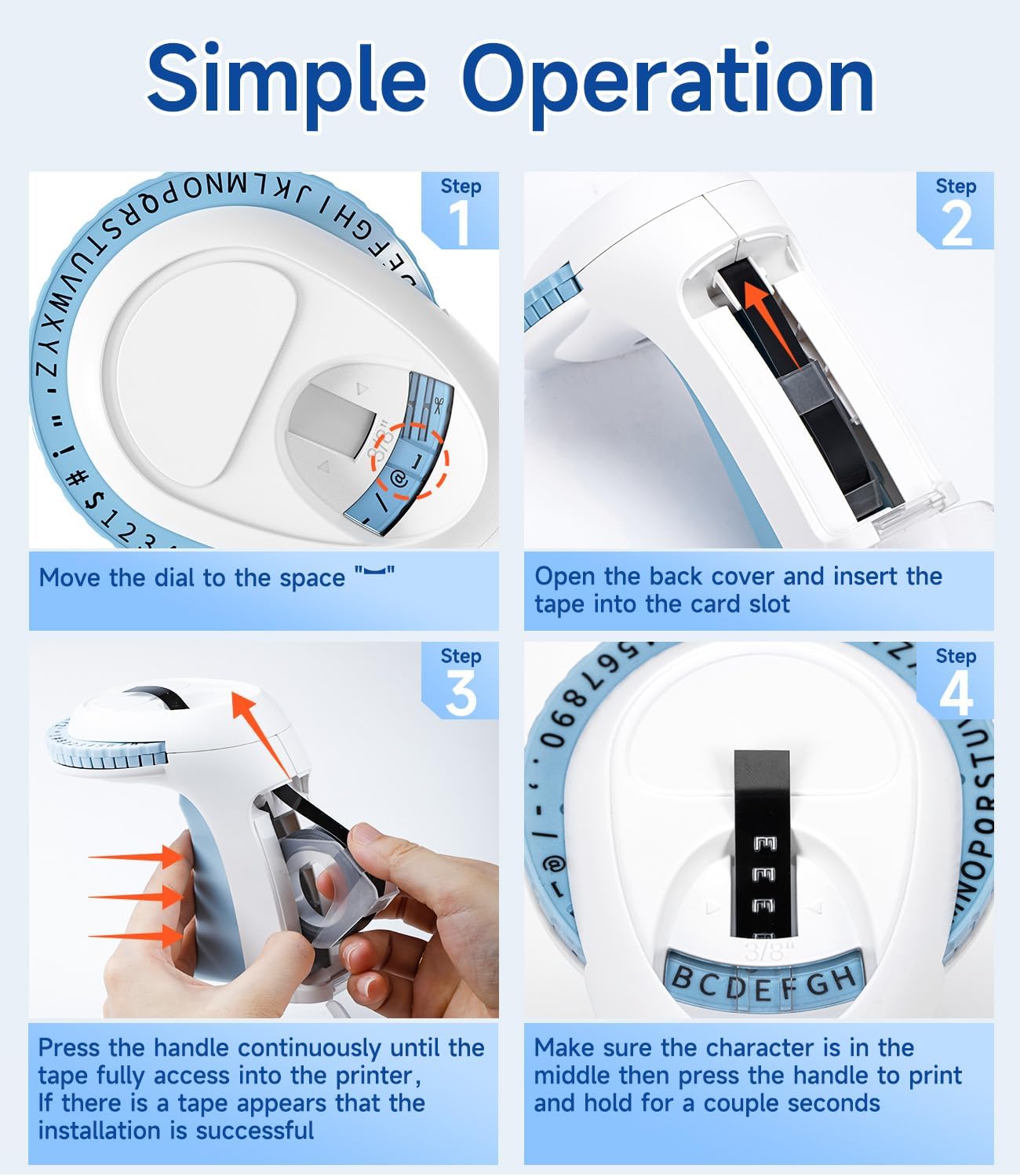
1. Loading the Label Tape

  1. Prepare o dispositivo: Move the character dial to the blank space symbol ("--") to ensure the mechanism is ready for tape insertion.
  2. Abra a tampa traseira: Gently open the back cover of the label maker.
  3. Inserir fita: Insert a 9mm embossing label tape roll into the card slot, ensuring the tape feeds correctly.
  4. Advance Tape: Close the back cover. Press the handle continuously several times until the tape fully advances into the printer and a small portion appears at the front. This confirms successful tape installation.
Four-step guide to loading tape and preparing the Labelife Omega S label maker for use

Image: Visual steps for loading the label tape, showing how to open the cover, insert the tape, and advance it by pressing the handle.

Instruções de operação

Criando um rótulo

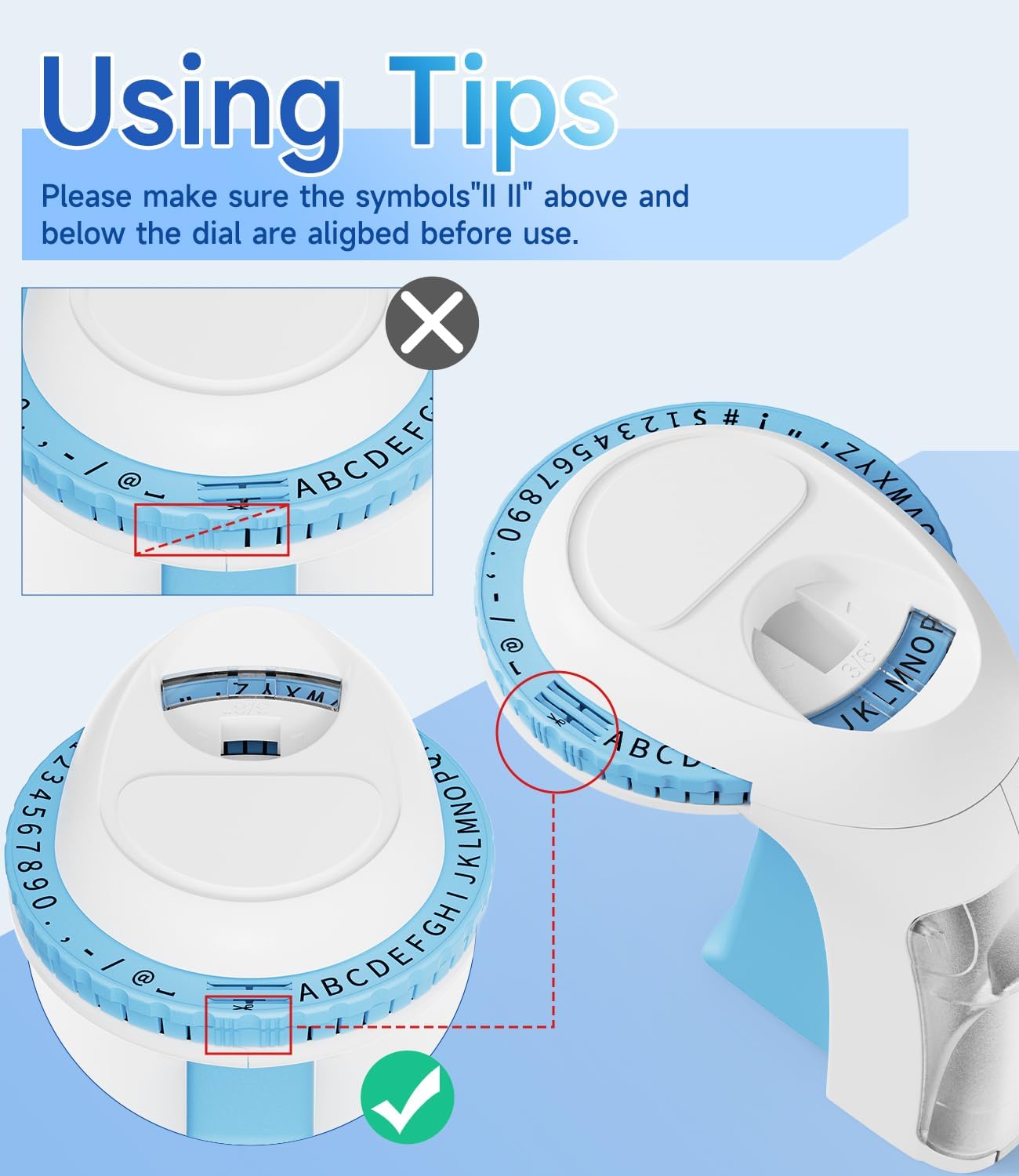
  1. Align Character Dial: Before printing, ensure the alignment marks (two vertical lines) on the dial are perfectly aligned with the indicator on the label maker. This ensures characters are centered and clear.
  2. Select Character: Rotate the character dial to select the desired letter, number, or symbol. Make sure the chosen character is centered in the viewjanela de abertura.
  3. Emboss Character: Press the handle firmly and hold for a couple of seconds. The harder and longer you press, the clearer the embossed character will be. Release the handle.
  4. Repeat for Each Character: Repeat steps 2 and 3 for each character you wish to emboss on your label.
  5. Corte a etiqueta: Once your label is complete, rotate the dial to the scissor symbol. Press the handle firmly to cut the tape.

Dicas para Melhores Resultados

Close-up image showing correct and incorrect alignment of the character dial on the Labelife Omega S label maker

Imagem: Detalhada view of the character dial, illustrating the importance of aligning the indicator marks for accurate character embossing.

Manutenção

The Labelife Omega S Embossing Label Maker requires minimal maintenance. Follow these guidelines to ensure its longevity:

Solução de problemas

ProblemaPossível causaSolução
Characters are unclear or faint.Insufficient pressure applied to the handle.Press the handle more firmly and hold for a couple of seconds for each character.
Letters are not aligned or appear crooked.Character dial not perfectly aligned before pressing.Ensure the alignment marks on the dial are precisely matched with the indicator before pressing the handle for each character.
Tape does not feed or jams.Tape incorrectly loaded or debris in the tape path.Open the back cover, remove the tape, and check for any obstructions. Re-insert the tape carefully, ensuring it is seated correctly.
Label does not cut cleanly.Insufficient pressure when cutting or cutter blade is dull.Ensure the dial is set to the scissor symbol and press the handle firmly to cut. If the issue persists, contact customer support.
Difficulty peeling off the tape backing.The pre-cut divider may not have been fully created.The tapes are designed with pre-cut dividers for easier peeling. If difficulty occurs, try gently bending the label to separate the backing or use a sharp, thin object to start the peel from a corner.

Garantia e Suporte

For warranty information or technical support, please refer to the documentation included with your purchase or contact Labelife customer service directly. Keep your purchase receipt as proof of purchase.

You can visit the official Labelife store for more information: Labelife Store

Informações de segurança

Documentos relacionados - Omega S Embossing Label Maker

Préview Labelife Label Maker: Easy Label Tape Installation Guide
Comprehensive guide from Labelife on how to correctly install label tapes into your label maker, with visual step-by-step instructions and troubleshooting tips.
Préview Guia do usuário da etiquetadora portátil multifuncional M221
Guia do usuário para a etiquetadora portátil multifuncional M221, abrangendo introdução ao produto, primeiros passos, substituição do rolo de papel, identificação de tamanhos de etiquetas, instalação do aplicativo para PC, guia do usuário do aplicativo, instruções de segurança, limpeza e manutenção, instruções do painel do operador e informações regulatórias.
Préview Manual do usuário da impressora de etiquetas portátil Labelife D210S
Manual do usuário completo para a impressora de etiquetas portátil Labelife D210S, abrangendo especificações, configuração inicial, uso básico, solução de problemas e informações de garantia.
Préview Guia de início rápido: Impressora de etiquetas PM-241-BT
Um guia conciso para configurar e usar a impressora de etiquetas PM-241-BT, abrangendo instalação, conectividade móvel e de computador e instruções de impressão.
Préview Guia do usuário do aplicativo Labelife: impressão e criação de etiquetas
Um guia do usuário abrangente para o aplicativo Labelife, detalhando como conectar impressoras e imprimir PDF files, personalize tamanhos de etiquetas e utilize recursos avançados para criação de etiquetas.
Préview Labelife Software: Guia de Configuração da Impressora Térmica de Etiquetas Bluetooth
Guia passo a passo para configurar e conectar sua impressora térmica de etiquetas Labelife via Bluetooth usando o software Labelife. Aprenda a criar etiquetas, configurar as opções de papel e estabelecer uma conexão Bluetooth para impressão.