1. Introdução
Obrigado pela compra.asing the Claiks Electric Standing Desk. This manual provides essential information for the safe assembly, operation, and maintenance of your new desk. Please read these instructions carefully before use and retain them for future reference.

Image 1.1: The Claiks Electric Standing Desk, illustrating its dimensions (120cm width, 60cm depth, 72-118cm height) and integrated features like storage hooks and cable clips.
2. Informações de segurança
Para garantir a operação segura e evitar ferimentos ou danos, observe as seguintes diretrizes de segurança:
- Mantenha crianças e animais de estimação afastados da mesa durante o ajuste de altura.
- Certifique-se de que não haja obstáculos no caminho de movimento da mesa (para cima ou para baixo).
- Não sobrecarregue a mesa. A capacidade máxima de carga é de 80 kg (176.4 lbs).
- Não se sente nem fique de pé na mesa.
- Only use the provided power adapter and cable.
- If the desk makes unusual noises or movements, discontinue use immediately and contact customer support.
- Evite colocar líquidos diretamente sobre o painel de controle ou perto de componentes elétricos.
3. Conteúdo da embalagem
Before assembly, verify that all components are present and undamaged. If any parts are missing or damaged, please contact Claiks customer support.

Image 3.1: All components included in the Claiks Electric Standing Desk package, laid out for assembly. This includes the tabletop (in two sections), leg frames, motor, control panel, screws, and tools.
Lista de componentes:
- Tabletop (2 sections)
- Leg Frames (2)
- Crossbar/Support Beam
- Caixa do motor e do controle
- Painel de controle
- Adaptador de energia e cabo
- Storage Hooks (2)
- Clipes de cabo
- Ferragens de montagem (parafusos, arruelas, chave Allen)
4. Configuração e montagem
Assembly typically requires one person. An electric drill (not included) is recommended for faster and more secure screw fastening, especially for the tabletop.
- Descompacte os componentes: Retire cuidadosamente todas as peças da embalagem e disponha-as sobre uma superfície limpa e macia para evitar arranhões.
- Montagem das estruturas das pernas: Attach the feet to the bottom of each leg column using the provided screws.
- Conectar a barra transversal: Secure the crossbar/support beam between the two leg columns. Ensure all screws are tightened.
- Attach Motor and Control Box: Mount the motor and control box to the designated positions on the frame, typically under the tabletop area. Connect the motor cables to the control box.
- Posição da mesa: Place the tabletop sections upside down on a soft surface. Carefully align the assembled frame onto the tabletop.
- Mesa segura: Fasten the tabletop to the frame using the provided screws. Ensure the tabletop sections are flush and securely joined.
- Instalar o Painel de Controle: Mount the control panel to the front edge of the tabletop, typically on the right side, and connect its cable to the control box.
- Anexe acessórios: Install the storage hooks and cable clips as desired.
- Conecte a energia: Conecte o adaptador de energia à caixa de controle e, em seguida, a uma tomada de parede.
- Calibração inicial (se necessário): Refer to the operating instructions for initial setup or calibration steps if the desk does not respond immediately.
5. Instruções de operação
Your Claiks Electric Standing Desk features intuitive controls for height adjustment and memory functions.

Image 5.1: The multi-function control panel with LED display, memory buttons (1, 2, 3), and up/down adjustment buttons.
5.1 Ajuste de Altura
- Botões para cima / para baixo: Use o Para cima (▲) e Para baixo (▼) arrow buttons to adjust the desk height. The desk will move smoothly at a speed of 20 mm/s.
- The adjustable height range is from 72 cm (28.3 inches) to 118 cm (46.5 inches).
- The current height is displayed on the LED screen.
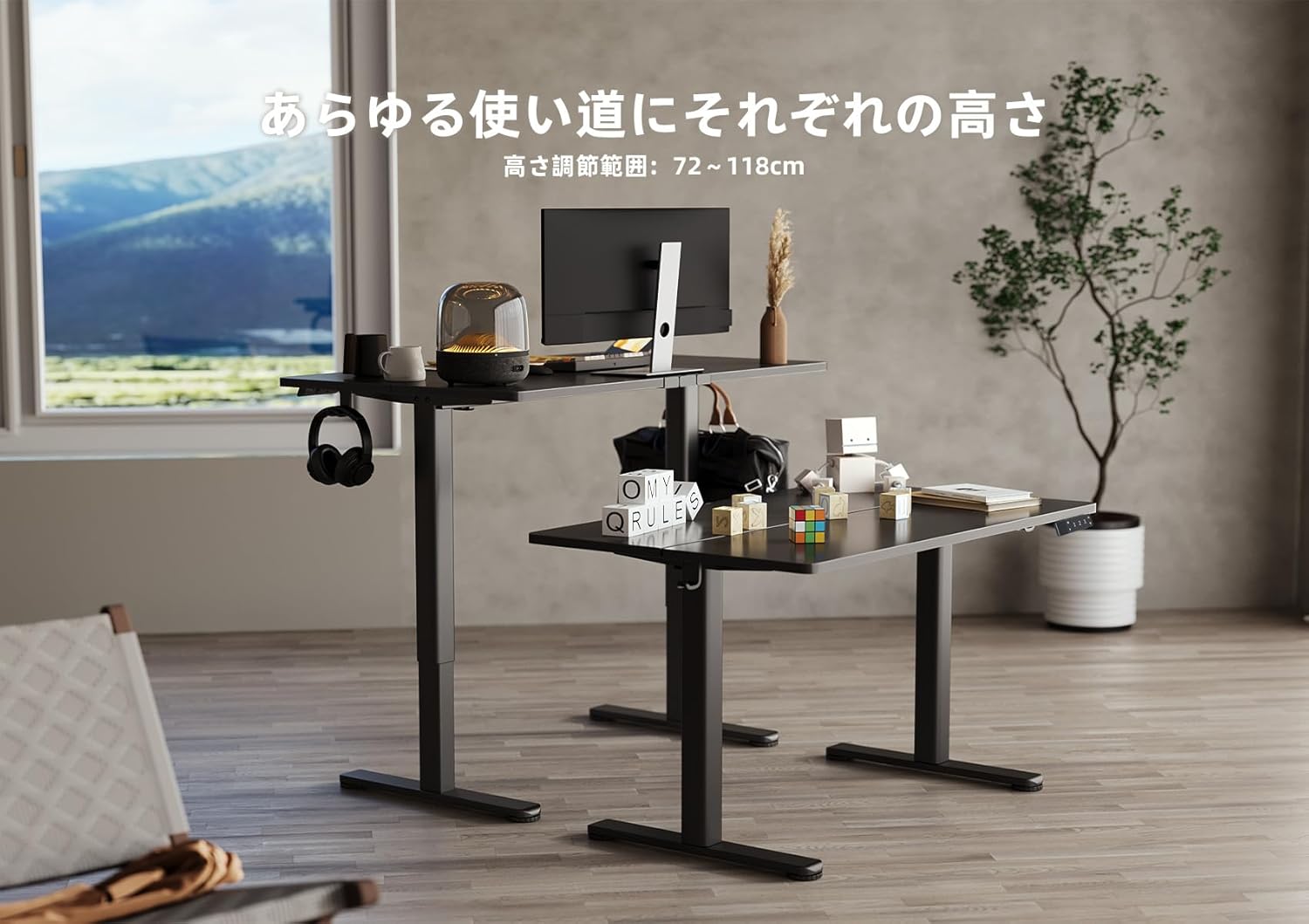
Image 5.2: Two Claiks Electric Standing Desks demonstrating the adjustable height range, suitable for various uses.
5.2 Função de Memória
The desk can store up to three preferred height settings.
- Definir uma posição de memória: Ajuste a mesa à altura desejada usando os botões para cima/para baixo.
- Pressione o "M" button. The LED display will flash.
- Em até 3 segundos, pressione um dos botões numéricos ("1", "2", ou "3") to save the current height to that position. The display will show "S-1", "S-2", or "S-3" to confirm.
- Recordar uma posição na memória: Basta pressionar o botão numérico correspondente ("1", "2", ou "3"A mesa se ajustará automaticamente à altura salva.
6. Manutenção
Proper maintenance ensures the longevity and optimal performance of your Claiks Electric Standing Desk.
- Limpeza: The tabletop is made of melamine resin, which is resistant to water, heat, and dirt. Wipe the surface with a soft, damp Pano e detergente neutro. Evite produtos de limpeza abrasivos ou químicos agressivos.
- Gerenciamento de cabos: Regularly check and organize cables to prevent tangling or damage, especially during height adjustments. Use the provided cable clips.
- Inspeção: Verifique periodicamente todos os parafusos e conexões para garantir que estejam bem apertados. Reaperte-os, se necessário.
- Cuidados Motores: The motor is designed for durability. Avoid obstructing its movement or attempting to disassemble it.
7. Solução De Problemas
Se você tiver problemas com sua mesa, consulte os problemas e soluções comuns a seguir:
| Problema | Possível causa | Solução |
|---|---|---|
| A mesa não se move. | Cabo de alimentação desconectado; Sobrecarga; Erro no motor. | Check power connections. Reduce weight on desk. Unplug for 10 seconds, then plug back in to reset. |
| A mesa se move de forma irregular ou faz barulhos estranhos. | Conexões soltas; Obstrução; Distribuição desigual do peso. | Check all assembly screws. Ensure no objects are interfering with leg movement. Redistribute weight evenly. |
| Código de erro exibido no painel de controle. | Erro específico do sistema. | Refer to the specific error code in a more detailed troubleshooting guide (if available) or contact customer support. Often, a power cycle (unplug and replug) can resolve temporary errors. |
If the problem persists after attempting these solutions, please contact Claiks customer support for assistance.
8. Especificações
- Marca: Claiks
- Número do modelo: P1.01.001.0004.JP
- Dimensões do produto: 120 cm (Width) x 60 cm (Depth) x 70 cm (Height, minimum static)
- Faixa de altura ajustável: 72 cm - 118 cm (28.3 polegadas - 46.5 polegadas)
- Velocidade de elevação: 20 mm/s (0.8 polegadas/s)
- Capacidade máxima de carga: 80 kg (176.4 libras)
- Peso do item: 20.8 kg
- Material da mesa: Melamine Resin
- Material base: Aço carbono
- Cor: Preto
- Características especiais: Height Adjustment, Memory Function (3 presets), Compact, Scratch Resistant
- Tipo de quarto: Study Room, Home Office

Image 8.1: The Claiks Electric Standing Desk demonstrating its robust 80kg load capacity.

Image 8.2: Illustration of the desk's quiet operation, comparing its 45dB noise level to common sounds.
9. Garantia e Suporte
Claiks provides a Garantia do fabricante de 3 ano for this product. This warranty covers repairs or exchanges for manufacturing defects during the warranty period.
For customer support, repairs, or exchanges, please contact Claiks directly. Our customer support team is available in multiple languages, including English and Japanese, to assist you with any inquiries or issues.
Guarde o comprovante de compra para reclamações de garantia.