1. Introdução
Thank you for choosing the Bisofice VTR-T58W 58mm Thermal Receipt Printer. This portable printer is designed for efficient receipt printing in various business environments, including retail, restaurants, and more. It supports both Bluetooth and USB connectivity, offering flexibility for use with mobile devices and computers. This manual provides essential information for setting up, operating, and maintaining your printer.

Image: The Bisofice VTR-T58W thermal receipt printer in a point-of-sale environment, demonstrating its use for printing customer receipts.
2. Informações de segurança
- Não exponha a impressora à água ou umidade.
- Avoid operating the printer in extremely hot or cold environments.
- Utilize apenas o adaptador de energia fornecido com a impressora.
- Mantenha a impressora longe da luz solar direta e de fontes de calor.
- Não tente desmontar ou reparar a impressora por conta própria. Entre em contato com o suporte técnico caso surjam problemas.
3. Conteúdo da embalagem
Verifique se todos os itens estão presentes na embalagem:
- Bisofice VTR-T58W Thermal Receipt Printer
- Adaptador de energia
- Cabo USB
- Rolo de papel térmico
- Manual do usuário
4. Produto acabadoview
The Bisofice VTR-T58W printer features a compact design with essential ports and indicators for easy operation.

Image: Diagram illustrating the dimensions of the Bisofice VTR-T58W printer (180mm x 130mm x 110mm) and a three-step visual guide for loading thermal paper.
Principais características:
- Direct Thermal Printing: No ink cartridges required, reducing operational costs.
- Impressão de alta velocidade: Up to 90mm/s for efficient transaction processing.
- Conectividade Dupla: Supports both USB and Bluetooth for versatile connection options.
- Ampla compatibilidade: Works with Windows, Linux, Android, and iOS systems.
- ESC/POS Command Support: Standard command set for broad software compatibility.
5. Configuração
5.1 Carregando papel térmico
- Open the top cover of the printer by pressing the release button.
- Insert a 58mm thermal paper roll into the compartment, ensuring the printing side faces upwards.
- Puxe uma pequena quantidade de papel para fora da lâmina de corte.
- Feche bem a tampa superior até ouvir um clique.

Image: A visual guide demonstrating the process of opening the printer cover, inserting the thermal paper roll, and closing the cover.
5.2 Conectando a Impressora
The printer supports both USB and Bluetooth connections.

Image: The Bisofice VTR-T58W printer connected via USB to a laptop and wirelessly via Bluetooth to a smartphone, illustrating its dual connectivity.
USB Connection (for Computers - Windows/Linux)
- Conecte a impressora ao computador usando o cabo USB fornecido.
- For Windows systems, download the printer driver from the official Bisofice support website. The driver link is typically provided in the product documentation or can be found at https://www.oadlu.com/support/driver/thermal-printer (look for "T58W driver-2").
- Instale o driver seguindo as instruções na tela.
- Once installed, select the printer within your application's print settings.
Bluetooth Connection (for Mobile Devices - Android/iOS)
Bluetooth connection is not supported for computers.
- Certifique-se de que o Bluetooth esteja ativado em seu dispositivo móvel.
- Ligue a impressora.
- Open the application you intend to use for printing (e.g., Loyverse, iREAP, CasierStock, Kyte).
- Within the application's settings, search for and connect to the printer via Bluetooth. You may need to enable location services on your mobile device for Bluetooth scanning.
6. Instruções de operação
After successful setup, you can begin printing receipts.
6.1 Impressão básica
- Certifique-se de que a impressora esteja ligada e conectada ao seu dispositivo (via USB ou Bluetooth).
- Open your POS software or printing application.
- Initiate a print command from your application. The printer will automatically print the receipt.
- The printer supports ESC/POS commands for various printing functions, including text, images, and 1D barcodes.

Image: The Bisofice VTR-T58W printer actively printing a receipt, highlighting its 90mm/s high-speed capability for busy environments.
6.2 Aplicações Recomendadas
The Bisofice VTR-T58W is compatible with several applications:
- Loyverse: For retail and clothing businesses.
- iREAP: For retail and inventory management.
- CasierStock: For shopping and inventory management.
- Kyte: For mobile sales.
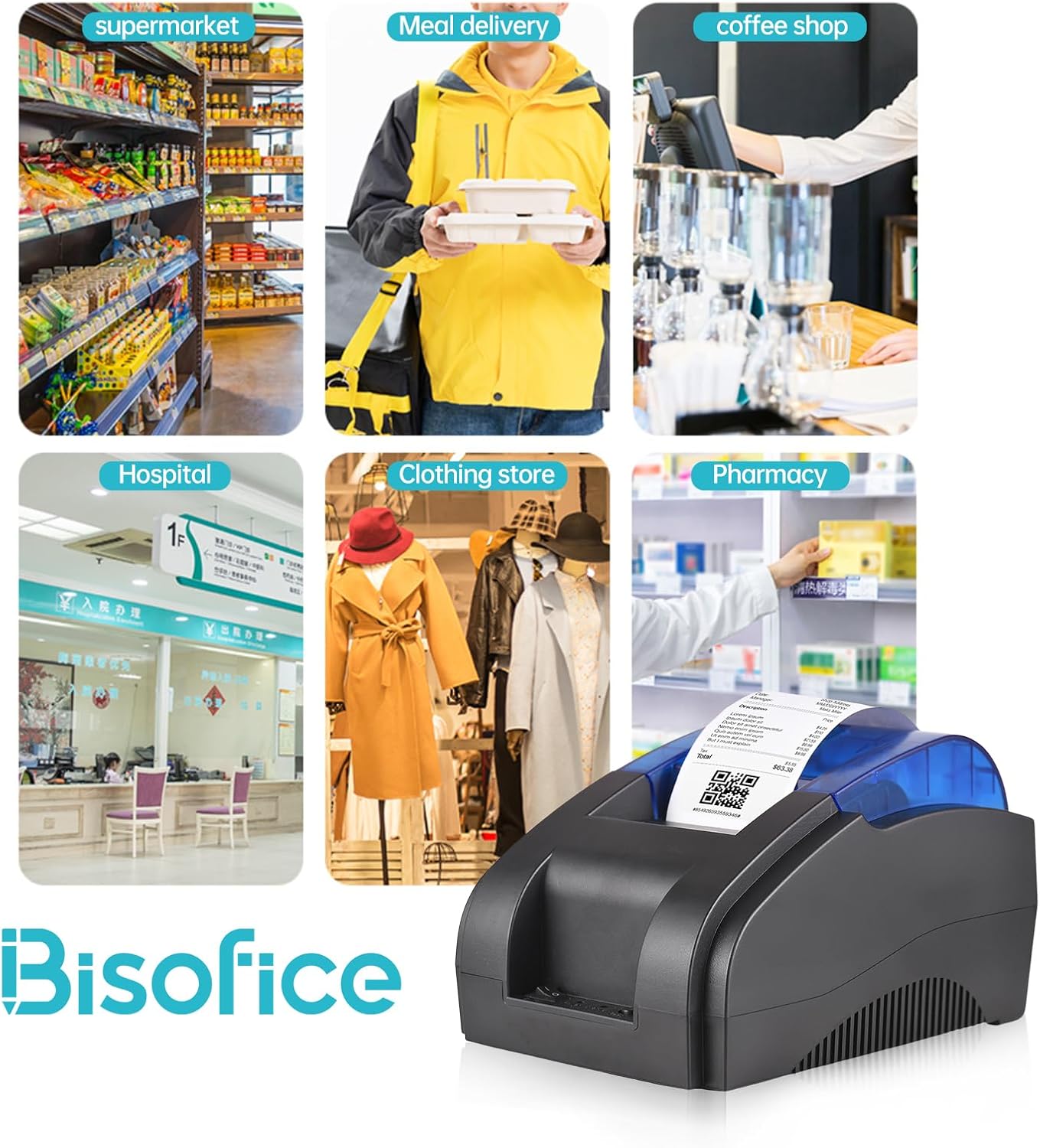
Image: A collage showing the Bisofice VTR-T58W printer being used in diverse settings such as a supermarket, meal delivery service, coffee shop, hospital, clothing store, and pharmacy.
7. Manutenção
The Bisofice VTR-T58W printer uses thermal printing technology, which means it does not require ink cartridges or ribbons. This simplifies maintenance significantly.
7.1 Limpando a Impressora
- Certifique-se de que a impressora esteja desligada e desconectada da tomada antes de limpá-la.
- Use um pano macio, seco e sem fiapos para limpar a parte externa da impressora.
- To clean the thermal print head, gently wipe it with an alcohol swab. Allow it to dry completely before use.
- Regularly remove any paper dust or debris from the paper compartment.
8. Solução De Problemas
Se você encontrar problemas com sua impressora, consulte os problemas e soluções comuns a seguir:
8.1 Problemas de Impressão
- Sem saída de impressão: Check if the printer is powered on, connected correctly (USB or Bluetooth), and has thermal paper loaded. Ensure the paper is loaded with the correct side facing the print head.
- Faint or Blank Prints: This usually indicates the thermal paper is loaded upside down or the print head needs cleaning.
- Garbled Characters: Verify that the correct printer driver is installed on your computer or that the mobile application settings are configured for the Bisofice VTR-T58W.
8.2 Problemas de conectividade
- Falha na conexão Bluetooth: Ensure Bluetooth is enabled on your mobile device and the printer. Make sure no other device is currently paired with the printer. Try restarting both the printer and your mobile device. Remember, Bluetooth is not for computer connections.
- USB Connection Failure: Check the USB cable connection. Try a different USB port on your computer. Reinstall the printer driver if necessary.
8.3 Compatibilidade de software
Please note that this printer is Não compatível with the following POS systems and applications:
- SumUp, Hello Cash, Zettle, Ubereats, Shopify, Grubhub, Doordash, Gloriafoods, Lightspeed, Postmates, Square, Clover, TabShop, O3POS, Credit Card Reader, Settle, FileMaker, MobiPOS Lite, Kasse Speedy, Open Table.
Always confirm compatibility with your specific POS application or system before purchase.
9. Especificações
| Modelo | VTR-T58W |
| Método de impressão | Térmica direta |
| Largura do papel | 58 mm |
| Largura de impressão | 48 mm |
| Velocidade de impressão | 90 mm / s (máx.) |
| Resolução | 203 dpi |
| Interface | USB, Bluetooth |
| SO suportado | Windows, Linux, Android, iOS |
| Conjunto de Comandos | Compatível com ESC/POS |
| Dimensões (C x L x A) | 20 x 13 x 14 cm |
| Peso | 770 g |
10. Garantia e Suporte
10.1 Garantia limitada
The Bisofice VTR-T58W Thermal Receipt Printer comes with a limited warranty. Please refer to the warranty card included in your package or contact your retailer for specific terms and conditions regarding warranty coverage and duration.
10.2 Suporte ao cliente
For technical assistance, driver downloads, or further inquiries, please visit the official Bisofice support webou entre em contato com o serviço de atendimento ao cliente. As informações de contato geralmente podem ser encontradas na embalagem do produto ou no site do fabricante. website.


