1. Introdução
This manual provides essential instructions for the safe and effective use of your Sony Cyber-Shot RX100 VII Digital Camera (DSC-RX100M7). Please read this manual thoroughly before operating the camera and retain it for future reference. This camera combines a 20.1MP 1-inch stacked CMOS sensor with a versatile ZEISS 24–200 mm zoom lens, offering high-quality imaging in a compact form factor.
2. Configuração
2.1. Unboxing and Checking Contents
Antes de prosseguir, verifique se todos os itens estão presentes na embalagem:
- Sony Cyber-Shot DSC-RX100 VII Digital Camera (DSC-RX100M7)
- Bateria recarregável NP-BX1
- Adaptador CA
- Cabo Micro USB
- Alça de pulso
- Manual de Instruções (este documento)
Note: Additional accessories like memory cards, cases, and extra batteries may be included depending on your specific bundle.
2.2. Carregando a bateria
The supplied NP-BX1 battery pack is not fully charged. Charge it before first use.
- Insira a bateria na câmera.
- Connect the camera to the AC Adaptor using the Micro USB cable.
- Plug the AC Adaptor into a wall outlet. The CHARGE lamp acenderá.
- When charging is complete, the CHARGE lamp irá desligar.
Uma carga completa normalmente leva cerca de 150 minutos.
2.3. Inserindo a bateria e o cartão de memória
Abra a tampa da bateria/cartão de memória na parte inferior da câmera.
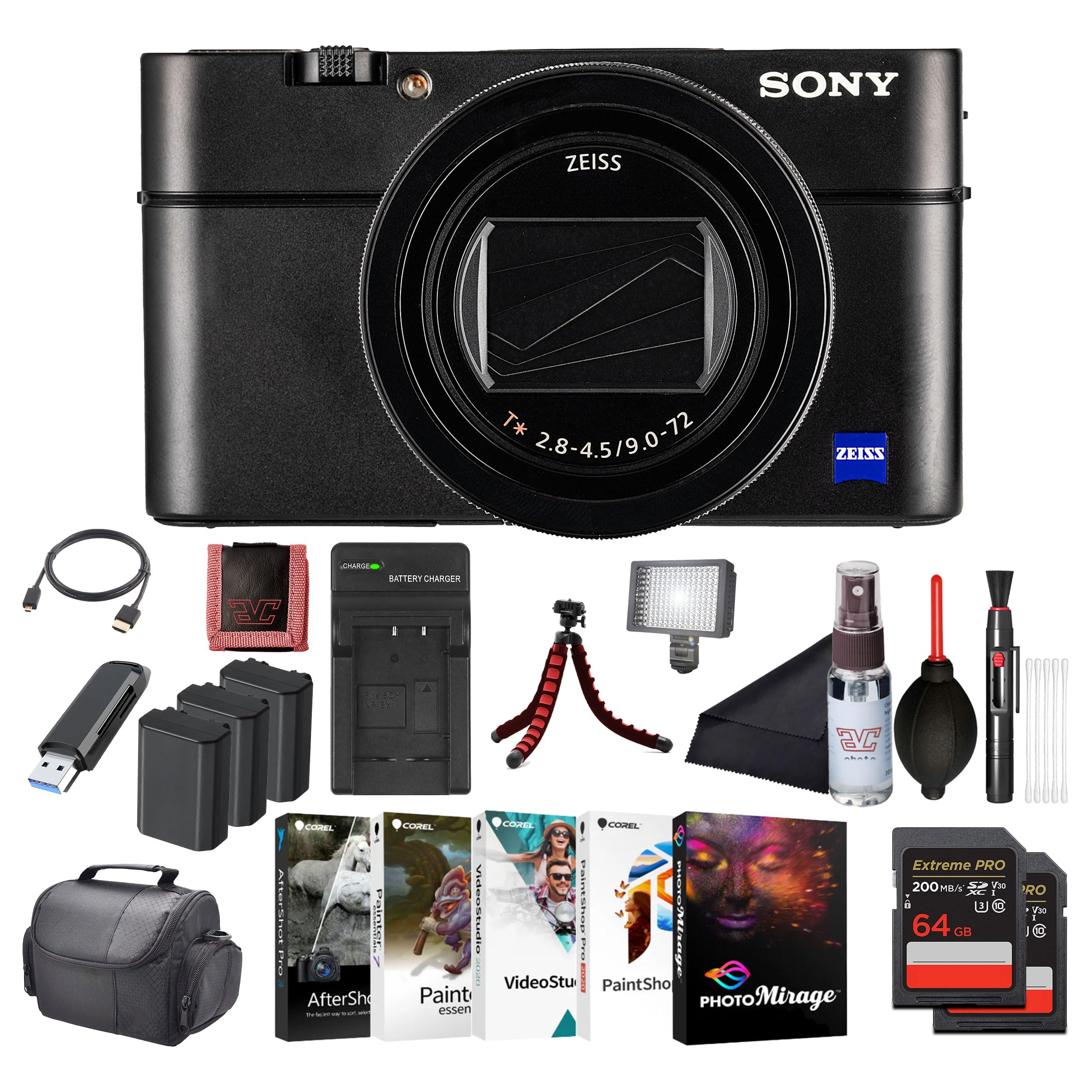
Imagem: Frente view of the Sony Cyber-Shot RX100 VII camera, showcasing the ZEISS lens and compact body.
- Insert the battery pack with the arrow pointing into the camera until it clicks into place.
- Insert a compatible memory card (SDXC recommended) with the notched corner facing as shown in the diagram (refer to camera body for specific orientation) until it clicks.
- Feche a tampa com segurança.
2.4. Configurações iniciais
When you turn on the camera for the first time, the initial setup screen will appear.
- Data e hora: Defina a data e a hora atuais.
- Area Setting: Select your geographical area.
- Linguagem: Escolha o idioma de exibição de sua preferência.
Follow the on-screen prompts to complete these settings.
3. Operando a câmera
3.1. Camera Parts and Controls
Familiarize-se com os principais componentes e controles da sua câmera.

Imagem: Traseira view of the Sony Cyber-Shot RX100 VII, showing the LCD screen, control wheel, and various buttons like MENU, Fn, DISP, and MOVIE.
- Botão de energia: Located on the top panel, used to turn the camera on/off.
- Botão do obturador: Half-press to focus, full-press to take a picture.
- Seletor de modo: Select shooting modes (P, A, S, M, Auto, Movie, HFR, etc.).
- Roda de controle: Navegue pelos menus e ajuste as configurações.
- Monitor LCD: Display images, videos, and menu options. Can be tilted for various shooting angles.
- Viewlocalizador: Pop-up electronic viewfinder for eye-level shooting.

Imagem: Topo view of the Sony Cyber-Shot RX100 VII with its ZEISS Vario-Sonnar T* lens fully extended, showing the mode dial, power button, and shutter button.
3.2. Tiro Básico
- Ligue a câmera: Pressione o LIGADO/DESLIGADO botão.
- Select a shooting mode: Gire o Modo discado to your desired mode (e.g., Automático Inteligente for simple point-and-shoot).
- Frame your shot: Use the LCD monitor or pop-up viewlocalizador.
- Foco: Pressione até a metade Botão do obturador to focus. The focus frame will turn green when focus is achieved.
- Capturar: Fully press the Botão do obturador para tirar a foto.

Imagem: Frente view of the Sony Cyber-Shot RX100 VII with its LCD screen tilted upwards, demonstrating its flexible viewing angles for various shooting positions.
3.3. Advanced Shooting Modes
- Programa Automático (P): Camera sets aperture and shutter speed, you control other settings.
- Prioridade de abertura (A): Você define a abertura e a câmera define a velocidade do obturador. Ideal para controlar a profundidade de campo.
- Prioridade de Obturador (S): Você define a velocidade do obturador e a câmera define a abertura. Ideal para controlar o desfoque de movimento.
- Exposição manual (M): Você controla tanto a abertura quanto a velocidade do obturador.
- Modo Filme: Dedicated mode for video recording. Press the FILME botão para iniciar/parar a gravação.
- Alta taxa de quadros (HFR): For capturing super slow-motion video.
3.4. Focusing and Autofocus Features
The RX100 VII features advanced autofocus capabilities:
- Real-Time Eye AF: Automatically detects and tracks human and animal eyes for precise focus.
- Rastreamento em tempo real: Uses AI-based subject recognition to track moving subjects accurately.
- Área de foco: Selectable focus areas (Wide, Zone, Center, Flexible Spot, Expanded Flexible Spot, Tracking).
Acesse essas configurações através do MENU botão.
3.5. Gravação de vídeo
The camera supports high-quality video recording:
- Vídeo 4K HDR: Record oversampled 4K video with full pixel readout.
- S-Log3/HLG: For advanced color grading and high dynamic range footage.
- Entrada para microfone externo: Use an external microphone for improved audio quality (via multi-interface shoe).

Imagem: Lado view of the Sony Cyber-Shot RX100 VII, showing the pop-up electronic viewfinder in its extended position, and the NFC logo.
4. Manutenção
4.1. Limpeza da câmera
- Corpo da câmera: Limpe delicadamente com um pano macio e seco. Para sujeira persistente, use um pano levemente umedecido.ampEnxágue com água e depois seque com um pano.
- Lente: Use um pincel para lentes para remover a poeira e, em seguida, um pano de limpeza de lentes com uma pequena quantidade de fluido de limpeza. Evite tocar diretamente na superfície da lente.
- Monitor LCD: Use a soft cloth specifically designed for LCD screens.
Caution: Do not use organic solvents such as alcohol, benzene, or thinner, as these may damage the camera's finish or lens coatings.
4.2. Cuidados com a bateria
- Guarde as baterias em um local fresco e seco quando não estiverem em uso.
- Não exponha as baterias ao calor excessivo ou à luz solar direta.
- If the battery will not be used for an extended period, charge it once every six months to maintain its performance.
4.3. Cuidados com o cartão de memória
- Formate sempre os cartões de memória novos na câmera antes da primeira utilização.
- Do not remove the memory card while the camera is writing data (e.g., during shooting or playback).
- Back up important data regularly to prevent loss.
5. Solução De Problemas
Se você encontrar problemas com sua câmera, consulte os problemas e soluções comuns a seguir:
| Problema | Possível causa/solução |
|---|---|
| A câmera não liga. | A bateria está descarregada. Recarregue a bateria. A bateria está inserida incorretamente. Reinsira a bateria corretamente. |
| Não é possível tirar fotos. | Memory card is full. Delete unnecessary images or insert a new card. O cartão de memória não está inserido. Insira um cartão de memória. Lens cap is on. Remove the lens cap. |
| As imagens estão desfocadas. | Camera shake. Use a faster shutter speed or image stabilization. O objeto está desfocado. Verifique se a câmera está focada corretamente. A lente está suja. Limpe a lente. |
| A bateria descarrega rapidamente. | Frequent use of LCD/viewfinder. Reduce screen brightness or use power-saving modes. Battery life naturally degrades over time. Consider replacing the battery. |
For more detailed troubleshooting, please refer to the comprehensive help guide available on the Sony support website.
6. Especificações
Key technical specifications for the Sony Cyber-Shot RX100 VII (DSC-RX100M7):
- Nome do modelo: DSC-RX100M7
- Marca: Sony
- Máximo WebResolução de imagem da câmera: 20.1 MP
- Tecnologia de Sensor Fotográfico: CMOS (1-inch stacked)
- Lente: ZEISS Vario-Sonnar T* 24–200 mm F2.8-4.5
- Distância focal máxima: 200 milímetros
- Abertura Máxima: 2.8 milímetros
- Estabilização de imagem: Digital, Hybrid (Optical SteadyShot)
- Suportado File Formatar: JPG, RAW
- Proporção da tela: 4:3

Imagem: Side profile of the Sony Cyber-Shot RX100 VII with its ZEISS lens fully extended, highlighting the compact design even with the zoom engaged.
7. Garantia e Suporte
This Sony product is covered by a limited warranty. For specific warranty terms and conditions, please refer to the warranty card included in your product packaging or visit the official Sony support website.
For technical support, product registration, or service inquiries, please visit the Sony support website or contact your local Sony customer service center. Keep your proof of purchase for warranty claims.
Suporte online: www.sony.com/electronics/support