1. Introdução
This manual provides detailed instructions for the setup, operation, and maintenance of your BOSGAME E2 Mini PC. Please read this manual thoroughly before using the device to ensure proper functionality and to prevent damage.
The BOSGAME E2 is a compact and powerful mini PC designed for business, multimedia, and light gaming applications. It features an AMD Ryzen 5 3550H processor, Windows 11 Pro operating system, 16GB DDR4 RAM, and a 512GB NVMe SSD, offering efficient performance and triple 4K display support.
2. Conteúdo da embalagem
Verifique se todos os itens listados abaixo estão presentes na embalagem do seu produto:
- BOSGAME E2 Mini PC
- Adaptador de energia
- Suporte VESA com parafusos
- Cabo HDMI
- Manual do usuário (este documento)

This image displays the BOSGAME E2 Mini PC alongside its included accessories: a power adapter, a VESA mount with screws for installation, an HDMI cable for display connection, and the user manual.
3. Recursos do Produto
The BOSGAME E2 Mini PC is equipped with advanced components for reliable performance:
- Processador: AMD Ryzen 5 3550H (4 Cores, 8 Threads, up to 3.7 GHz Boost)
- Gráficos: AMD Radeon Vega 8 Graphics (8 Cores, 1200 MHz Frequency)
- Sistema operacional: Windows 11 Pro (pre-installed), compatible with Ubuntu
- Memória: 16GB DDR4 2400MHz RAM (expandable up to 32GB)
- Armazenar: 512GB M.2 2280 NVMe PCIe 3.0 SSD
- Conectividade sem fio: Wi-Fi 5 (802.11ac) and Bluetooth 5.0
- Conectividade com fio: 1000M RJ45 LAN port
- Saída de exibição: Triple 4K @ 60Hz display support via 2x HDMI 2.0 and 1x USB-C (1080P@60Hz)
- Portas: 3x USB 3.2, 1x USB 2.0, 1x RJ45, 1x 3.5mm Audio Jack, 2x HDMI, 1x USB-C, 1x DC Power Input
- Características adicionais: Wake on LAN, Wall Mount support

This image highlights the main technical specifications of the BOSGAME E2, including its processor, graphics, storage, memory, and connectivity options, emphasizing its triple display capability.

This image provides a closer look at the AMD Ryzen 5 3550H processor, detailing its core count, thread count, cache size, maximum boost clock speed, and Thermal Design Power (TDP).

This image illustrates the internal memory and storage components, specifically 16GB of DDR4 2400MHz RAM and a 512GB M.2 NVMe PCIe 3.0 SSD, highlighting the system's capacity and performance capabilities.
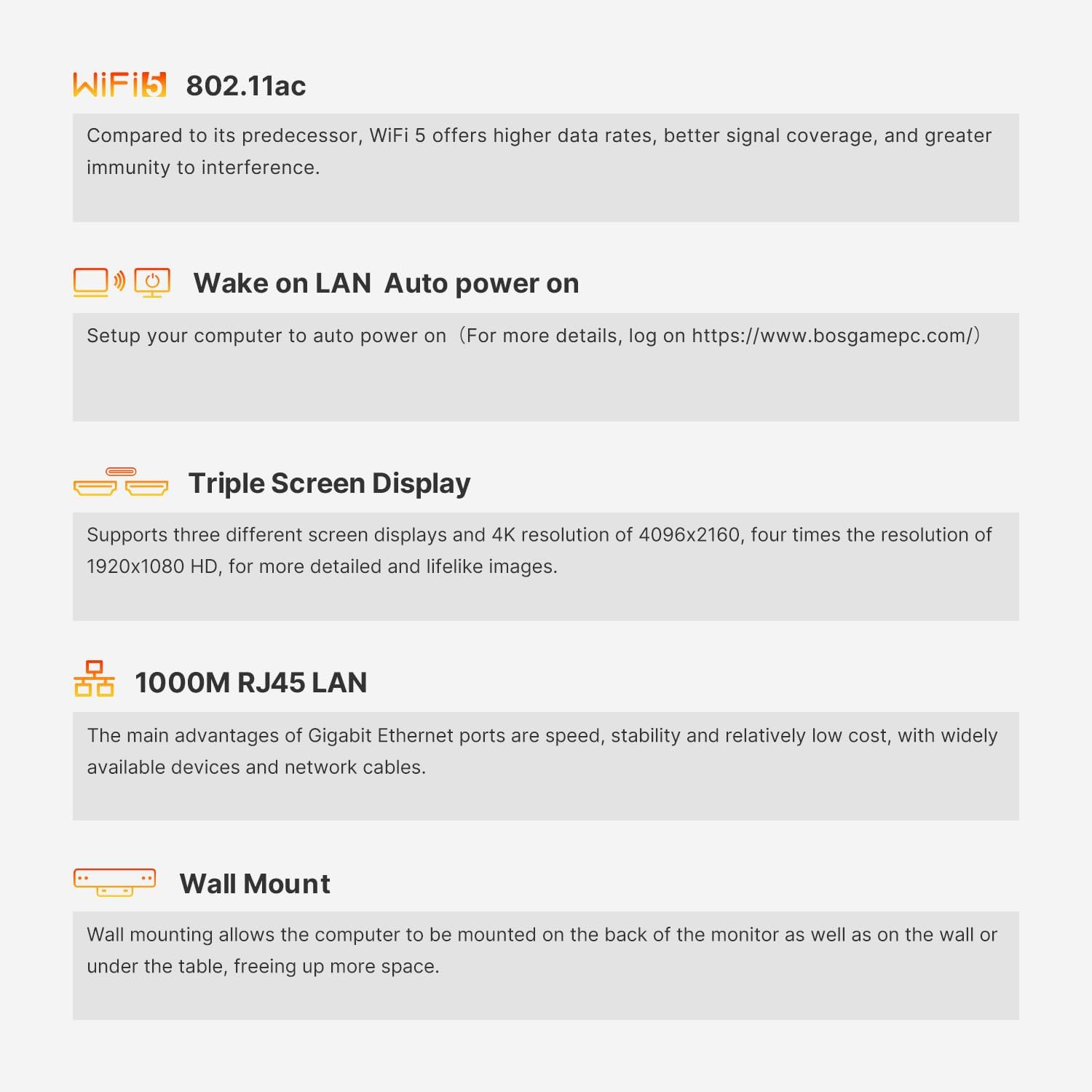
This image details several key functionalities of the Mini PC, including its Wi-Fi 5 standard, Wake on LAN feature for remote power-on, support for three independent displays, the high-speed Gigabit Ethernet port, and the option for wall mounting.
4. Guia de configuração
4.1 Conectando Periféricos
- Conectar tela: Use the provided HDMI cable to connect your monitor to one of the HDMI ports on the back of the Mini PC. For triple display setup, use both HDMI ports and the USB-C port (with a compatible adapter/cable).
- Conecte o teclado e o mouse: Plug your USB keyboard and mouse into the available USB ports (USB 3.2 or USB 2.0).
- Conectar à rede (opcional): For a wired internet connection, connect an Ethernet cable from your router/modem to the RJ45 LAN port on the Mini PC.
- Conecte a energia: Plug the power adapter into the DC IN port on the Mini PC, then plug the adapter into a power outlet.

This image illustrates the various input/output ports available on the front and rear panels of the BOSGAME E2 Mini PC, including USB, HDMI, LAN, and audio connections.
4.2 Primeira Inicialização
After connecting all necessary peripherals and power, press the power button located on the front of the Mini PC. The system will boot into Windows 11 Pro. Follow the on-screen instructions to complete the initial Windows setup.
4.3 Montagem na parede (opcional)
The BOSGAME E2 supports VESA mounting for attachment to the back of a monitor or a wall.
- Fix the VESA bracket to the Mini PC using the provided screws.
- Fix the bracket to the back of your display or a wall using the appropriate screws.

This image demonstrates the process of mounting the BOSGAME E2 Mini PC to the rear of a monitor using the included VESA bracket, illustrating how to secure the bracket to both the PC and the display.
5. Instruções de operação
5.1 Ligar/Desligar
- Ligar: Pressione o botão liga/desliga na parte frontal do Mini PC.
- Desligar: Click the Windows Start button, then select Power > Shut down. Alternatively, press and hold the power button for 4 seconds to force a shutdown (use only when necessary).
5.2 Triple Display Setup
The Mini PC supports up to three independent displays. Connect your primary and secondary monitors via the two HDMI 2.0 ports. For the third display, use the USB-C port with a compatible USB-C to DisplayPort/HDMI adapter or cable. Once connected, Windows will automatically detect the displays. You can configure display settings (resolution, orientation, extension/duplication) via Configurações > Sistema > Tela.
5.3 Wake on LAN
The BOSGAME E2 supports Wake on LAN (WoL), allowing you to power on the device remotely over a network. To enable this feature, you may need to configure settings in the BIOS and your network adapter properties within Windows. Refer to the official BOSGAME website for detailed instructions on enabling Wake on LAN.
6. Manutenção
6.1 Limpeza
Regularly clean the exterior of the Mini PC with a soft, dry cloth. Use compressed air to gently clear dust from ventilation openings to ensure proper airflow and prevent overheating. Do not use liquid cleaners directly on the device.
6.2 Atualizações de Software
Keep your Windows 11 Pro operating system and device drivers updated to ensure optimal performance and security. Windows updates can be managed via Configurações > Windows Update.
6.3 Armazenamento e Expansão de Memória
The Mini PC's RAM can be expanded up to 32GB. The M.2 2280 NVMe SSD can also be upgraded. Observação: Additional 2.5-inch hard drives are not supported by this model.
7. Solução De Problemas
- Sem energia: Certifique-se de que o adaptador de energia esteja firmemente conectado tanto ao Mini PC quanto a uma tomada elétrica em funcionamento. Teste a tomada com outro dispositivo.
- Nenhuma exibição: Verify that the HDMI cable (or USB-C cable) is correctly connected to both the Mini PC and the monitor. Ensure the monitor is powered on and set to the correct input source. Try a different cable or monitor if possible.
- Sem conexão com a internet (com fio): Check the Ethernet cable connection. Verify your router/modem is working correctly. Check network adapter settings in Windows.
- No Internet Connection (Wireless): Ensure Wi-Fi is enabled in Windows. Check if the correct Wi-Fi network is selected and the password is entered correctly. Restart your router/modem.
- Lentidão do sistema: Check for background applications consuming resources. Ensure sufficient free storage space. Run a virus scan. Consider updating drivers or reinstalling Windows if issues persist.
8. Especificações
| Recurso | Especificação |
|---|---|
| Marca | BOSGAME |
| Número do modelo | E2 |
| Sistema operacional | Windows 11 Pro |
| Marca do processador | AMD |
| Tipo de processador | Ryzen 5 3550H |
| Velocidade do processador | 3.7 GHz (Max Boost) |
| Número de núcleos | 4 |
| BATER | 16 GB DDR4 |
| Memória Máxima | 32 GB |
| Tamanho de armazenamento | 512 GB |
| Tecnologia de Armazenamento | SSD (M.2 2280 NVMe PCIe x4) |
| Marca do chipset gráfico | AMD |
| GPU | Radeon Vega 8 Graphics (8 cores, 1200 MHz) |
| Resolução de exibição | 3840 x 2160 (4K) |
| Portas HDMI | 2 |
| Portas USB 3.0 | 3 (USB 3.2) |
| Portas USB 2.0 | 1 |
| Portas USB-C | 1 |
| Conectividade | Ethernet, HDMI, USB, Wi-Fi (802.11ac), Bluetooth (5.0) |
| Dimensões (C x L x A) | 12 x 11 x 4.5 cm |
| Peso | 950 gramas |
9. Garantia e Suporte
The BOSGAME E2 Mini PC comes with a garantia de dois anos a partir da data da compra. Esta garantia cobre defeitos de fabricação e assegura que o produto atende aos padrões de desempenho especificados em condições normais de uso.
For technical assistance, troubleshooting, or warranty claims, please contact our Suporte online 7 horas por dia, 24 dias por semana. Refer to the contact information provided on the official BOSGAME website ou sua documentação de compra.


