1. Introdução
This manual provides comprehensive instructions for the installation, operation, and maintenance of your CAMECHO Android 11 Car Stereo. Please read this manual thoroughly before using the product to ensure proper functionality and safety.
1.1. Compatible Vehicle Models
This 9-inch Android 11 car stereo is designed for specific Opel models:
- Opel Astra H (2004-2008)
- Opel Zafira B (2005-2015)

Figure 1.1: Compatible Opel models and a visual comparison of the dashboard before and after installing the CAMECHO car stereo.
2. Informações de segurança
Always prioritize safety while operating your vehicle. Do not attempt to operate complex functions or watch videos that may distract you from driving. Ensure all connections are secure and correctly installed to prevent electrical hazards or damage to the unit or vehicle.
- Não desmonte nem modifique a unidade.
- Evite expor a unidade a temperaturas extremas ou umidade.
- Consult a professional for installation if you are unsure.
3. Conteúdo da embalagem
Verifique se todos os itens listados abaixo estão incluídos em seu pacote:
- Unidade principal
- Cabo de energia
- Antena GPS
- Cabo RCA
- Cabo USB
- Microfone
- Cabo de entrada da câmera
- Manual do usuário
- Cabo de extensão de vídeo
- Parafusos para instalação
- Câmera traseira AHD
- Ferramenta de instalação
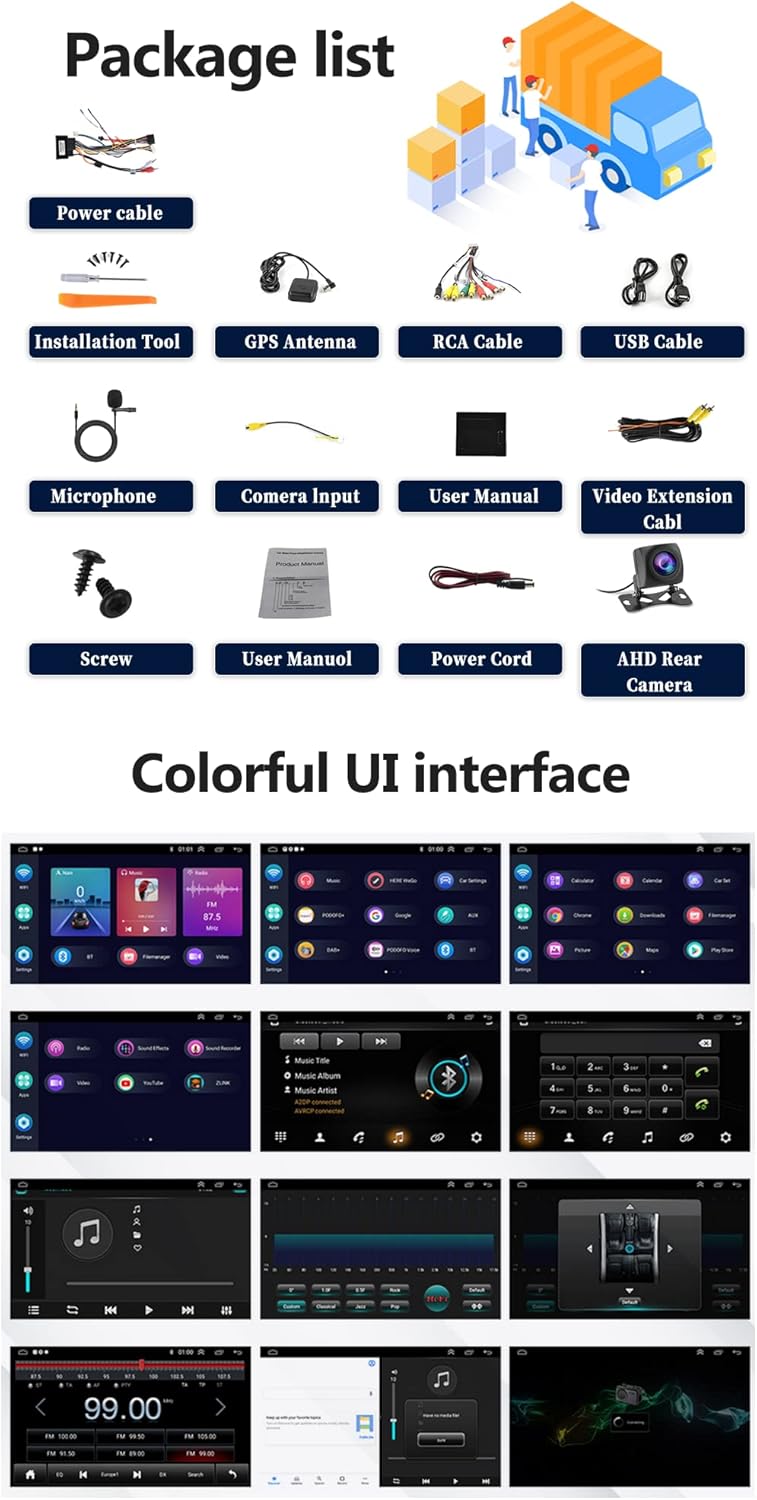
Figure 3.1: Contents of the CAMECHO car stereo package.
4. Produto acabadoview
Familiarize yourself with the physical dimensions and connection ports of your car stereo.

Figure 4.1: Product dimensions and rear port connections.
4.1. Main Unit Dimensions
- Tamanho da tela: 9 polegadas
- Largura total: 236 mm (9.30 polegadas)
- Overall Height: 137mm (5.41 inches)
- Mounting Frame Width: 225mm (8.85 inches)
- Mounting Frame Height: 190mm
- Mounting Frame Depth: 107mm
4.2. Back Ports and Connections
The rear of the unit features various ports for power, audio, video, and accessories:
- Portas USB (USB1, USB2): For media playback and Android Auto/Carplay connections.
- Entrada para câmera de ré: Dedicated input for the included AHD reversing camera.
- GPS Antenna Port: For connecting the external GPS antenna.
- Cabos RCA: For audio output (front/rear, subwoofer), video output, and auxiliary input.
- Power Cable Connector: Conexões principais de alimentação e de alto-falantes.
5. Configuração e instalação
Recomenda-se a instalação por um profissional. Certifique-se de que a energia do veículo esteja desconectada antes de iniciar a instalação.
5.1. Etapas gerais de instalação
- Remove the original car stereo unit.
- Conecte o chicote do cabo de alimentação principal à fiação do veículo.
- Connect the GPS antenna and route it to a suitable location (e.g., dashboard).
- Connect the USB cables and route them to a convenient location (e.g., glove compartment).
- Connect the RCA cables for any external amplifiers or auxiliary devices.
- Install the reversing camera (refer to section 5.2).
- Mount the new CAMECHO car stereo into the dashboard opening.
- Fixe a unidade com parafusos.
- Reconecte a alimentação do veículo e teste todas as funções.
5.2. Instalação da câmera de ré
The reversing camera provides visual assistance when backing up. Ensure the reversing input is connected even if the camera is not immediately used.
- Connect the red wire (1) of the camera's power cable to the positive pole of the car's reversing light.
- Connect the black wire (2) of the camera's power cable to the negative pole of the car's reversing light.
- The reversing trigger (3) is controlled by the stereo and does not require a separate connection.
- Connect the camera's video output cable (4) to the 'Camera Input' port on the car stereo.
- Importante: The white plug must be connected to the main device, otherwise Bluetooth and Wi-Fi signals may not function correctly.
To adjust camera settings: Go to Car Settings > Factory Settings (Password: 8888) > Reversing settings > Reverse video resolution. Select "NTSC/PAL" or "AHD/25" as appropriate, then restart your car.
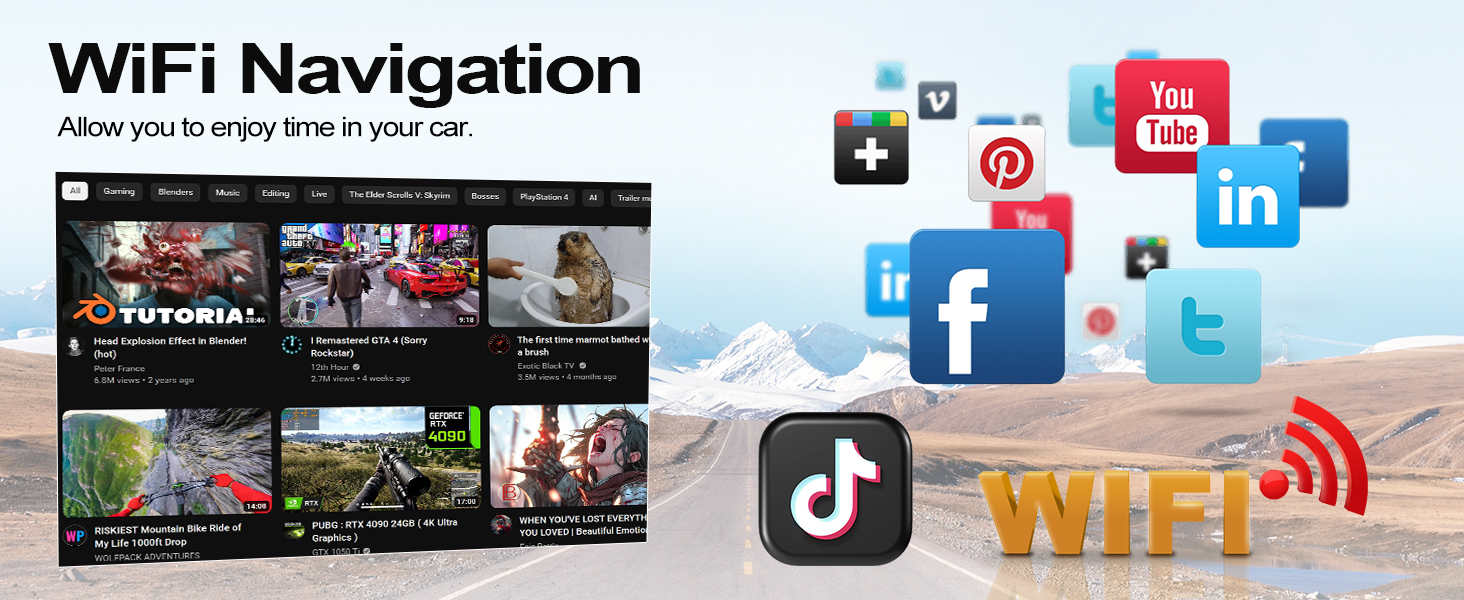
Figure 5.1: Reversing camera wiring diagram.
6. Instruções de operação
6.1. Operação básica
- Ligar/desligar: Pressione e mantenha pressionado o botão liga/desliga no painel frontal ou utilize a ignição do veículo.
- Controle de volume: Adjust using the physical knob or on-screen controls.
- Interface da tela sensível ao toque: Navegue pelos menus e aplicativos tocando e deslizando o dedo na tela HD de 9 polegadas.
6.2. CarPlay sem fio e Android Auto
Connect your smartphone wirelessly to access navigation, music, calls, and other apps safely while driving. Supports split-screen functionality.
- Certifique-se de que o Bluetooth e o Wi-Fi estejam ativados em seu smartphone.
- No sistema de som do carro, abra o aplicativo CarPlay ou Android Auto.
- Siga as instruções na tela para emparelhar seu dispositivo.
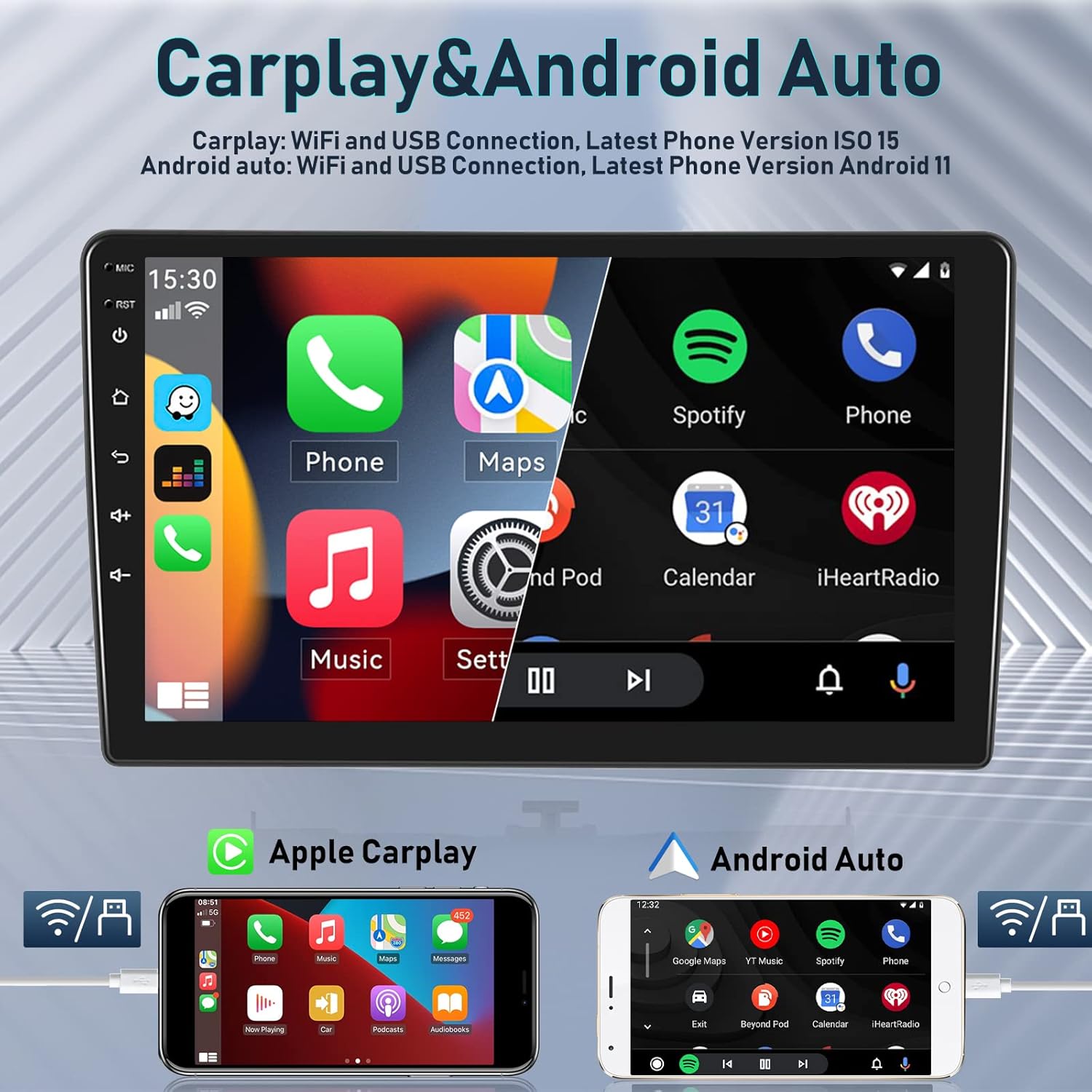
Figure 6.1: Wireless Carplay and Android Auto functionality.

Figure 6.2: Apple Carplay and Android Auto connection methods.
6.3. Navegação GPS e Wi-Fi
The integrated GPS receiver supports both online and offline maps. Connect to Wi-Fi or a mobile hotspot to access online maps and other internet-based applications.
- Mapas on-line: Requires a Wi-Fi connection for real-time traffic and updates.
- Mapas offline: Baixe mapas para navegação sem conexão com a internet.
- Ponto de acesso Wi-Fi: Connect to your phone's hotspot to browse the internet, stream media, and use apps like YouTube, TikTok, and Spotify.
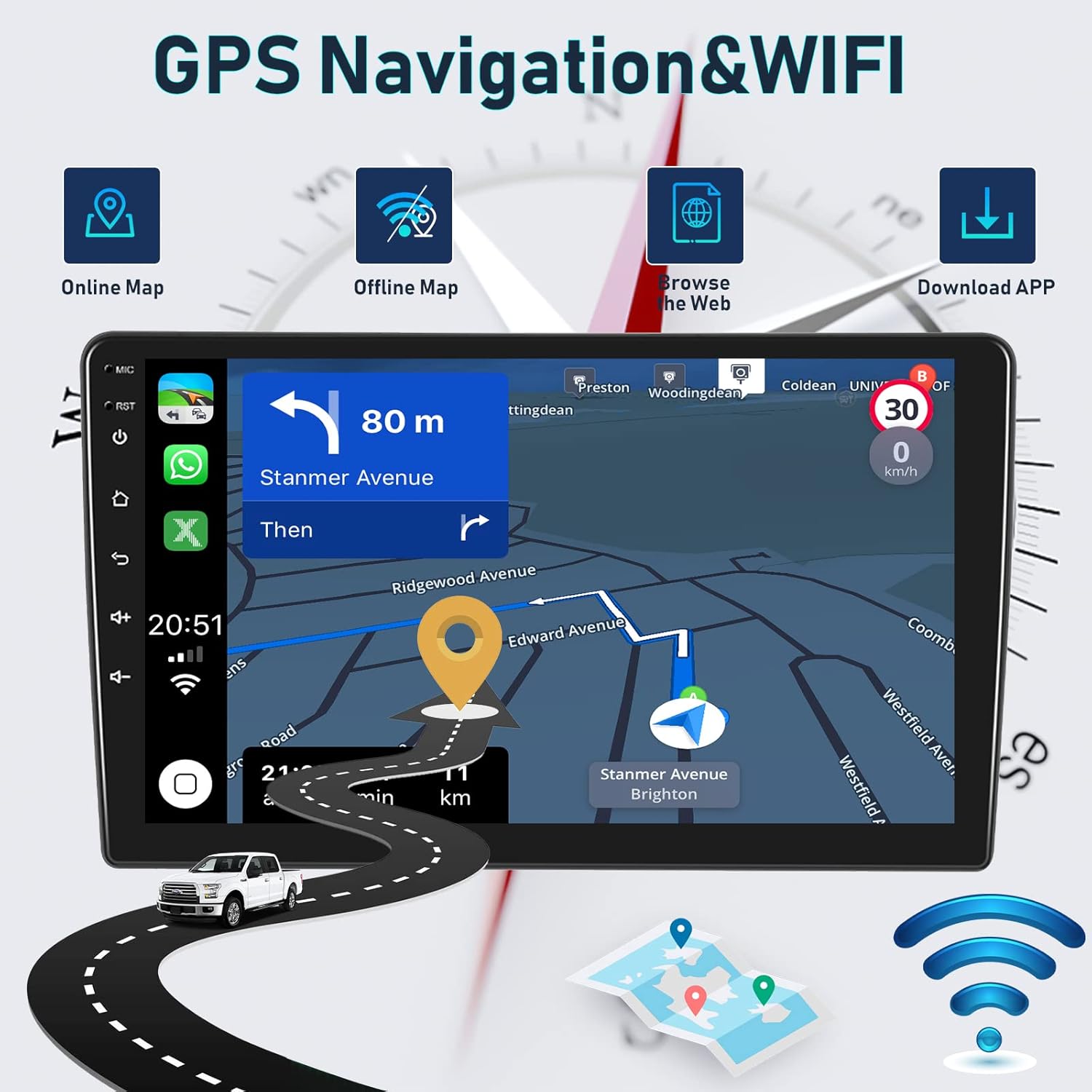
Figura 6.3: Recursos de navegação GPS e Wi-Fi.

Figure 6.4: Detailed GPS navigation features.

Figure 6.5: WiFi connectivity for various applications.
6.4. Funcionalidade Bluetooth
The integrated microphone and Bluetooth module allow for hands-free calling and wireless music streaming from your iOS or Android device.
- Chamadas com viva-voz: Make and receive calls directly from the car stereo.
- Música Bluetooth: Transmita áudio do seu telefone para os alto-falantes do carro.
- Sincronizar contatos: Access your phone's contact list on the stereo display.
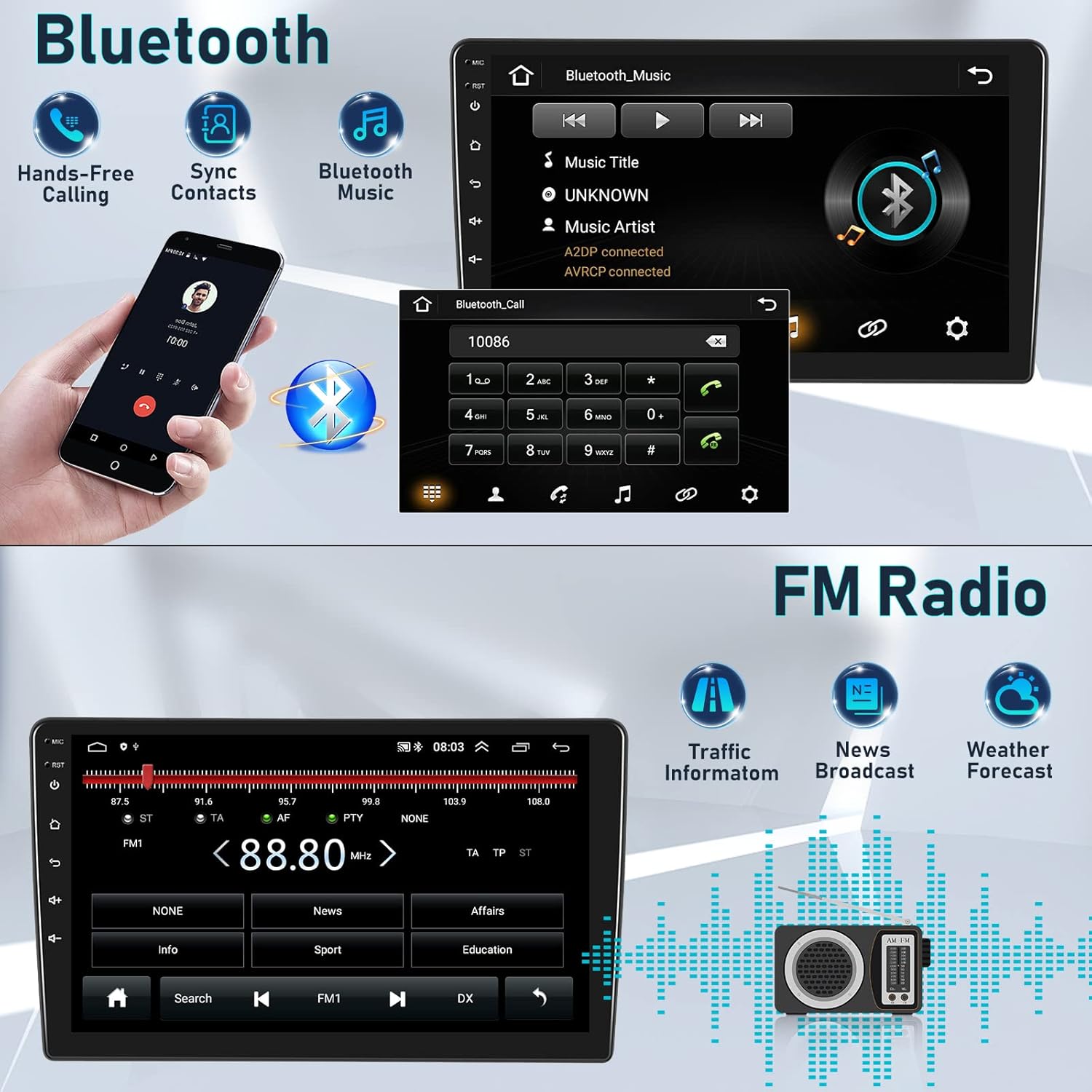
Figure 6.6: Bluetooth features for calls and music.
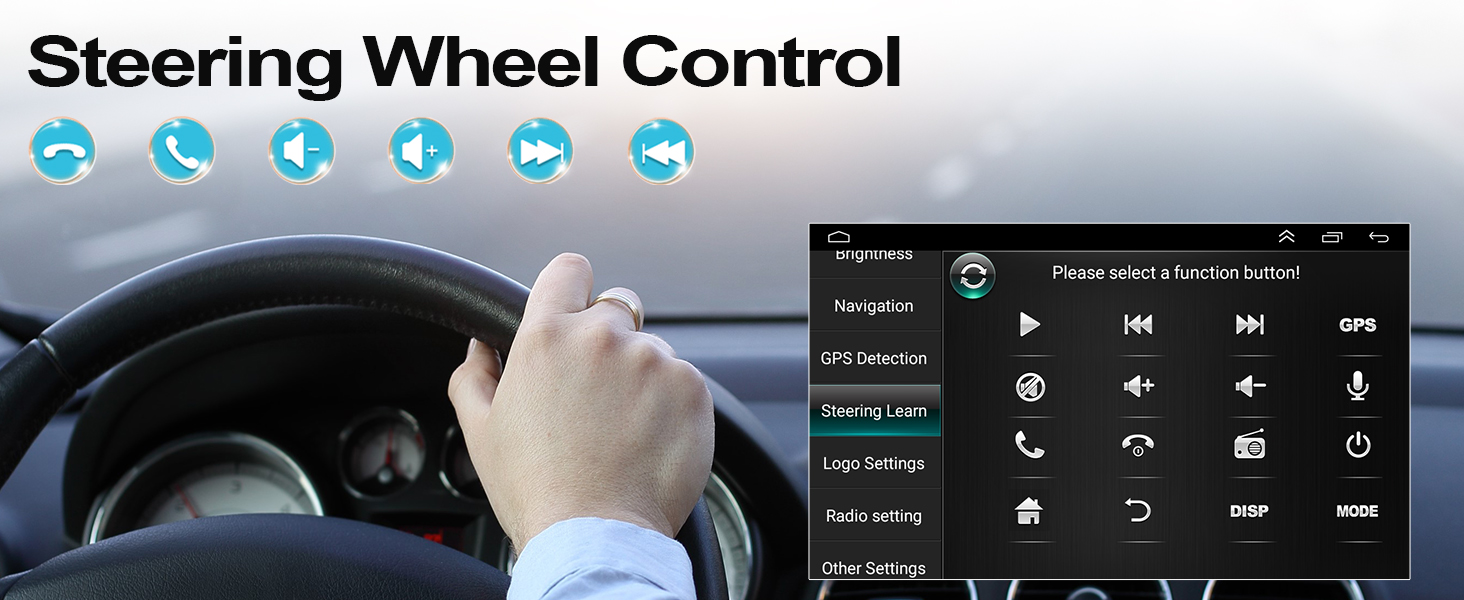
Figura 6.7: Interface de chamada mãos-livres Bluetooth.
6.5. Rádio FM/RDS
Enjoy high-quality digital stereo FM radio with RDS (Radio Data System) functionality. The unit can automatically or semi-automatically search for radio stations.
- Automatic/Manual Tuning: Scan for available stations.
- RDS Features: Display station information, traffic announcements, and program types.
- Controle de volume do alto-falante: Adjust individual speaker volumes.
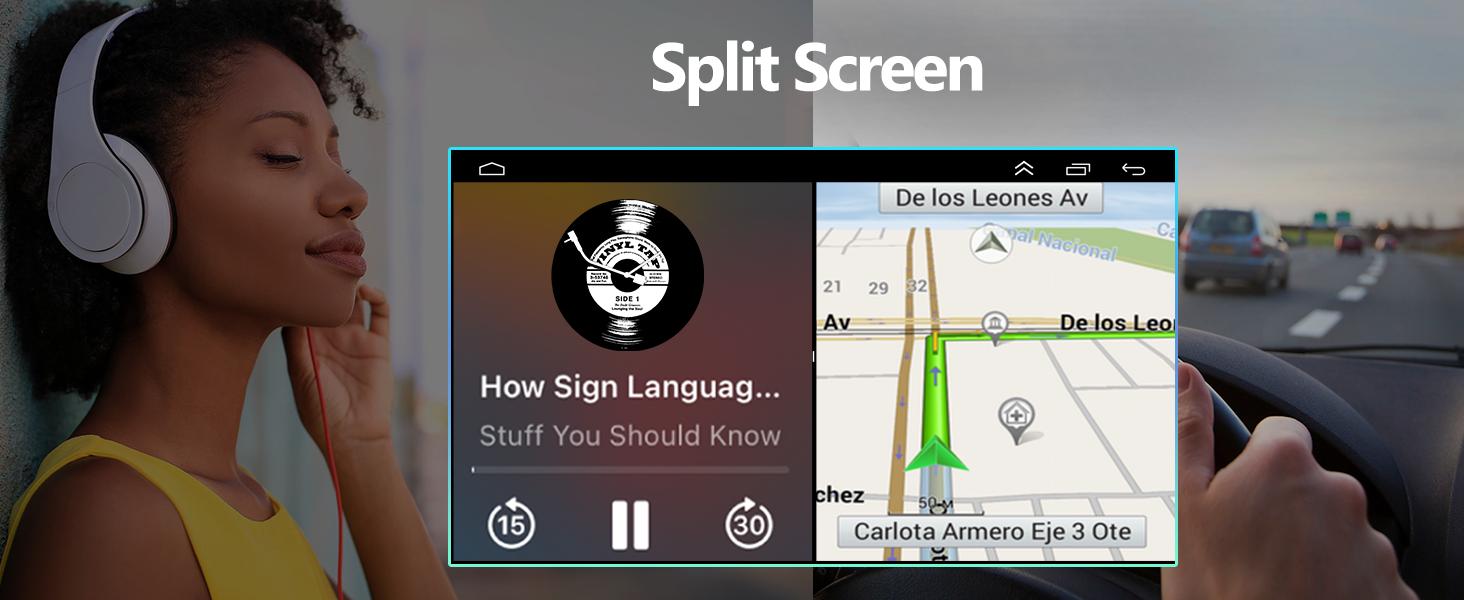
Figura 6.8: Interface de rádio FM/RDS.
6.6. HIFI Sound Settings
Customize your audio experience with the built-in 15-band graphic equalizer and various sound presets.
- EQ de 15 bandas: Ajuste as frequências de áudio de acordo com sua preferência.
- Predefinições de som: Choose from Pop, Rock, Jazz, Classical, Flat, User, Voice, and Sound Delay.
- Saída do subwoofer: Supports external subwoofer connection for enhanced bass.

Figure 6.9: HIFI sound customization options.
6.7. Controle do Volante (SWC)
Integrate your vehicle's steering wheel controls for safer operation. This allows you to manage calls, adjust volume, and change tracks without taking your hands off the wheel.
- Access the 'Steering Learn' menu in the car stereo settings.
- Siga as instruções na tela para mapear os botões do volante às funções desejadas.

Figura 6.10: Configuração do controle do volante.

Figure 6.11: Steering Wheel Control functions.
6.8. Funcionalidade de tela dividida
O recurso de tela dividida permite executar dois aplicativos simultaneamente, como navegação e reprodução de música, aprimorando as capacidades multitarefa.

Figura 6.12: Tela dividida em ação.
6.9. Acessórios opcionais
The car stereo supports various optional accessories to expand its functionality:
- DVR (Gravador de Vídeo Digital): Para gravar a direção de alimentostage.
- OBD2 (On-Board Diagnostics II): Connect an OBD2 scanner to monitor vehicle data.
- DAB+ (Digital Audio Broadcasting Plus): For enhanced digital radio reception.
- Dispositivos USB externos: For additional storage or connectivity.
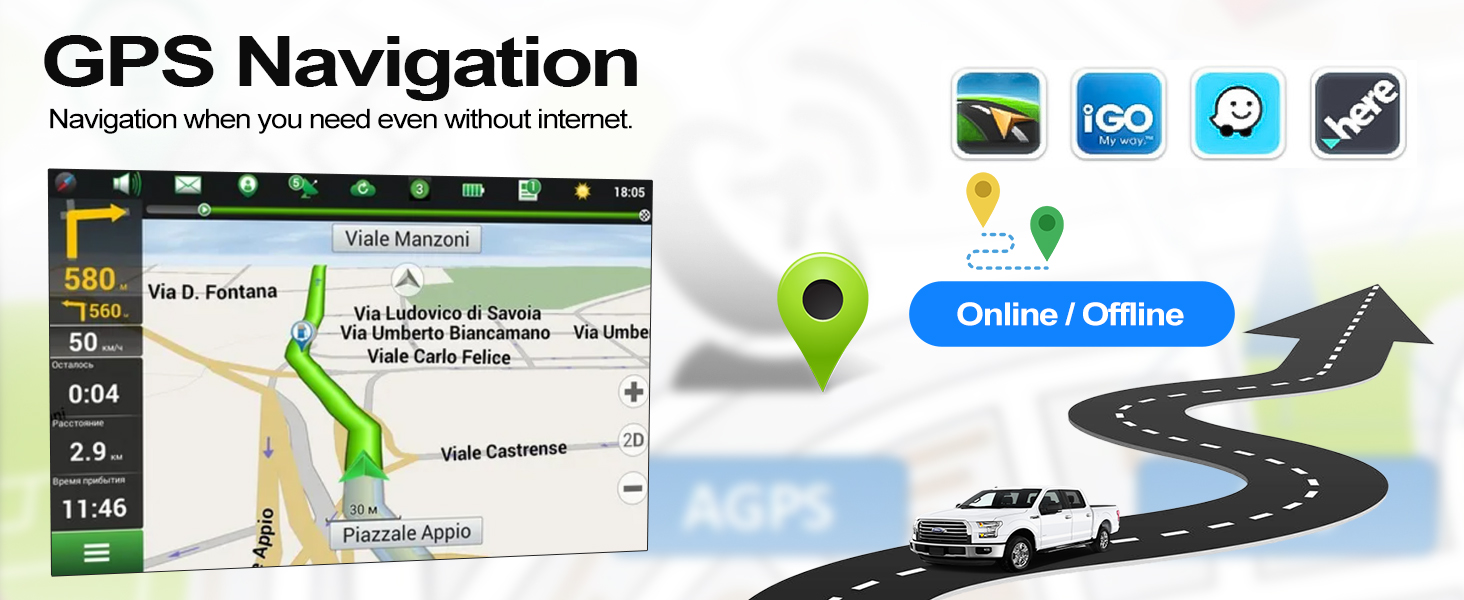
Figure 6.13: Optional accessories for the car stereo.
7. Manutenção
Para garantir a longevidade e o desempenho ideal do seu aparelho de som automotivo CAMECHO, siga estas orientações de manutenção:
- Limpeza: Use um pano macio e seco para limpar a tela e o aparelho. Evite produtos de limpeza abrasivos ou solventes.
- Atualizações de software: Periodically check for and install software updates to improve performance and add new features.
- Condições ambientais: Avoid exposing the unit to direct sunlight for extended periods or extreme temperatures.
- Conexões de cabo: Certifique-se de que todos os cabos estejam firmemente conectados e sem danos.
8. Solução De Problemas
Se você tiver problemas com o som do seu carro, consulte as dicas de solução de problemas mais comuns a seguir:
| Problema | Possível causa | Solução |
|---|---|---|
| Sem energia | Conexão elétrica solta, fusível queimado. | Verifique os cabos de alimentação e os fusíveis do veículo. Certifique-se de que a instalação esteja correta. |
| Sem som | Volume too low, incorrect audio source, speaker wiring issue | Aumente o volume, selecione a fonte de áudio correta e verifique as conexões das caixas de som. |
| Bluetooth/Wi-Fi not working | White plug not connected, interference, device not paired | Ensure the white plug is connected. Re-pair device. Check for interference. |
| GPS signal lost | GPS antenna obstructed or disconnected | Certifique-se de que a antena GPS esteja desobstruída. view do céu e está conectado com segurança. |
| A câmera de ré não está exibindo imagem. | Incorrect wiring, camera settings, faulty camera | Verify camera wiring (Section 5.2). Check camera settings in the menu. |
Se o problema persistir, entre em contato com o suporte ao cliente.
9. Especificações
| Recurso | Descrição |
|---|---|
| Marca | CAMECHO |
| Modelo | 4Core 2G+64G Carplay Hifi |
| Sistema operacional | Androide 11 |
| BATER | 2 GB |
| Armazenamento interno | 64 GB |
| Tamanho da tela | 9 polegadas |
| Tecnologia de Conectividade | Bluetooth, RCA, USB, Wi-Fi |
| Características especiais | Wireless Android Auto, Wireless Apple CarPlay, GPS Navigation, FM/RDS Radio, Steering Wheel Control, AHD Reversing Camera Support, HIFI Audio |
| Dispositivos compatíveis | Smartphone |
| Modo de saída de áudio | Hi-Fi |
| Configuração do canal de som surround | 4.0 |
| Codificação de vídeo | H.264 |
10. Garantia e Suporte
CAMECHO is committed to providing quality products and customer satisfaction.
- Garantia: Este produto vem com garantia de fábrica de 1 anos.
- Garantia de devolução de dinheiro: Aproveite a garantia de reembolso de 30 dias por qualquer motivo.
- Garantia de qualidade: A 12-month warranty covers any quality-related issues.
10.1. Suporte ao cliente
For any questions, issues, or support needs, please do not hesitate to contact us:
- E-mail: icamecho@hotmail.com
- Amazon Page: Refer to the seller information on the Amazon product page for direct contact options.
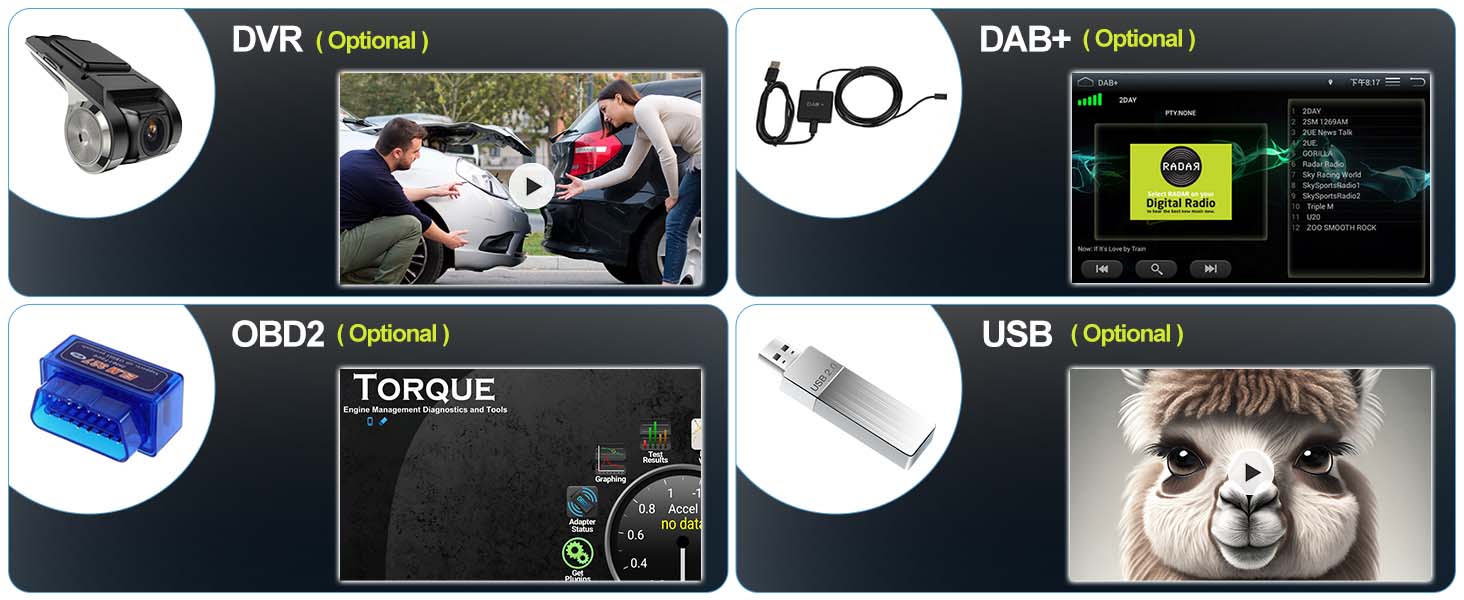
Figure 10.1: How to contact customer support.


