1. Introdução
The VTech VG131-11 DECT 6.0 Cordless Phone offers reliable and clear communication with advanced features. Enjoy hands-free conversations with Bluetooth connectivity, superior range with DECT 6.0 technology, and enhanced visibility with its backlit display and large buttons. This manual provides comprehensive instructions for setting up, operating, and maintaining your new cordless phone.

Image: The VTech VG131-11 DECT 6.0 Cordless Phone handset resting in its black base unit. The handset features a blue-white display and large, green-backlit buttons.
2. O que está na caixa
Verifique se todos os itens estão presentes em sua embalagem:
- Unidade Base
- Telefone sem fio
- Adaptador CA
- Pacote de bateria
- Cabo de linha telefônica
3. Configuração
3.1. Instalação inicial
- Connect the AC adapter to the base unit and plug it into a power outlet.
- Connect the telephone line cord to the base unit and plug the other end into a telephone wall jack.
3.2. Instalação da bateria
- Abra a tampa do compartimento da bateria na parte traseira do aparelho.
- Conecte firmemente o plugue da bateria na entrada dentro do compartimento.
- Coloque a bateria com a etiqueta voltada para cima e acomode os fios cuidadosamente dentro do compartimento.
- Feche a tampa do compartimento da bateria.
3.3. Carregando o aparelho
Place the handset face forward in the base unit. The CHARGE light on the base unit will illuminate, indicating proper charging. Allow the handset to charge for at least 16 hours before initial use for optimal battery performance.
4. Instruções de operação
4.1. Fazendo e recebendo chamadas
- Para fazer uma chamada: Pressione FALAREm seguida, disque o número de telefone.
- To receive a call: Press FALAR ou qualquer tecla de discagem (0-9, #, *).
- Para encerrar uma chamada: Pressione DESLIGADO.
4.2. Utilizando o viva-voz
The phone features a full-duplex speakerphone, allowing both parties to speak and be heard simultaneously for more natural conversations.
- Durante uma chamada, pressione o PALESTRANTE botão para ativar o viva-voz.
- Pressione o PALESTRANTE button again to switch back to handset mode.
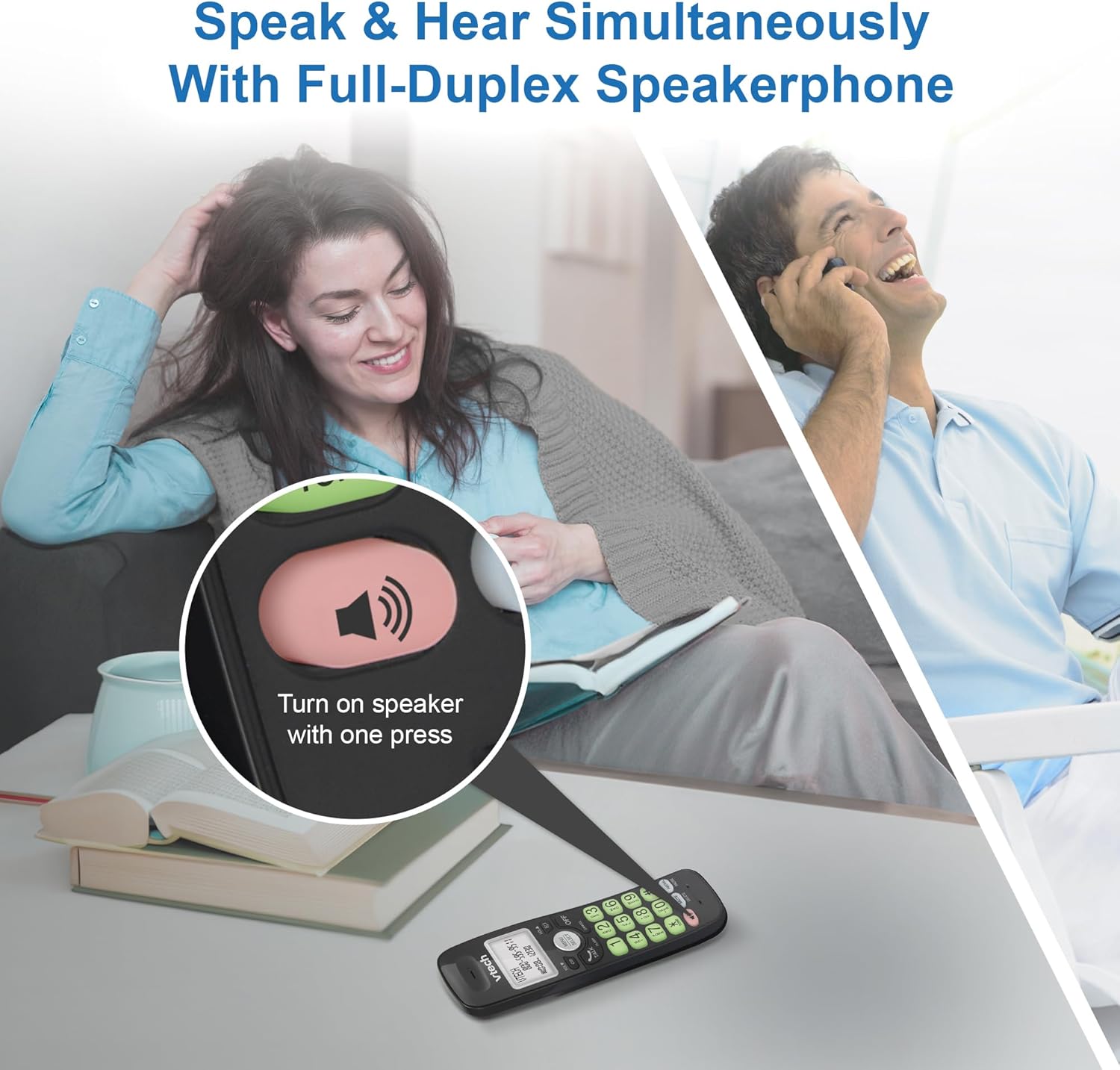
Image: A close-up of the VTech cordless phone handset showing the speakerphone button highlighted, with a person talking on the phone in the background, demonstrating the full-duplex speakerphone feature.
4.3. Volume Control and Mute
- To adjust earpiece or speakerphone volume during a call, press VOLUME ▼ or VOL ▲.
- To mute the microphone during a call, press MUDO. The other party cannot hear you, but you can still hear them. Press MUDO novamente para ativar o som.

Imagem: Uma imagem detalhada view of the VTech cordless phone handset, highlighting the 'MUTE' button, indicating its function for silencing the microphone during a call.
4.4. Caller ID and Phonebook
The handset displays the name, number, time, and date of incoming calls. The phone also includes a 30-name and number phonebook directory.
- Para review Caller ID history, press CID.
- To access the phonebook, press MENU/SELECIONAR, then navigate to the Phonebook option.

Image: A person smiling while holding the VTech cordless phone, with an overlay showing a digital phonebook display with contact names and icons, illustrating the Caller ID and phonebook features.
5. Características
5.1. Conexão Bluetooth
By pairing a Bluetooth headset, earbuds, or conference speakerphone to the system, you can enjoy a wireless calling experience. This feature is perfect for multitasking around your home or office.

Image: A woman in a kitchen pouring a drink while wearing wireless earbuds, with the VTech cordless phone and its base unit visible on the counter, demonstrating hands-free calling via Bluetooth connection.
Emparelhar um dispositivo Bluetooth:
- Ensure your Bluetooth headset/earbuds are in pairing mode (refer to your device's manual).
- On the VTech phone, navigate to the Bluetooth menu (usually via MENU/SELECIONAR).
- Select 'Pair Device' or similar option.
- The phone will search for available Bluetooth devices. Select your device from the list.
- Siga as instruções na tela para concluir o processo de pareamento.
5.2. DECT 6.0 Technology
Trusted by families worldwide for decades, VTech's cordless telephone transmits secure signals via the DECT 6.0 channel. This ensures crystal clear sounds, interference-free communication, and a stable operation range of up to 1000 ft outdoors, allowing you to move freely while on a call.

Image: A woman working on a laptop at a table, with the VTech cordless phone and its base unit nearby, and a graphic indicating DECT 6.0 digital technology, highlighting its superior range and clarity.
5.3. Backlit Display and Big Buttons
The phone features a blue-white backlit display and green backlit keypad for easier viewing and dialing in dim light conditions. The large buttons enhance usability, especially for those with visual impairments.

Imagem: Um close-up view of the VTech cordless phone handset, emphasizing its backlit LCD screen and large, clearly visible buttons, designed for better visibility and ease of use.
5.4. Easy Wall Mount
The base unit is designed for easy wall mounting, fitting all standard wall mount plates without the need for additional brackets. Simply slide the base unit into the mounting plate using the built-in mounting holes for convenient placement.

Image: The VTech cordless phone base unit shown mounted on a wall, highlighting its built-in mounting holes on the back of the base for easy installation.
5.5. Hearing Aid Compatible
This phone is designed to be compatible with hearing aids, providing a clearer audio experience for users with hearing devices.

Image: A woman with a hearing aid talking on the VTech cordless phone, illustrating the phone's hearing aid compatibility feature.
5.6. Produto acabadoview Vídeo
Vídeo: Breve apresentação do produtoview of the VTech VG131-11 DECT 6.0 Cordless Phone, showcasindestacando suas principais características e facilidade de uso.
6. Manutenção
To ensure the longevity and optimal performance of your VTech cordless phone, follow these maintenance guidelines:
- Limpeza: Limpe o telefone e a unidade base com um pano macio e seco.amp pano. Não utilize sprays de limpeza ou produtos químicos agressivos.
- Cuidados com a bateria: Avoid exposing the battery to extreme temperatures. If the phone will not be used for an extended period, remove the battery from the handset.
- Colocação: Mantenha o telefone longe de fontes de calor, luz solar direta e umidade.
7. Solução De Problemas
If you experience any issues with your VTech cordless phone, please refer to the following common problems and solutions:
| Problema | Solução |
|---|---|
| Não esta dando sinal. | Ensure the telephone line cord is securely plugged into both the base unit and the wall jack. Check if the AC adapter is properly connected to the base unit and a working power outlet. |
| O aparelho não carrega. | Make sure the handset is correctly placed in the base unit. Clean the charging contacts on both the handset and the base unit with a dry cloth. Verify the AC adapter is plugged in. |
| Qualidade de som ruim ou estática. | Move closer to the base unit. Other electronic devices (Wi-Fi routers, microwaves) may cause interference; try relocating the base unit. Ensure the handset battery is fully charged. |
| Cannot connect to Bluetooth headset. | Ensure both the phone and the Bluetooth headset are in pairing mode. Make sure the headset is within range of the phone's base unit. Try restarting both devices and attempting the pairing process again. Confirm the headset is compatible with the phone's Bluetooth version. |
| A tela está em branco ou ilegível. | Ensure the handset battery is charged. If the display is dim, check if the backlight setting is enabled or adjust the contrast if available. |
8. Especificações
| Recurso | Detalhe |
|---|---|
| Número do modelo | VG131-11 |
| Dimensões do produto | 3.8 x 4.09 x 7.17 polegadas |
| Peso do item | 14.9 onças (0.42 quilogramas) |
| Baterias | 1 bateria específica do produto (incluída) |
| Tipo de telefone | Sem fio |
| Material | Plástico |
| Fonte de energia | Elétrico com fio |
| Tecnologia DECT | DECT 6.0 |
| Bluetooth | Sim |
| Identificação de chamadas / Chamada em espera | Sim |
| Viva-voz Full-Duplex | Sim |
| Backlit Display & Keypad | Yes (Blue-white display, green keypad) |
| Montável na parede | Sim |
| Capacidade da agenda telefônica | 30 nomes e números |
| Faixa | Up to 1000 ft outdoor |
9. Garantia e Suporte
Para informações sobre garantia, suporte técnico ou para adquirir acessórios, visite o site oficial da VTech. webou entre em contato com o departamento de atendimento ao cliente. Guarde o comprovante de compra como prova para eventuais solicitações de garantia.
VTech Customer Service: www.vtechphones.com/support


