1. Introdução
Thank you for choosing the Vandlion V22-64GB Voice Recorder. This manual provides detailed instructions on how to set up, operate, and maintain your device to ensure optimal performance. Please read this manual thoroughly before using the product.
The Vandlion V22-64GB is a compact and powerful digital voice recorder designed for clear audio capture in various environments. Key features include:
- Capacidade de armazenamento: 64GB of internal storage for extended recording sessions.
- 7-Level Noise Reduction: Enhances audio clarity by minimizing background noise.
- Voice-Activated Recording (VAR): Automatically starts recording when sound is detected, conserving memory and battery.
- Operação com uma tecla: Simple and quick recording activation.
- Tempoamped Recordings: Easy organization and retrieval of audio files.
2. Conteúdo da embalagem
Por favor, verifique se a embalagem contém os seguintes itens:
- Vandlion V22-64GB Voice Recorder
- Cabo de dados
- Fones de ouvido
- OTG adapters
- Manual do usuário (este documento)
3. Produto acabadoview
The Vandlion V22-64GB Voice Recorder is designed for portability and ease of use. Its compact metal casing ensures durability while providing a sleek appearance.

Image 3.1: Vandlion V22-64GB Voice Recorder in use. This image shows the compact size of the recorder, suitable for various recording environments like meetings or lectures.
The device features a simple ON/OFF/SAVE toggle switch for intuitive operation and a built-in microphone for 360-degree panoramic sound capture.

Image 3.2: The ON/REC and OFF/SAVE switch on the Vandlion V22-64GB Voice Recorder. This switch allows for quick initiation and saving of recordings.
4. Configuração
4.1 Carregando o dispositivo
Before first use, fully charge the voice recorder. Connect the device to a computer's USB port or a USB wall adapter (not included) using the provided data cable. The indicator light will show charging status and turn off when fully charged.
- Connect the small end of the data cable to the recorder's charging port.
- Connect the standard USB end to a power source.
- O carregamento normalmente leva de 2 a 3 horas.
4.2 Inicialização Inicial
To power on the device, slide the ON/REC switch to the 'ON' position. The device will vibrate briefly or an indicator light will illuminate, indicating it is ready for operation.
5. Instruções de operação
5.1 Gravação Básica
The Vandlion V22-64GB features a simple one-key recording function:
- To start recording, slide the switch to the 'ON/REC' position. The device will begin recording within approximately 5 seconds.
- Para interromper a gravação e salvar o file, slide the switch to the 'OFF/SAVE' position. The recording will be saved automatically.
Cada áudio file is automatically timestamped for easy organization and retrieval when connected to a computer.
5.2 Voice-Activated Recording (VAR)
The voice-activated recording feature helps conserve battery life and memory by only recording when sound is detected. To enable and adjust VAR:
- Conecte o gravador a um computador.
- Access the device's settings file (usually a configuration file or through dedicated software, refer to device's internal documentation if available).
- Adjust the sensitivity level for voice activation (typically 7 levels available). A higher sensitivity will trigger recording with softer sounds, while lower sensitivity requires louder sounds.
- Save the settings and disconnect the device. The VAR function will now be active.
5.3 Redução de ruído
The recorder features 7-level noise reduction to improve audio clarity. This function is typically automatic, but its effectiveness can be influenced by recording environment and microphone placement.

Image 5.1: Illustration of the noise reduction capability of the Vandlion V22-64GB Voice Recorder. The image depicts how unwanted noise (red waves) is reduced, resulting in clearer audio (blue waves).
5.4 Reprodução
You can play back recordings directly from the device using the included headphones:
- Certifique-se de que o dispositivo está ligado.
- Connect the included headphones to the recorder's headphone jack.
- Use the controls on the headphone cable (if available) or the device's internal controls (if applicable, refer to specific model's internal documentation) to navigate and play audio files.

Image 5.2: The Vandlion V22-64GB Voice Recorder connected to earphones for direct audio playback. This feature allows listening to recordings without needing a computer.
Alternatively, connect the recorder to a computer to play back fileusando o reprodutor de mídia do seu computador.
5.5 File Gerenciamento
To manage your recorded files:
- Connect the voice recorder to your computer using the provided data cable.
- The device will appear as a removable disk drive.
- Abra a unidade para acessar seu áudio gravado. files (typically in a folder like 'RECORD' or 'VOICE').
- Você pode copiar, mover, excluir ou renomear. filecomo faria com qualquer outro files no seu computador.
- Sempre remova o dispositivo do computador com segurança antes de desconectá-lo.
The included OTG adapters allow you to connect the recorder to compatible Android smartphones for file gerenciamento.
6. Manutenção
- Limpeza: Use um pano macio e seco para limpar o dispositivo. Não use produtos de limpeza líquidos ou solventes.
- Armazenar: Guarde o gravador em local fresco e seco, longe da luz solar direta, temperaturas extremas e umidade.
- Cuidados com a bateria: Para prolongar a vida útil da bateria, evite descarregá-la completamente com frequência. Carregue o dispositivo regularmente, mesmo que não o utilize por longos períodos.
- Backup de dados: Faça backups regulares de gravações importantes no seu computador para evitar a perda de dados.
7. Solução De Problemas
| Problema | Possível causa | Solução |
|---|---|---|
| O dispositivo não liga. | Bateria fraca ou dispositivo desligado. | Charge the device fully. Ensure the ON/REC switch is in the 'ON' position. |
| Não é possível gravar. | Insufficient storage space or device not in recording mode. | Check available memory and delete unnecessary files. Ensure the switch is in the 'ON/REC' position. |
| Poor sound quality during recording. | Microphone obstructed, noisy environment, or incorrect VAR sensitivity. | Ensure the microphone is clear. Record in a quieter environment. Adjust VAR sensitivity if enabled. |
| Dispositivo não reconhecido pelo computador. | Faulty USB cable, incorrect port, or driver issue. | Try a different USB cable or port. Restart your computer. Ensure the device is powered on when connecting. |
| Cannot hear playback through headphones. | Headphones not properly connected, volume too low, or corrupted file. | Ensure headphones are fully plugged in. Adjust volume. Try playing the file em um computador |
8. Especificações
| Marca | Vandlion |
| Modelo | V22-64 GB |
| Capacidade de armazenamento de memória | 64 GB |
| Dimensões do produto | 0.76 x 2.21 x 7.37 cm; 150 g (or 8 x 22 x 74 Millimeters) |
| interface de hardware | USB 2.0 |
| Dispositivos compatíveis | Fone de ouvido |
| Fator de forma do microfone | Construído em |
| Entrada para fones de ouvido | 3.5 milímetros |
| Pilhas incluídas | Sim (polímero de lítio) |
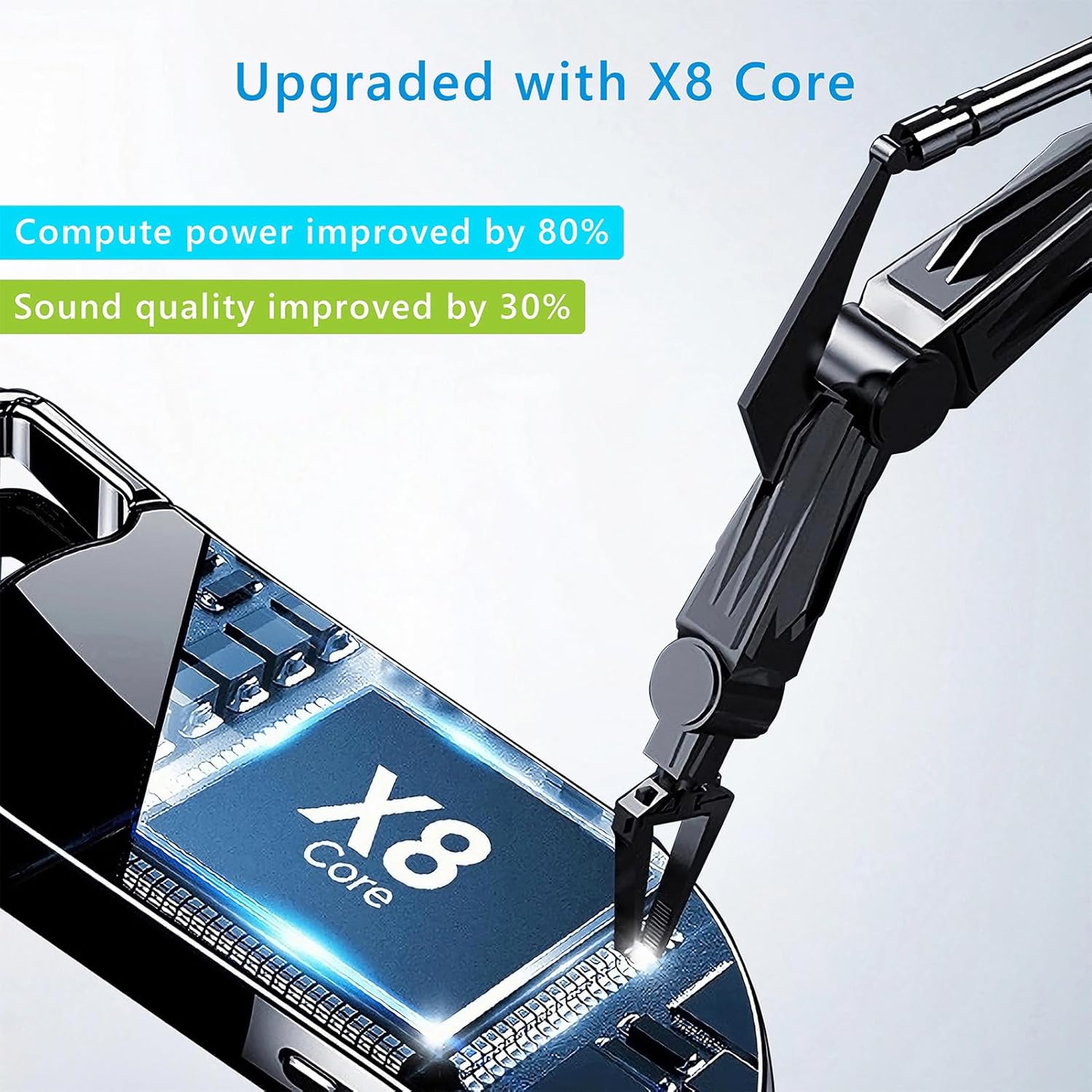
Image 8.1: Internal component view of the Vandlion V22-64GB Voice Recorder, showcasing the X8 Core. This illustrates the advanced processing unit within the device.
9. Garantia e Suporte
For warranty information and technical support, please refer to the documentation provided with your purchase or contact Vandlion customer service through their official website ou o revendedor onde você comprou o produto.
Guarde o recibo de compra como comprovante para solicitações de garantia.


